Design Tests with AI
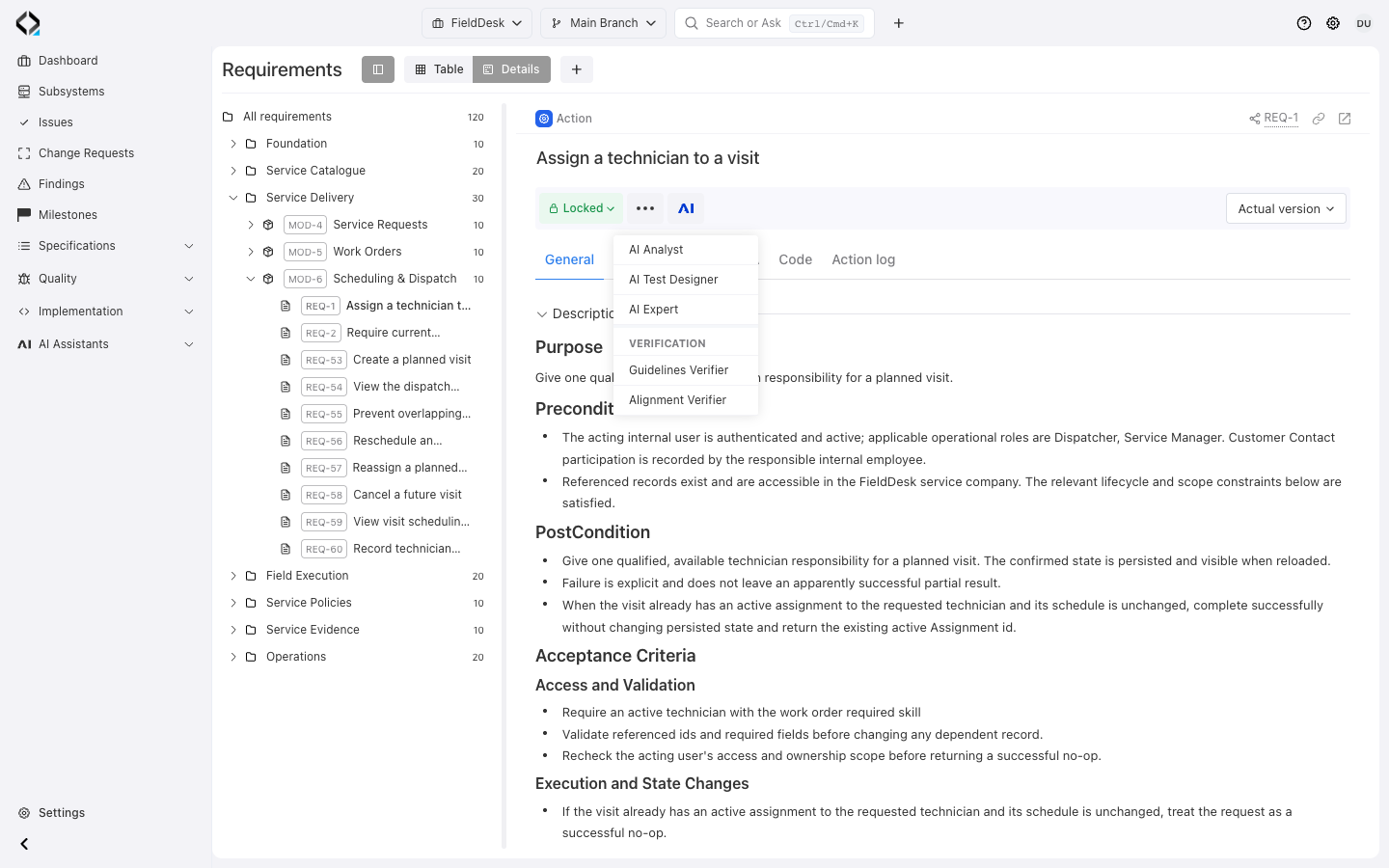
Start from a product rule
REQ-1 defines how repeated assignment preserves state and rechecks access. Open AI Test Designer.
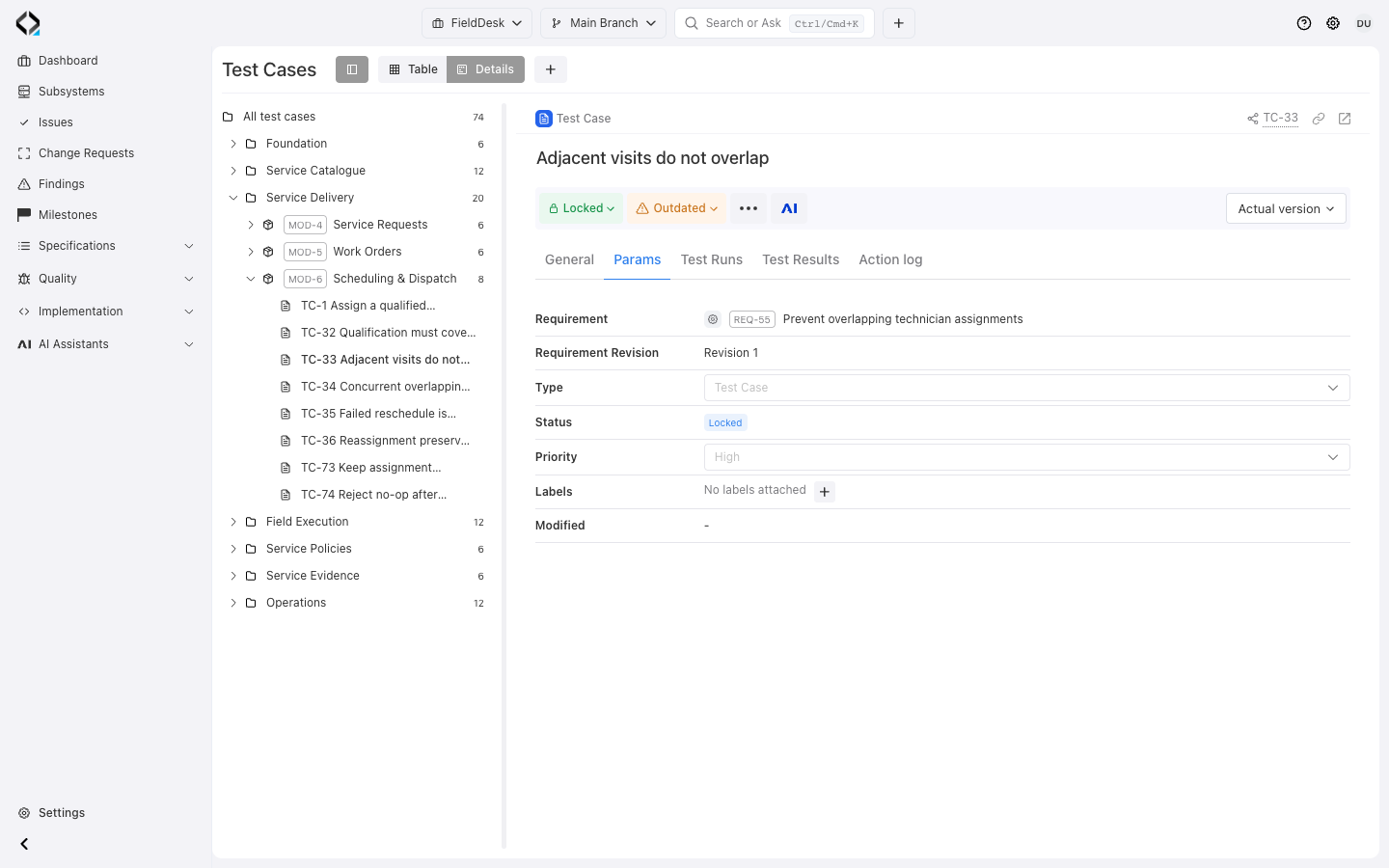
Start from product behavior, not a blank test form
AI Test Designer analyzes selected requirements, related specifications, existing test cases, and relevant implementation context.
It can clarify missing decisions before proposing new tests, updates to existing tests, or deprecation of tests that no longer describe the product.
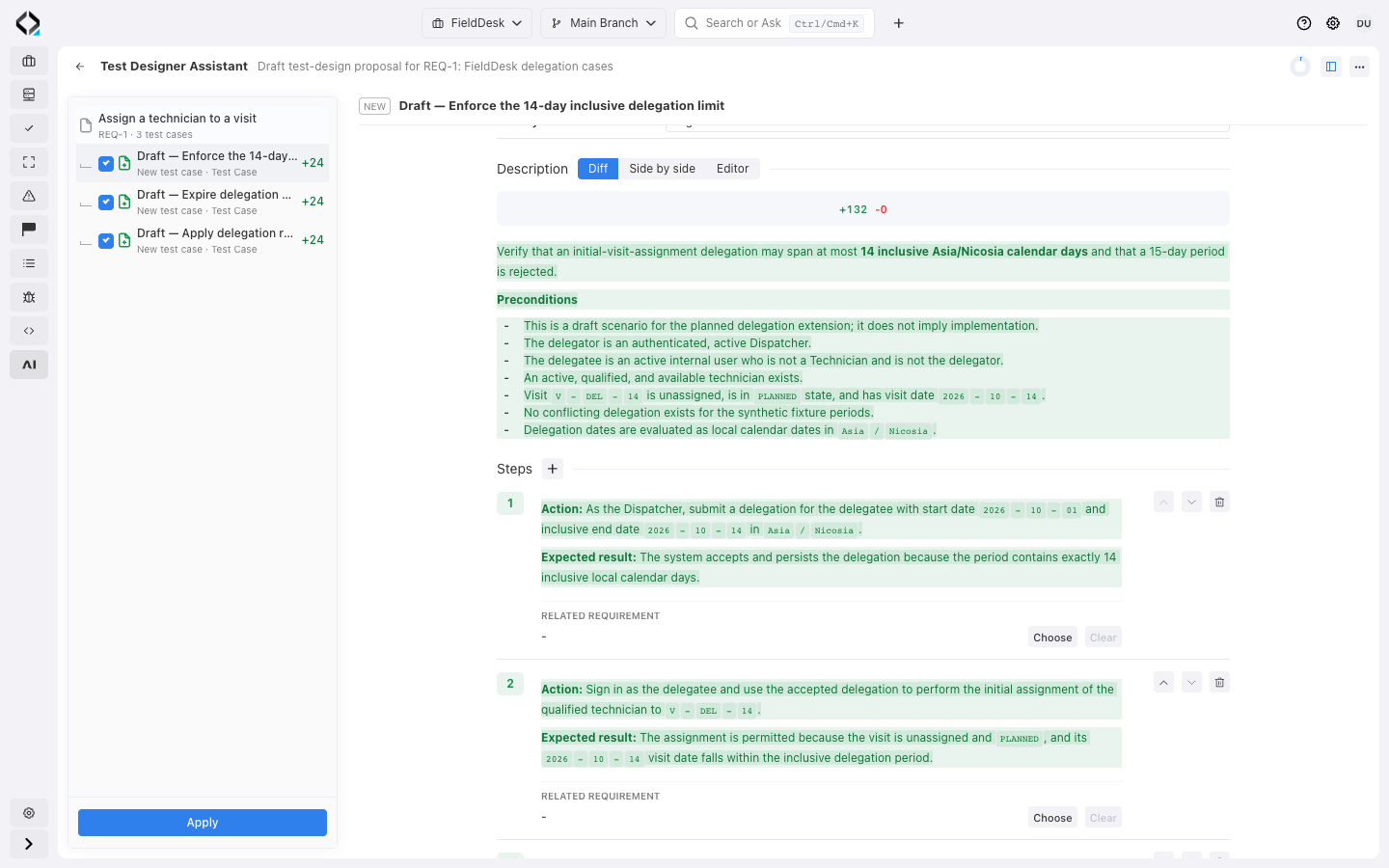
Review the expiry test
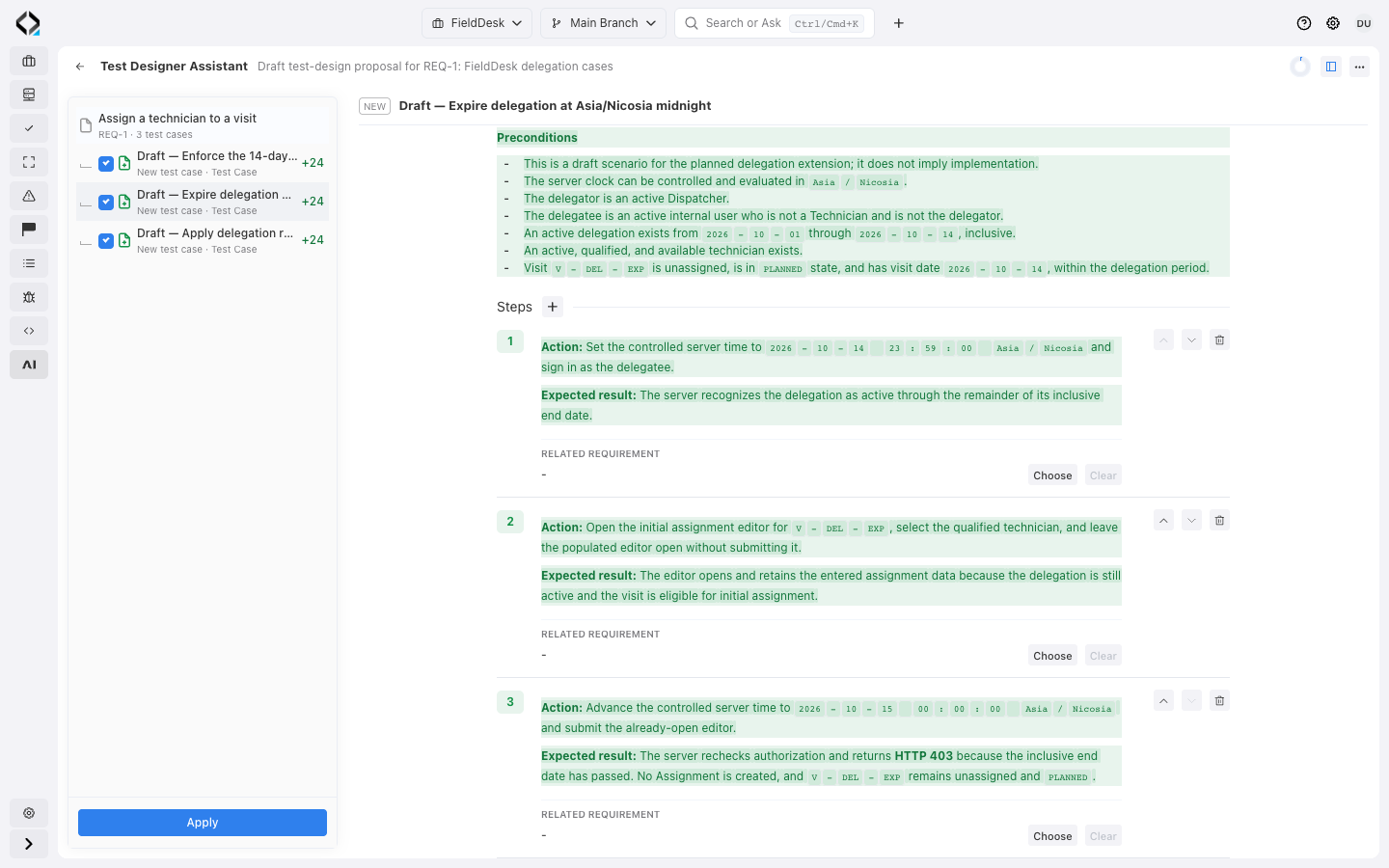
Review delegation expiry at local midnight, including an already-open assignment editor.
A human-controlled test design workflow
The assistant prepares structured changes. Your team reviews and applies them.

1. Select the behavior
Choose the requirements that need coverage and optionally add the QA concern or testing goal.

2. Clarify what matters
When the available context is insufficient, the assistant asks only questions that affect coverage or test structure.

3. Review the proposal
Inspect proposed test cases, steps, requirement links, updates, and deprecations in a structured result.

4. Edit and apply
Adjust allowed fields, disable individual proposals, and apply only the reviewed changes to project test cases.
Keep test design connected to the evolving product

Requirement-based coverage
Test cases remain linked to the behavior they validate, making missing and outdated coverage easier to identify.

Branch-aware changes
Test cases follow the same branch-aware model as requirements, so feature work can evolve its QA baseline without rewriting Main prematurely.

Execution-ready output
Applied test cases can be assembled into Test Runs, executed in a selected environment, and tracked through historical results.
From design to execution
Prepare and review test cases with AI Test Designer. Organize the accepted cases in Test Management, then use a person or an external QA agent to execute them and record results.


Turn living requirements into a living QA baseline
Let AI accelerate test design while your team keeps control of scope, quality, and application.
