Continuous Verification
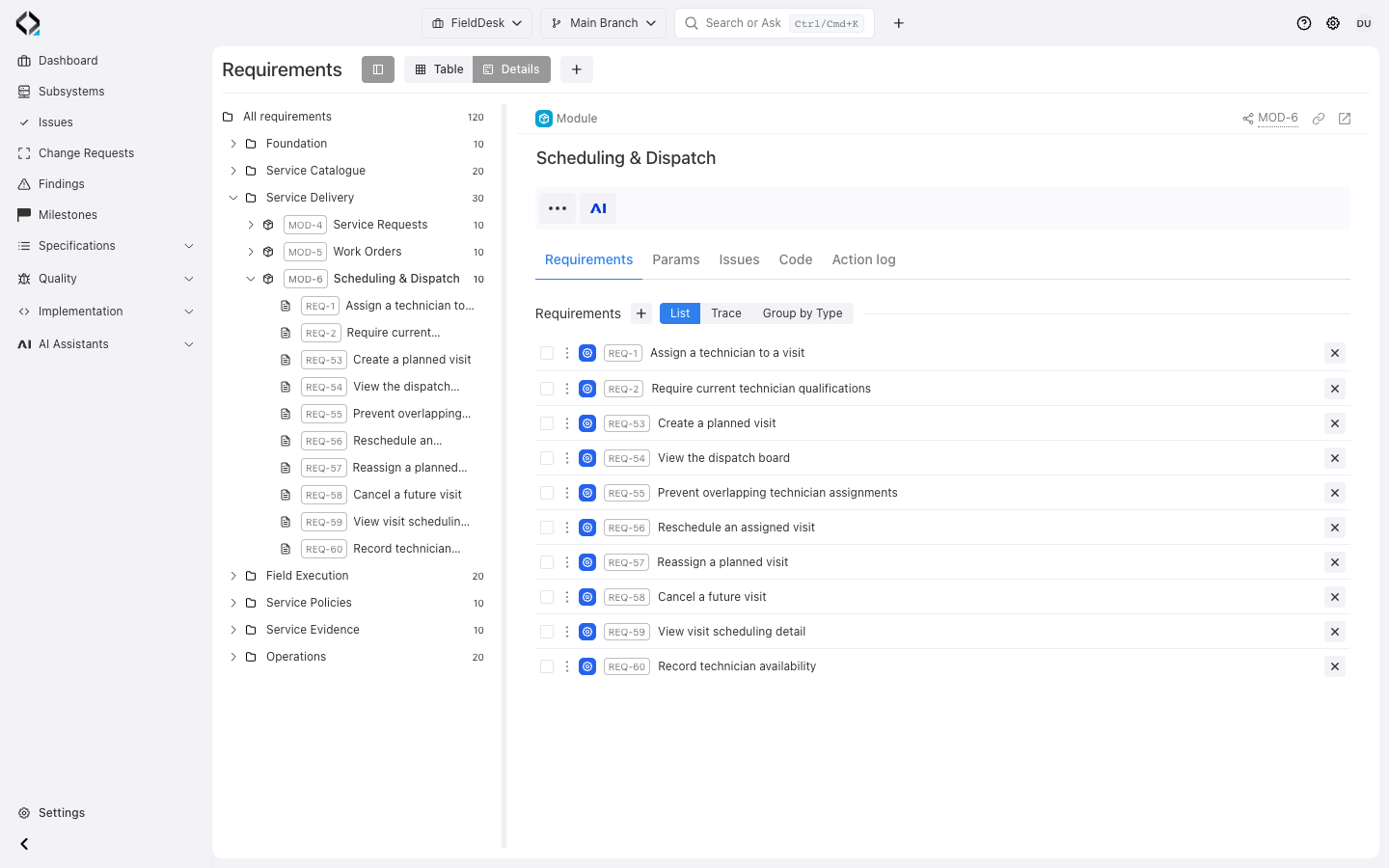
Choose a focused scope
Start with FieldDesk’s Scheduling & Dispatch module: ten requirements and their linked specifications.
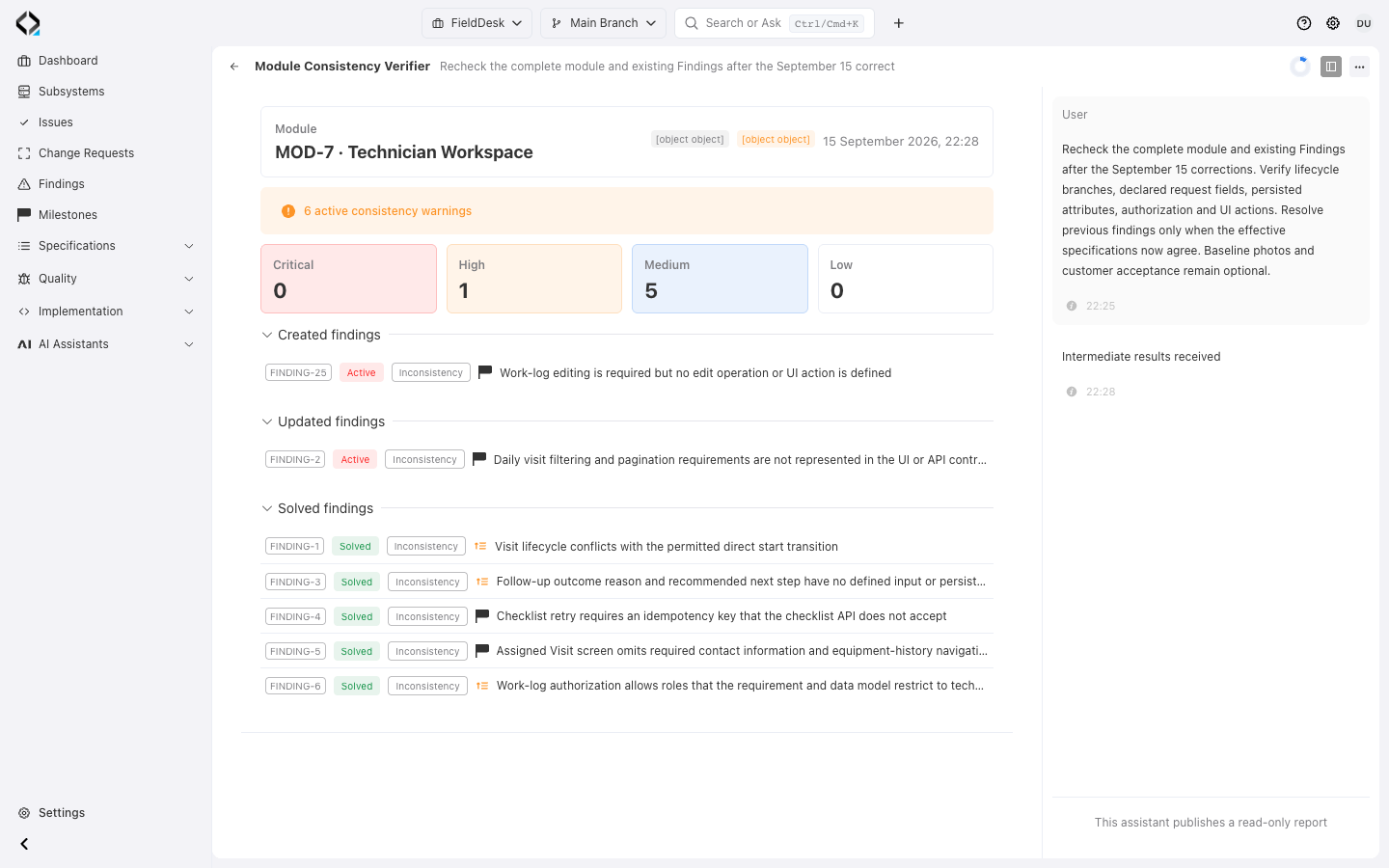
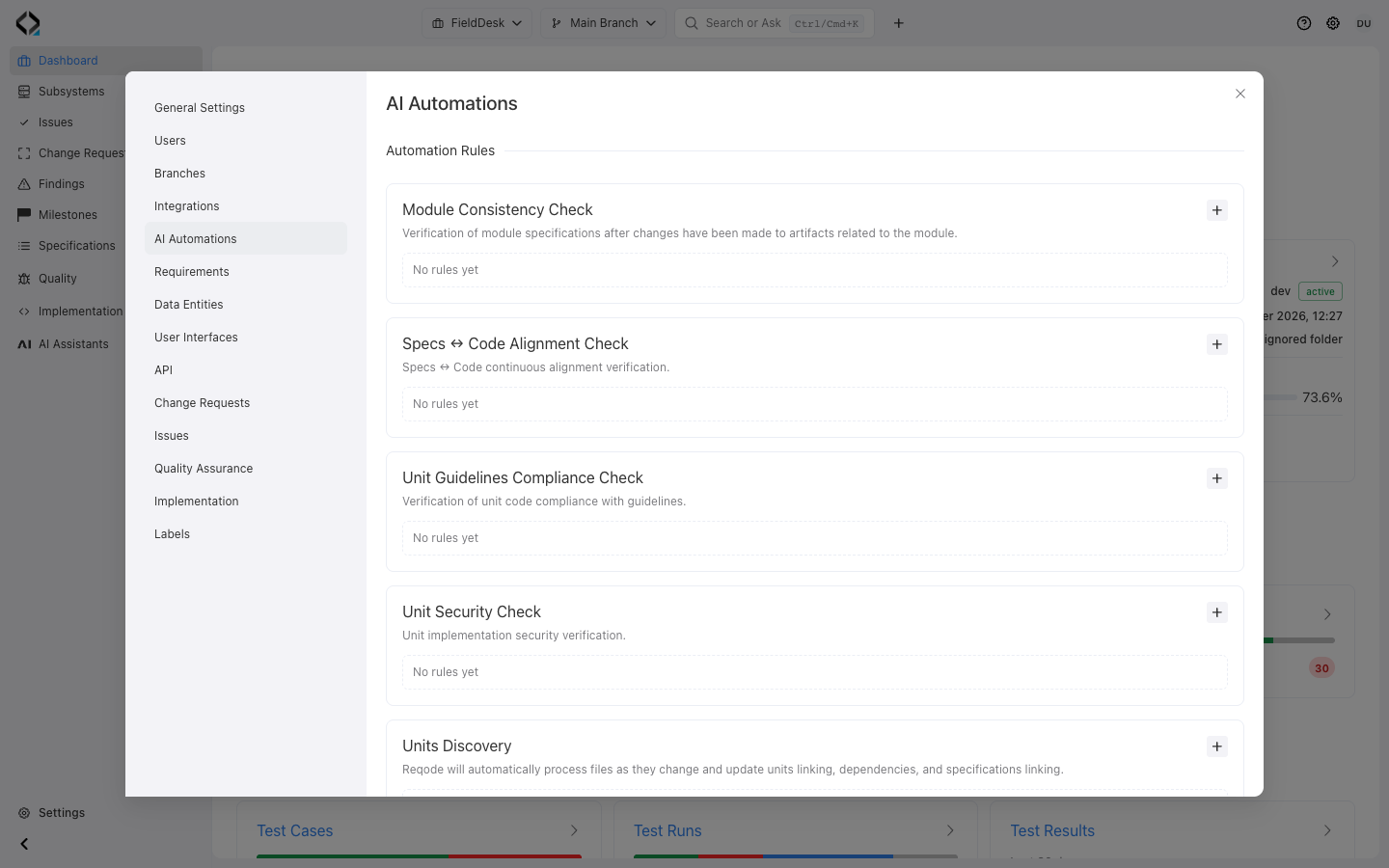
Verification is a loop, not a one-time report
Run checks in the current project branch. Confirmed problems become Findings with evidence, severity, and affected artifacts.
Correct code, specifications, unit mappings, or guidance, then repeat the relevant check.

Specification consistency
Check a requirements module for contradictions, gaps and inconsistencies across its requirements and related API, UI and data specifications.

Unit discovery
Classify source files into meaningful software units and update unit types, dependencies and links back to product specifications.

Guidelines compliance
Verify a software unit against the subsystem Code Manifest, its Unit Type rules and unit-specific implementation guidance.

Specs ↔ code alignment
Compare a software unit with its linked requirements, data entities, user interfaces and API operations to detect implementation drift.
From verification to a resolved Finding
Keep the check’s scope, evidence, and correction connected.
Select or schedule the check
Run a verifier from the module, software unit or files being reviewed, or configure an automation rule for a project branch and subsystem.
Prepare focused context
Reqode assembles the applicable specifications, software units, files, dependencies and architecture guidance for the selected scope.
Run AI verification
Each verifier checks its defined concern and returns a structured result.
Record confirmed Findings
Findings link the problem to affected specifications or units in the selected branch.
Resolve and reverify
Fix the appropriate source of truth, rerun the check and let the new result update or solve the corresponding Finding.
See exactly why verification failed
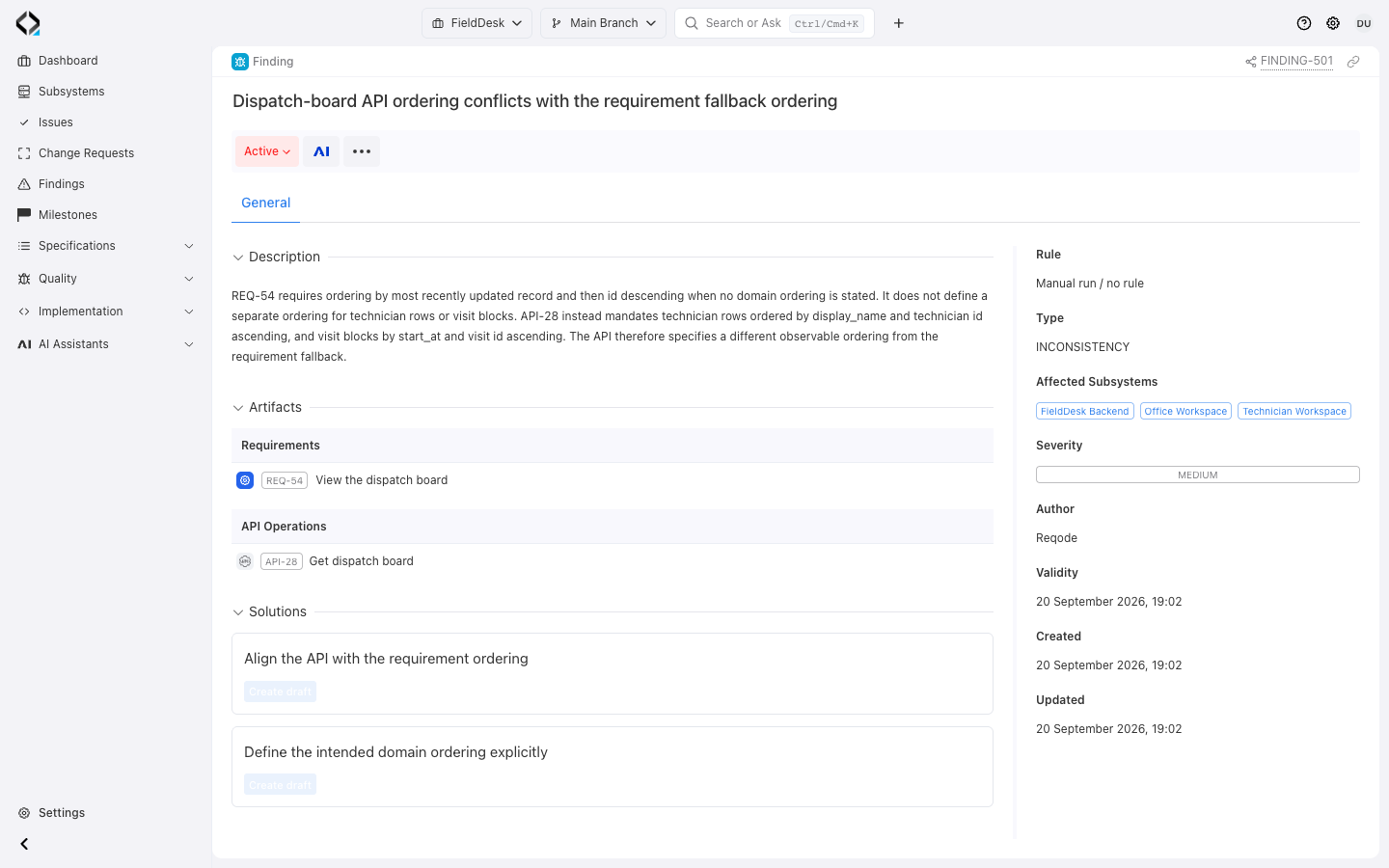
Open a Finding from its browser or affected artifact to inspect evidence, severity, validity, and proposed solutions.
When a Finding offers an AI Analyst action, open a reviewable draft with the related artifacts as context.
Manage verification results in product context
Filter Findings by state, severity, type, and validity within their artifact scope.
Evidence and scope
Understand the verifier rule, affected branch and subsystems, linked artifacts, description and suggested solutions.
Finding lifecycle
Keep a Finding active, intentionally ignore it, mark it solved or return it to active work while preserving its verification context.
Current validity
Distinguish current results from outdated Findings so old verification evidence does not look like the current product state.
Findings are not general-purpose Issues
Findings record detected problems and evidence. Issues track ideas, defects, and delivery work; connect them when follow-up work needs coordination.
Issues organize human-planned work such as tasks, defects, ideas and other reasons for change.
Follow the evidence to the appropriate correction.
Manual and automatic checks
Launch focused verification when reviewing a specific artifact or schedule supported checks for module consistency, unit discovery, guidelines compliance and specs-to-code alignment.
Keep checks and test execution connected
Verification findings describe problems discovered by scoped checks. Executing prepared tests against the running product produces test results; the team can inspect both when reviewing a change.

Keep verification part of everyday product work
Review the feature’s Findings, correct gaps, and run the relevant checks again.
