Issue Tracking
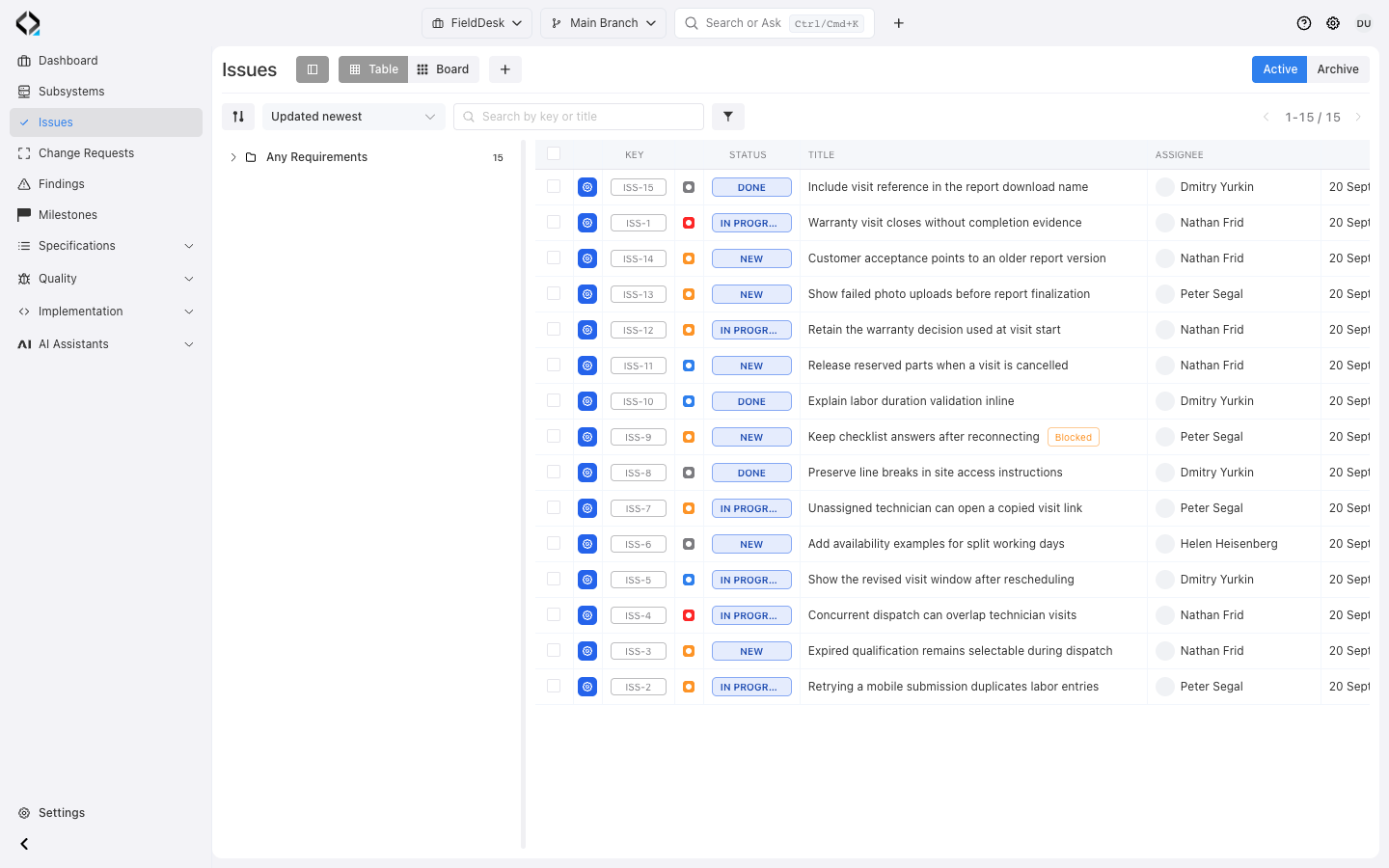
Start with a connected issue catalog
Fifteen issues span FieldDesk requirements, with priorities, statuses and four named owners. Search for warranty work.
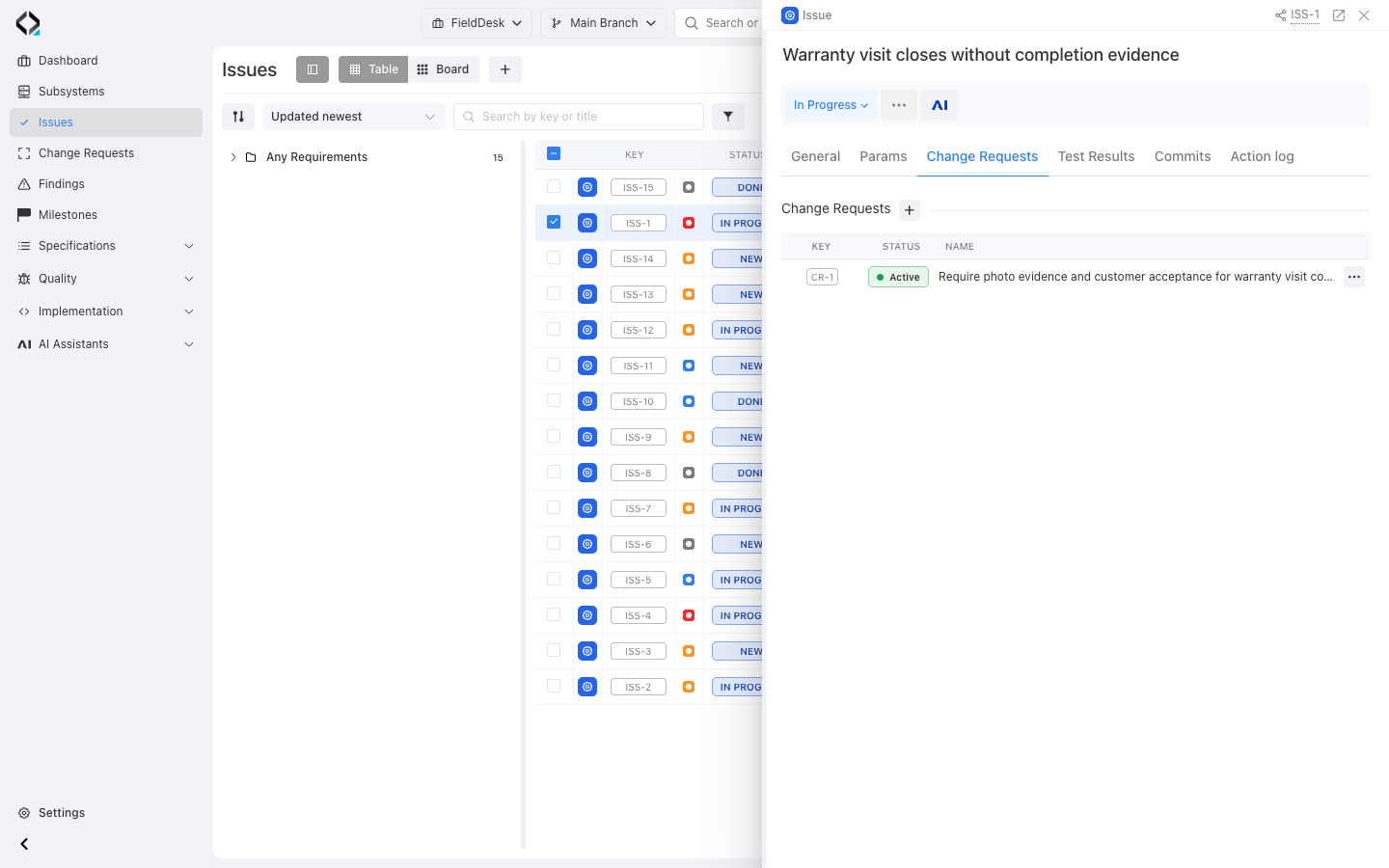
One Issue, connected delivery context
Coordinate day-to-day work without losing the product intent and delivery evidence around it.

Flexible work model
Use Issue Types for tasks, defects, risks and improvements while keeping priority, reporter, assignee, labels, milestone and blocked state in a consistent model.

Requirement traceability
Connect an Issue to one or more affected Requirements and preserve the relevant project branch and specification revision as the product evolves.

Controlled change
Link the reason for attention to one or more Change Requests that define the affected specifications, branch context and implementation scope.

Milestone context
Place Issues in a delivery period and review completed work alongside QA execution instead of treating a closed-ticket count as release proof.
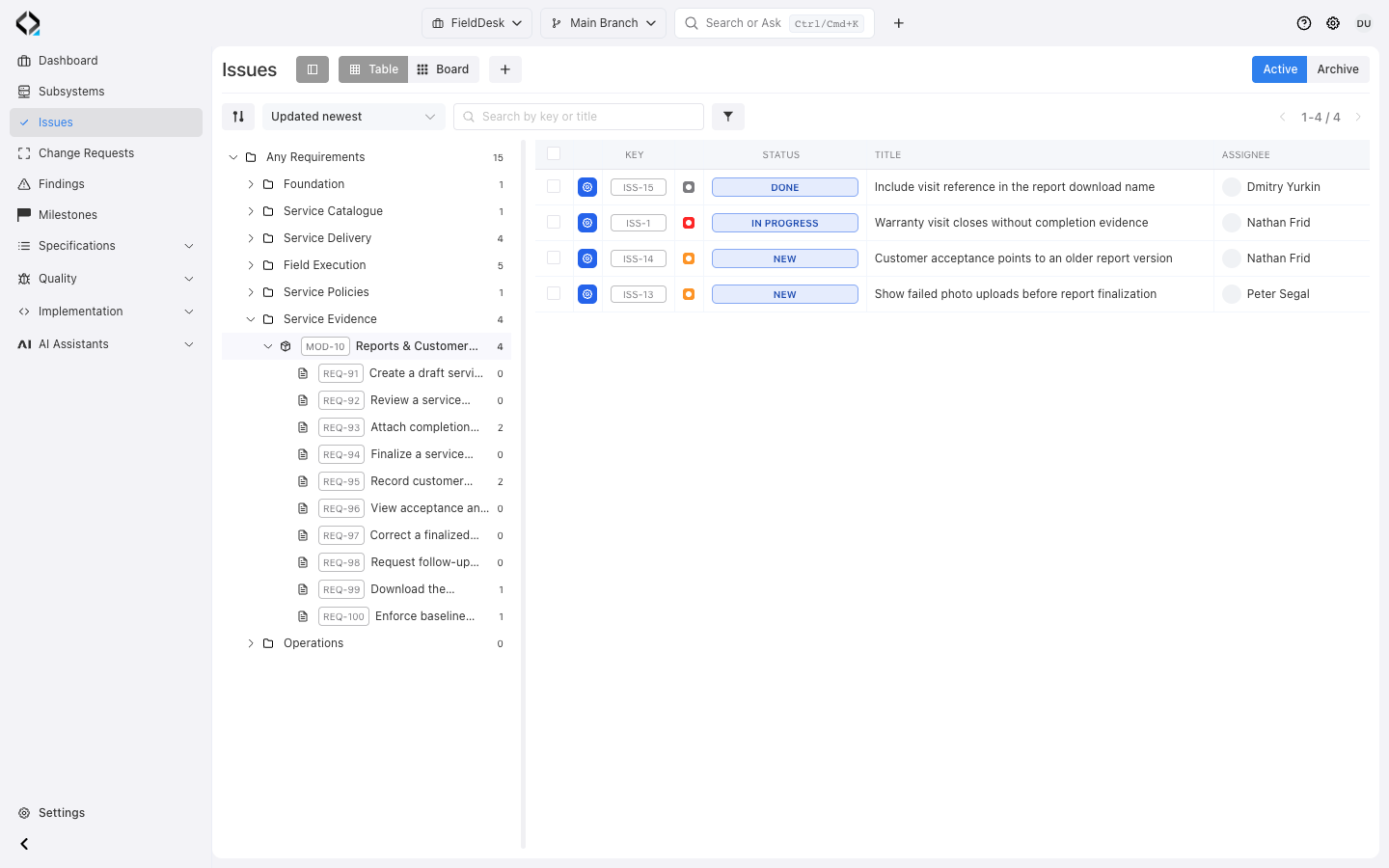
Find Issues by the product behavior they affect
Find work through requirement folders and modules, counters, search, and filters.
Unlinked Issues remain visible for traceability review.
More views
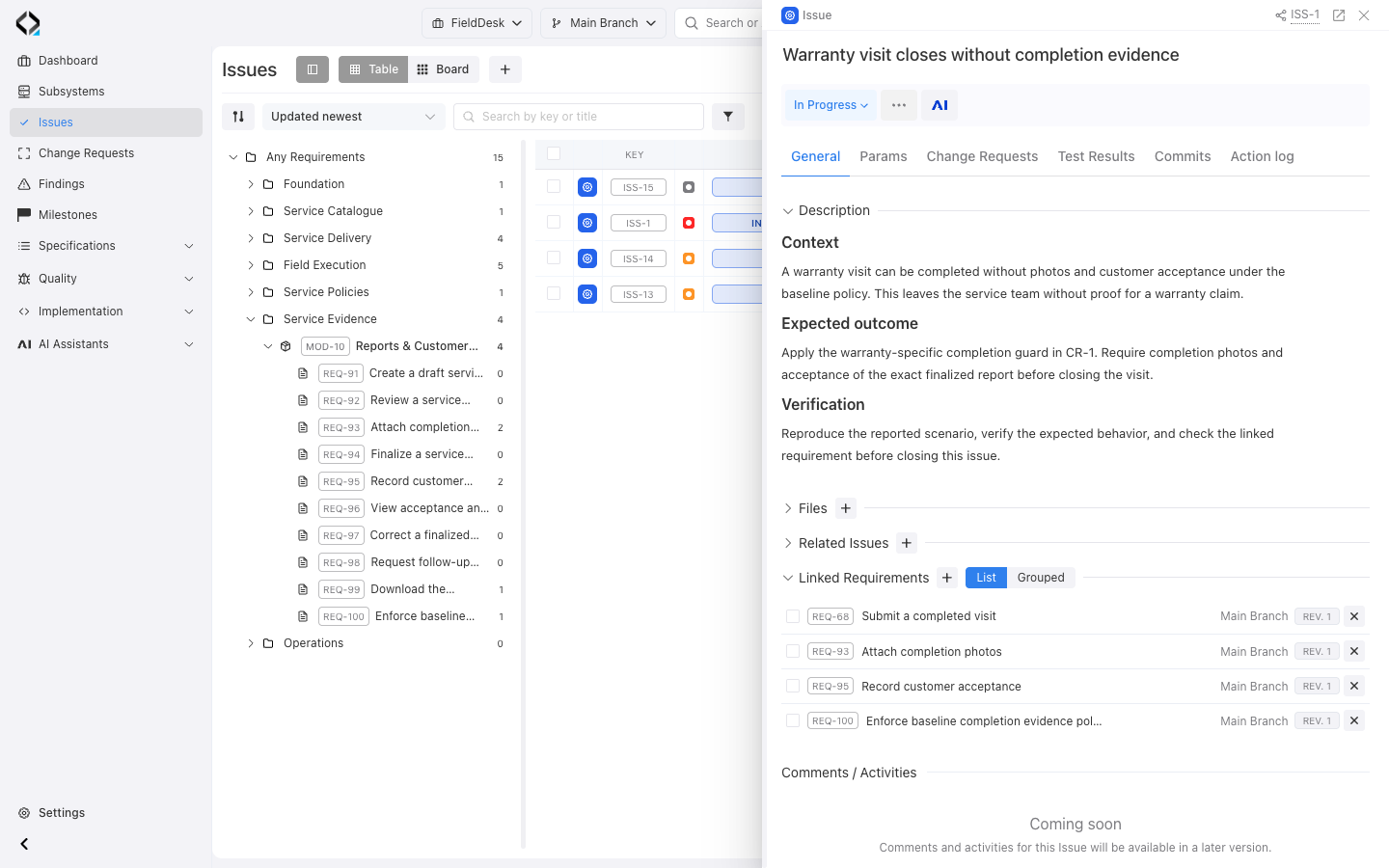
ISS-1: the warranty completion problem, expected outcome, and four linked requirements.
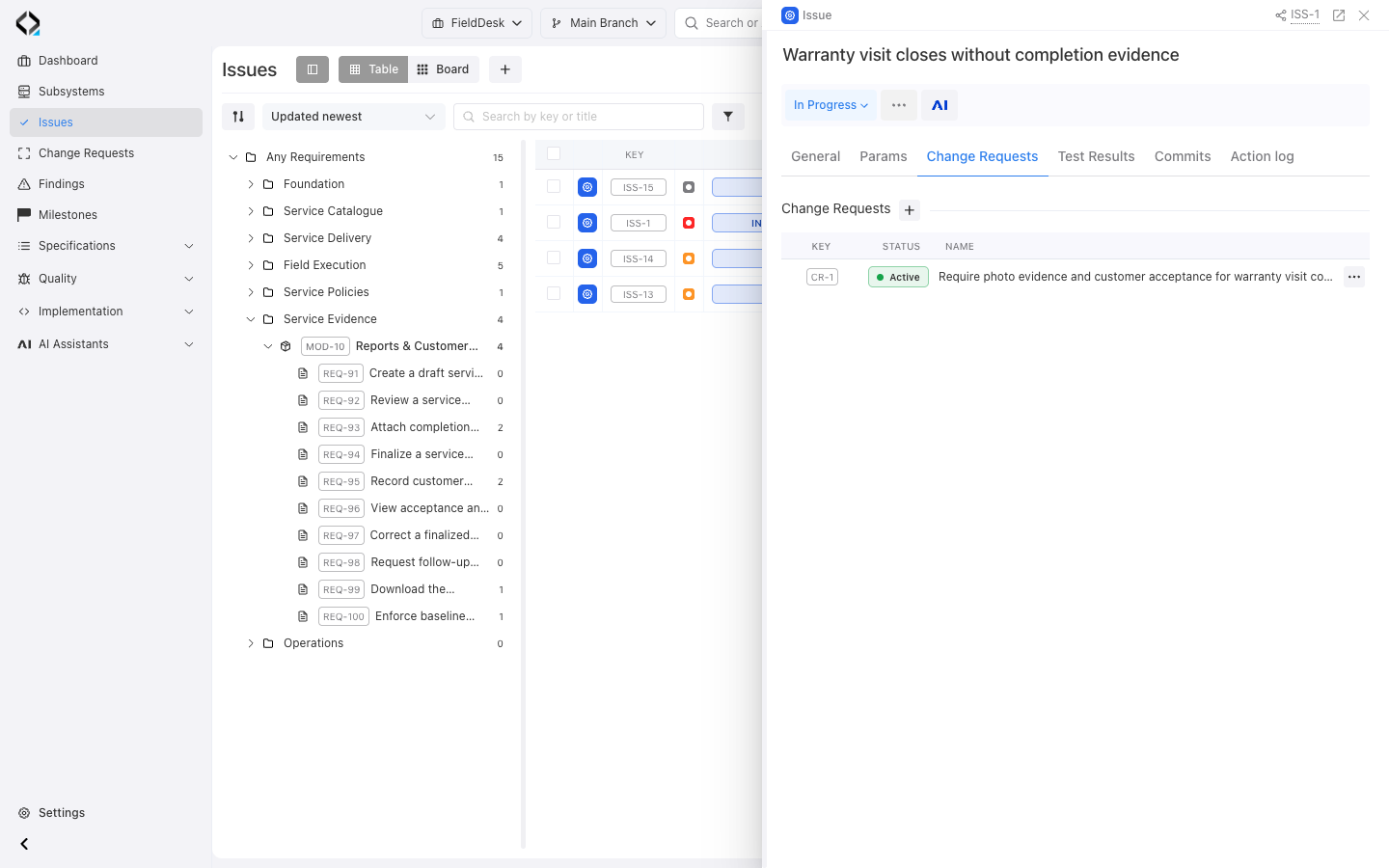
ISS-1 links to CR-1 to require warranty completion photos and customer acceptance.
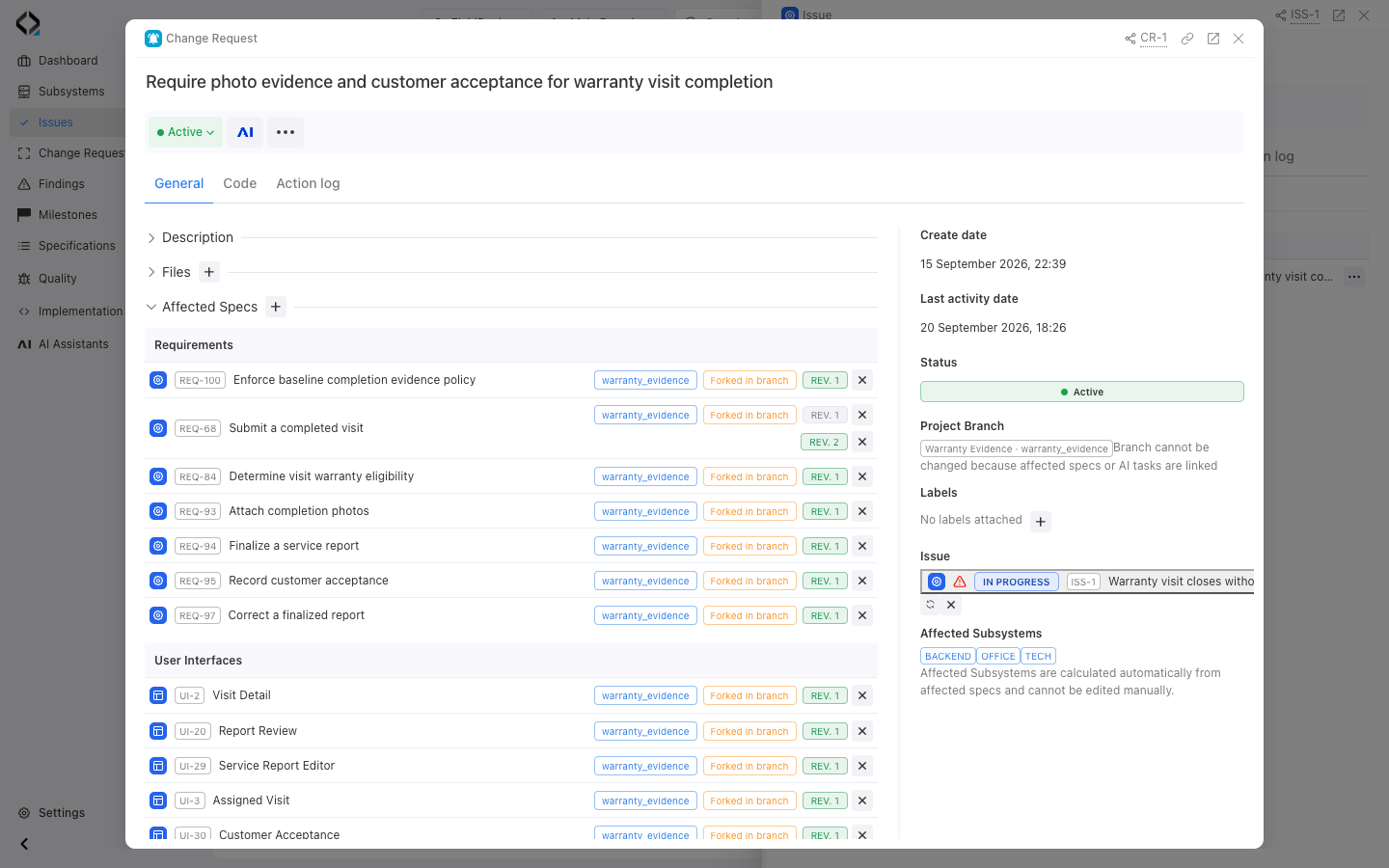
More views
ISS-1 links to CR-1 to require warranty completion photos and customer acceptance.
ISS-1: the warranty completion problem, expected outcome, and four linked requirements.
Move from an Issue to a controlled change
An Issue explains the reason for change; a Change Request defines the scope chosen to address it.
An Issue can lead to several Change Requests, each retaining its branch, affected revisions, implementation impact, and AI work.
Read progress as connected evidence
Milestones bring together Issues and Test Runs. Issue progress follows final statuses; QA progress shows executed work.
Review unfinished, blocked, critical, and untested work before deciding to release. Progress alone is not release approval.
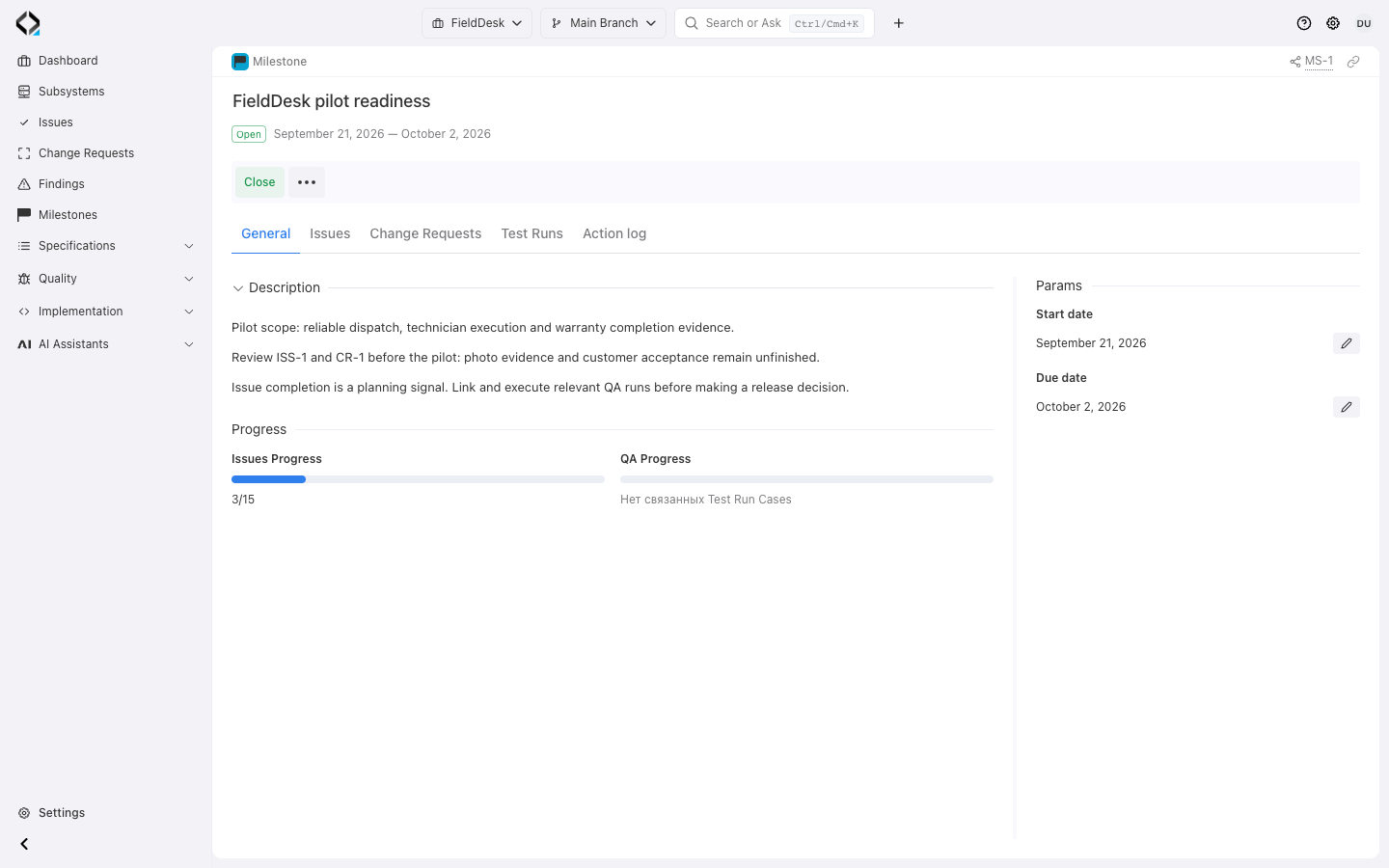
More views
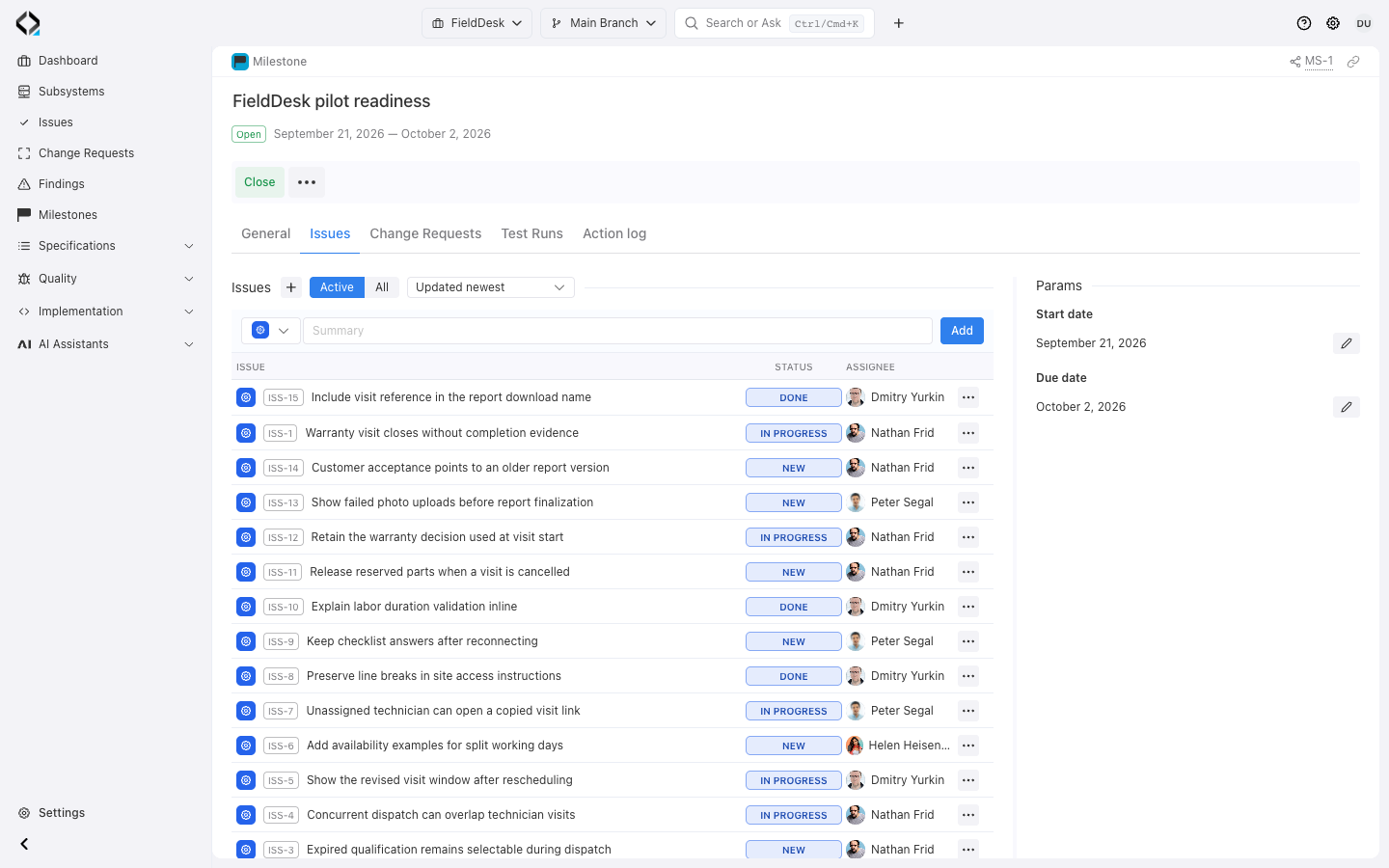
MS-1: completed work alongside unfinished warranty, report, mobile, and dispatch Issues.
CR-1: affected requirements and revisions, Warranty Evidence branch, linked ISS-1, and implementation subsystems.
Built to evolve with your delivery process
Planned improvements extend the requirement-linked delivery model.

Configurable boards
Create saved boards with configurable workflow columns, filters and grouping for a team, milestone, Issue Type or Requirement scope.

Type-specific workflows
Define statuses, allowed transitions, final states and resolutions for each Issue Type instead of forcing defects, tasks and risks through the same process.

AI-assisted requirement discovery
Use Issue wording to suggest likely affected Requirements, explain the match and let the team confirm the correct branch and revision before creating traceability.

Milestone summaries
Bring completion, blocked and critical work, overdue Issues, missing traceability and QA execution into one reviewable milestone summary.

External tracker synchronization
Import and synchronize work from supported trackers, map external types and statuses to Reqode workflows and keep the external source visible on every imported Issue.

Impact and retest context
Follow confirmed Requirements into affected specifications, software units, test cases and Findings to understand what should be changed and what should be verified again.
Where Issues fit
Issues coordinate work that needs attention. Requirements define expected behavior, Change Requests control implementation scope and milestones summarize delivery progress.

An Issue records the reason for attention. Linked Change Requests define one or more implementation paths to address it.
No. Teams can manage Issues directly in Reqode, while supported external tracker integrations bring existing work into the product model. Provider-specific availability and synchronization direction depend on the configured integration.
Explicit keys can identify requirements. Planned AI-assisted discovery suggests other matches for a person to confirm with their branch and revision.
No. A final Issue status does not establish test coverage, successful execution, or implementation alignment. Review the evidence and active Findings.
From a problem to scoped work
An Issue records a problem or work needing attention. A Finding records a result of verification. Use a Change Request to scope implementation work and a milestone to organize delivery.

