Data Model
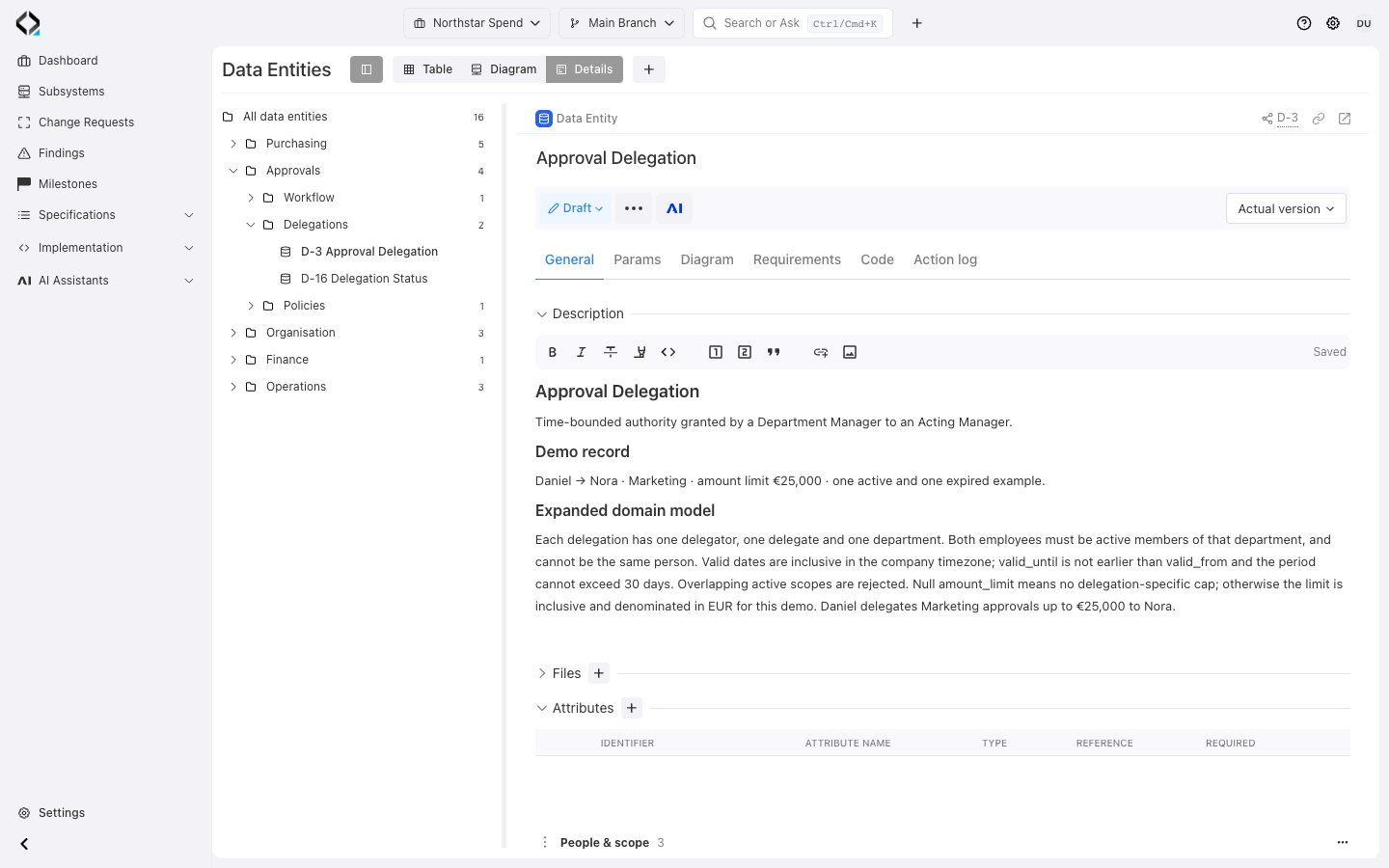
Start with the business meaning
Approval Delegation defines temporary authority: who may approve, for which department, within what dates and amount limit.
Choose the right structure for each data concept
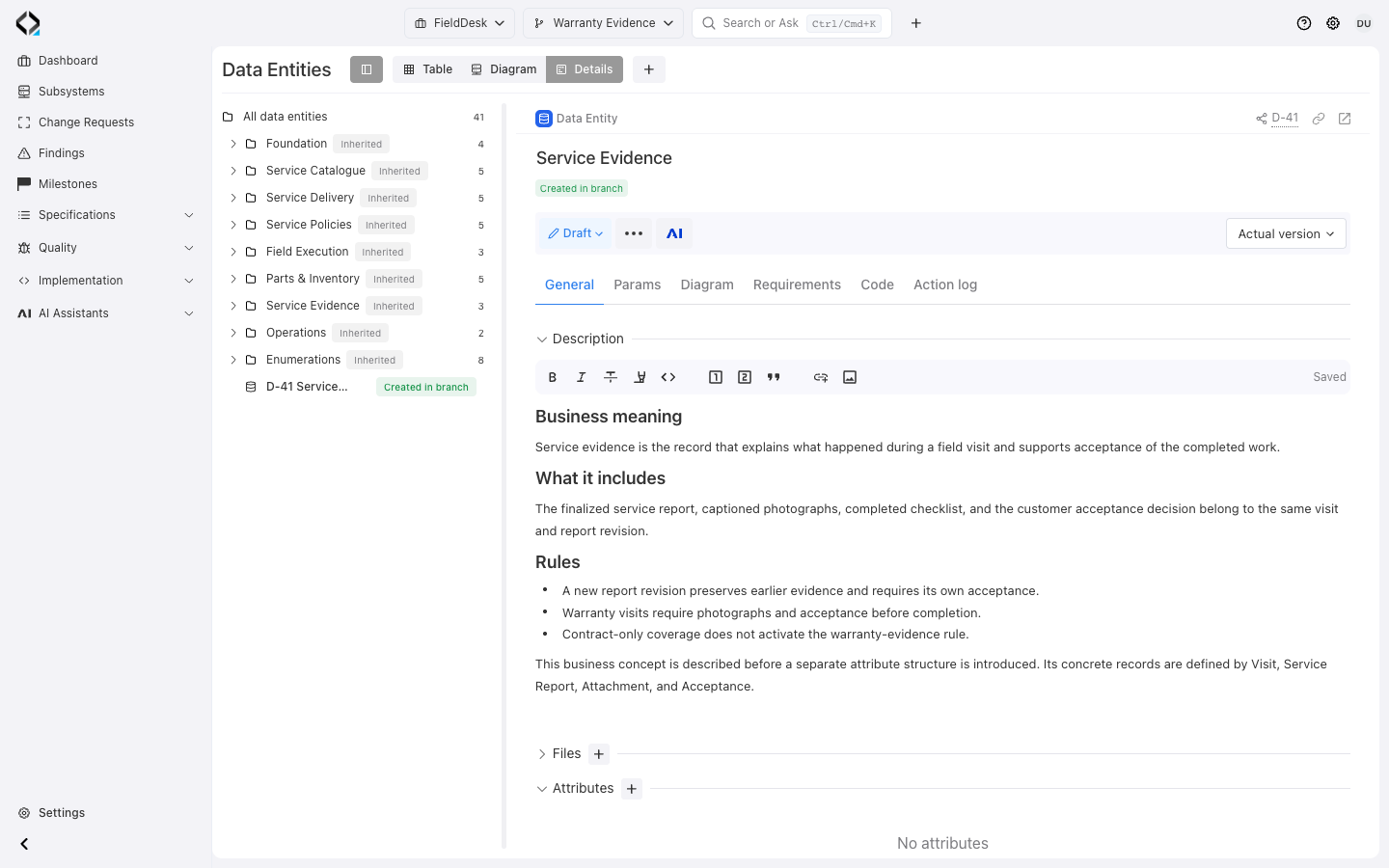
Start with a description of a business concept and its rules before formalizing its structure.
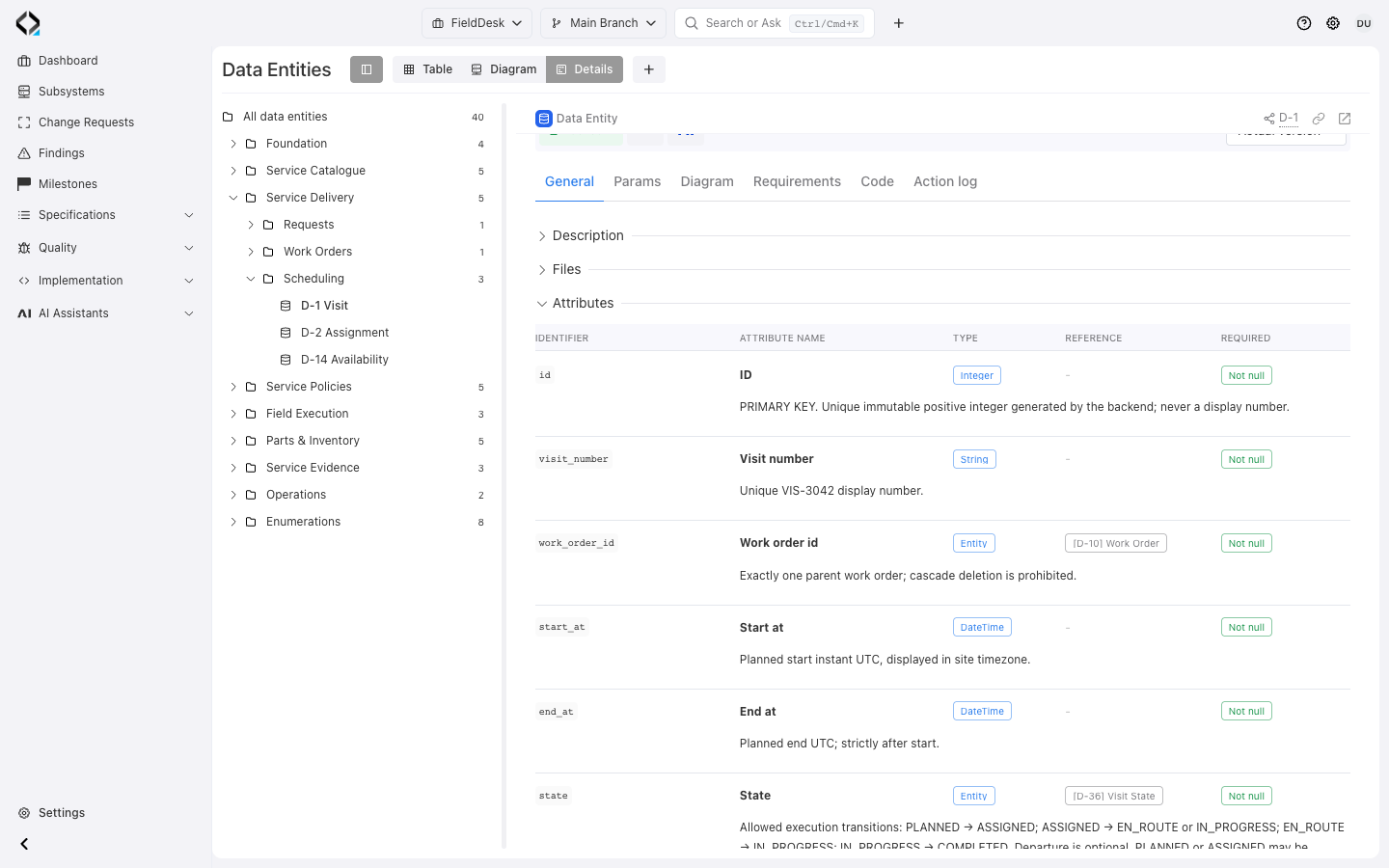
Add attributes with identifiers, names, types, descriptions, required and deprecated flags. References connect other entities.
Maintain ordered values with keys, names, descriptions, and deprecated markers. The entity type enables attributes, values, or neither.
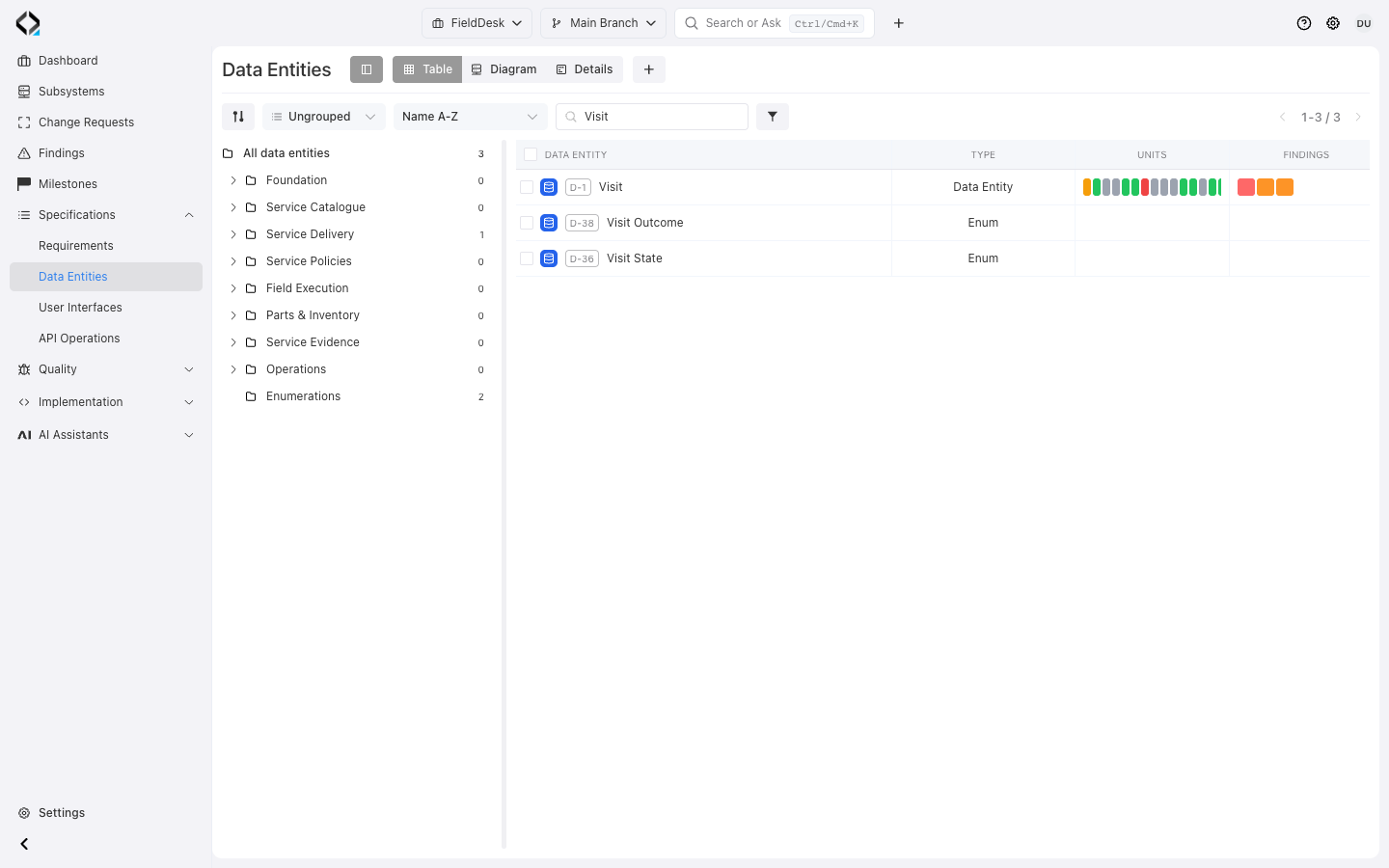
Organize definitions in folders and classify them with types and labels.
More views
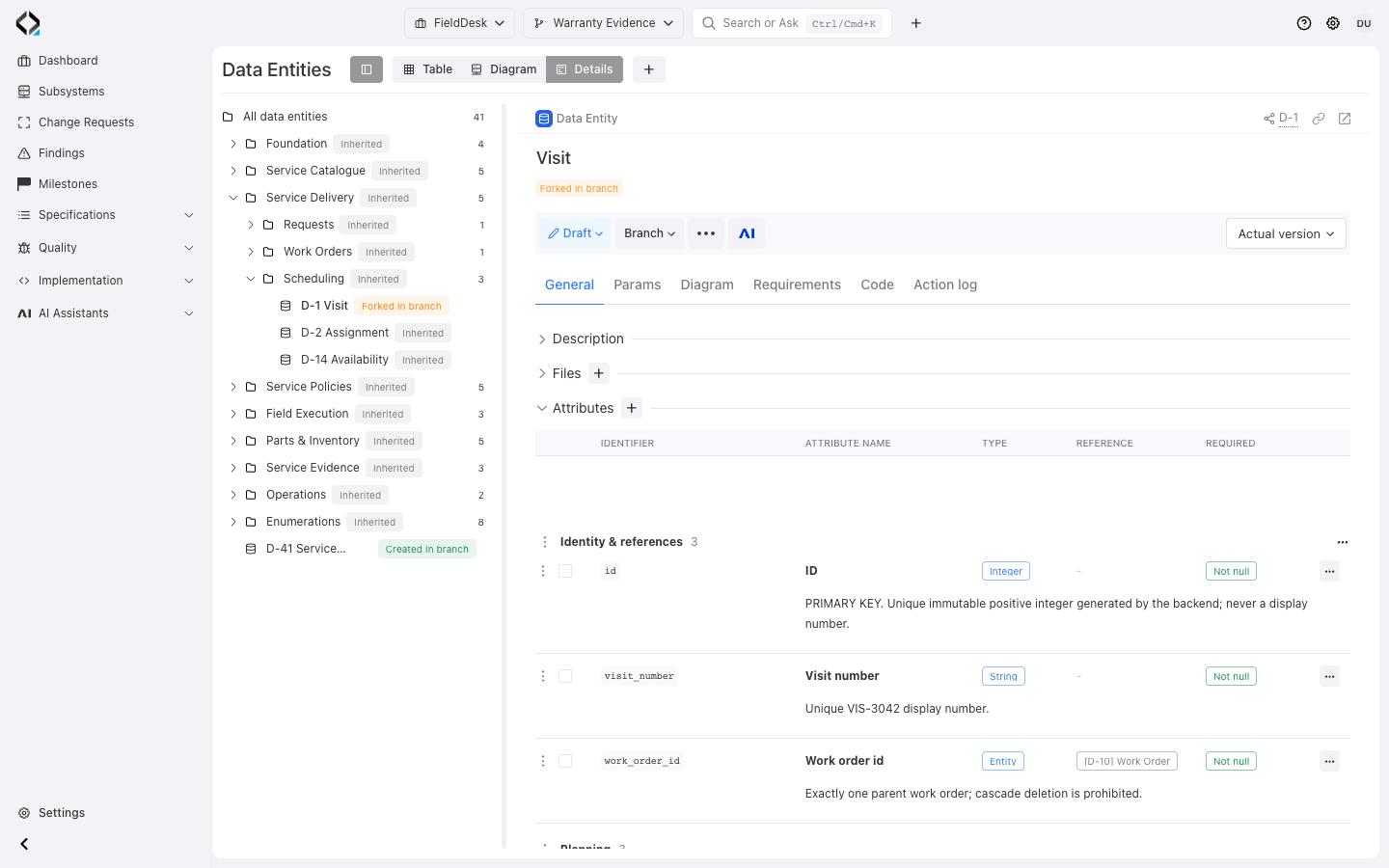
Visit: grouped attributes, required fields, and a reference to Work Order.
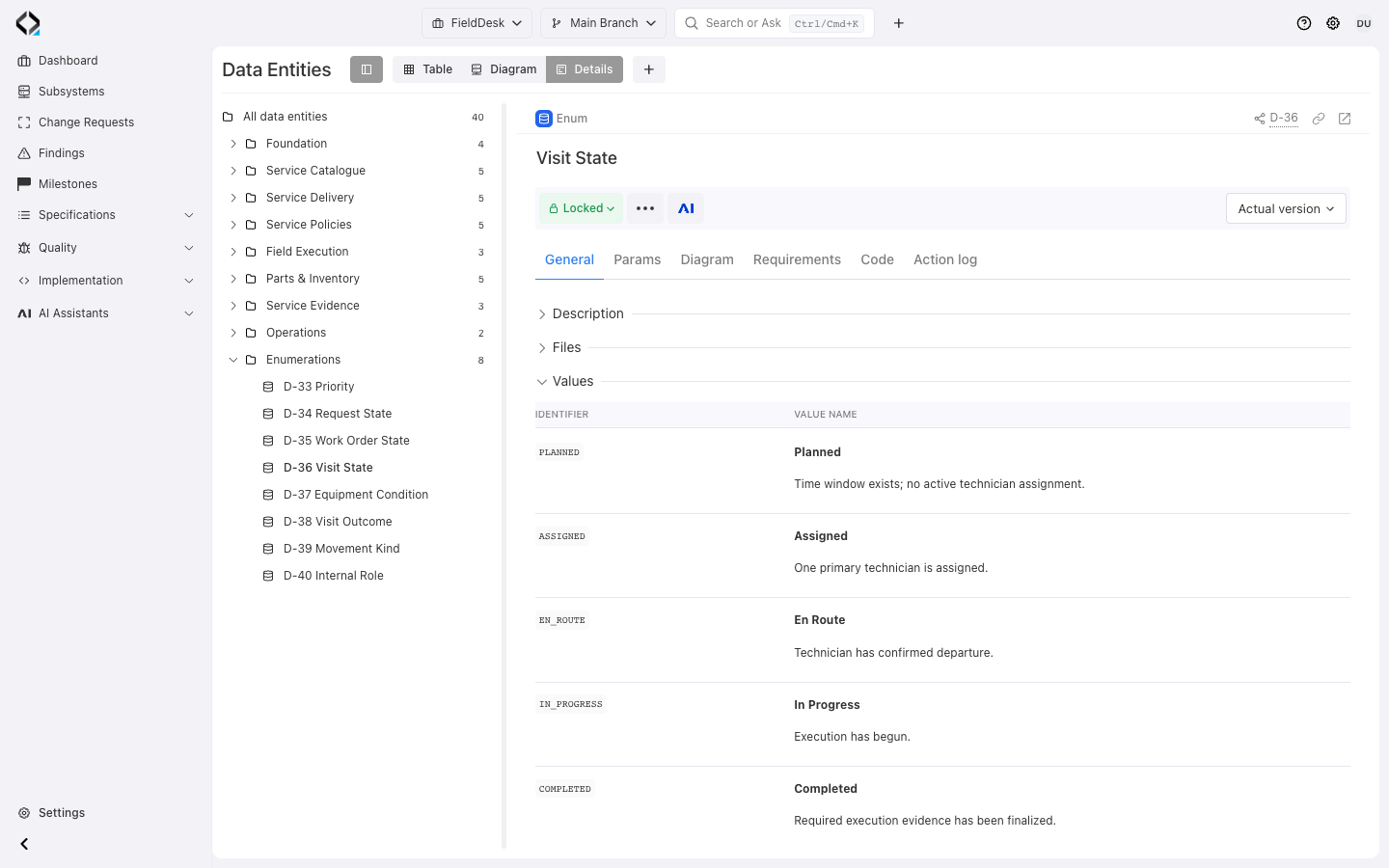
Visit State: named, ordered values with their business meaning.
Explore the ER diagram and reverse references
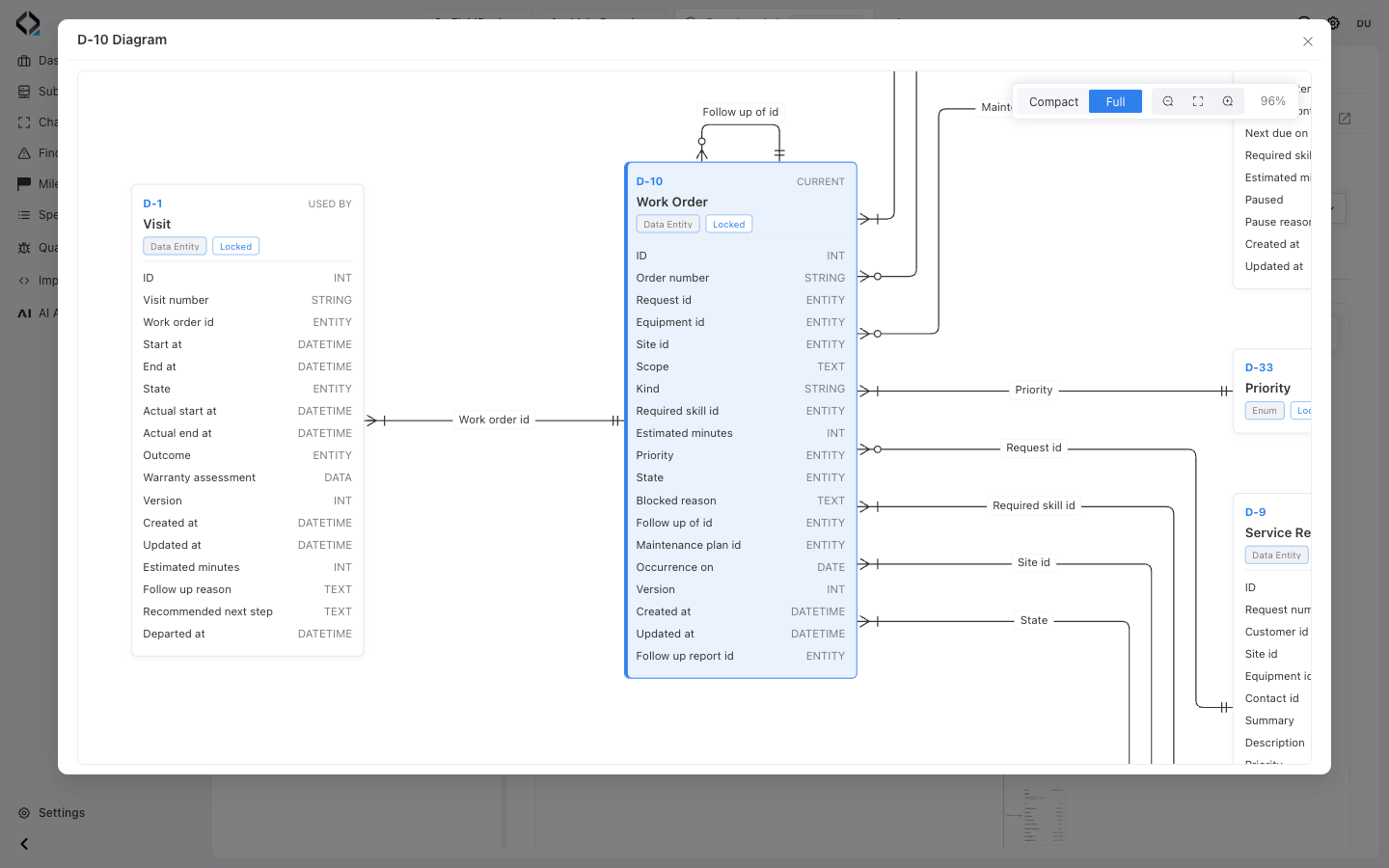
The generated ER diagram shows reference relationships. Compact mode shows nodes; Full adds attributes. Open a node for its definition.
Used by lists incoming references. The local Diagram combines incoming and outgoing links to help assess change impact.
In FieldDesk, Visit references Work Order. Inspect Work Order to understand both its own structure and the parts of the data model that rely on it.
More views
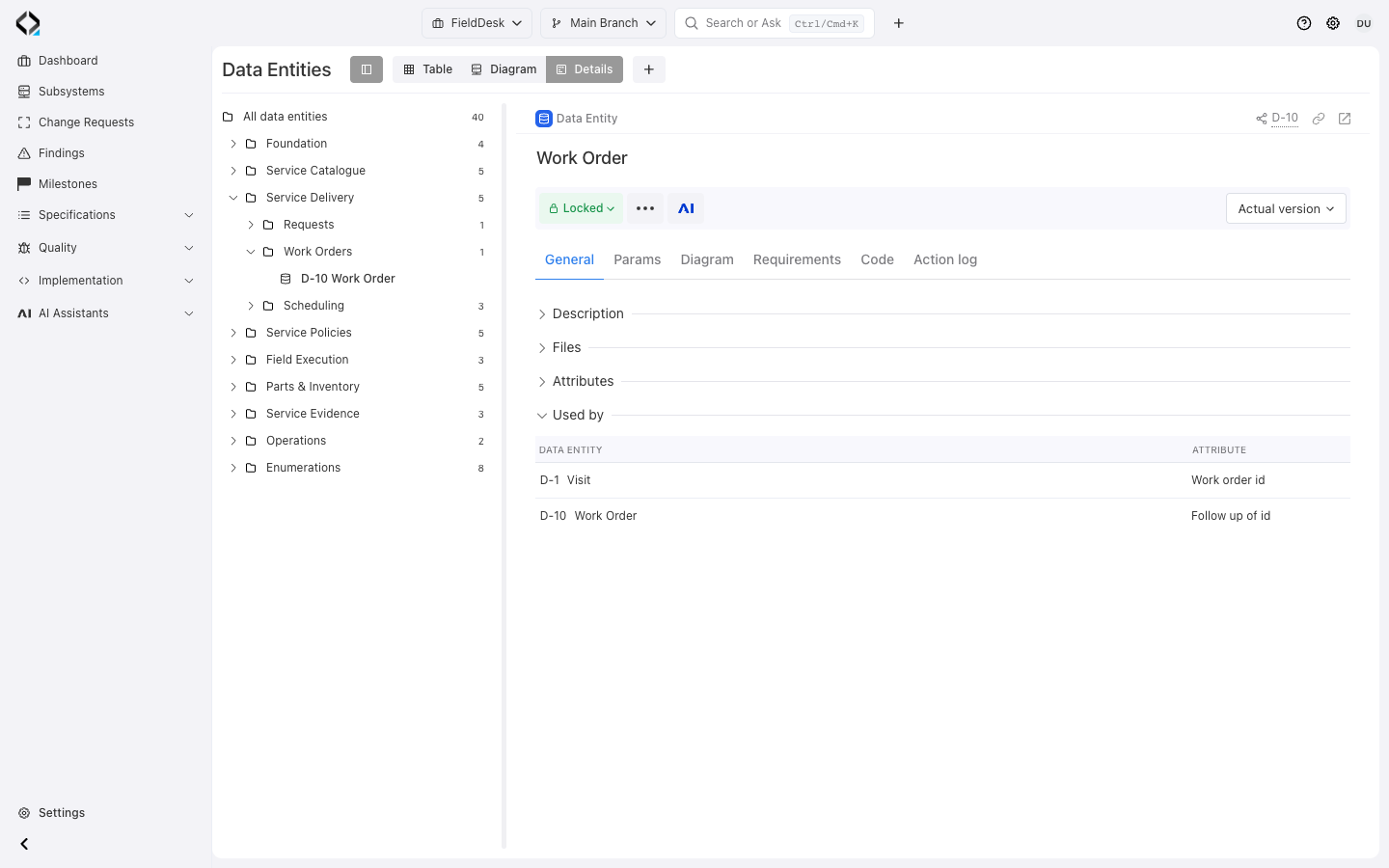
Work Order: Used by identifies Visit and its Work order id attribute.
Inspect units and findings in the table or individually
Enable Units and Findings columns to review linked implementation and reported issues across entities.
Inspect unit alignment states and open relations or Findings for detail.
Switch from catalog review to an individual entity’s implementation context.
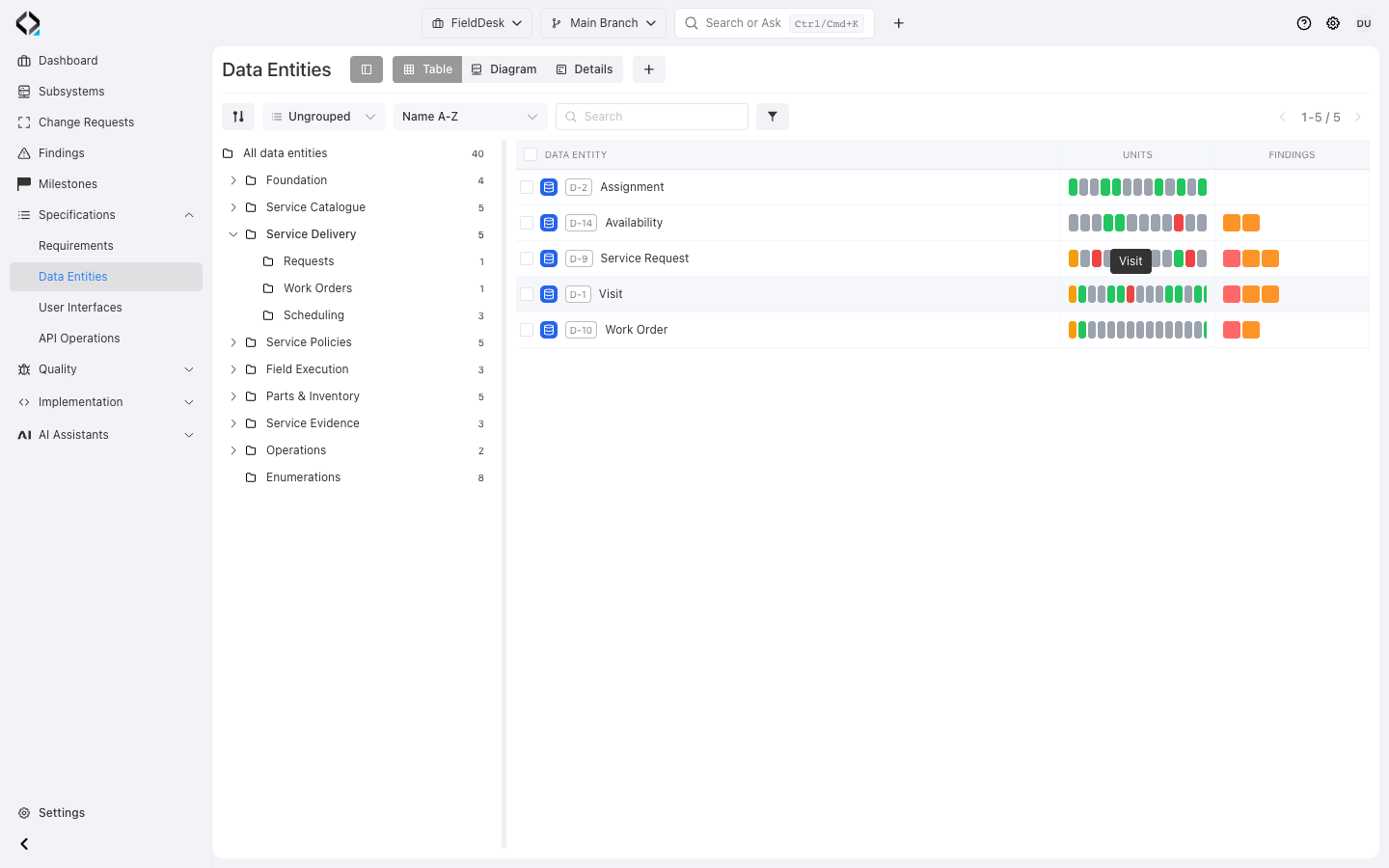
More views
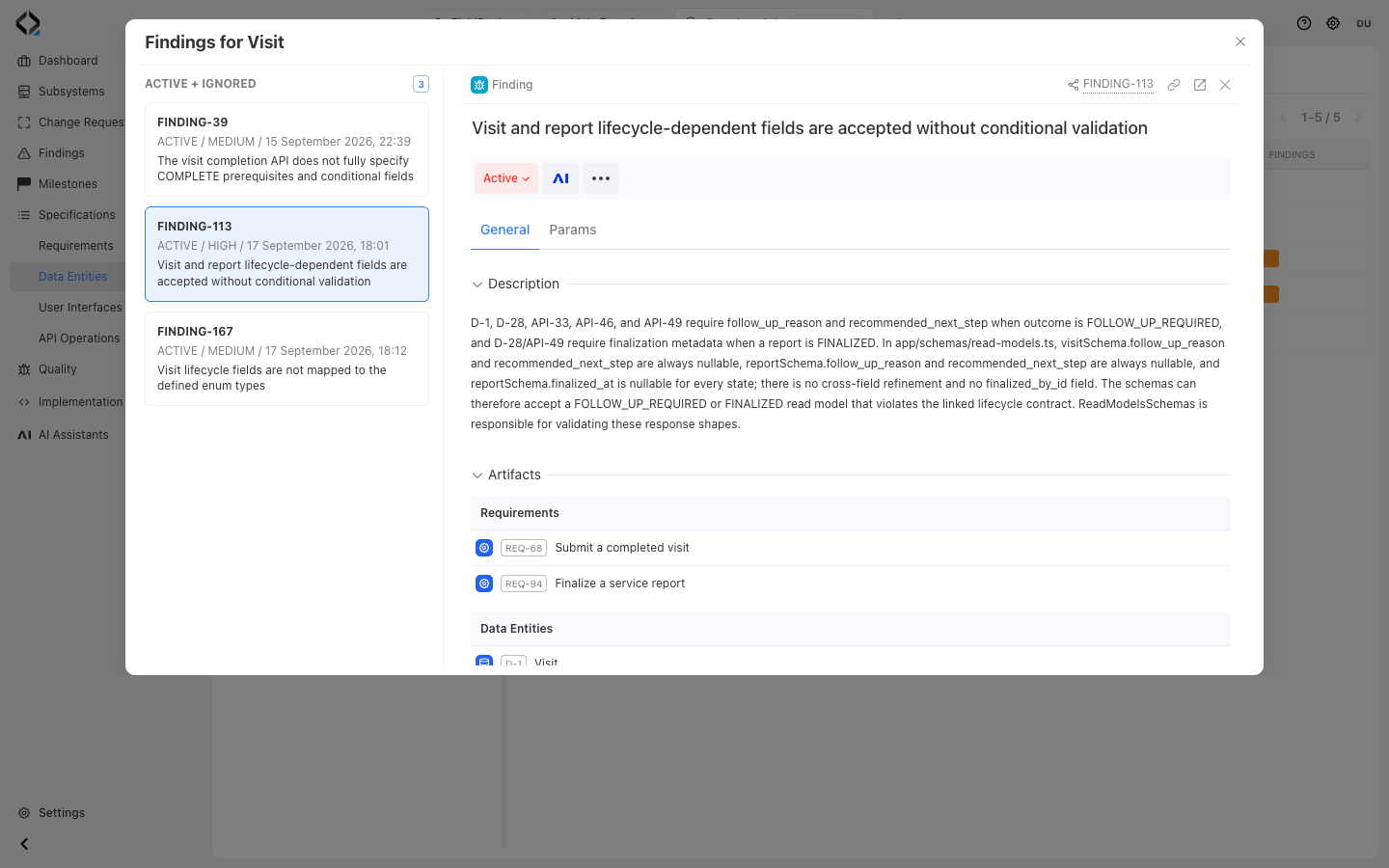
Open a finding directly from the Data Entities table.
Understand usage and trace the definition to code
Requirements links explain the product rules that use the entity and depend on its structure or values.
Follow Code to units and source files; inspect linked commits for implementation changes.
Trace from the definition’s purpose to its implementation.
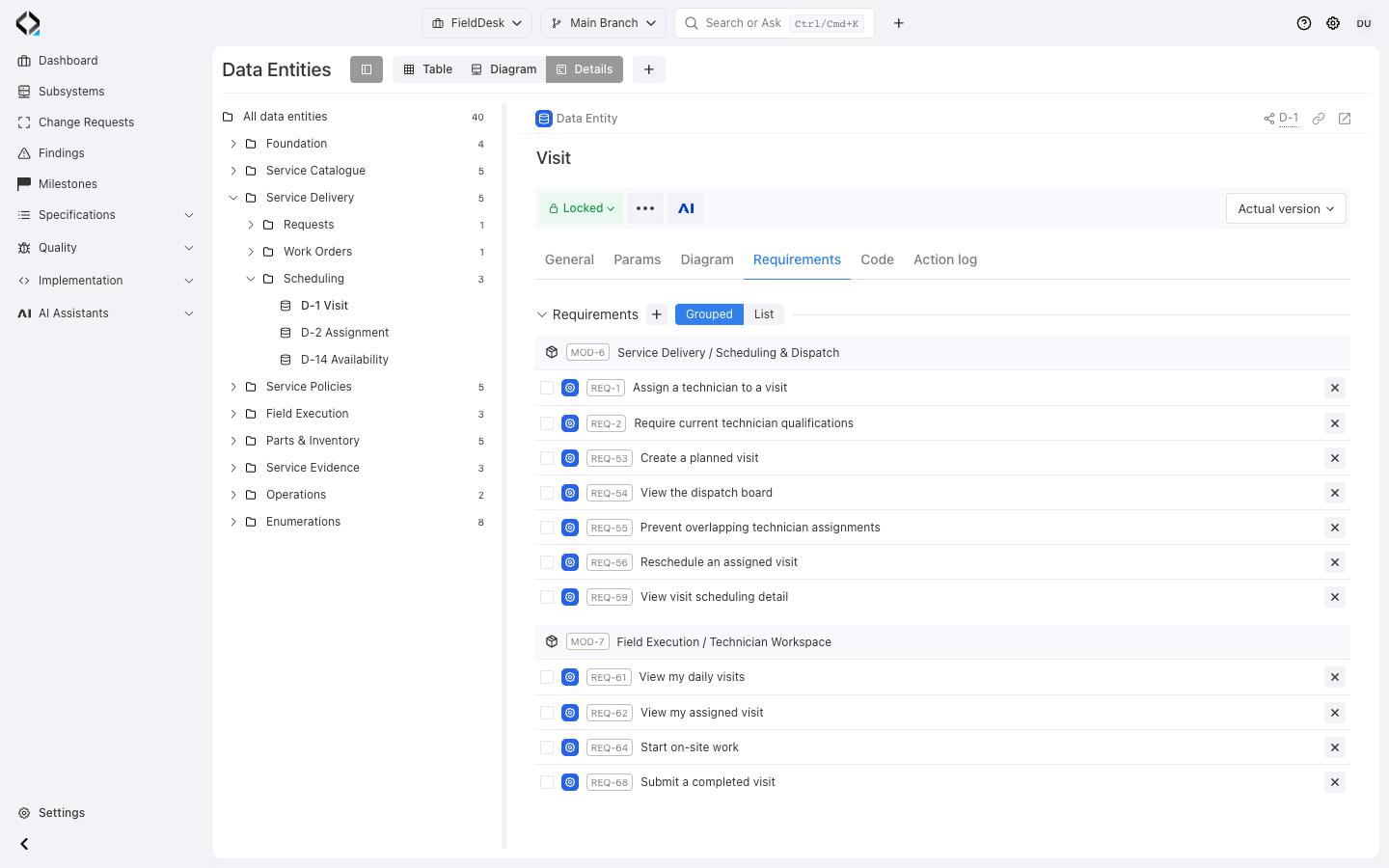
More views
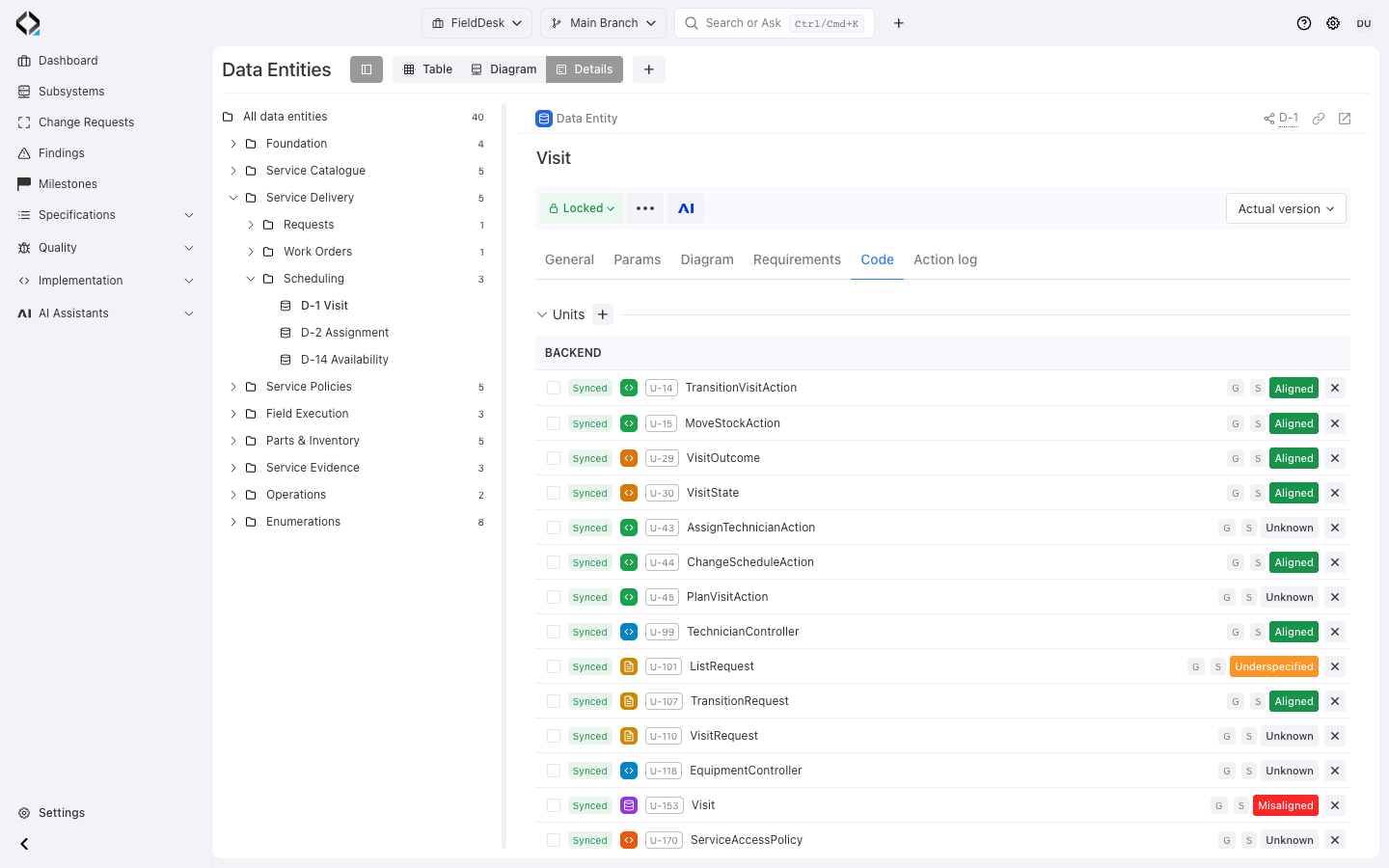
Visit Code: connected Software Units and their alignment states.
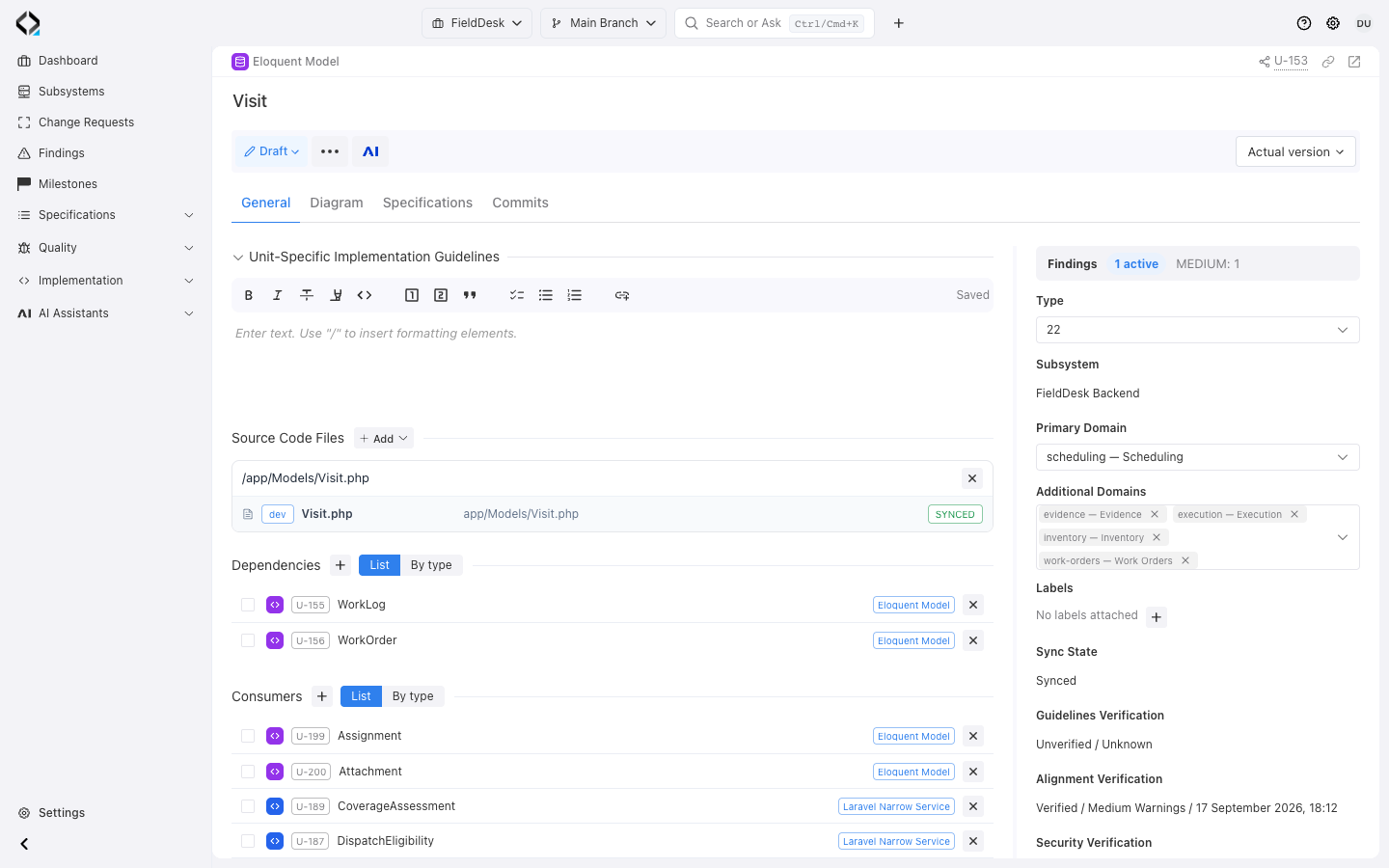
Visit Software Unit: synchronized app/Models/Visit.php and implementation dependencies.
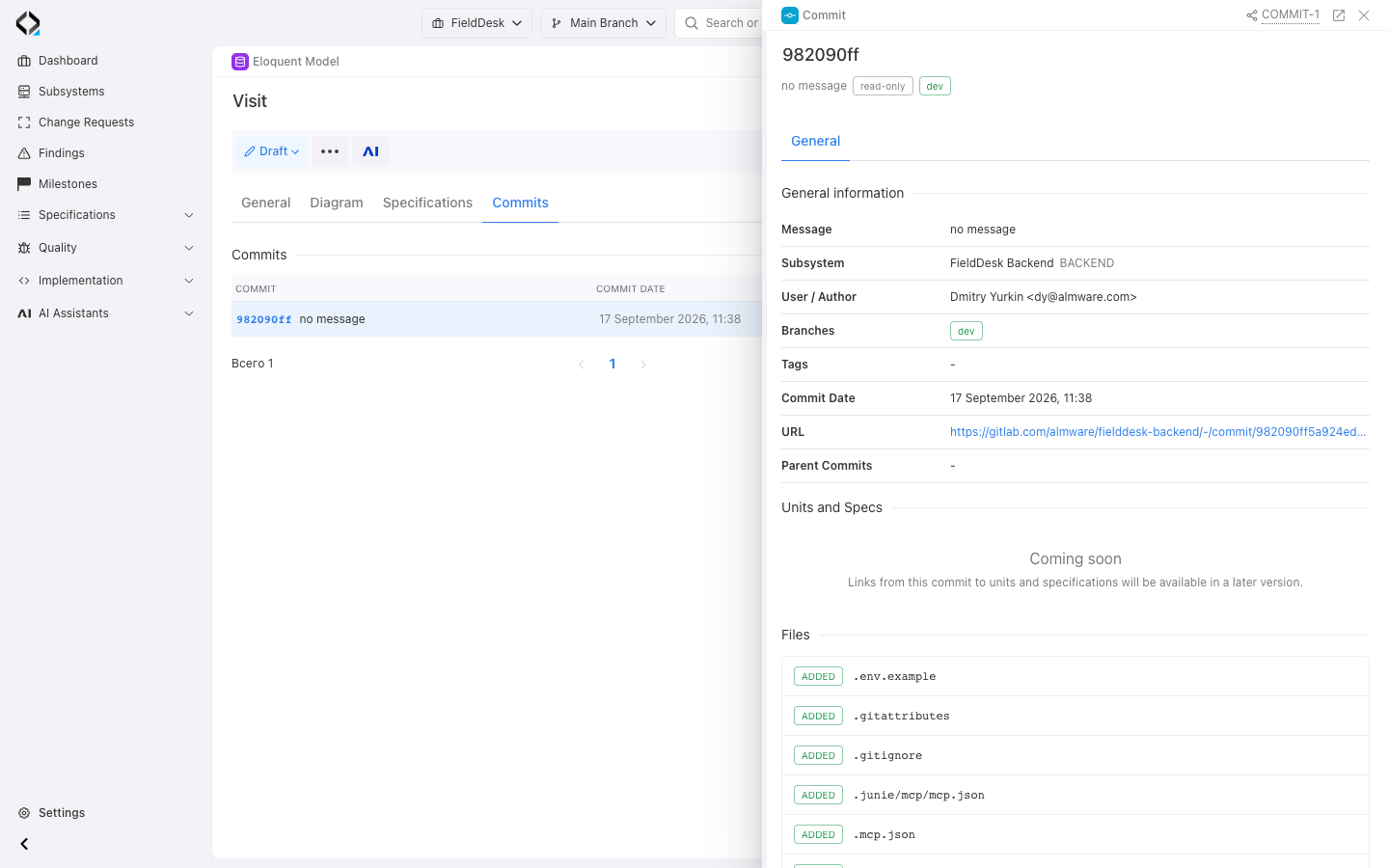
Visit implementation: inspect the linked commit and its source changes.
Compare model revisions in their change context
Revisions preserve descriptions, grouped attributes, and values. Compare with the previous or current revision for supported field and collection differences.
Open the revision’s Change Request for scope and its Action log for recorded events, initiators, and changes.
Work on model changes in a branch, export selected definitions as Markdown, or start AI Analyst with an entity as its context.
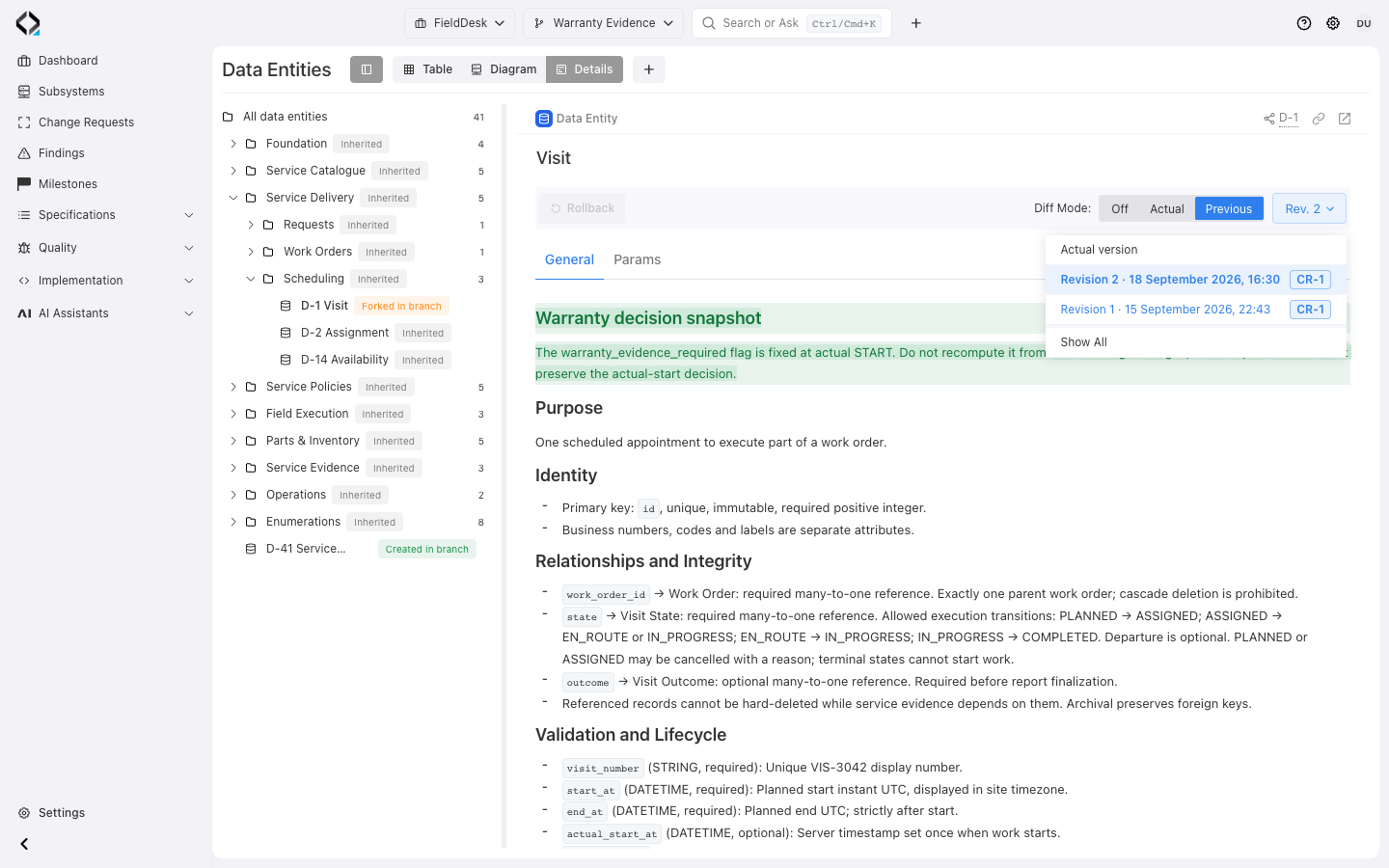
More views
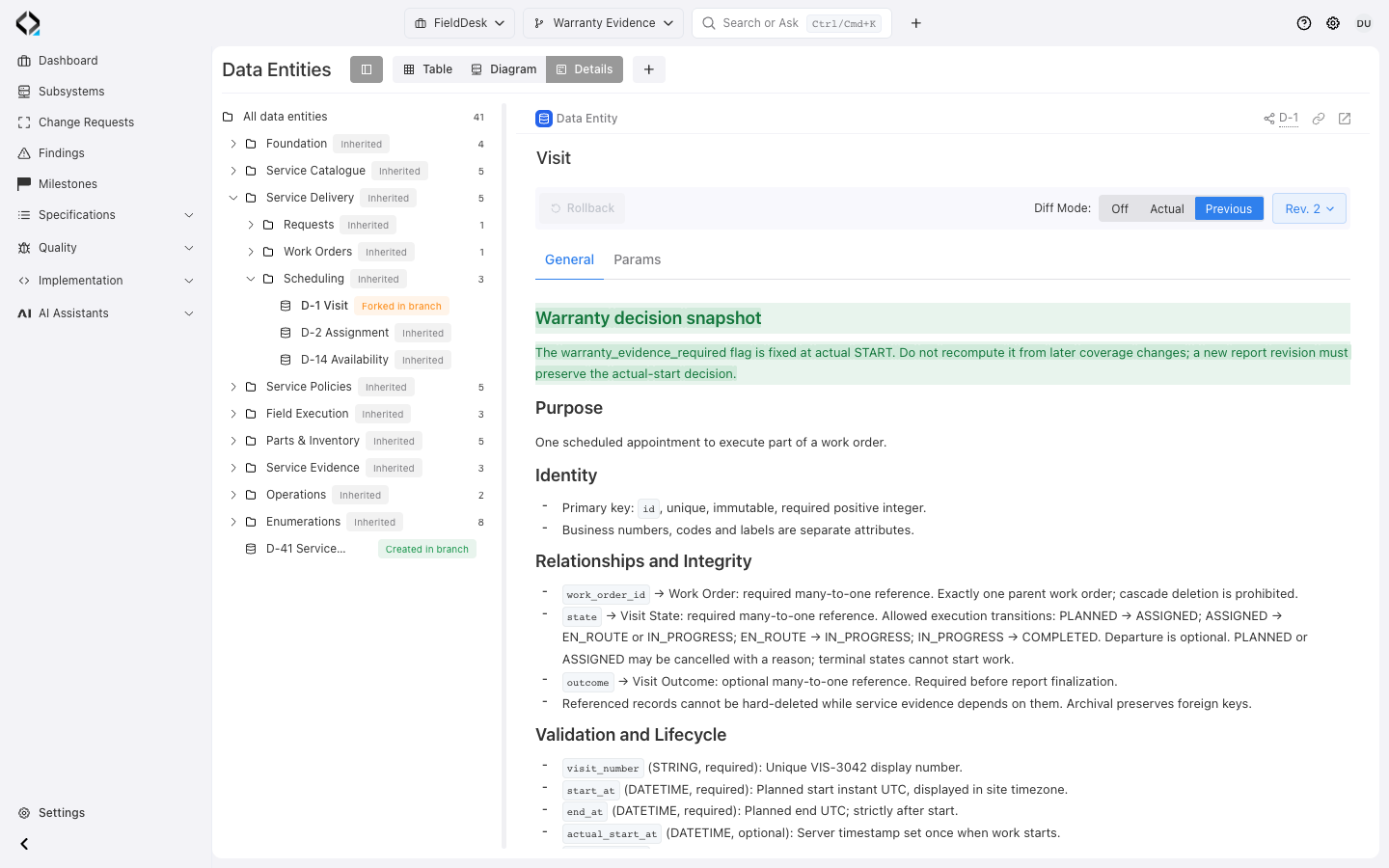
Visit: highlighted changes to the warranty decision rule compared with the previous revision.


