Requirements
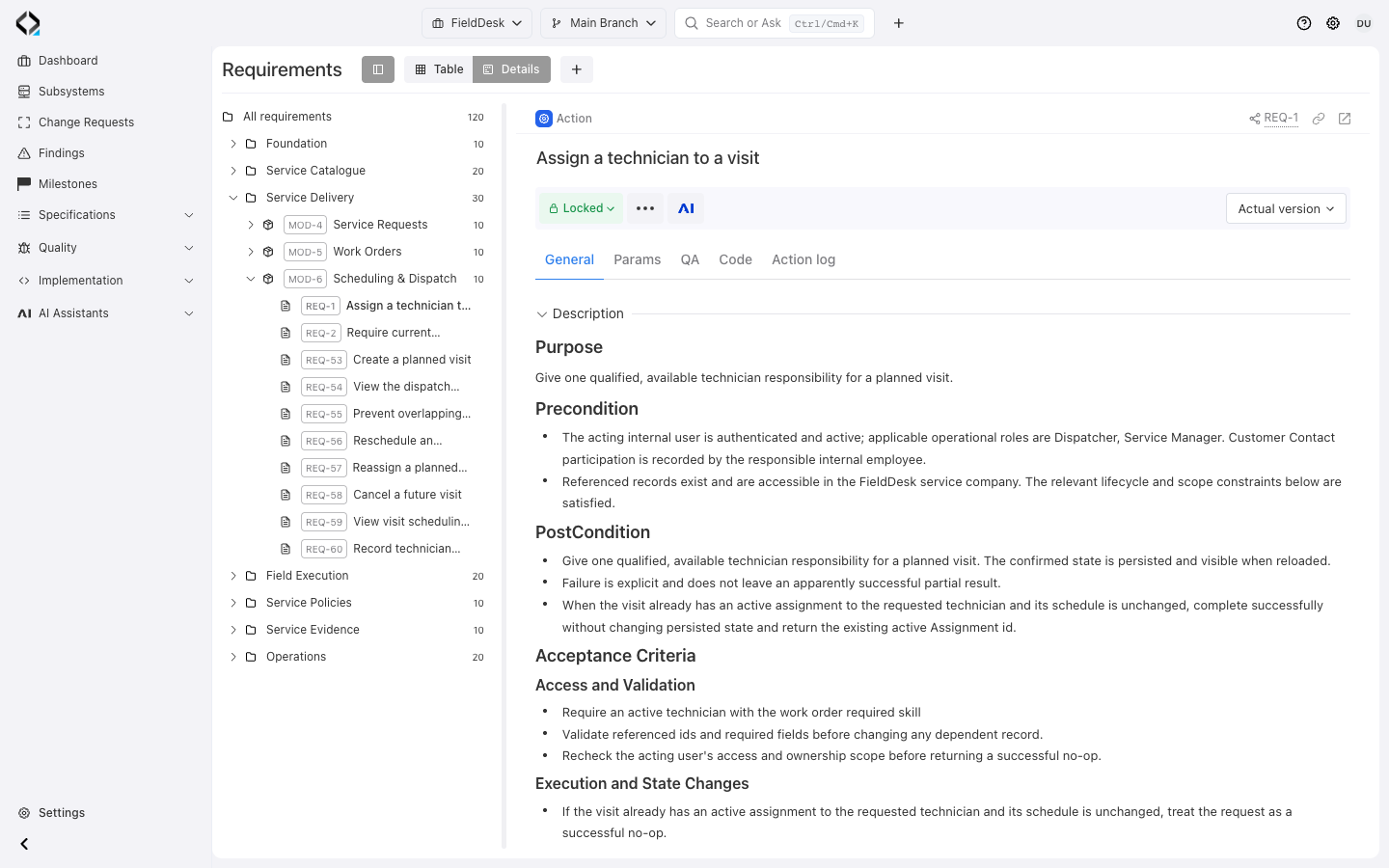
Locate behavior in its product context
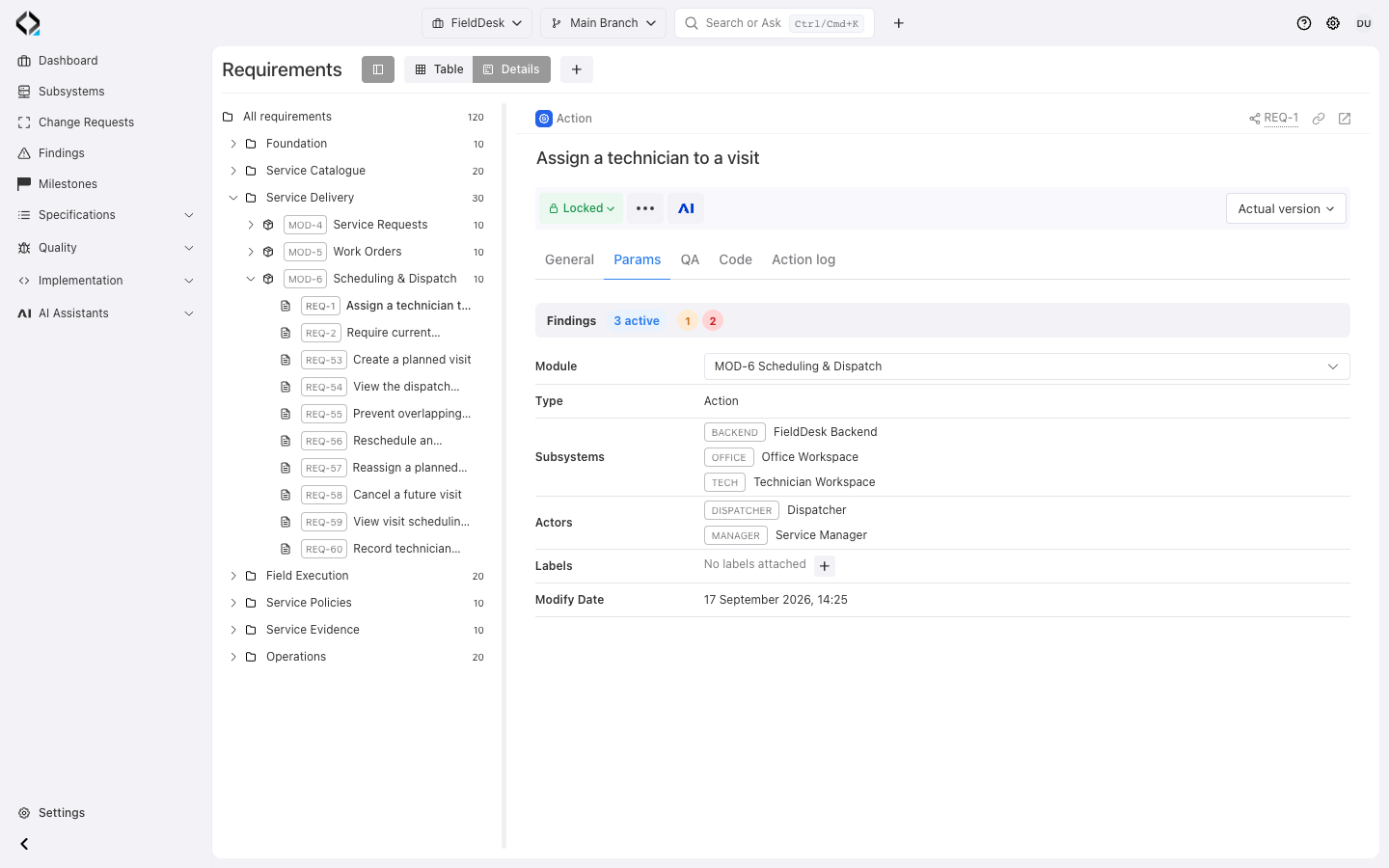
Service Delivery → Scheduling & Dispatch → REQ-1. Give one qualified, available technician responsibility for a planned visit.
Structure requirements by folders and modules
Organize product areas in folders and group a capability’s requirements into modules.
Classify by type, subsystem, actors, and labels to identify the affected product areas and roles.
In FieldDesk, Scheduling & Dispatch groups the rules for assigning a technician, checking qualifications and availability, and preventing overlapping visits. Filter the catalog to focus on the relevant module, subsystem, or actor.
Navigate the tree or inspect the traceability table
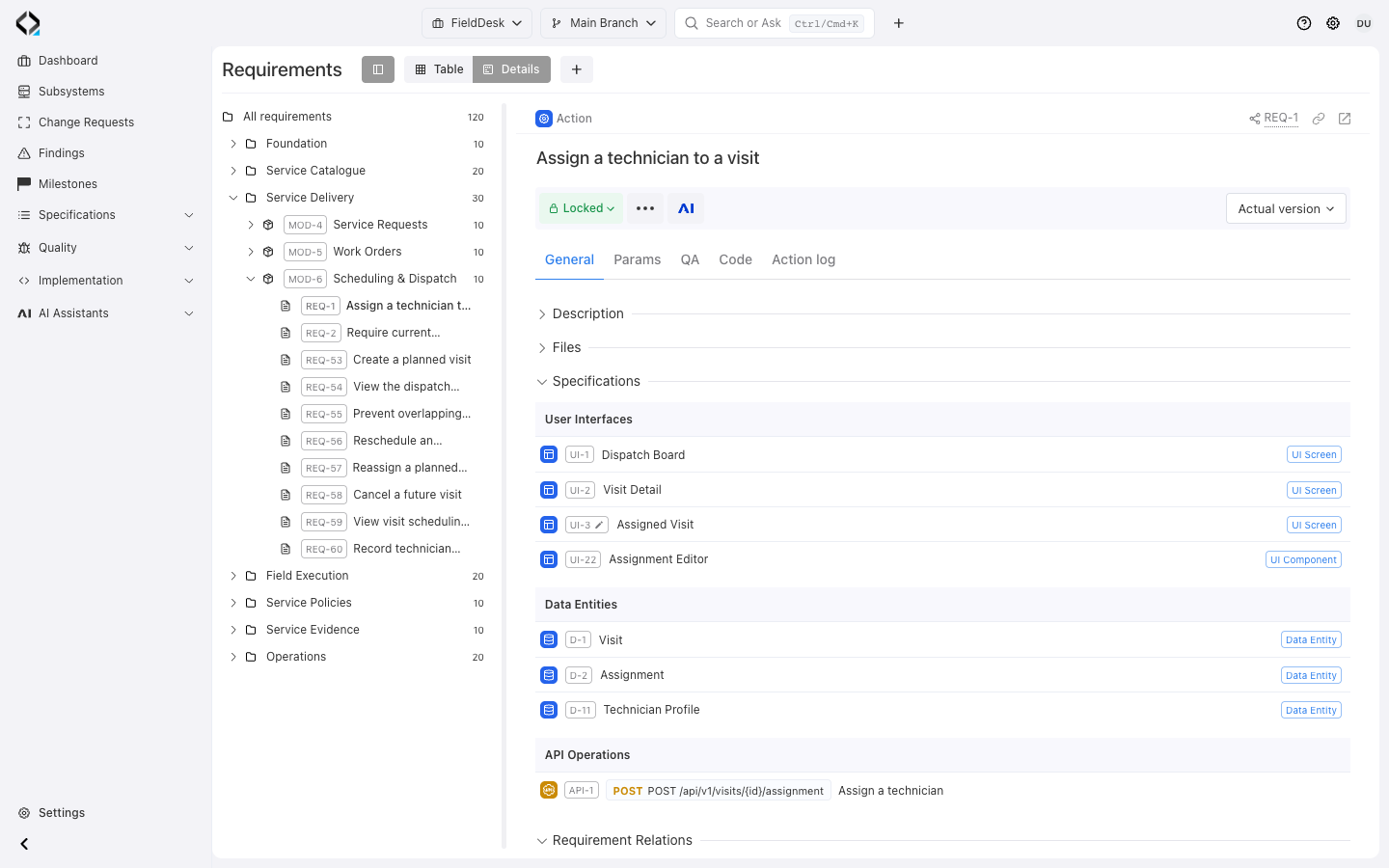
Navigate folders and modules in the tree; open a requirement for its description and context.
The traceability table shows linked UI, data, and API specifications together.
Review those links before implementation.
More views
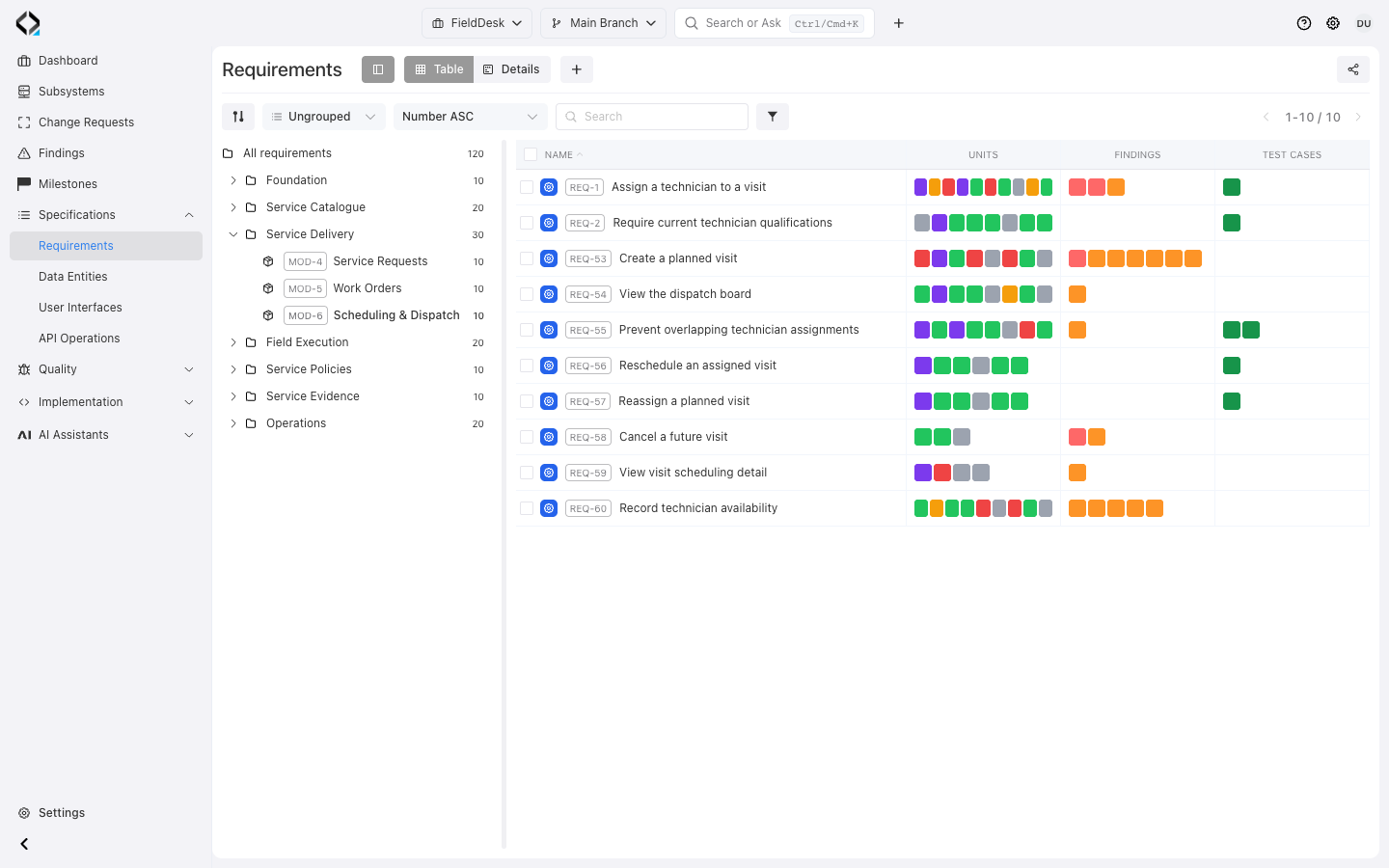
Scheduling & Dispatch: compare requirements and their implementation, findings, and test links.
Review units, findings, and tests across the catalog
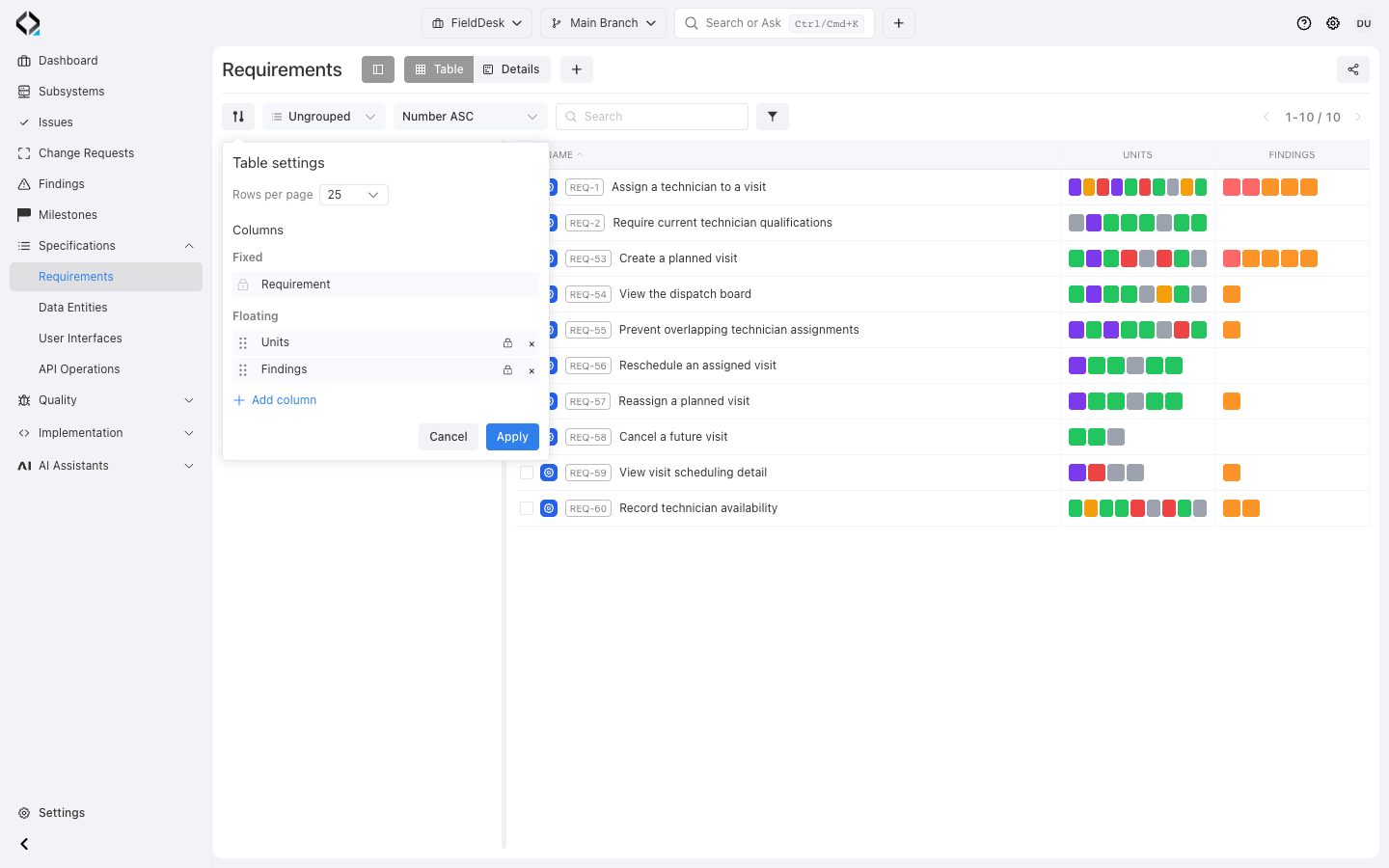
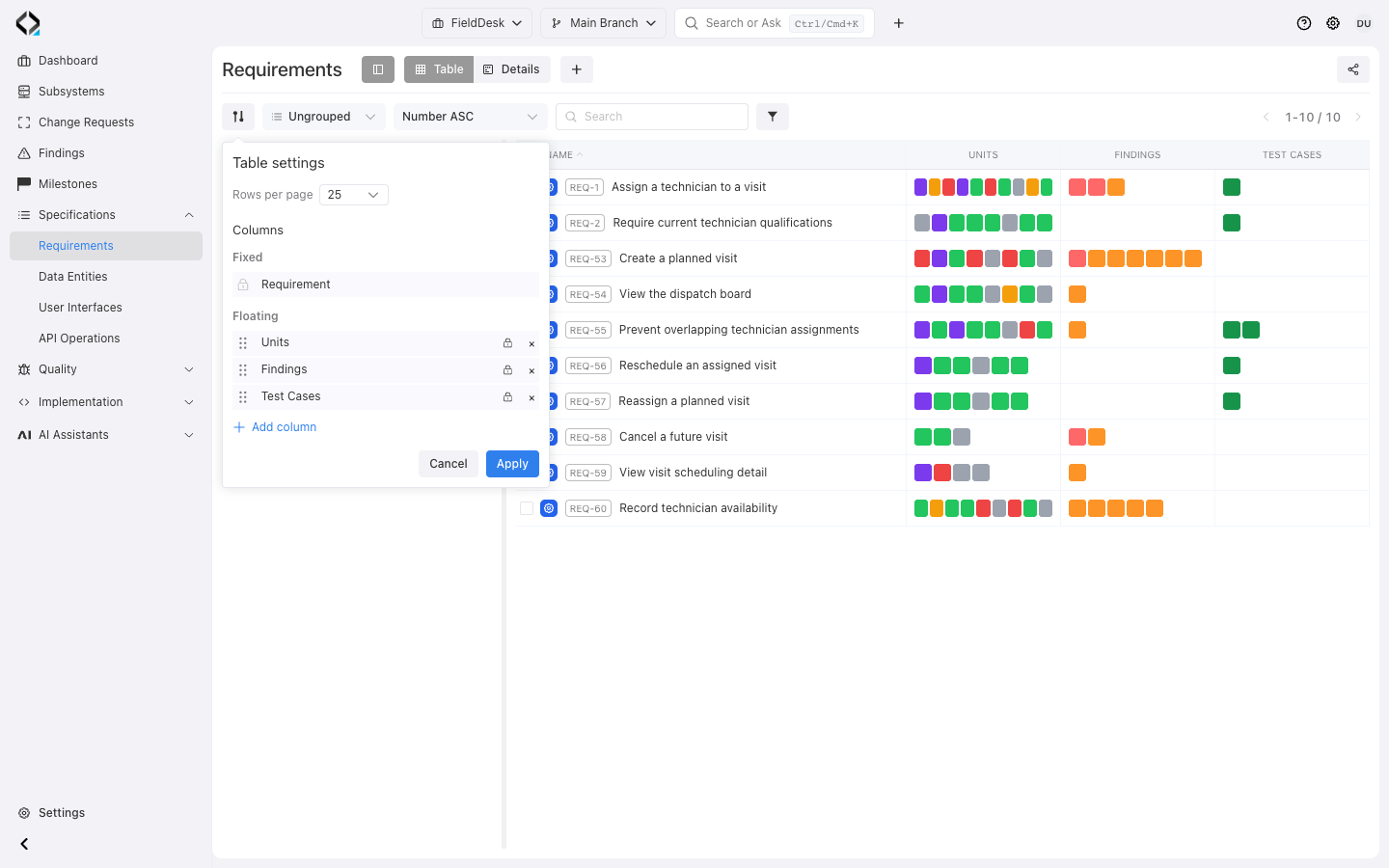
Enable Units, Findings, and Test Cases columns to see linked implementation, problems, and coverage.
Open unit relations, Findings, or Test Cases for detail. The Units column also shows alignment state.
Review the module and individual requirements from the same table, choosing the columns needed for the task.
More views
The requirement catalog shows linked units with different alignment states, findings, and test cases.
Trace a requirement to source files and commits
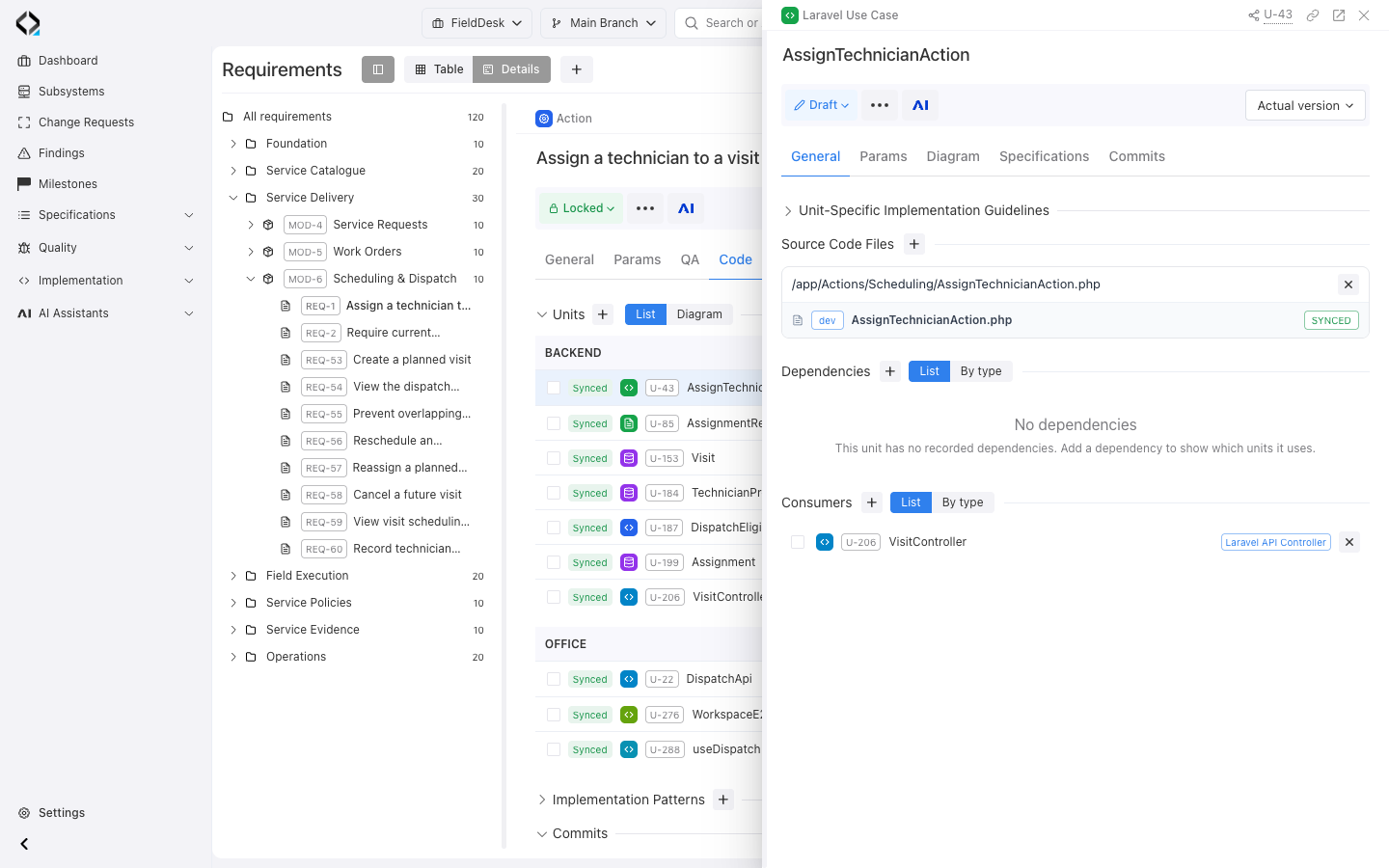
Open Code for linked Software Units grouped by subsystem. Inspect their relations to the requirement.
Follow a unit to its source files and inspect commits linked to the specification.
Review Findings alongside the implementation and its intended behavior.
More views
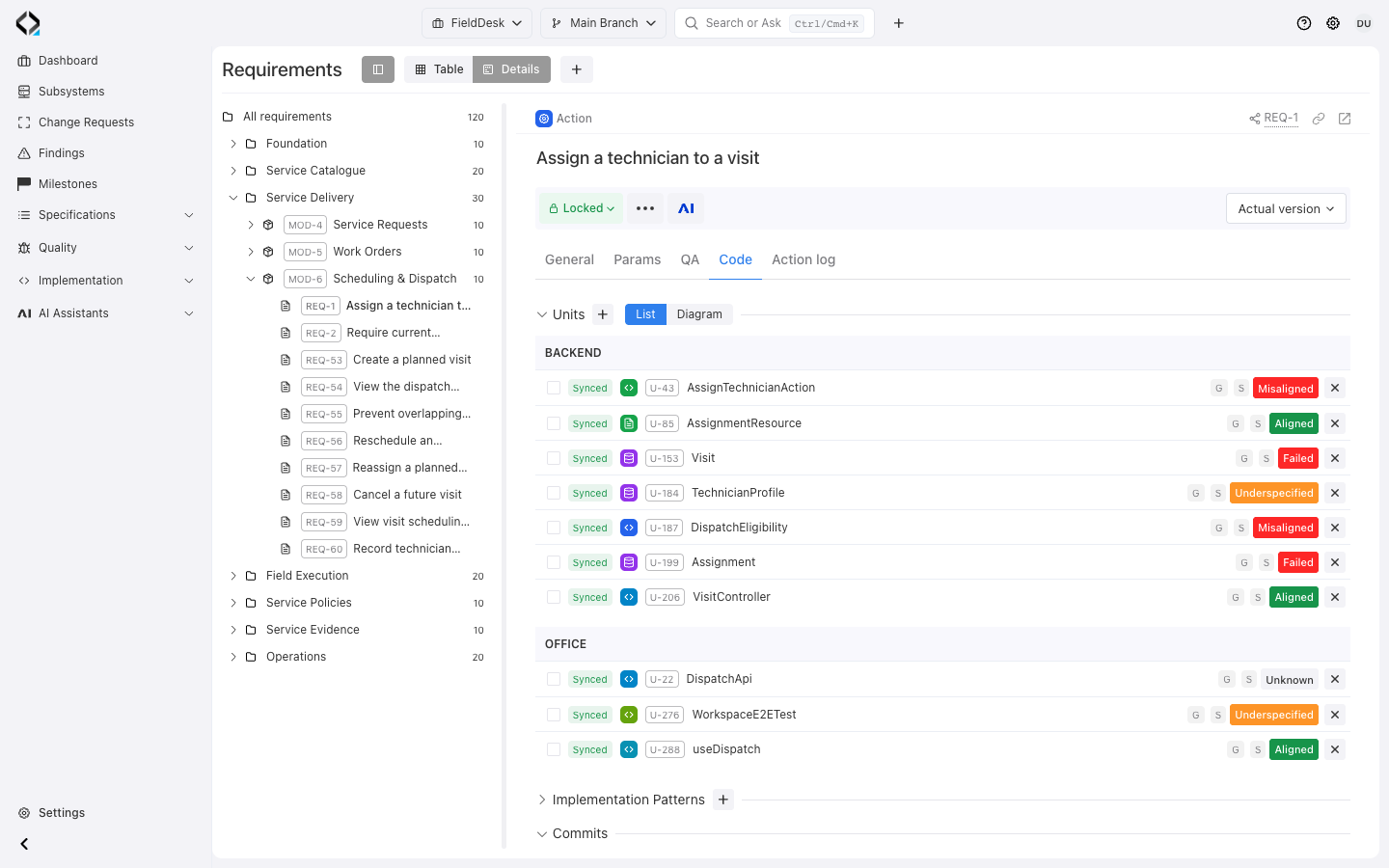
REQ-1: linked backend and office units with their alignment states.
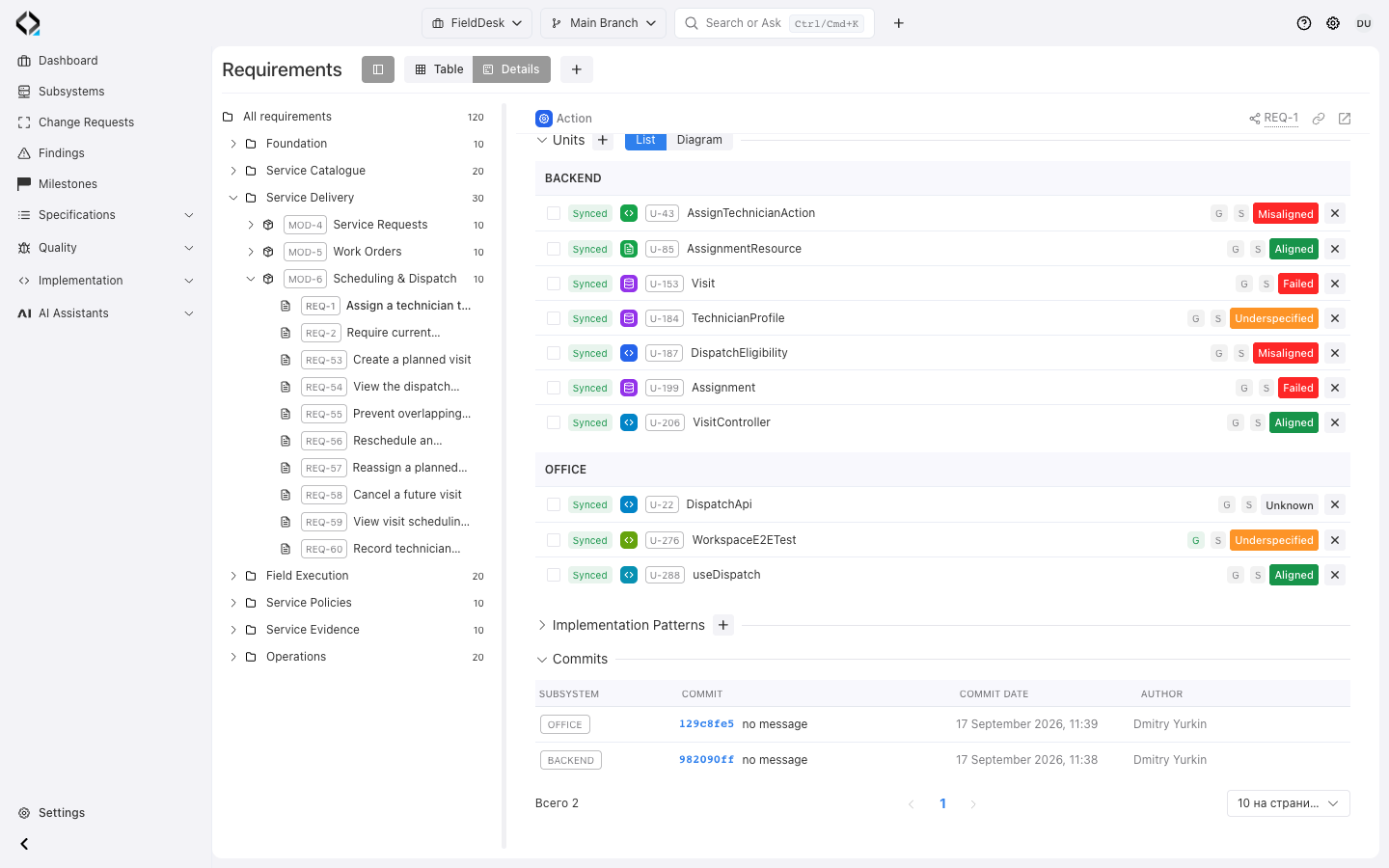
REQ-1: implementation units and the recorded office and backend commits.
See the implementation diagram for a requirement
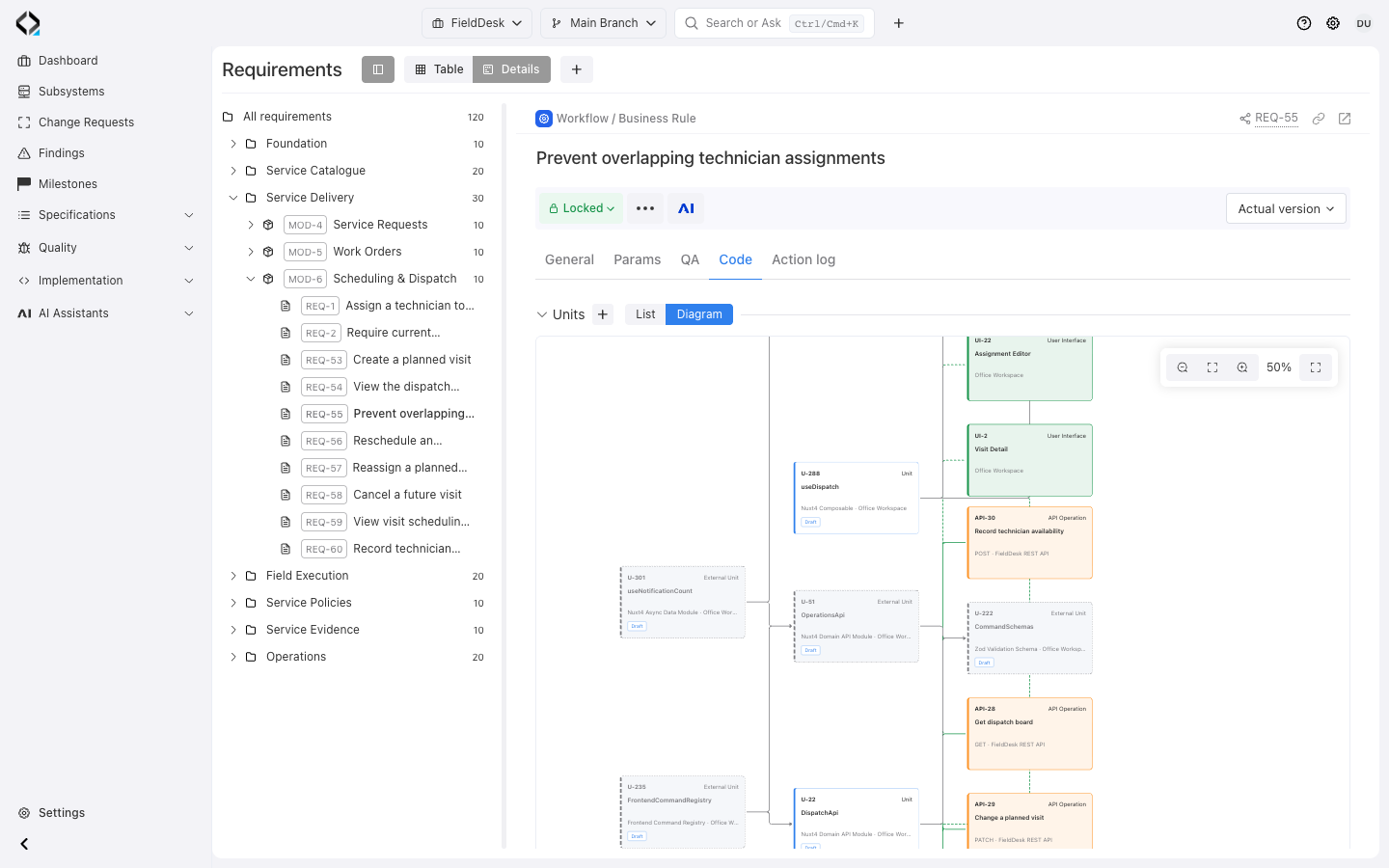
Switch Code → Units from List to Diagram to see linked units and their immediate technical dependencies. UI and API nodes add context. Open nodes for detail or expand the diagram.
Related User Interfaces and API Operations add context around the implementation. Open a node to inspect its details, or expand the diagram to see the requirement’s implementation at a larger scale.
See how the units work together to implement the rule.
More views
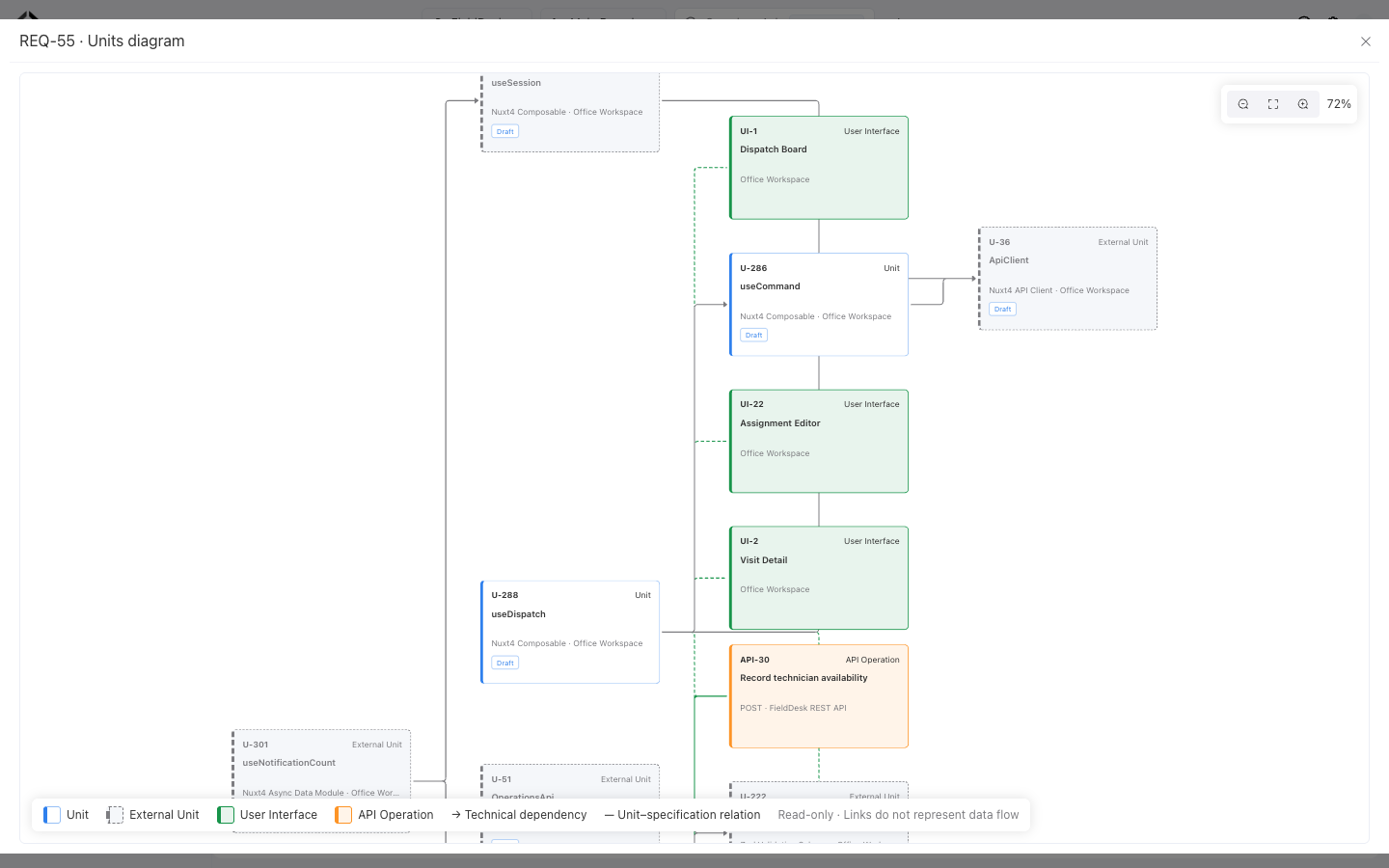
A closer view of the implementation graph: useDispatch, useCommand, UI screens, and the availability API.
Understand test coverage and execution results
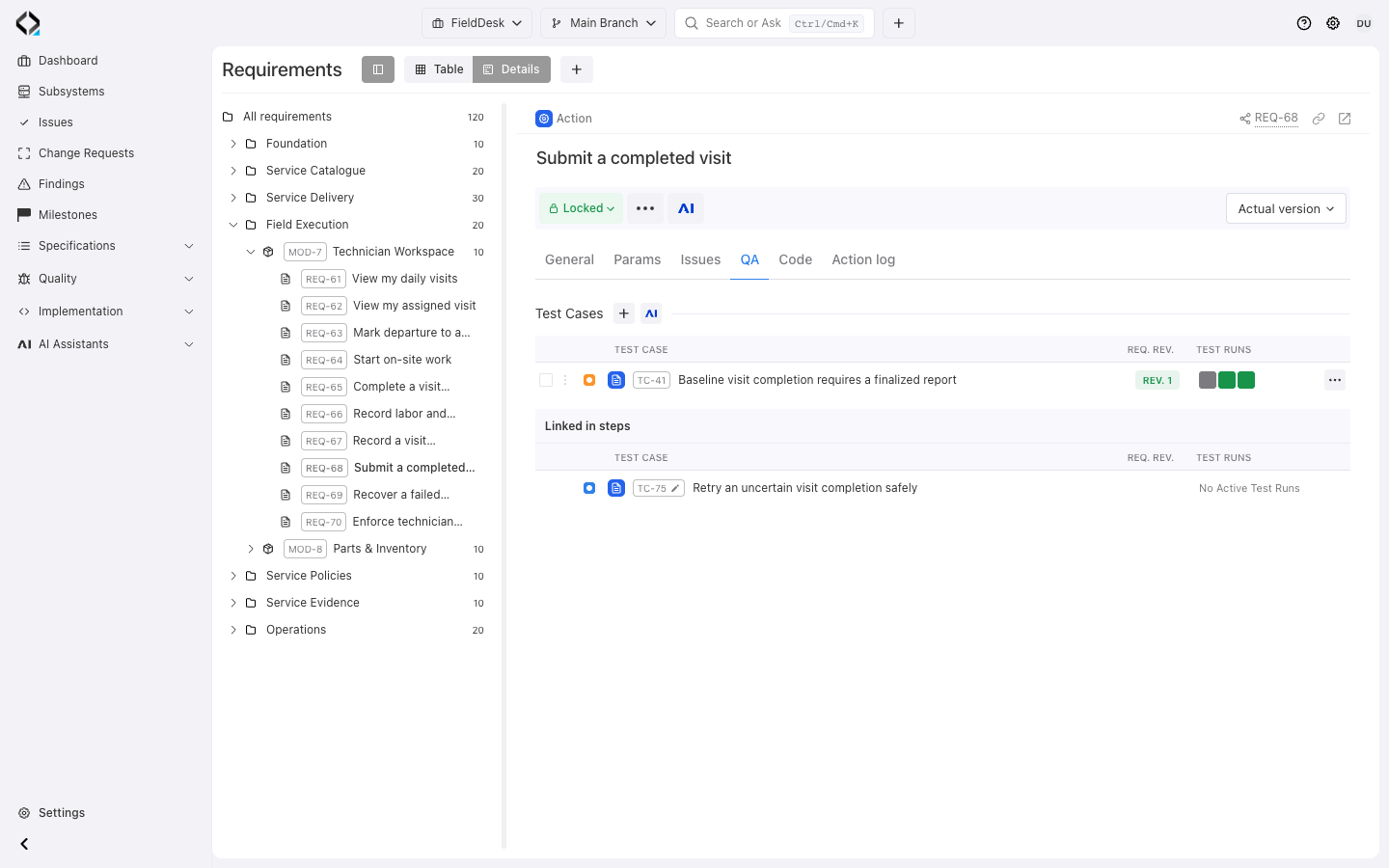
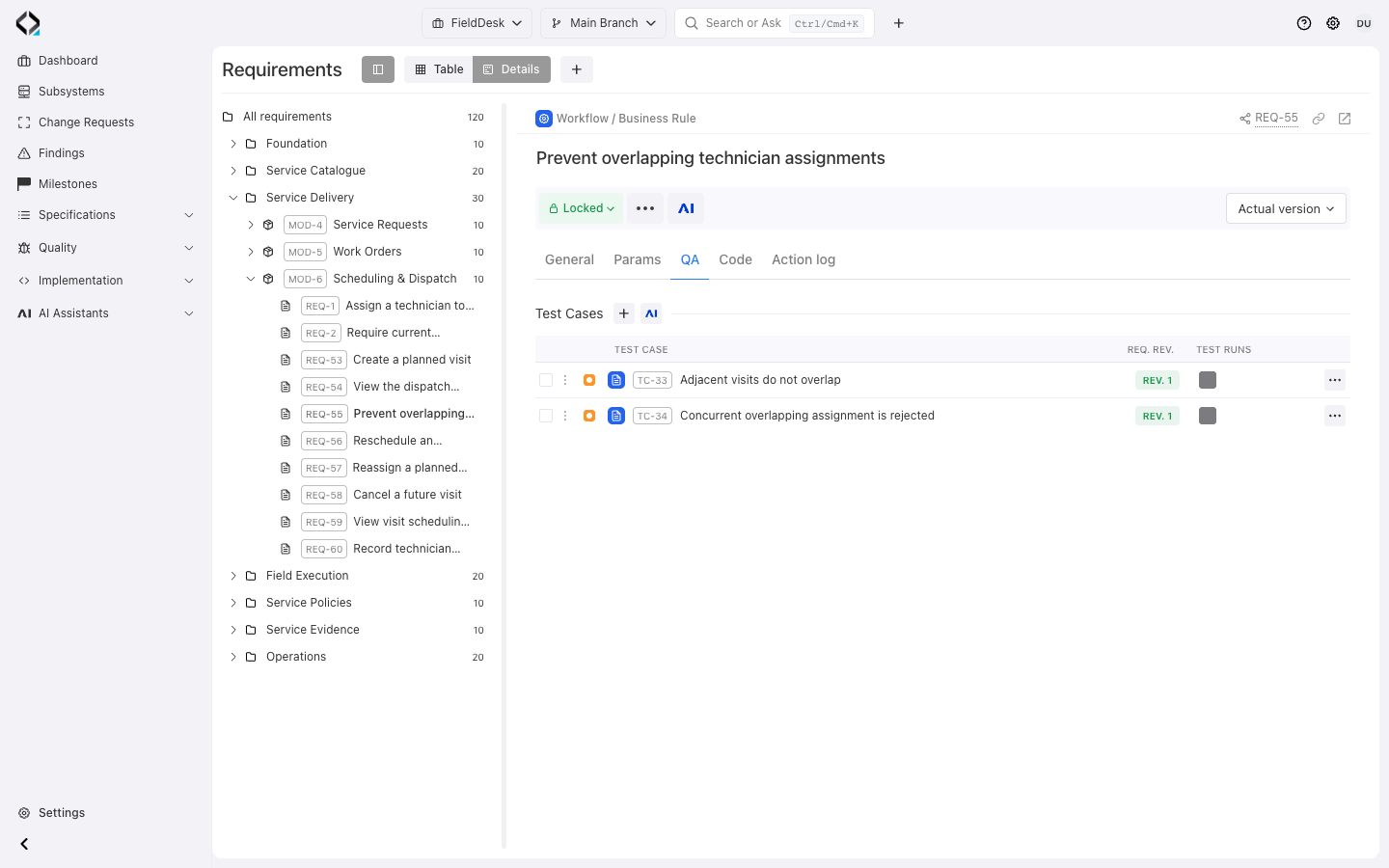
QA separates Test Cases that directly verify a requirement from cases referencing it in steps. Direct cases show their source requirement revision.
In Main Branch, run indicators show passed, failed, blocked, and other results. Open a result to inspect the execution.
Coverage shows defined checks; run results show execution. QA and Issues require the corresponding project features.
More views
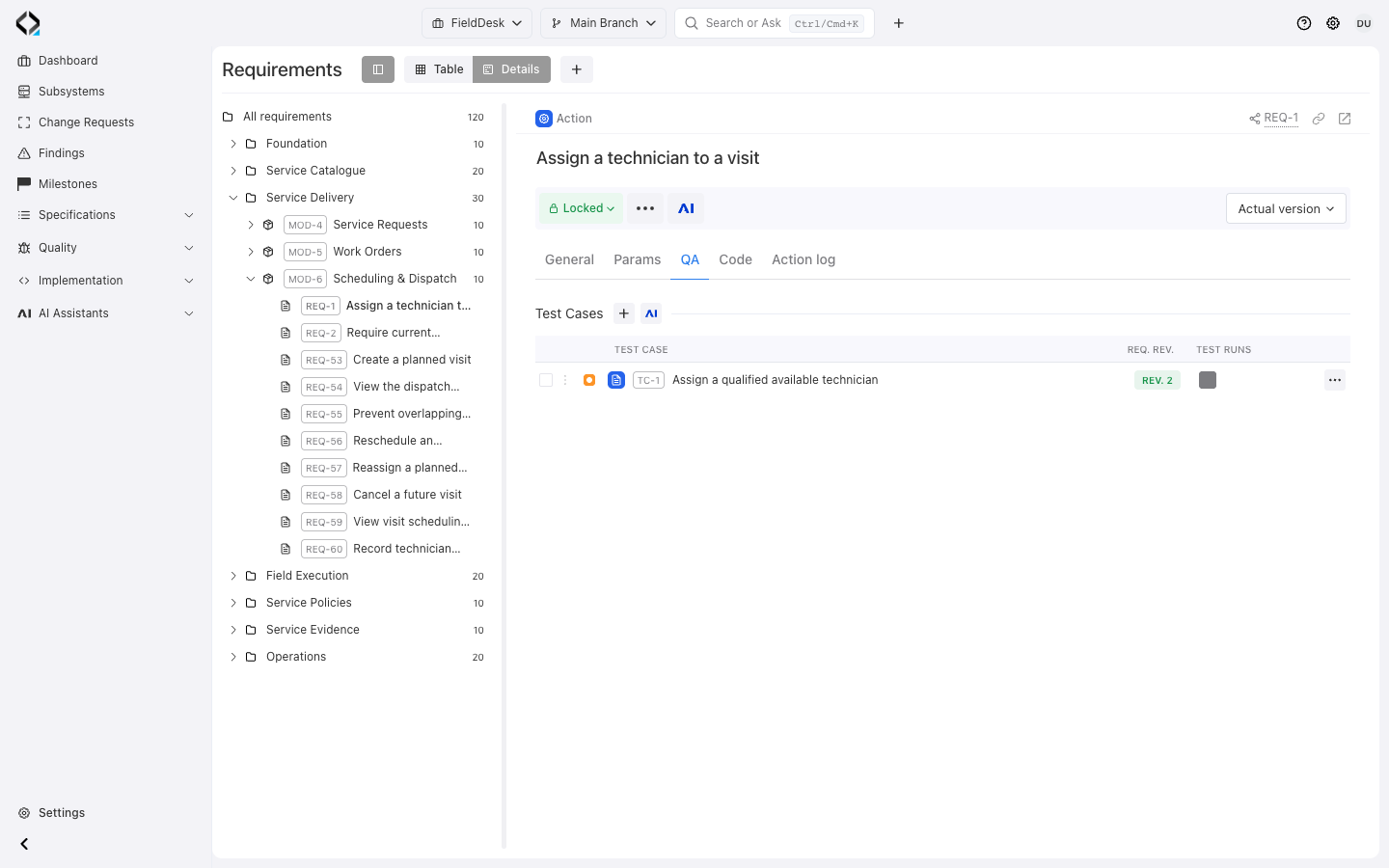
REQ-1: the assignment test case references requirement revision 2 and the baseline acceptance run.
Compare revisions and understand each change
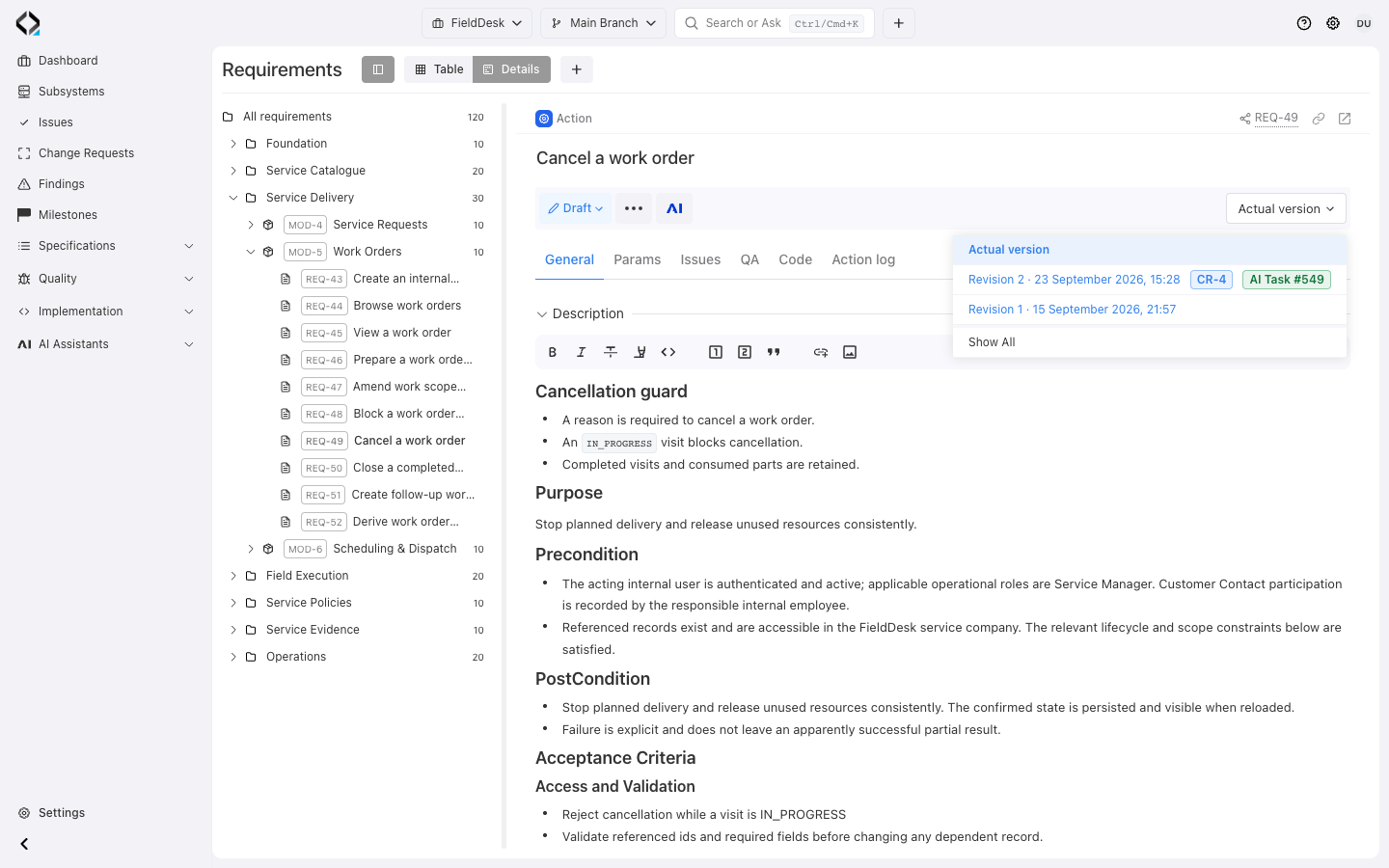
Preserve earlier definitions through revisions. Lock reviewed content and inspect historical intent and specification links.
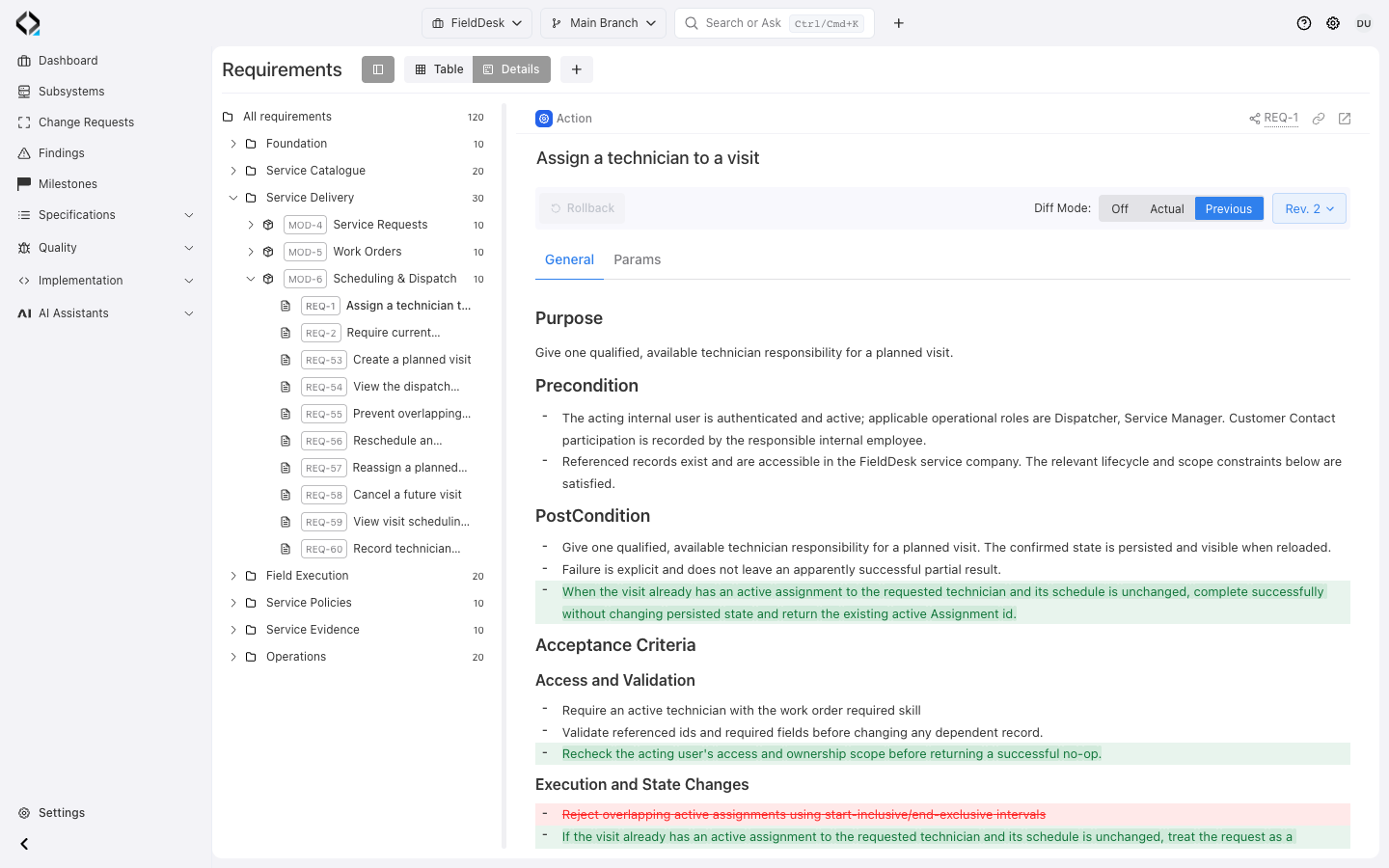
Compare a revision with its predecessor or current version. Diff covers descriptions and supported fields and collections, including actors, subsystems, and links.
Open a revision’s Change Request badge for change scope. Prepare changes in a branch.
More views
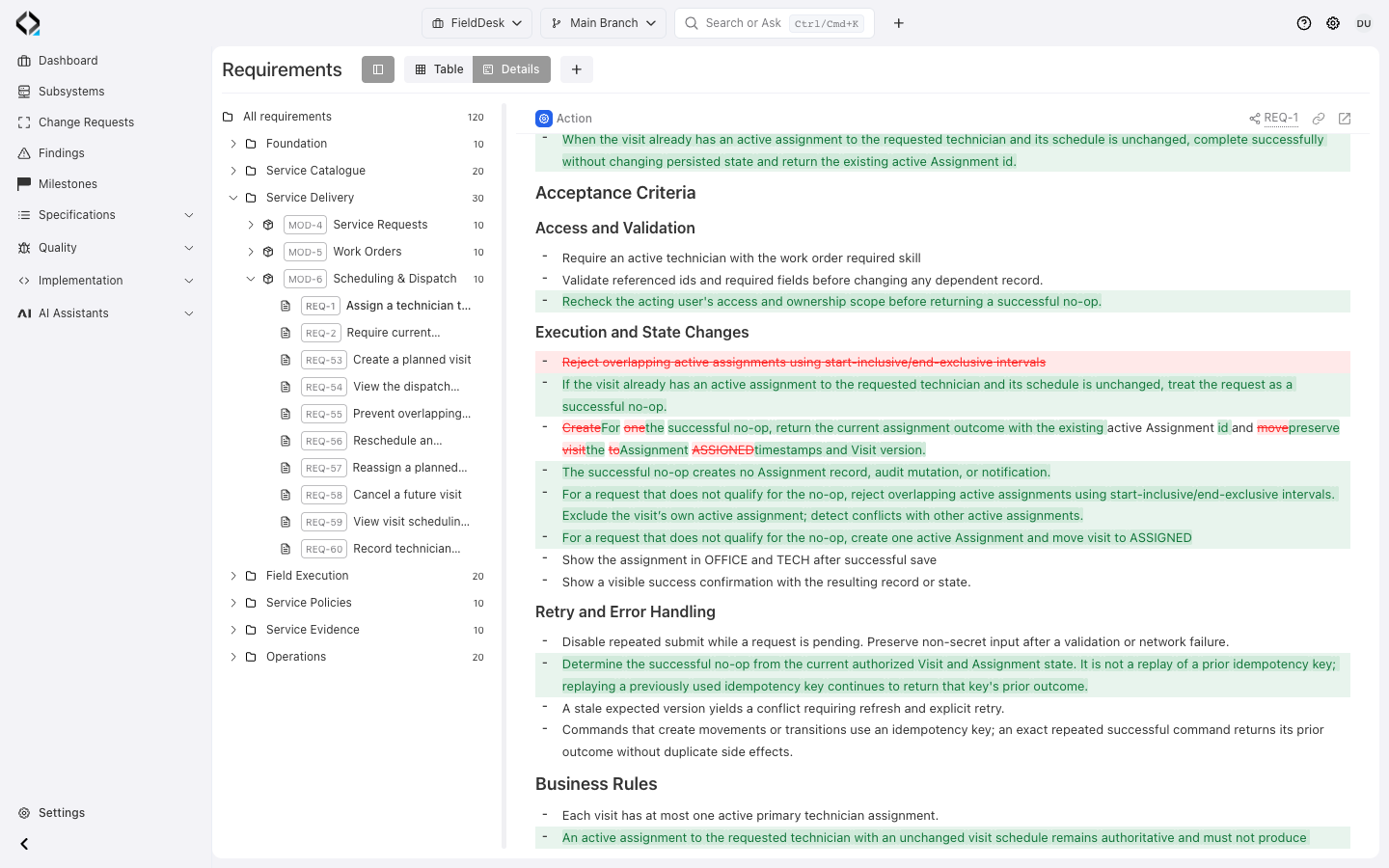
The revision diff explains the successful no-op and overlapping-assignment rules.
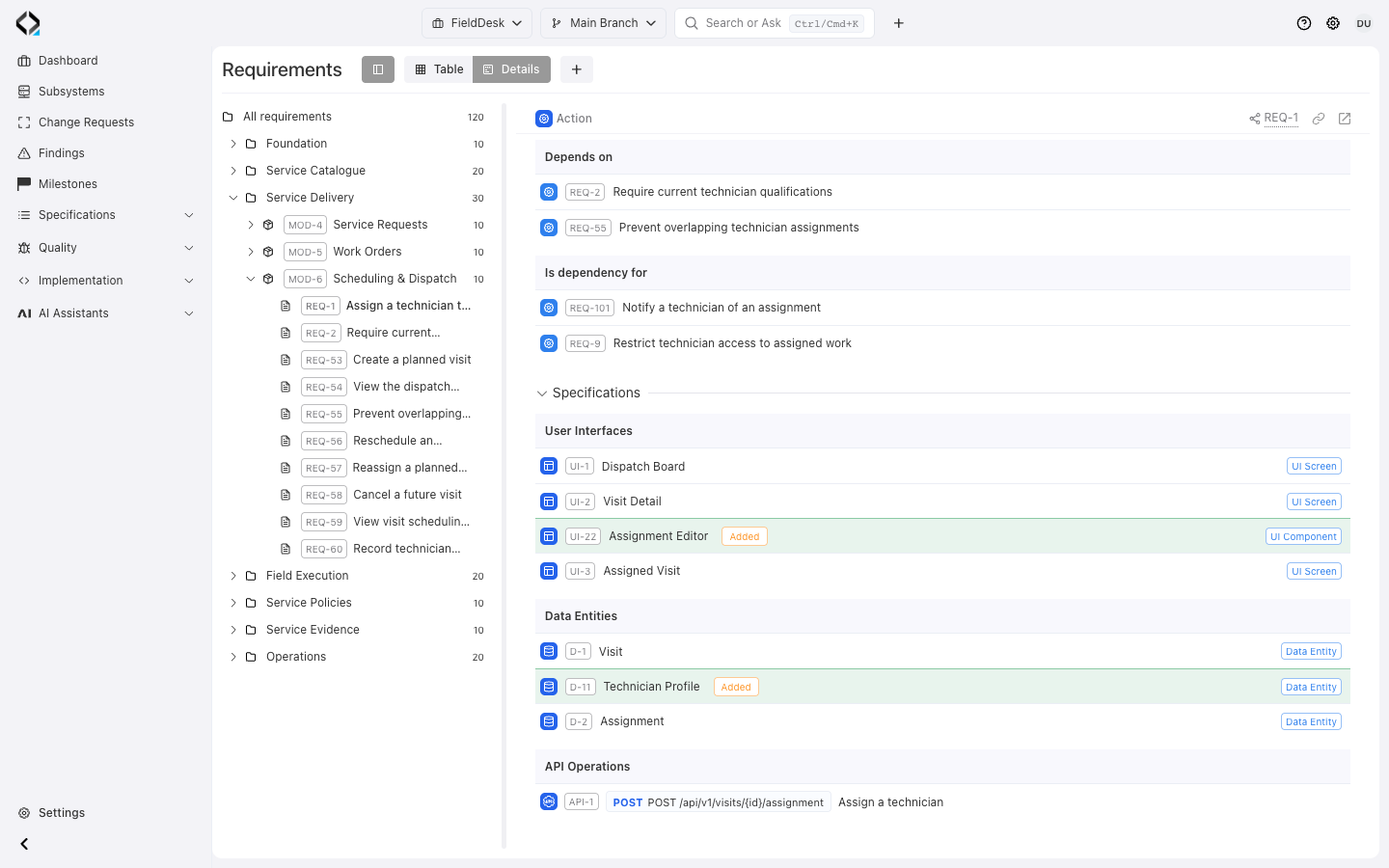
The same revision adds the Assignment Editor and Technician Profile specification links.
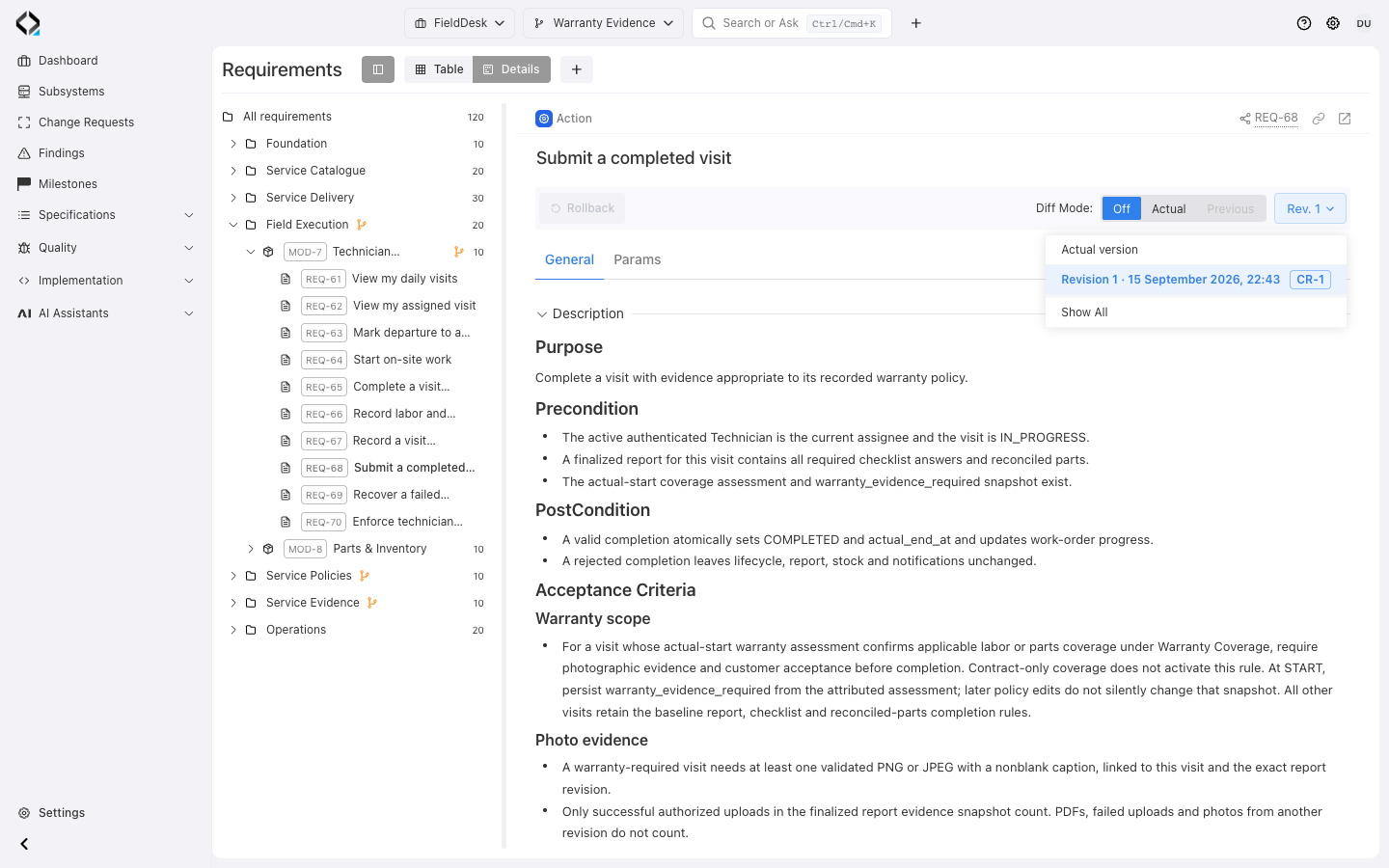
Warranty Evidence: REQ-68 revision 1 and its linked Change Request CR-1.
Follow the requirement’s activity log
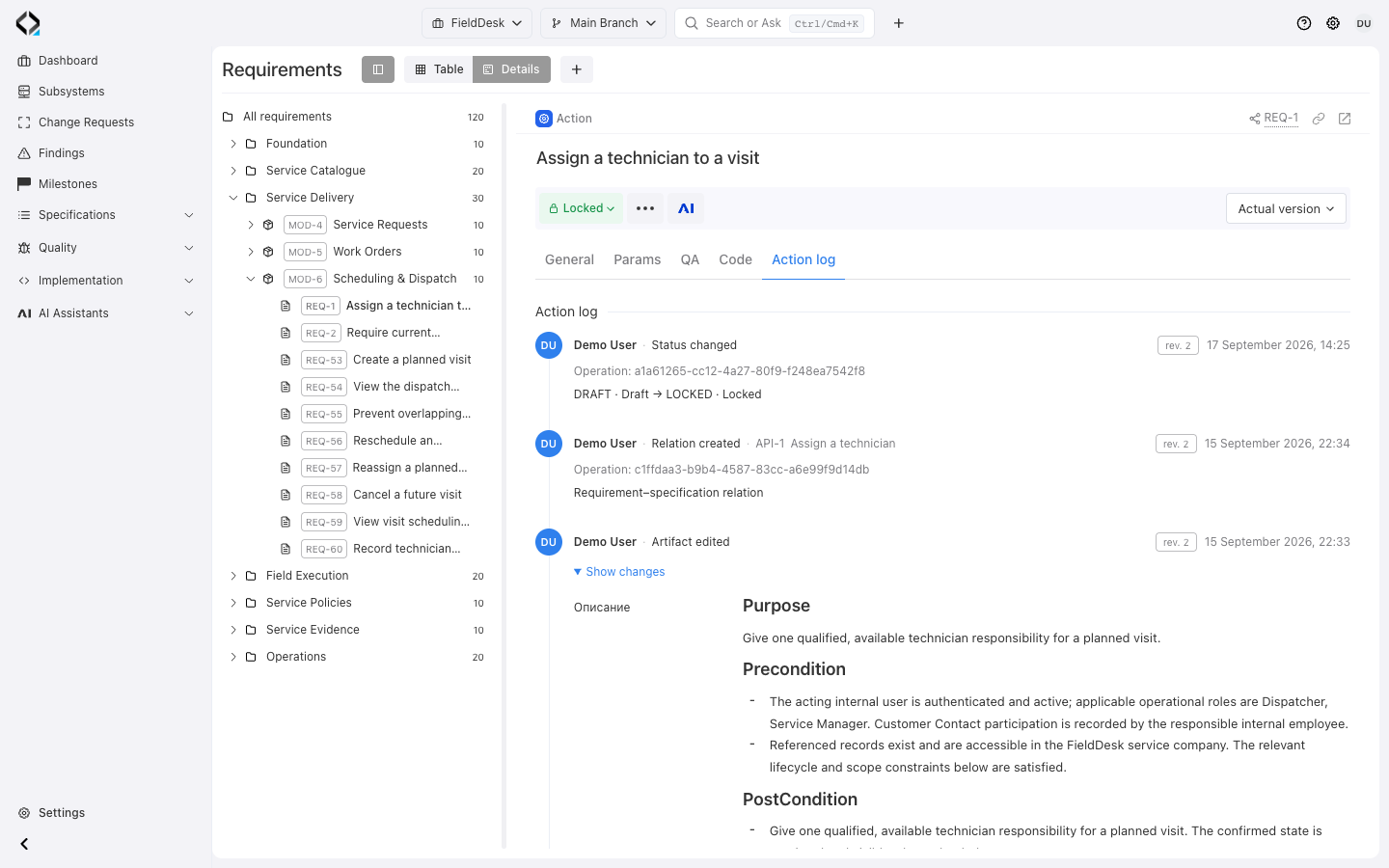
The branch’s Action log records initiator, time, and revision context.
Expand events for recorded fields and inline differences.
Start AI Analyst from the requirement when the intent, related specifications, or a proposed change needs further analysis.
More views
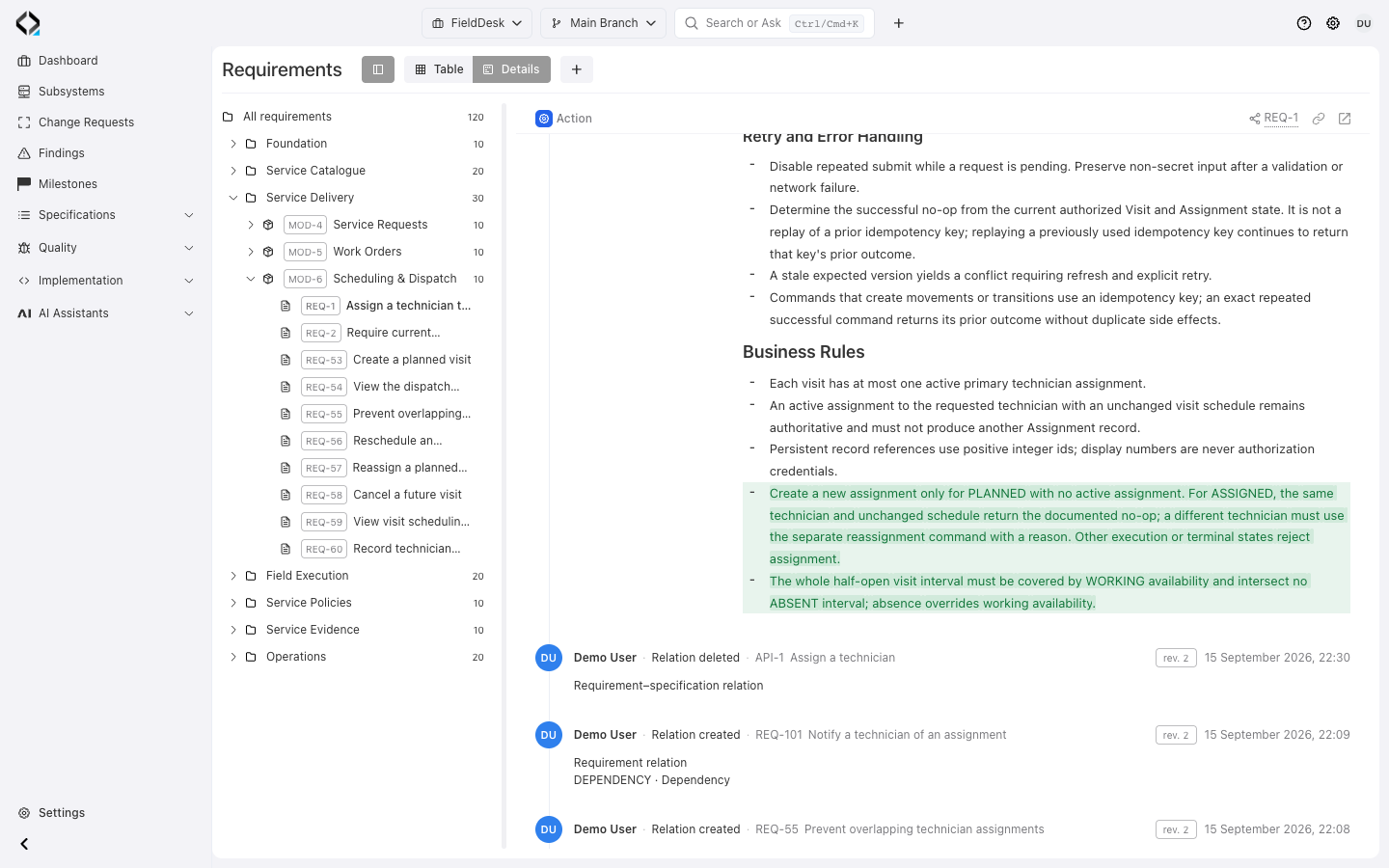
The expanded Action log event highlights the added assignment-state and technician-availability rules.


