AI Analyst

Turn a feature idea into specifications that fit the current system. AI Analyst clarifies open decisions and prepares changes for your team to review and apply.
Start with Reqode
Start with Reqode
PR-29 · 1 / 12
Start with two sentences
1 of 12

Start with two sentences

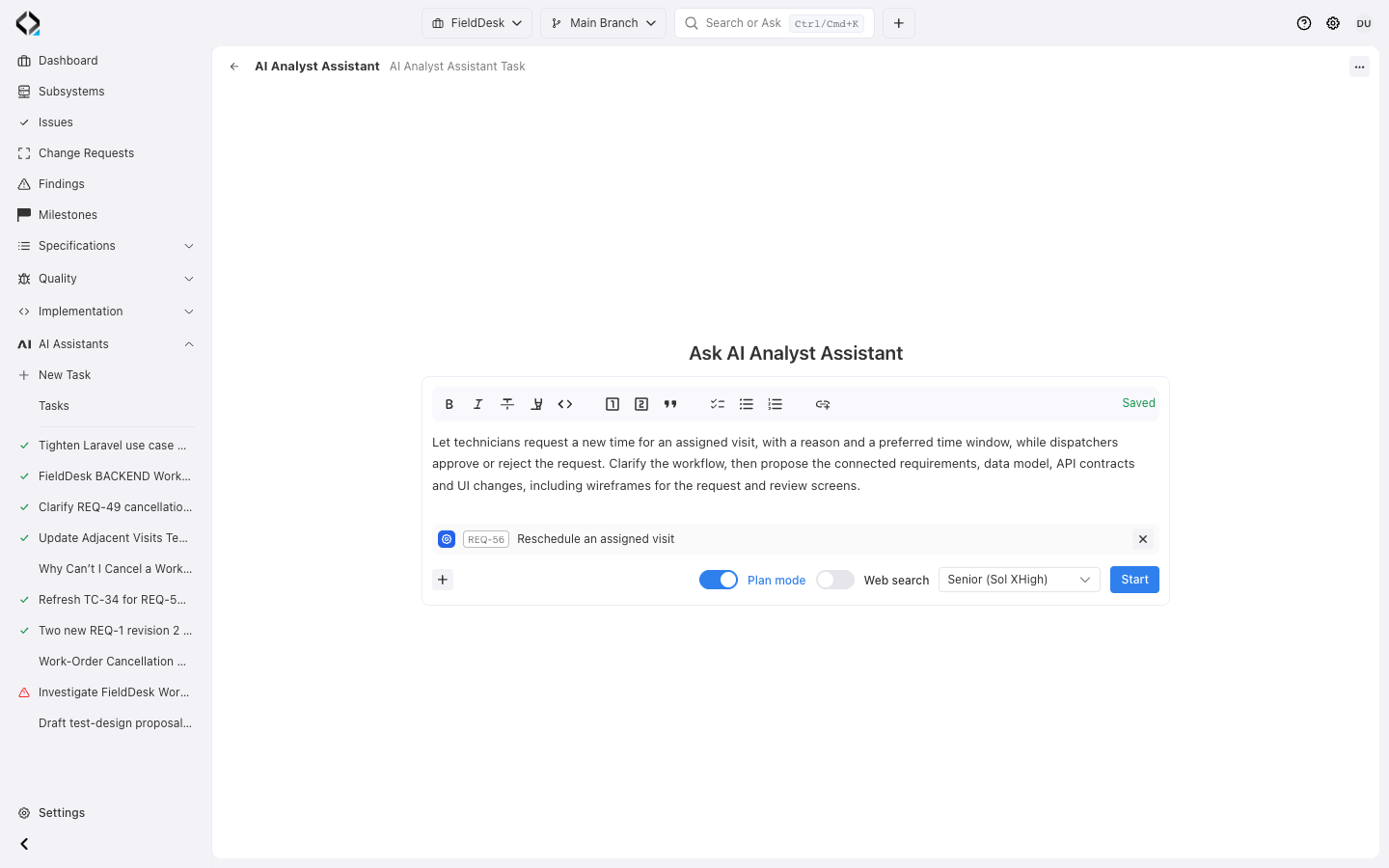
A technician needs a different visit time. Give AI Analyst the goal and the existing rescheduling requirement.

REVIEWED SPECIFICATIONS

AI analysis should not become product truth by accident

Review proposed changes before they become accepted specifications. Your team can edit the result, disable individual items, and apply the agreed changes.

Start from a feature idea, existing behavior, a Finding, or source code. The result preserves the selected branch context.

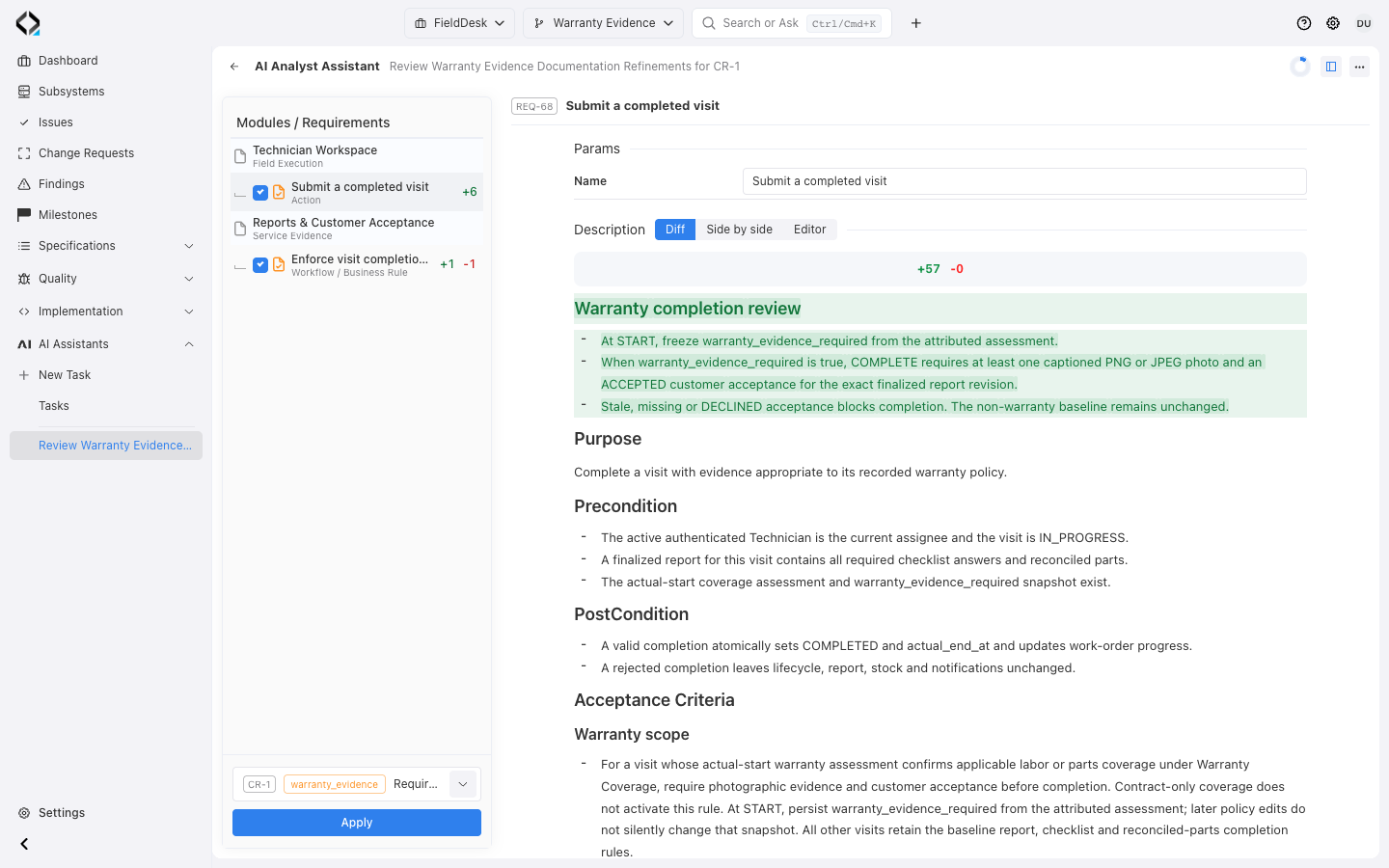
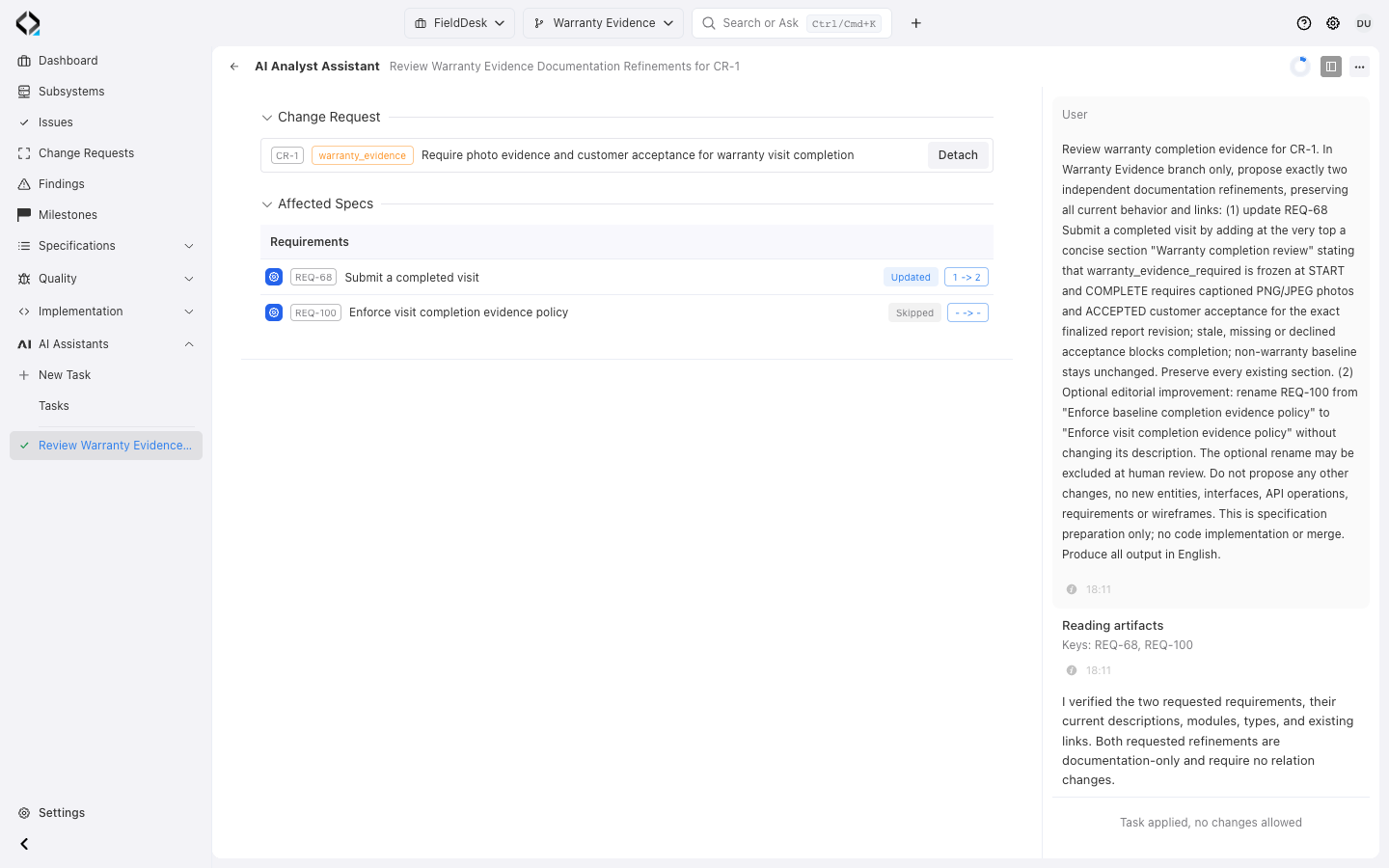
FieldDesk AI Analyst: review the warranty completion diff and selected CR-1 before applying; the optional REQ-100 rename is excluded.
More views
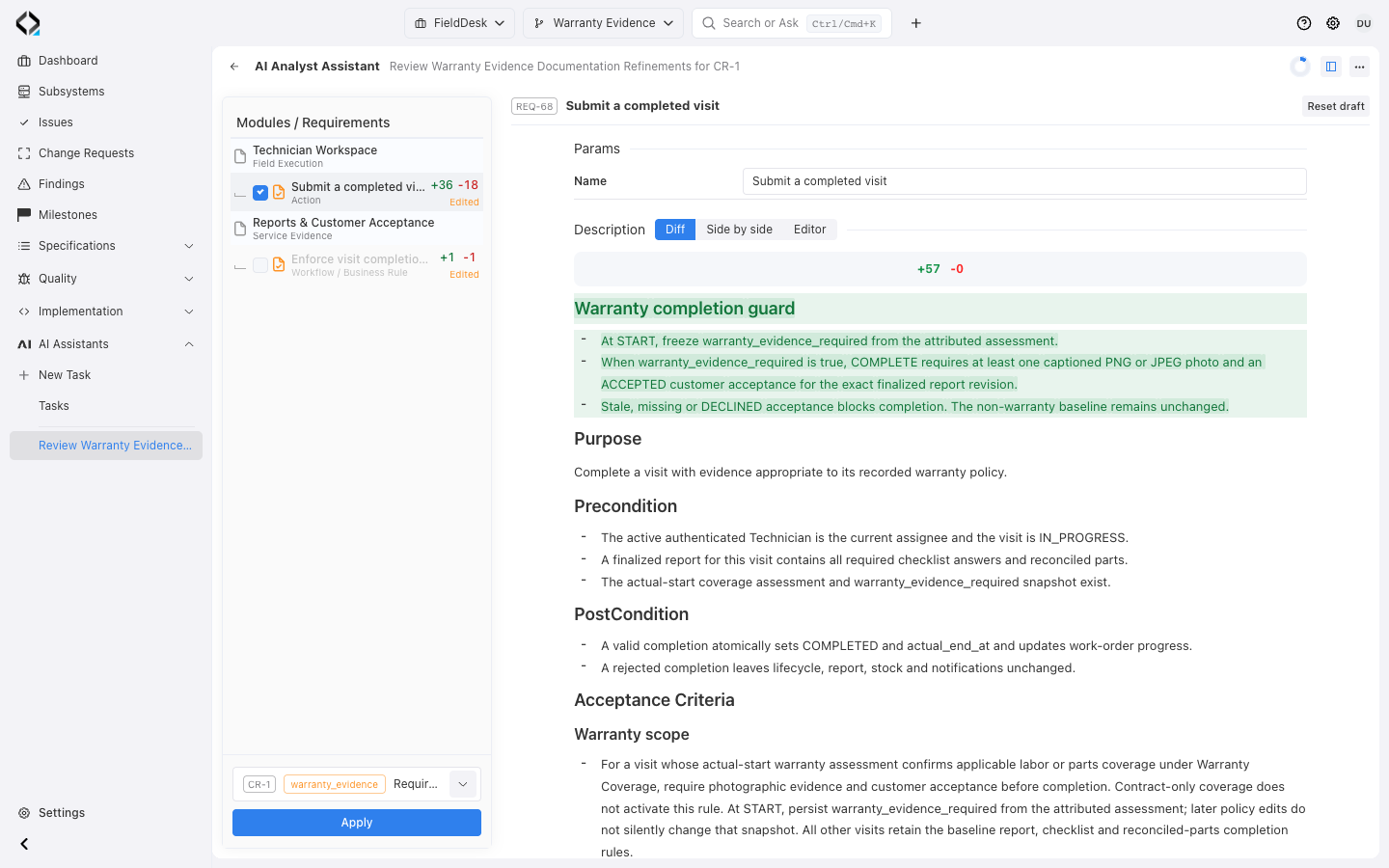
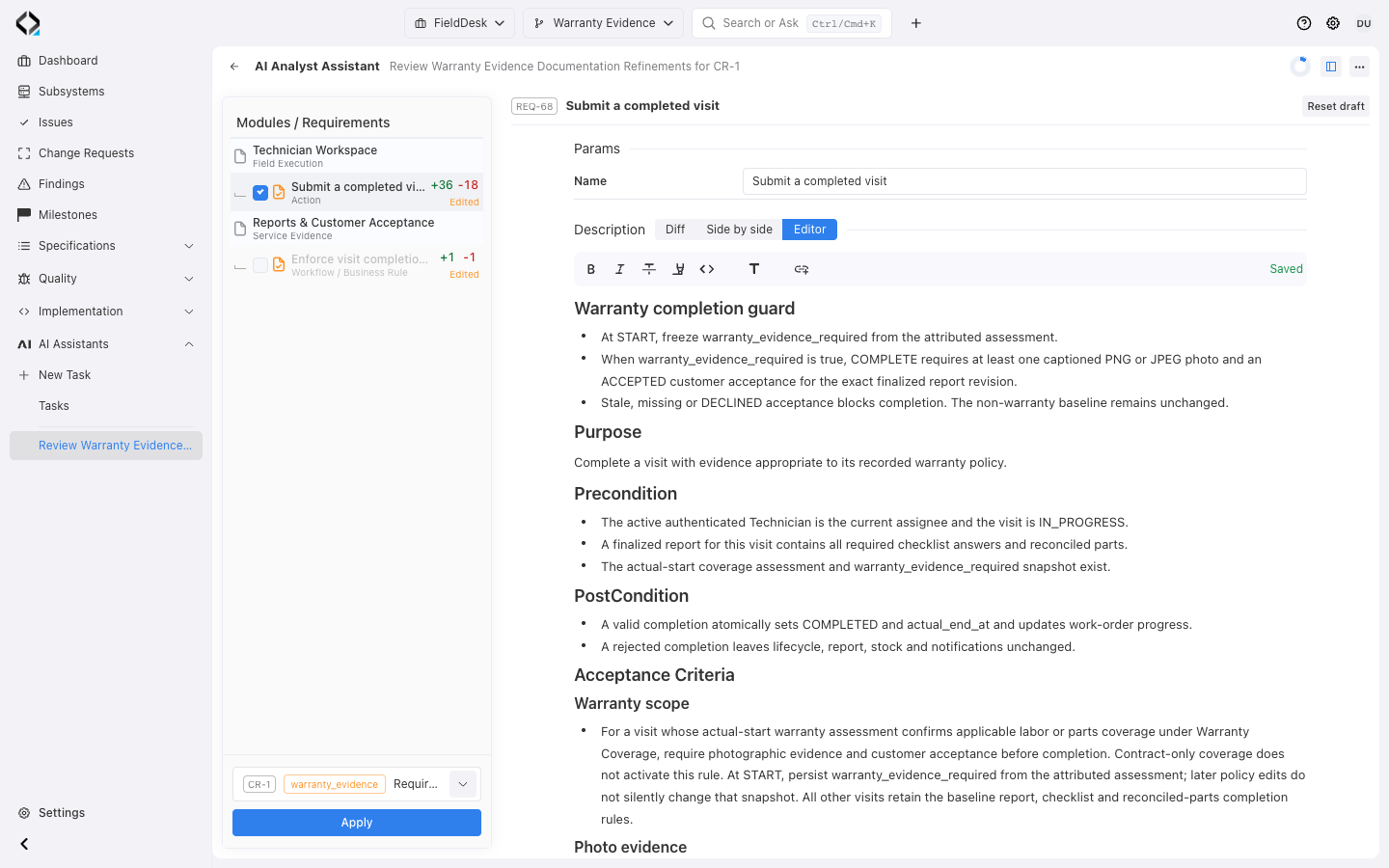
Edit the proposed REQ-68 text before applying. The reviewed draft is saved and the optional rename remains disabled.

Edit the proposed REQ-68 text before applying. The reviewed draft is saved and the optional rename remains disabled.

The original task scope and AI context remain available after review: REQ-68 advances to revision 2 under CR-1; REQ-100 is skipped.

The original task scope and AI context remain available after review: REQ-68 advances to revision 2 under CR-1; REQ-100 is skipped.

What AI Analyst can prepare

The output is structured around the product model, not a loose document.

Requirements

New or updated requirements, behavior notes, business rules, and use cases.

API and UI specs

API operation notes, UI behavior, transitions, and wireframe context.

Data Entities

Data entities, attributes, enum values, validation rules and relations.

Implementation scope

Software unit trace links, change summary, and coding-agent context.

The workflow

From intent to accepted specifications, with your decisions preserved.

You make product decisions; AI Analyst develops their consequences across connected specifications. That is the leverage in this workflow. Begin with an idea, problem or existing behavior. The assistant investigates available context and asks only for missing decisions that affect the proposed specifications. Facts already available in the project should come from that context.

The result makes the reach of each decision visible: a business rule may require coordinated changes to requirements, data entities, interface behavior and API operations. You can examine those consequences together and compare them with the existing product. The assistant prepares a structured proposal for review, including relationships supported by its investigation.

Review the diff, correct individual items, or disable proposals that do not belong in the change. Until you apply the accepted result, the proposal does not change project specifications. The diagram shows the preparation stages; review and application complete the four-step workflow below. Accepted revisions and their change scope then support a separate implementation handoff to an external coding agent. You preserve control over the product behavior while the assistant handles the work of developing and connecting the details.
AI Analyst clarifies intent and prepares connected requirement, data, UI and API changes. A person reviews proposals and applies accepted changes.
  1. Intent

    “Assign a technician”

    Set intent
  2. Clarification

    Which visits?Overlapping times?Conflict response?

    Answer questions
  3. Specifications

    Proposed changesRequirements · DataUI · API

    Review and approve
1

Intent: start from context

Describe an idea or problem and use available specifications, source code, a Change Request, issue or finding as context.

2

Clarification: decide what is missing

Answer product questions that the assistant cannot settle from the available context. If the context is sufficient, preparation can continue without extra questions.

3

Specifications: prepare connected changes

AI Analyst proposes requirement, data, UI and API changes in the current system context. These items remain proposals until applied.

4

Review and apply

Inspect the diff, edit individual items, disable unwanted proposals and apply only the accepted changes.

IMPLEMENTATION HANDOFF

From AI Analyst to Change Request

A linked Change Request records the accepted specification revisions and implementation scope for your coding agent.

An external coding agent retrieves that accepted context through MCP and implements the change. AI Analyst prepares the specification proposal; code implementation and verification are separate stages.

Read more about change management

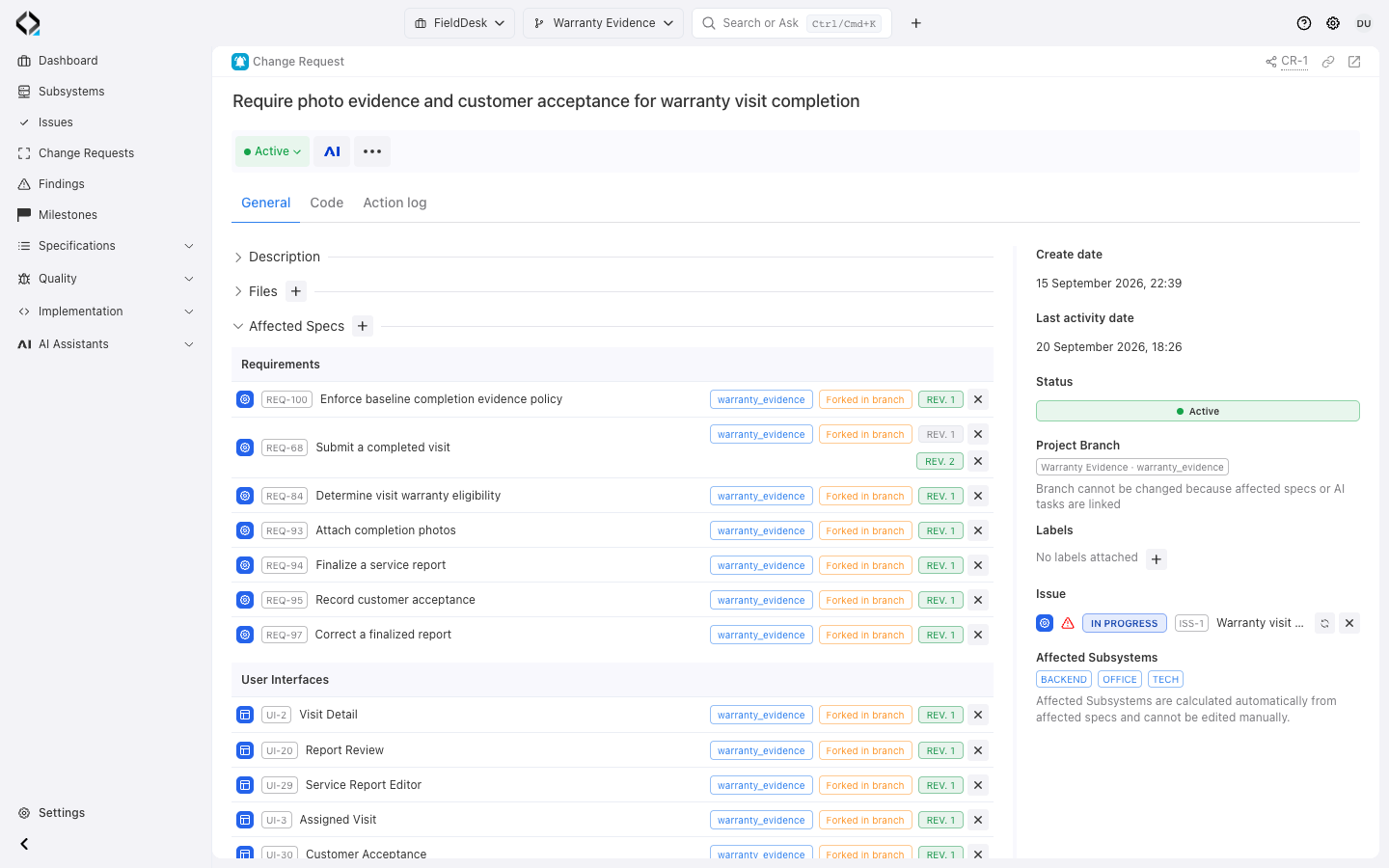
FieldDesk CR-1: affected specifications and revisions, Warranty Evidence branch, linked issue, and BACKEND, OFFICE and TECH scope.
More views
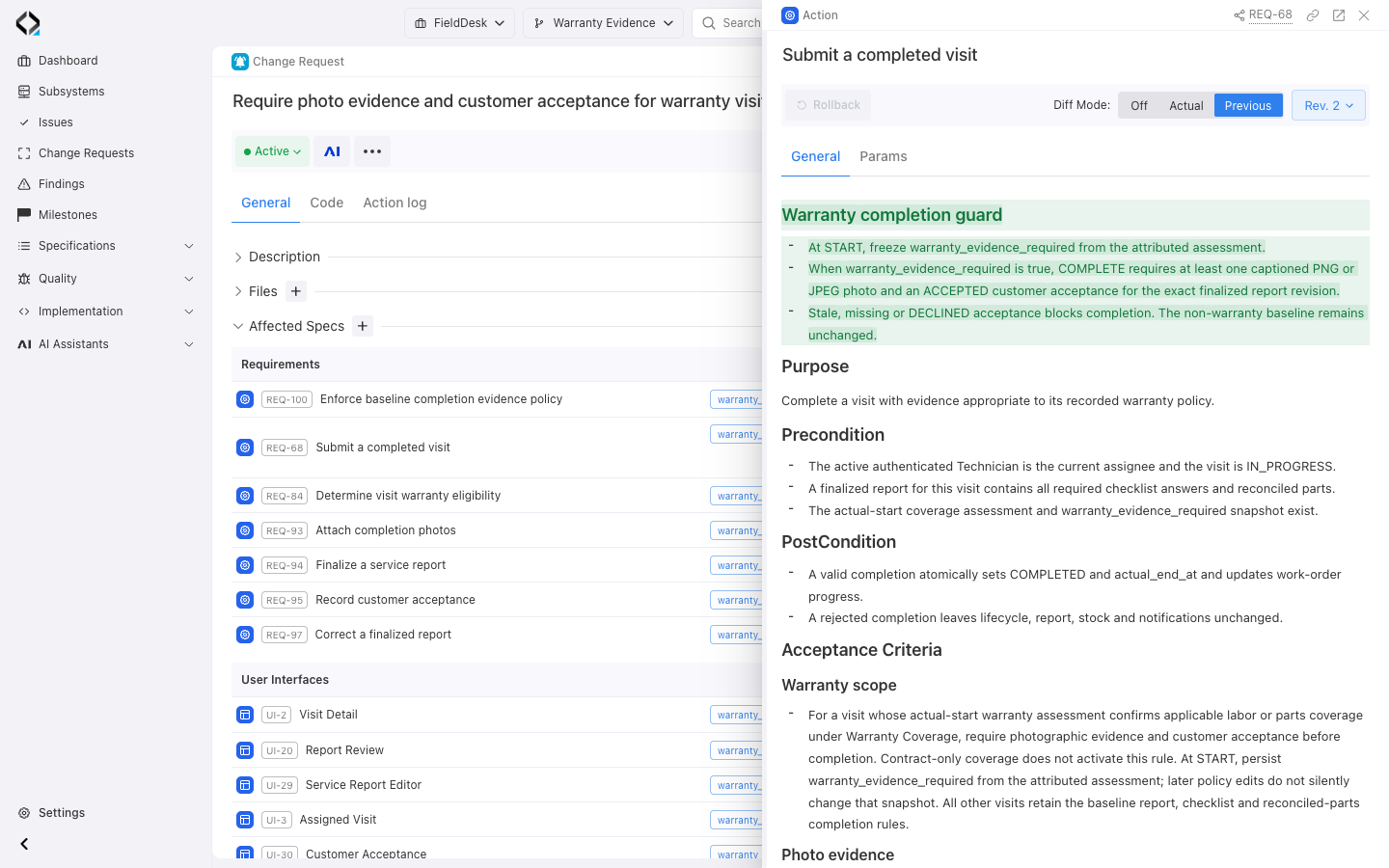
Open accepted REQ-68 revision 2 from CR-1 and compare it with the previous revision.

Open accepted REQ-68 revision 2 from CR-1 and compare it with the previous revision.

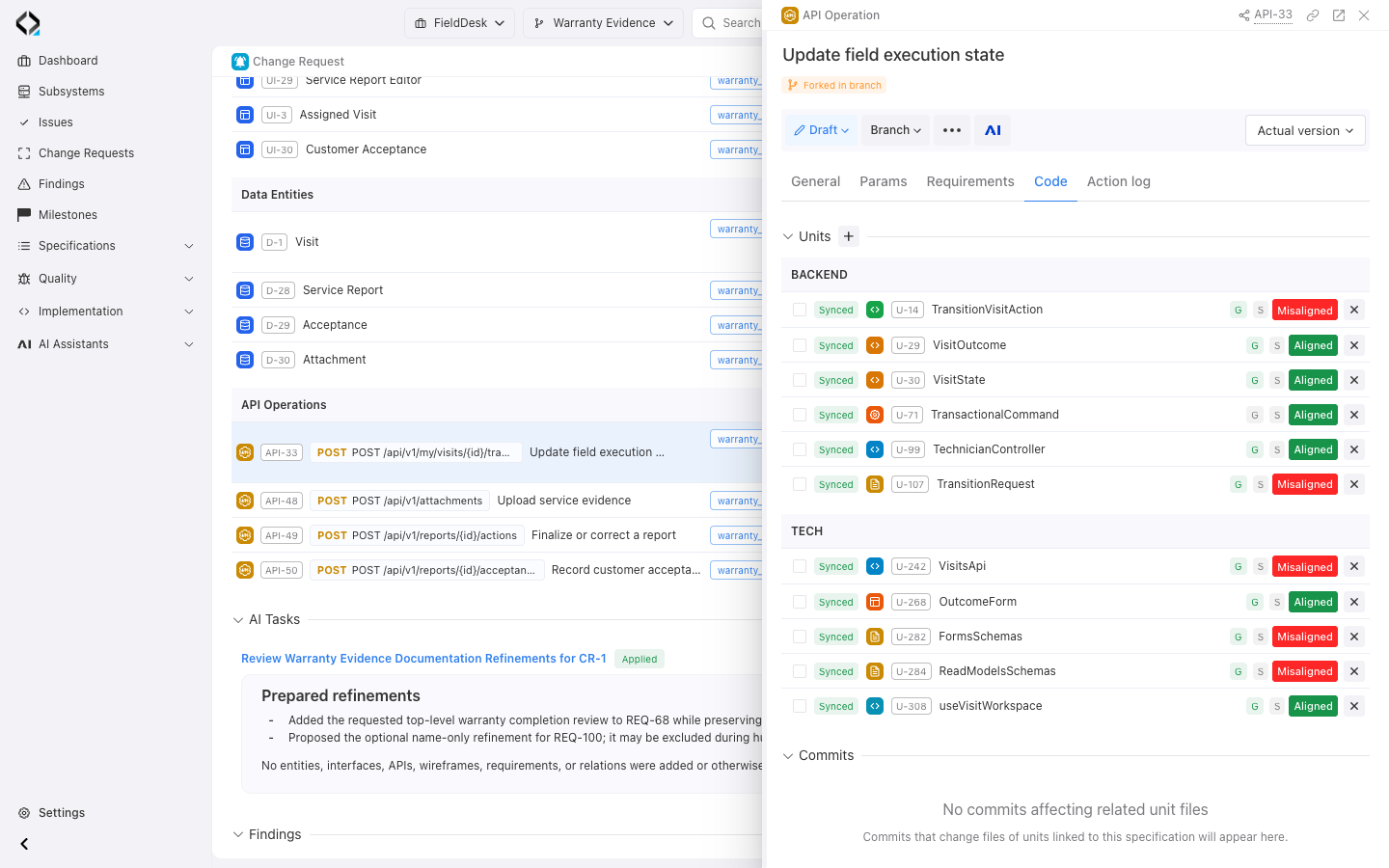
API-33, opened from CR-1, shows linked BACKEND and TECH units and their alignment states. No commits affecting related unit files are recorded.

API-33, opened from CR-1, shows linked BACKEND and TECH units and their alignment states. No commits affecting related unit files are recorded.

Frequently Asked Questions

Do we need to review every specification?

Use Diff mode to review the proposed changes. Edit or disable result items before applying the accepted specifications.

Can it work with existing code?

Yes. It can use existing specifications and source code to prepare a change in the current system context.