Automate Continuous Verification
Four checks keep the engineering memory current
Automation rules run in a selected project branch and subsystem with explicit scope and processing limits.

Module consistency
Checks one requirement module for contradictions, duplication, ambiguity, and weak compliance with its specification structure.

Unit discovery
Maps changed or unknown source files to software units and updates file ownership, dependencies, Unit Types, and specification links.

Guidelines compliance
Checks a software unit against the Code Manifest, Unit Type rules, and unit-specific implementation guidance.

Specs ↔ code alignment
Checks whether a software unit and its directly related requirements, data, UI, and API specifications still describe the same behavior.
Automate the queue, keep the evidence reviewable
Active automation rules are evaluated on a schedule. Reqode selects modules, files, or Units that need processing and creates the appropriate AI Tasks.
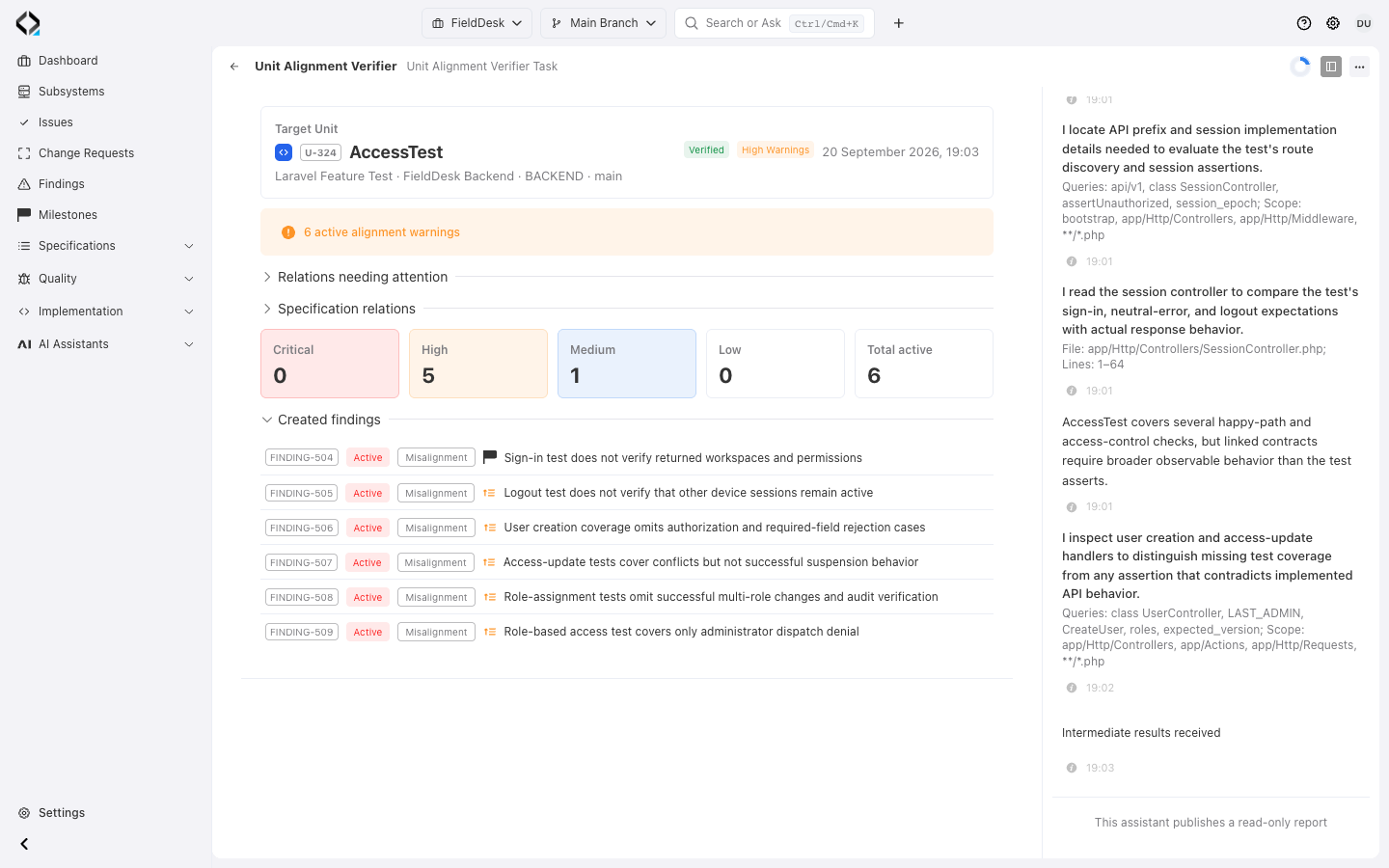
Each verifier uses a structured result contract. Confirmed problems create or update Findings; resolved problems can close existing Findings and refresh verification state.
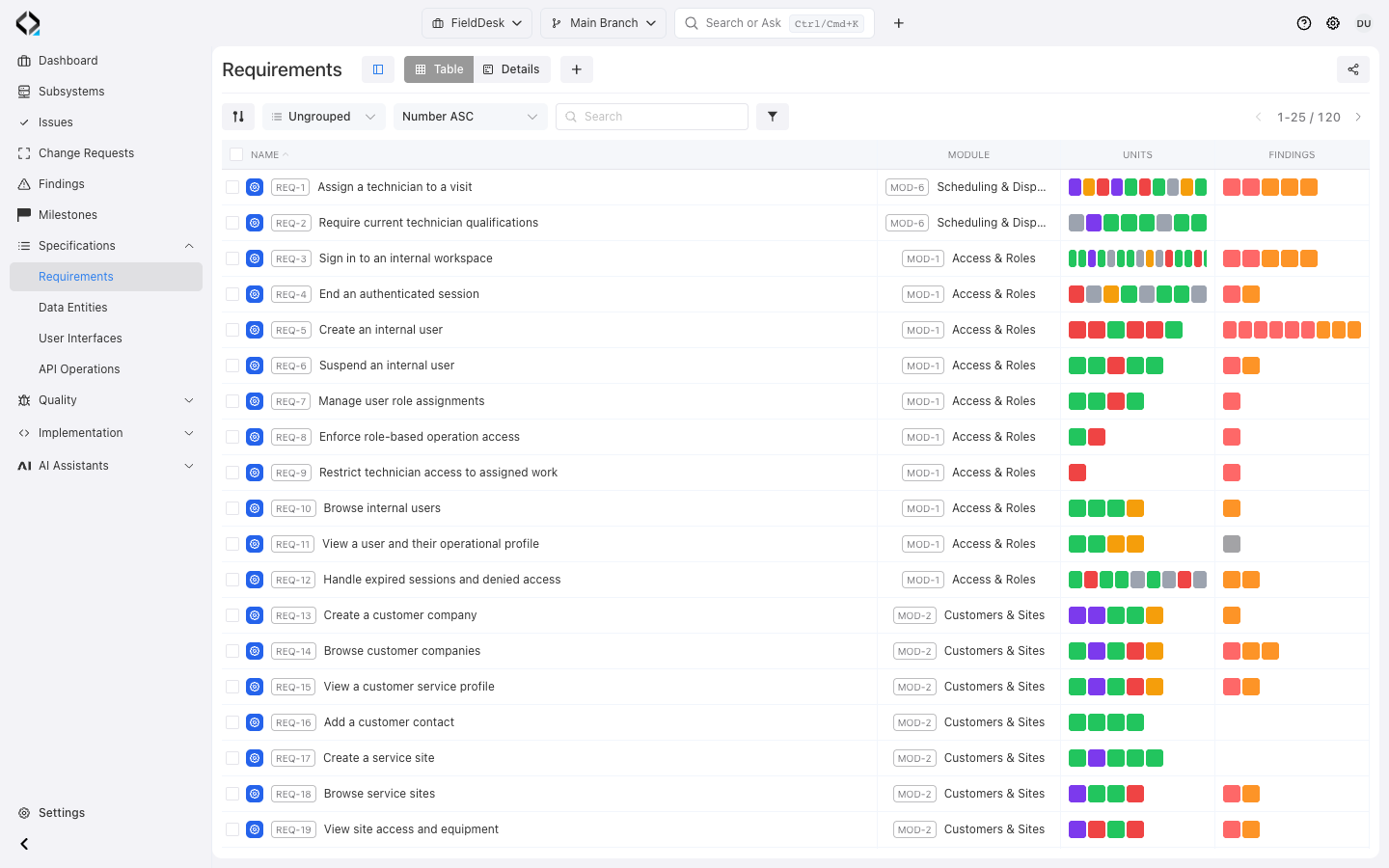
Inspect the finding for REQ-1
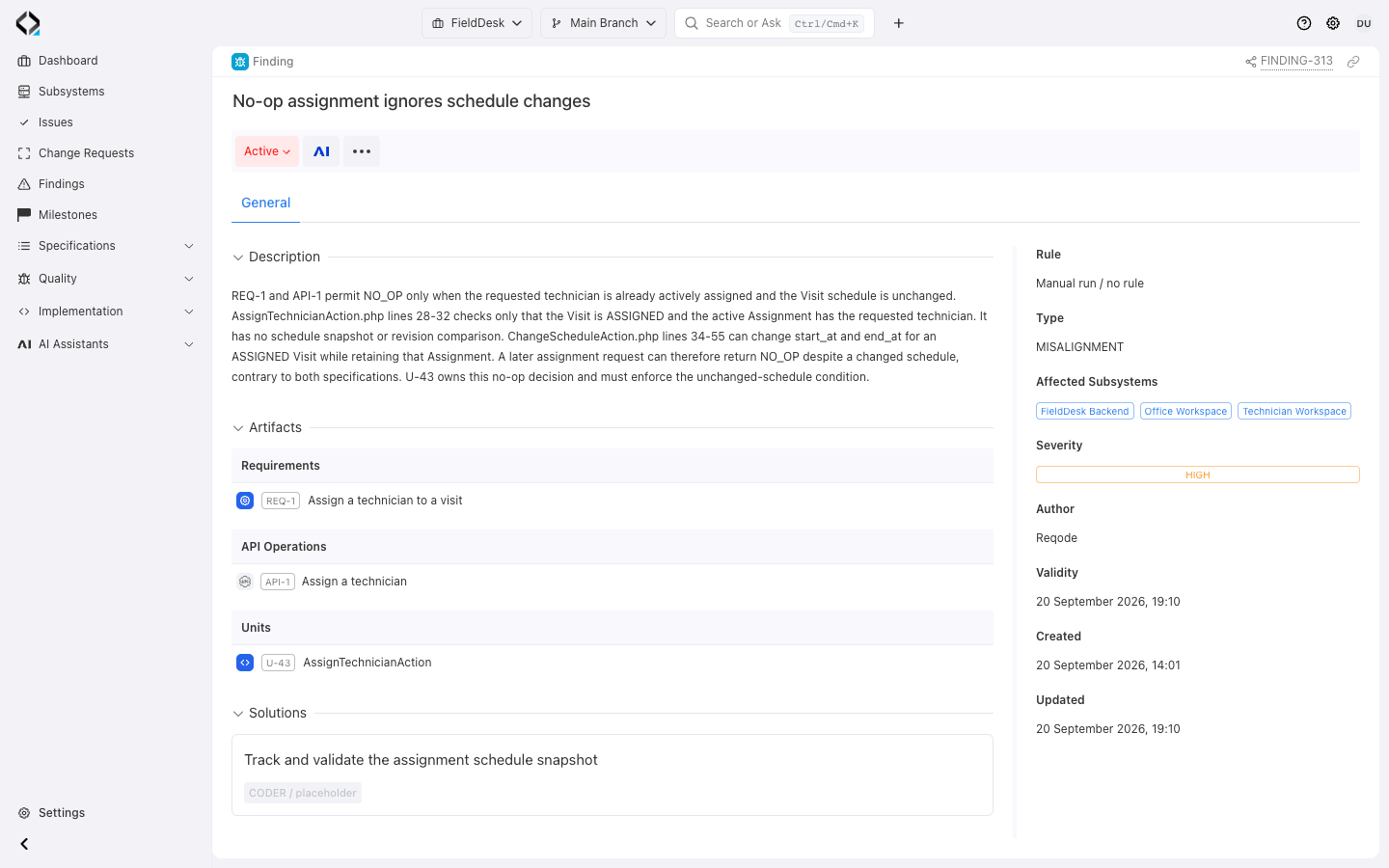
FINDING-313: schedule changes bypass the REQ-1 no-op guard.
A continuous repair loop for humans and AI agents

1. Configure
Choose the branch, subsystem, supported check type, model settings, limits, and optional additional guidance.

2. Process
The runtime creates focused AI Tasks only for project artifacts that currently require discovery or verification.
3. Review Findings
Inspect evidence, severity, affected artifacts, and whether the right fix belongs in code, specifications, or architecture guidance.

4. Repair and recheck
Hand a concrete Finding to the right human or AI performer, then let the next verification confirm the new state.
Explore the workflow
Configure a scheduled check in FieldDesk, then follow its automatic job to the findings.
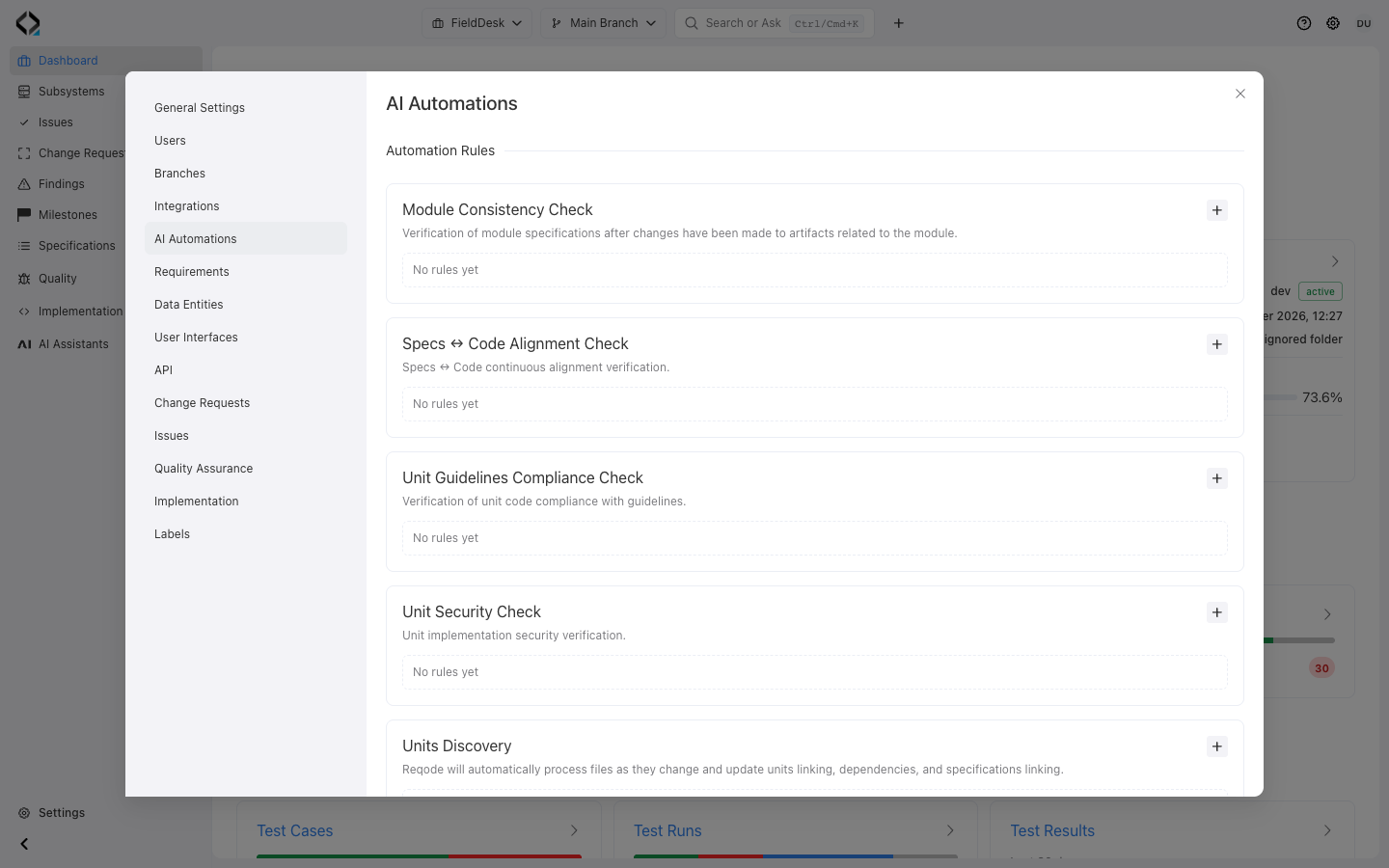
Open AI Automations
Choose a focused check in FieldDesk Project Settings. Each rule has its own branch, scope and schedule.
Make verification part of the delivery system
Keep product intent, implementation structure, and architecture guidance under continuous review.
