Product Understanding
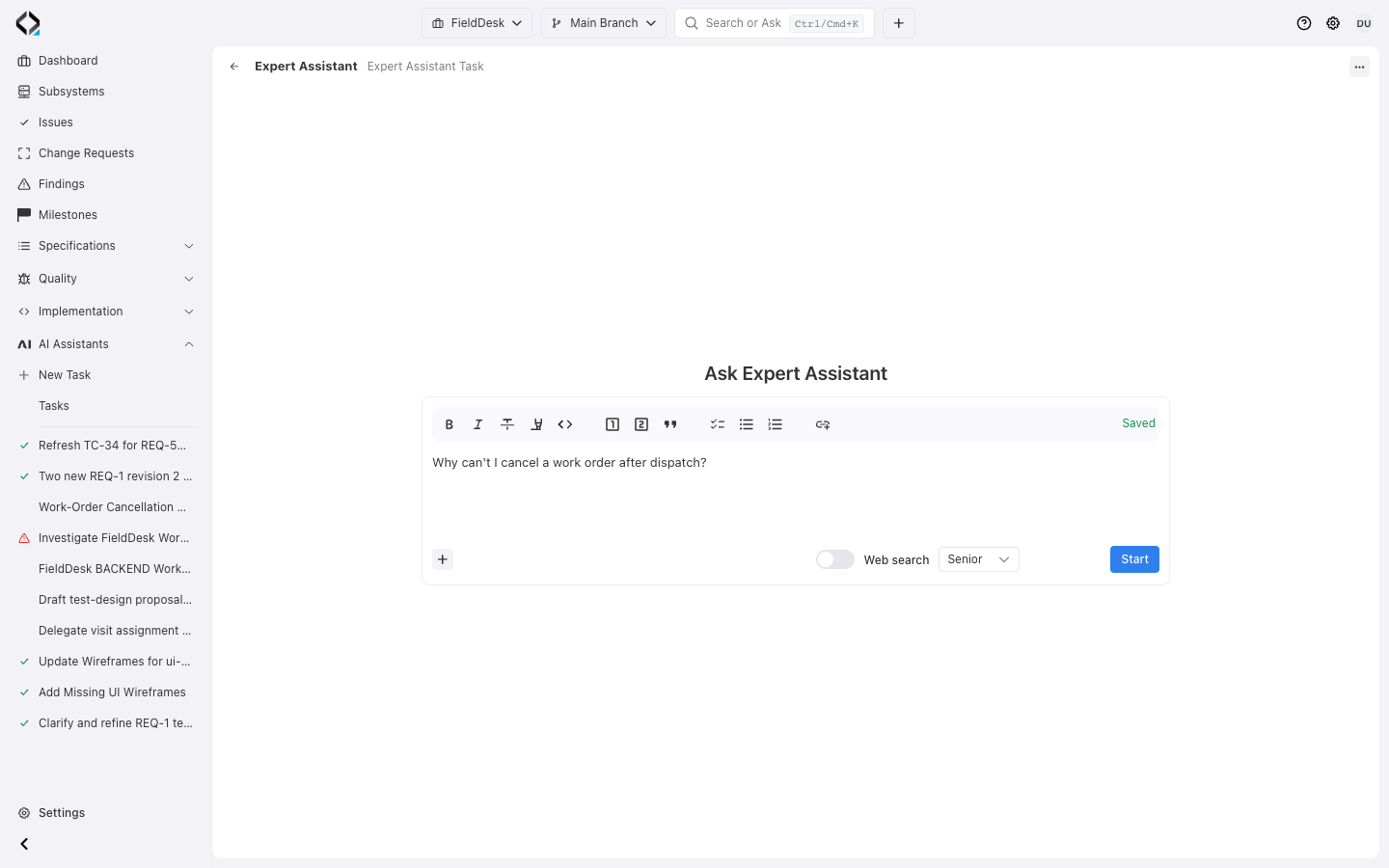
Ask in your own words
Why can't I cancel a work order after dispatch? A short question is enough; the expert finds the project context.
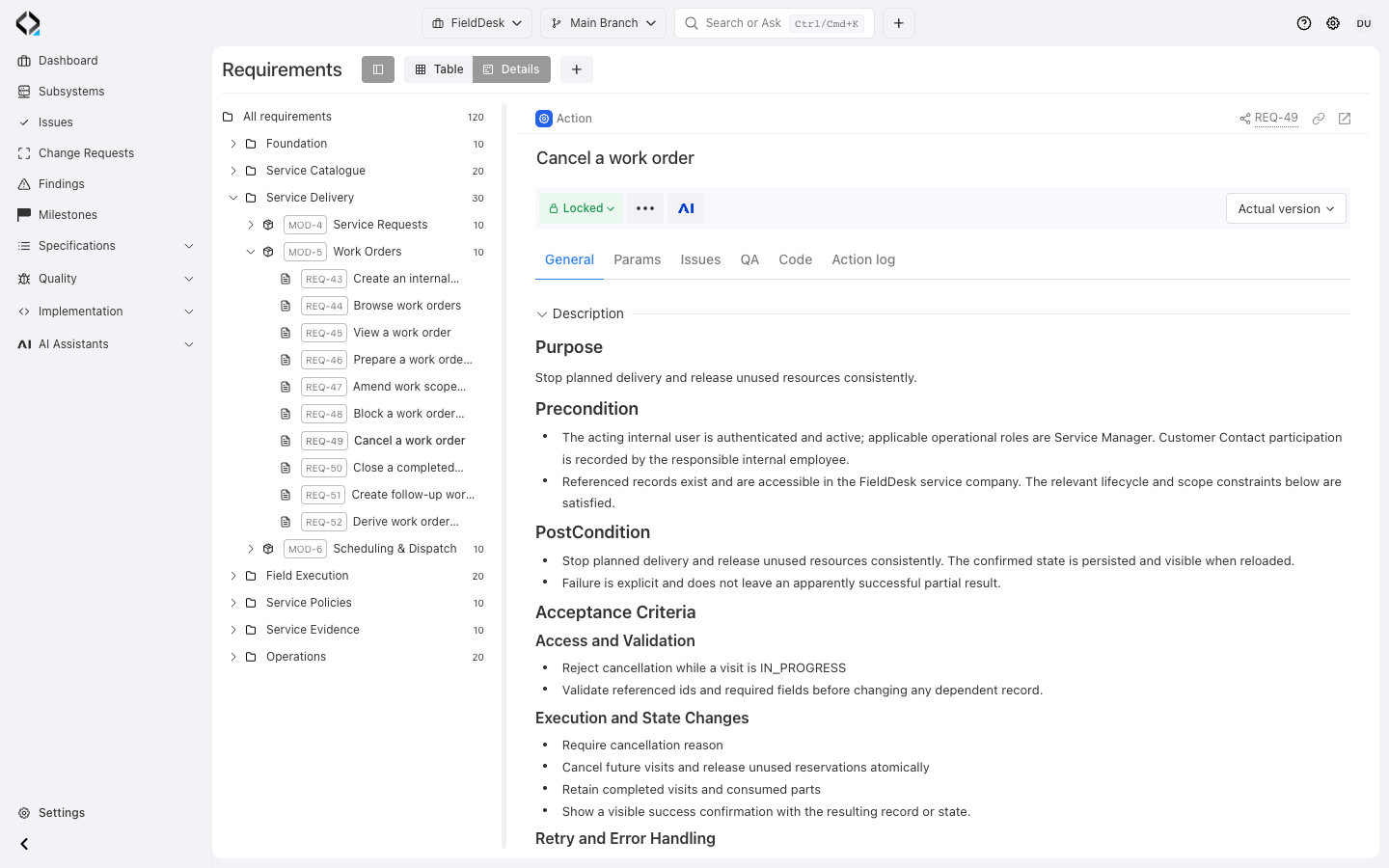
One Product Map for Humans and AI
Use linked specifications, implementation, and history to answer the question at hand.

Structured specs

Software units

Change reasons

Problem signals
AI Product Expert answers with evidence
Ask AI Product Expert a question or start from a module, specification, unit, or file. Its read-only investigation returns references, source files, limitations, and suggested next actions.
It returns a structured answer with referenced artifacts, related source files, limitations, and recommended next actions.
Questions teams can ask
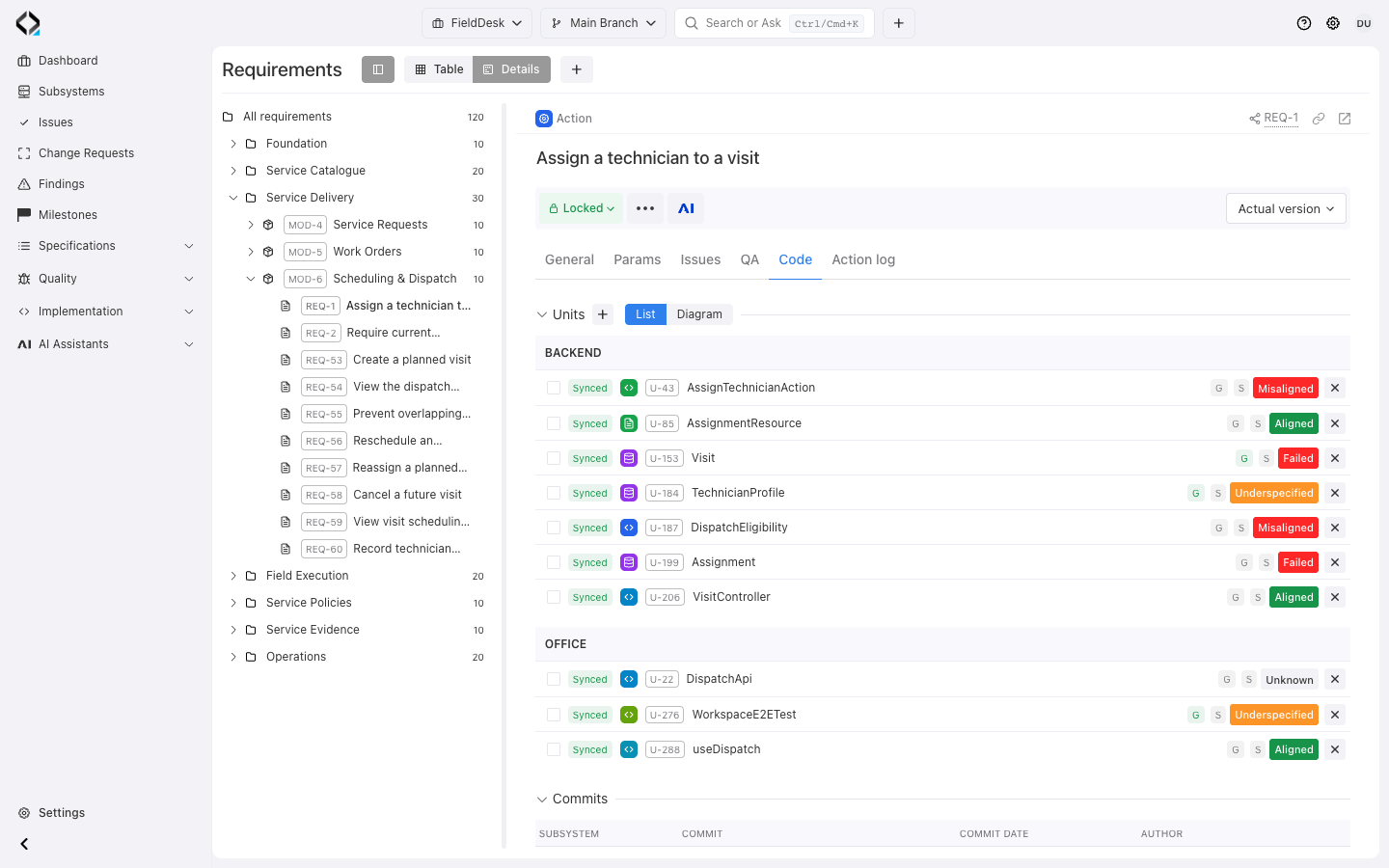
More views
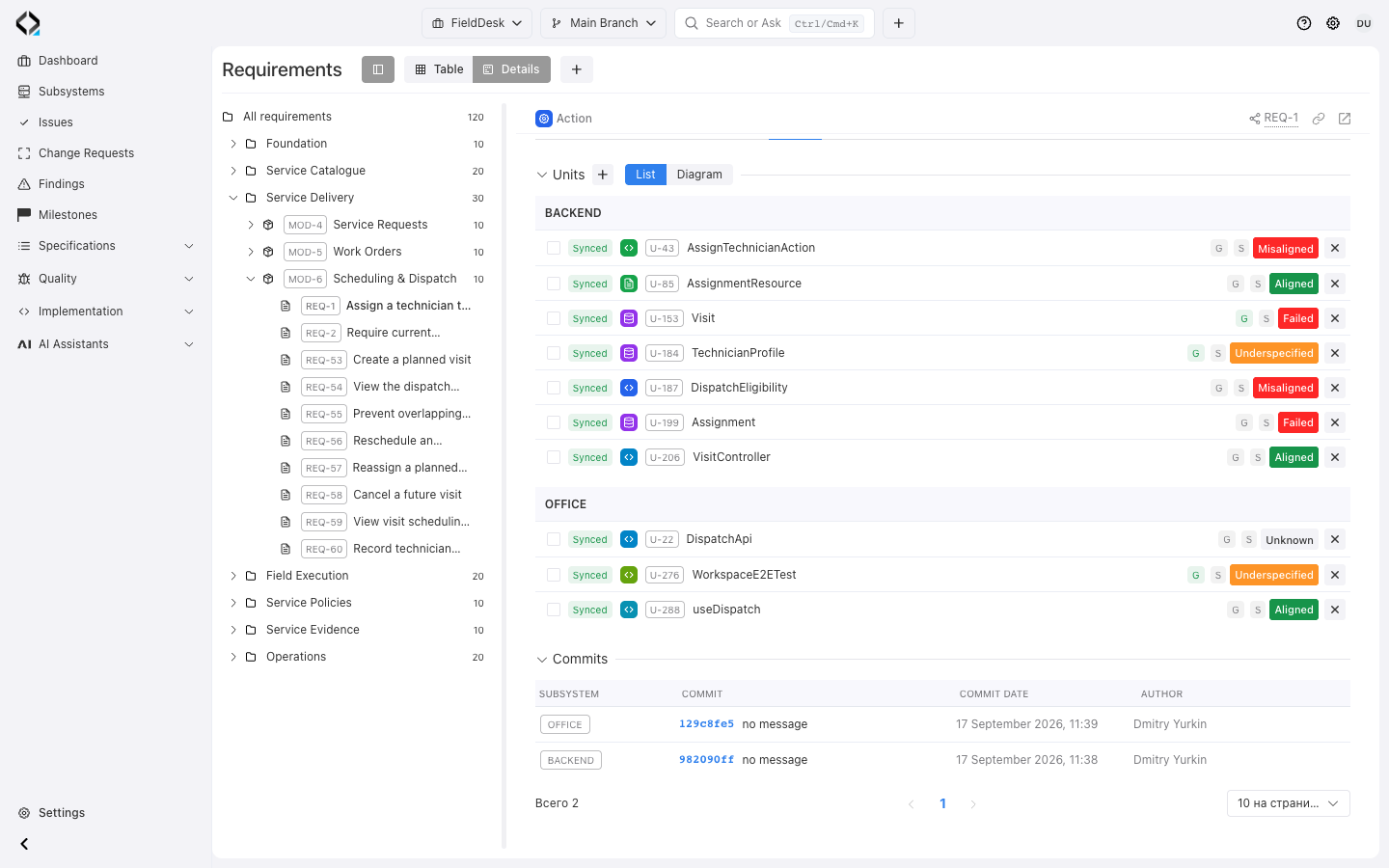
Follow the requirement to its implementation commits across subsystems.
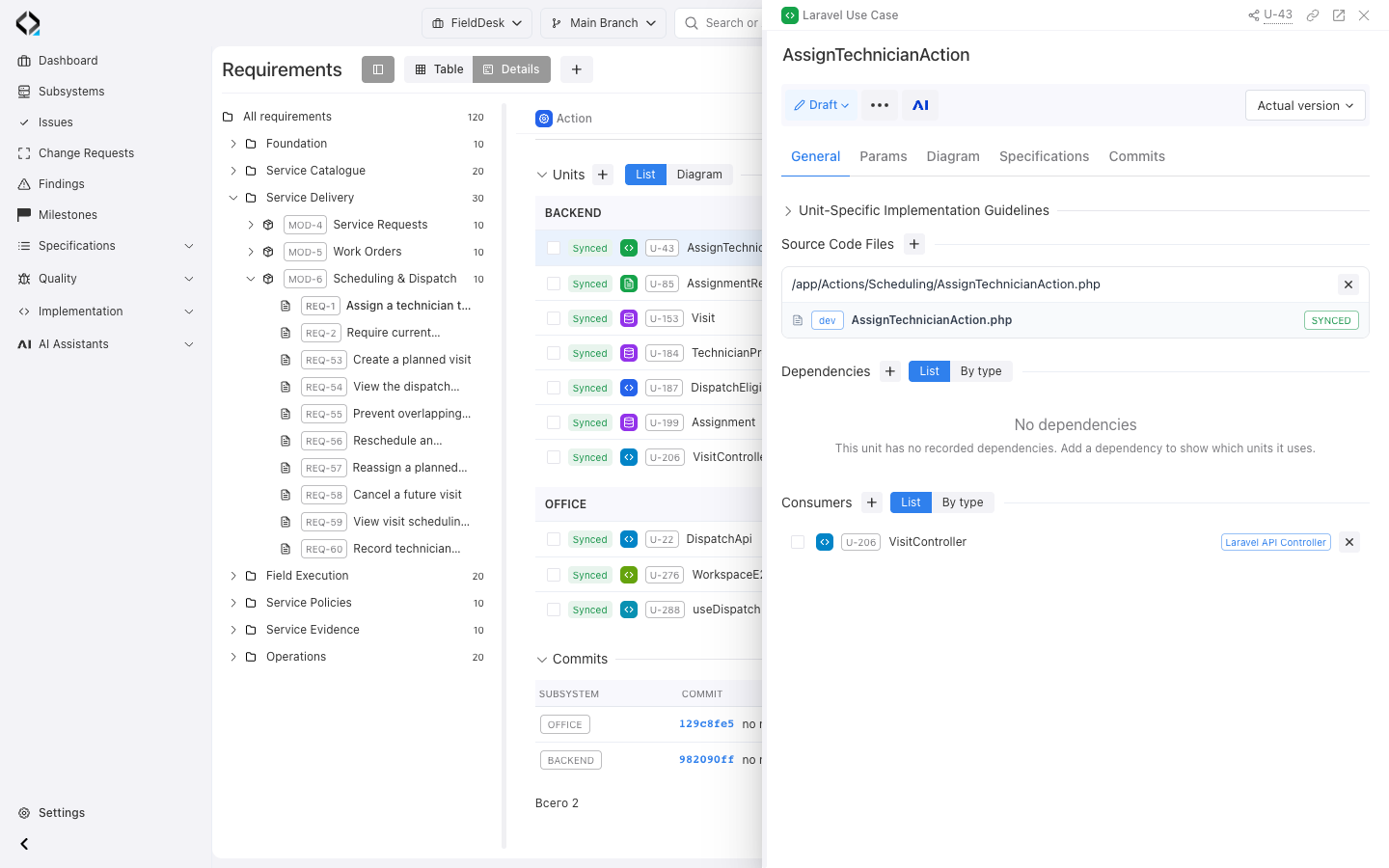
U-43: inspect the source-file path and the controller that uses this unit.
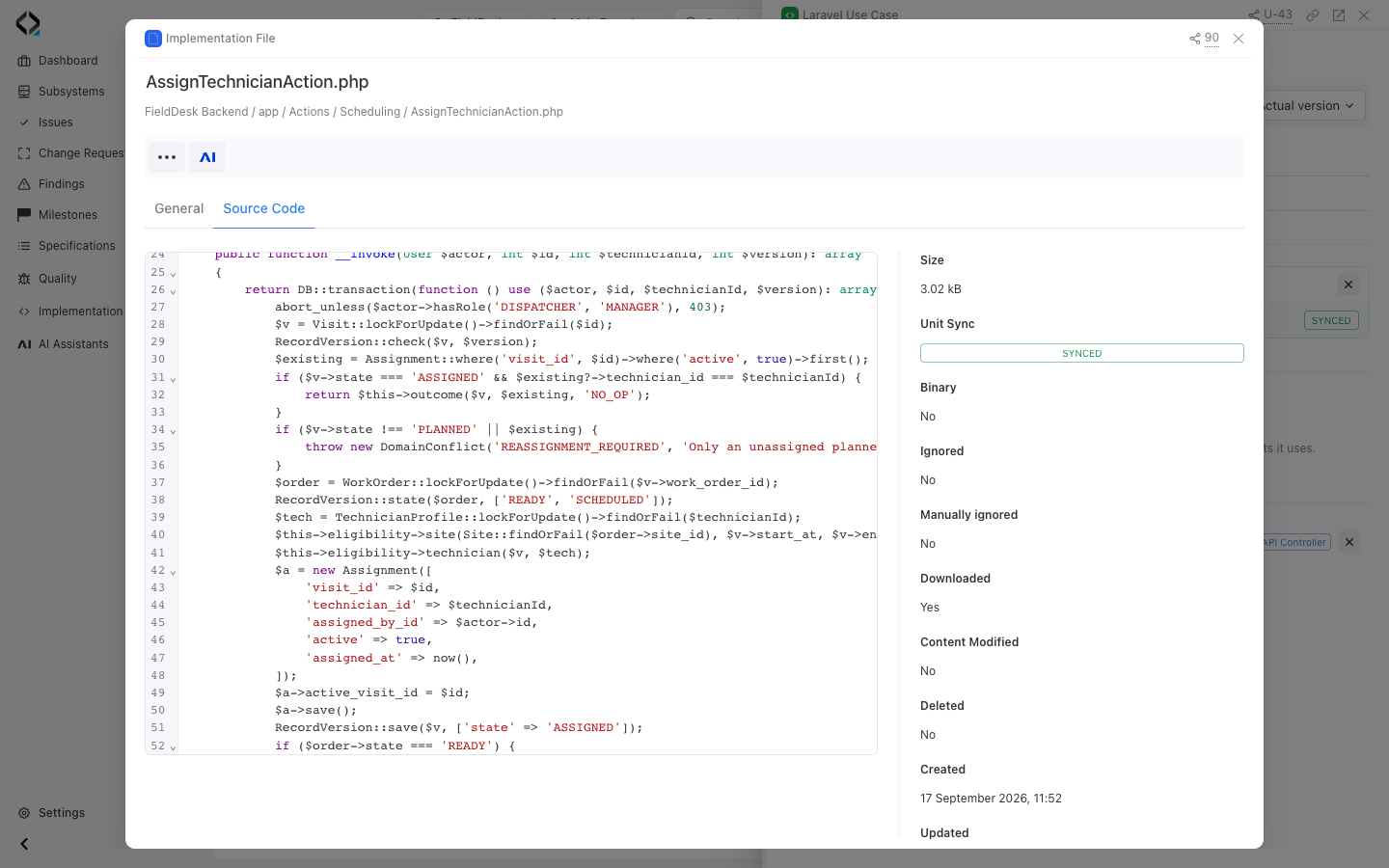
Open the synchronized source file to inspect the assignment logic.
Trace from intent to files and back
Follow specifications through software units to the files that implement them.
Navigate behavior, files, commits, Findings, and change context in either direction.
Product Understanding Workflow
Start from a question or a known artifact.
Choose a starting point
Use a module, requirement, API operation, UI, data entity, unit, source file, Change Request, Finding, issue, or test.
Explore the product map
Move through catalogs and relations to see current behavior, architecture, implementation, known problems, and change history.
Ask AI Product Expert
Use AI Product Expert when context spans multiple artifacts or code areas and the team needs references and source files.
Decide next action
Keep the answer, update specs with AI Analyst, hand off keys to a coding agent, adjust unit links, or create a Change Request.
Preserve the decision trail
Use Change Requests for meaningful changes so reasons, affected specs, branches, and AI sessions stay visible.
Verify after action
Use alignment checks and Findings to confirm that specs, units, files, and product behavior still match.
Product Knowledge Use Cases
Use the same context for onboarding, planning, review, and support.

Onboard faster
New developers and analysts can inspect modules, artifacts, units, files, and known findings without waiting for a long handover.

Answer how it works
Ask AI Product Expert to explain current behavior with references to requirements, APIs, UIs, data entities, units, and source files.

Understand why it changed
Open Change Requests, affected specs, revisions, branch context, and linked AI sessions to reconstruct product decisions.

Plan product changes
Investigate affected requirements, API operations, UI screens, data entities, units, tests, risks, and implementation options.

Start from code
Trace a source file back to its software unit, linked specs, product behavior, and unit-specific implementation guidelines.

Investigate mismatches
Open Findings to see evidence, severity, affected artifacts, and solution paths for code, specs, units, or architecture.
