Turn Requirements into Traceable Test Evidence
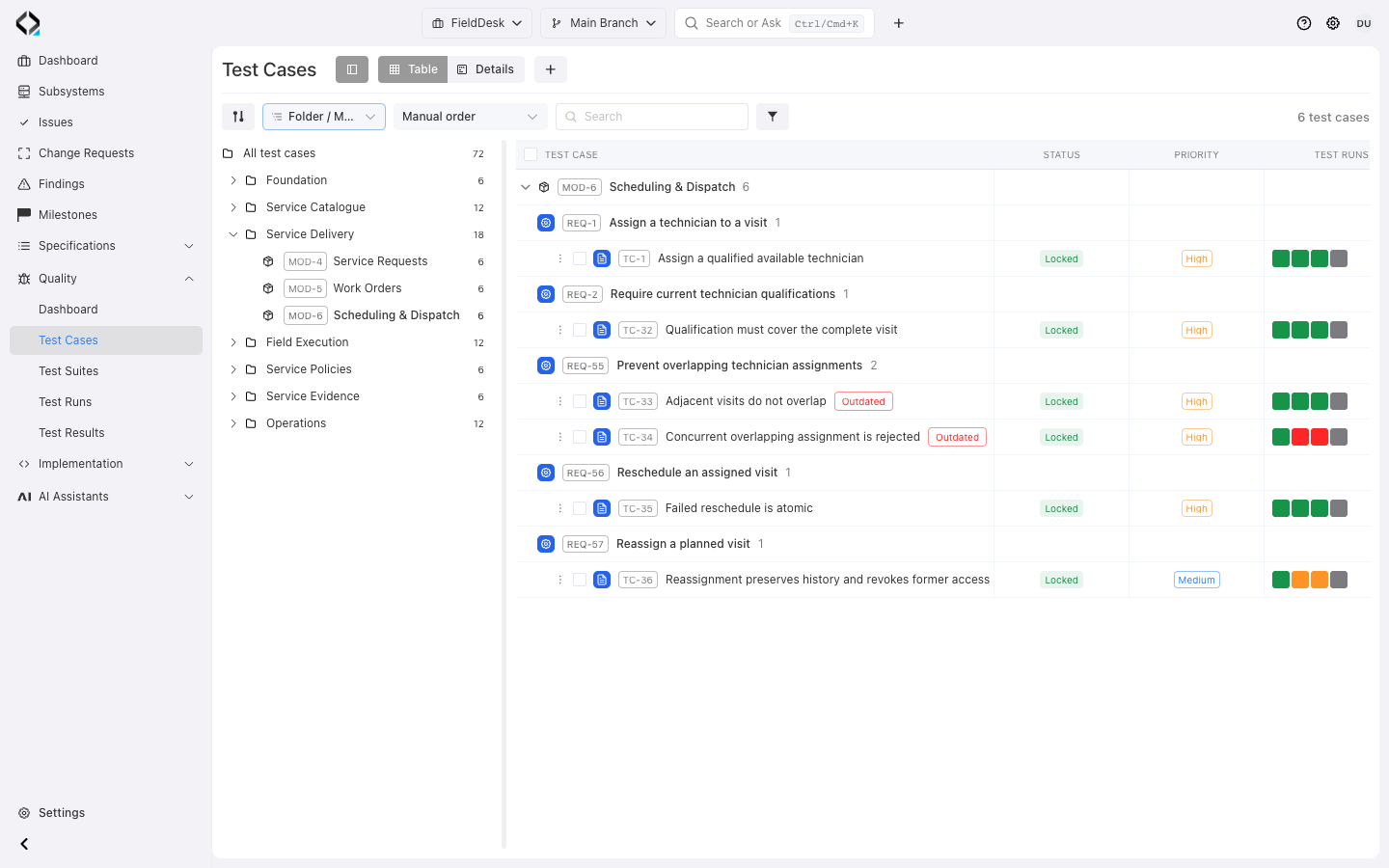
Tests organized by requirement
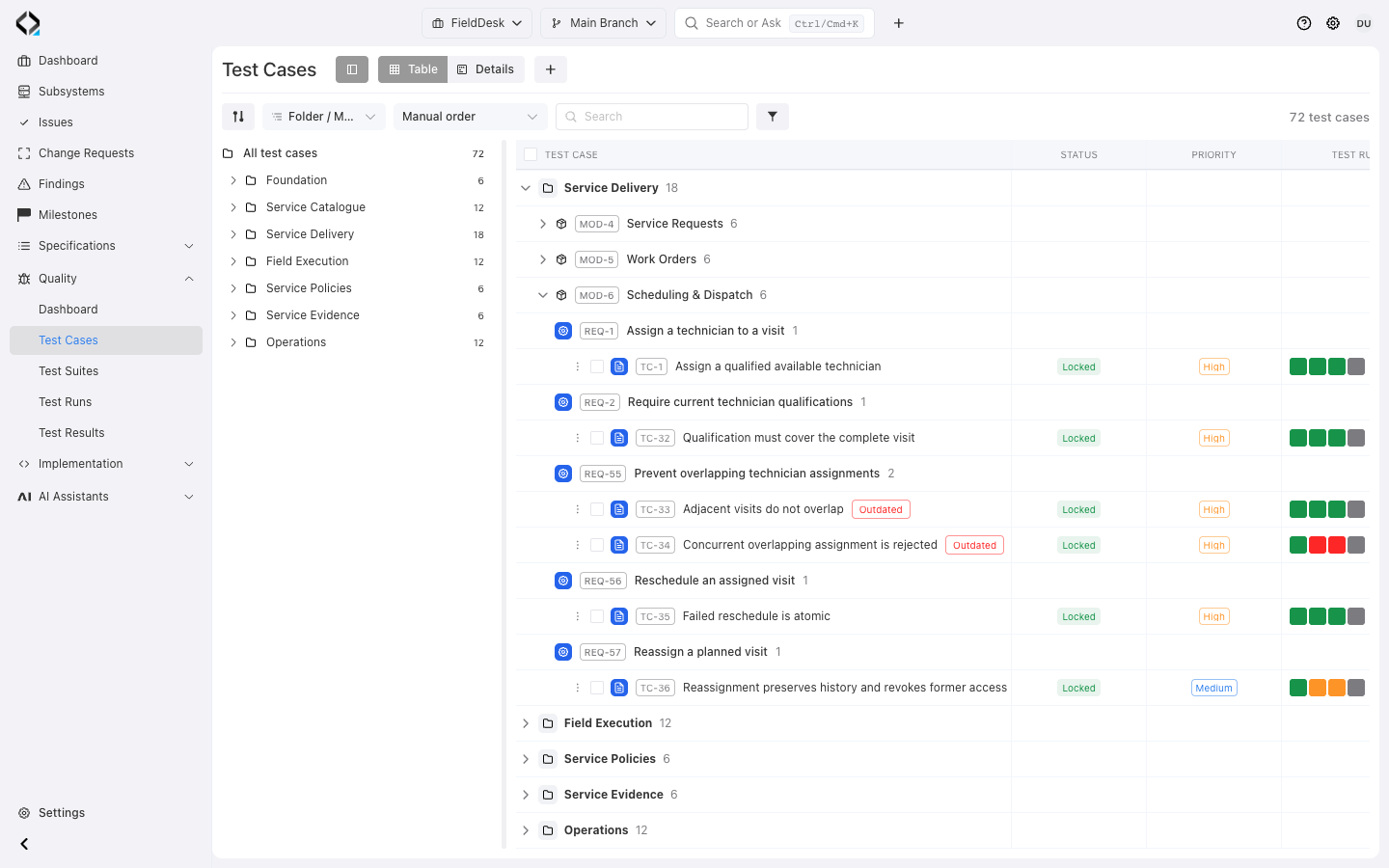
Explore dispatch cases, their requirement links and run history. Outdated badges flag changed requirement revisions.
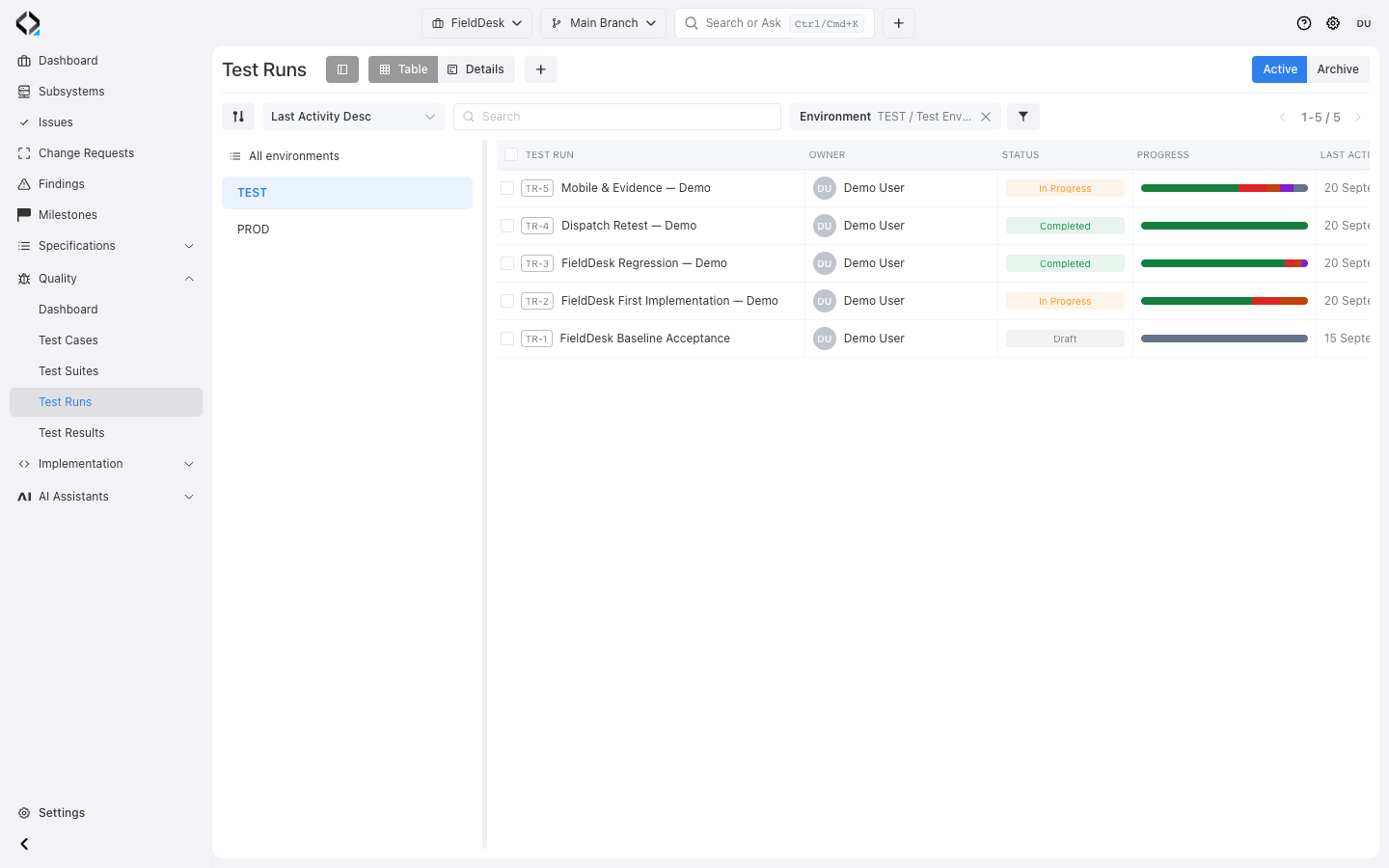
Know the current state of testing
Reqode connects test design and execution to the Requirements structure, so teams can see what is covered, what has become outdated, what was executed, and where evidence is still missing.

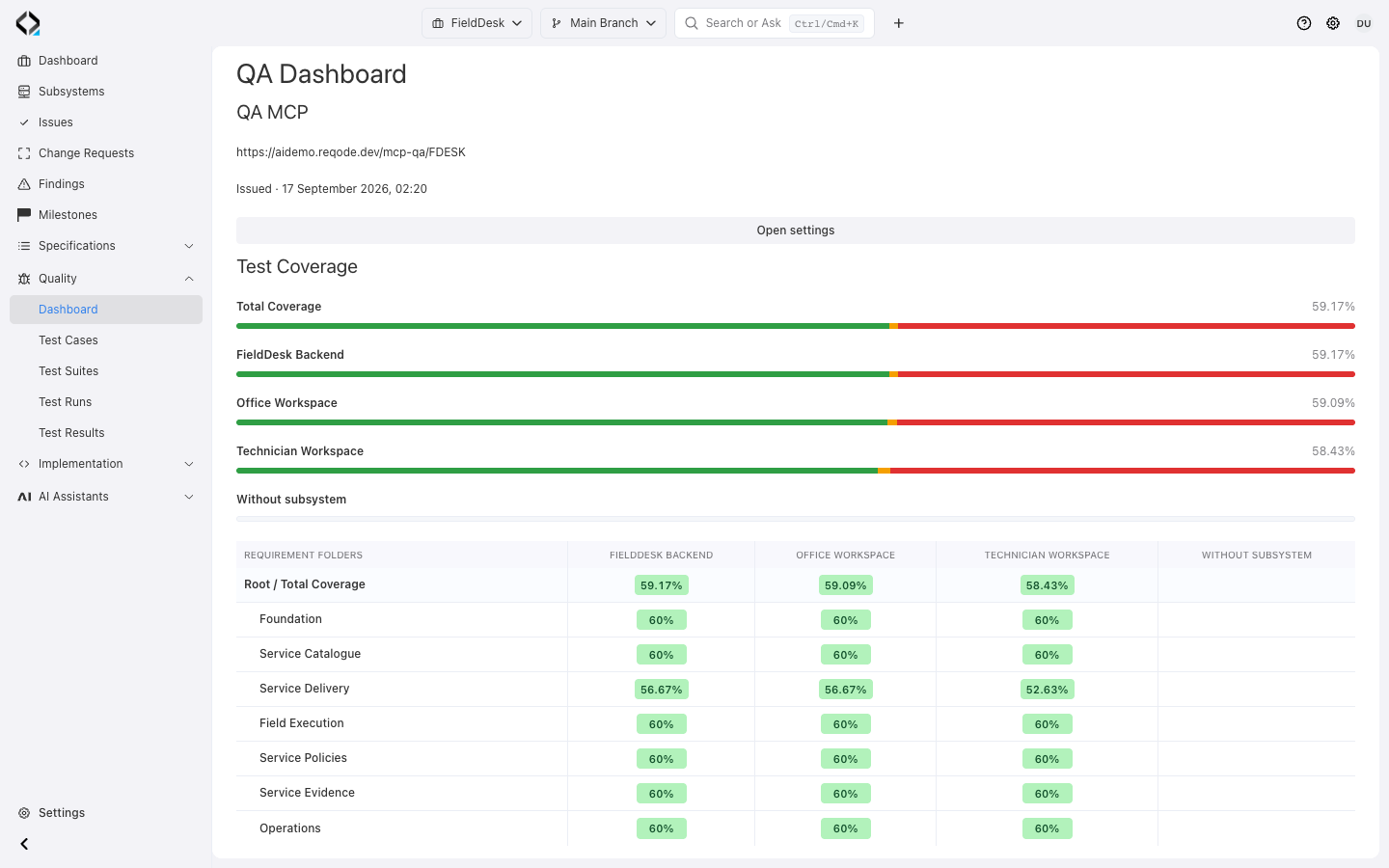
Requirements coverage
See which Requirements have current Test Cases, which depend on outdated tests, and which remain uncovered across the project and its subsystems.

Test currency
Identify Test Cases designed against an older Requirement revision and review the exact product behavior that changed.

Execution state
Review passed, failed, blocked, skipped, in-progress, and untested behavior for the selected Test Environment.
Read coverage and results in product context
Inspect project or subsystem coverage, then use requirement folders and modules to locate gaps.
Select the Test Environment to see the relevant execution state.
More views
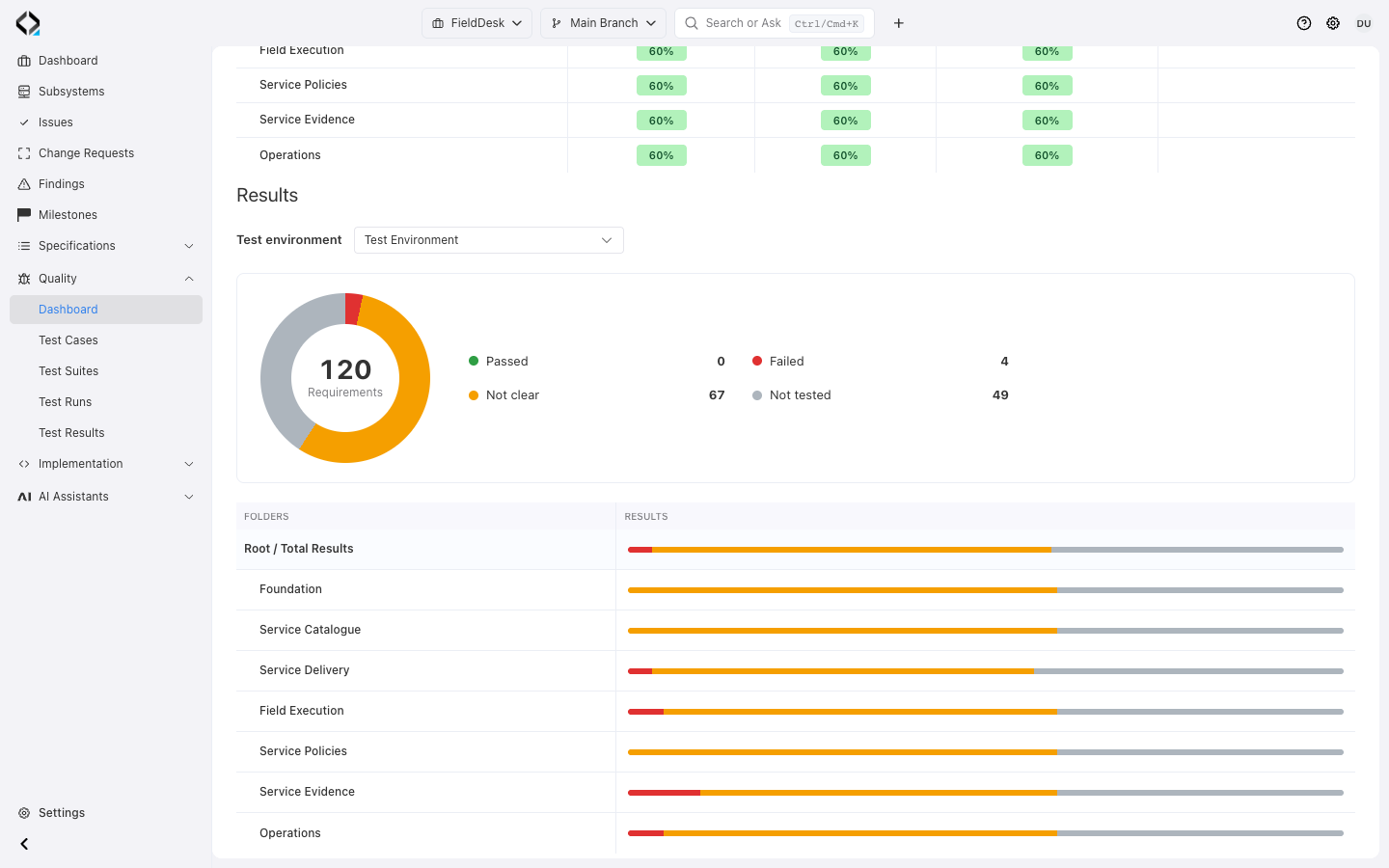
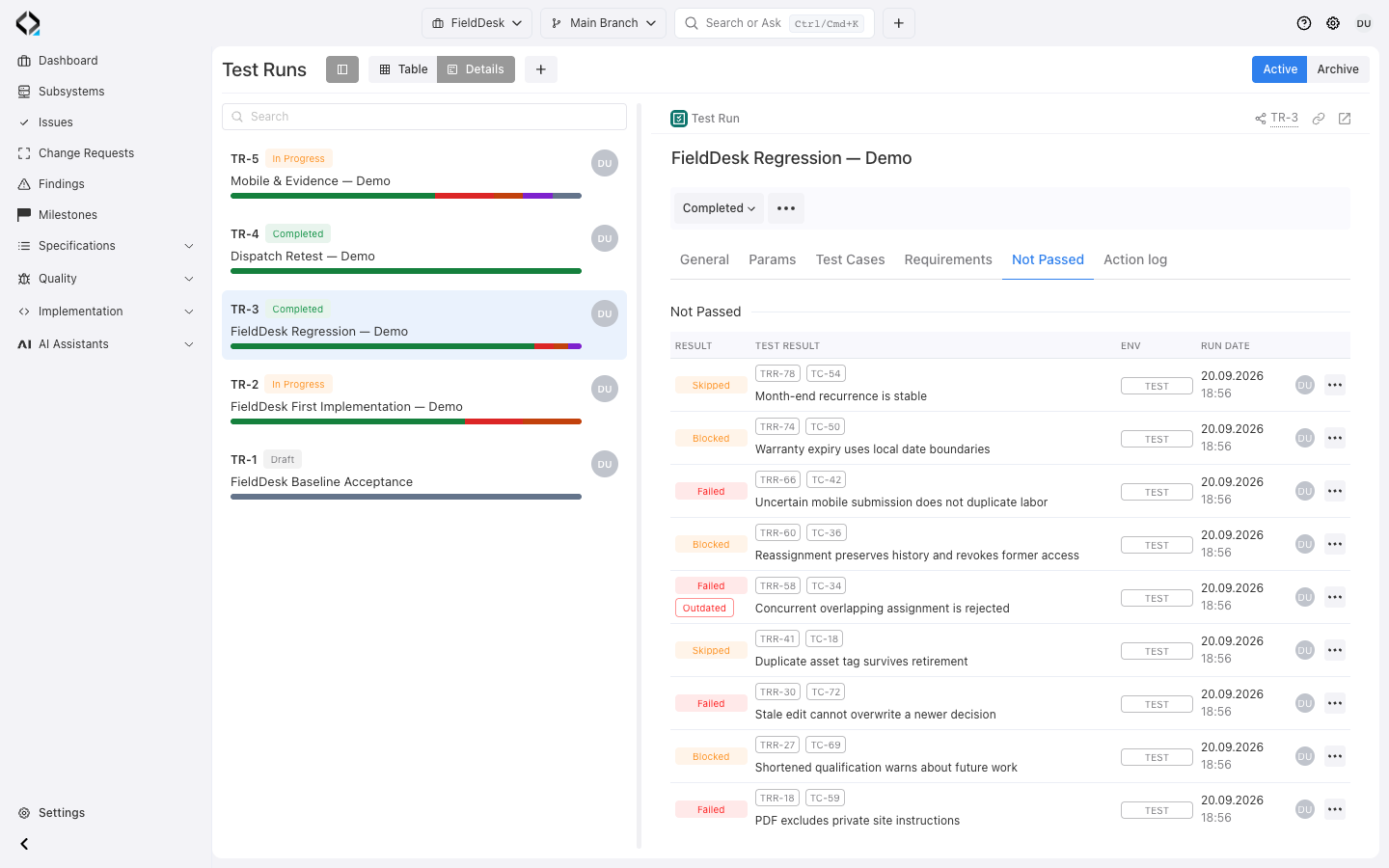
Requirement outcomes in the Test Environment: failures, incomplete evidence, and untested requirements.
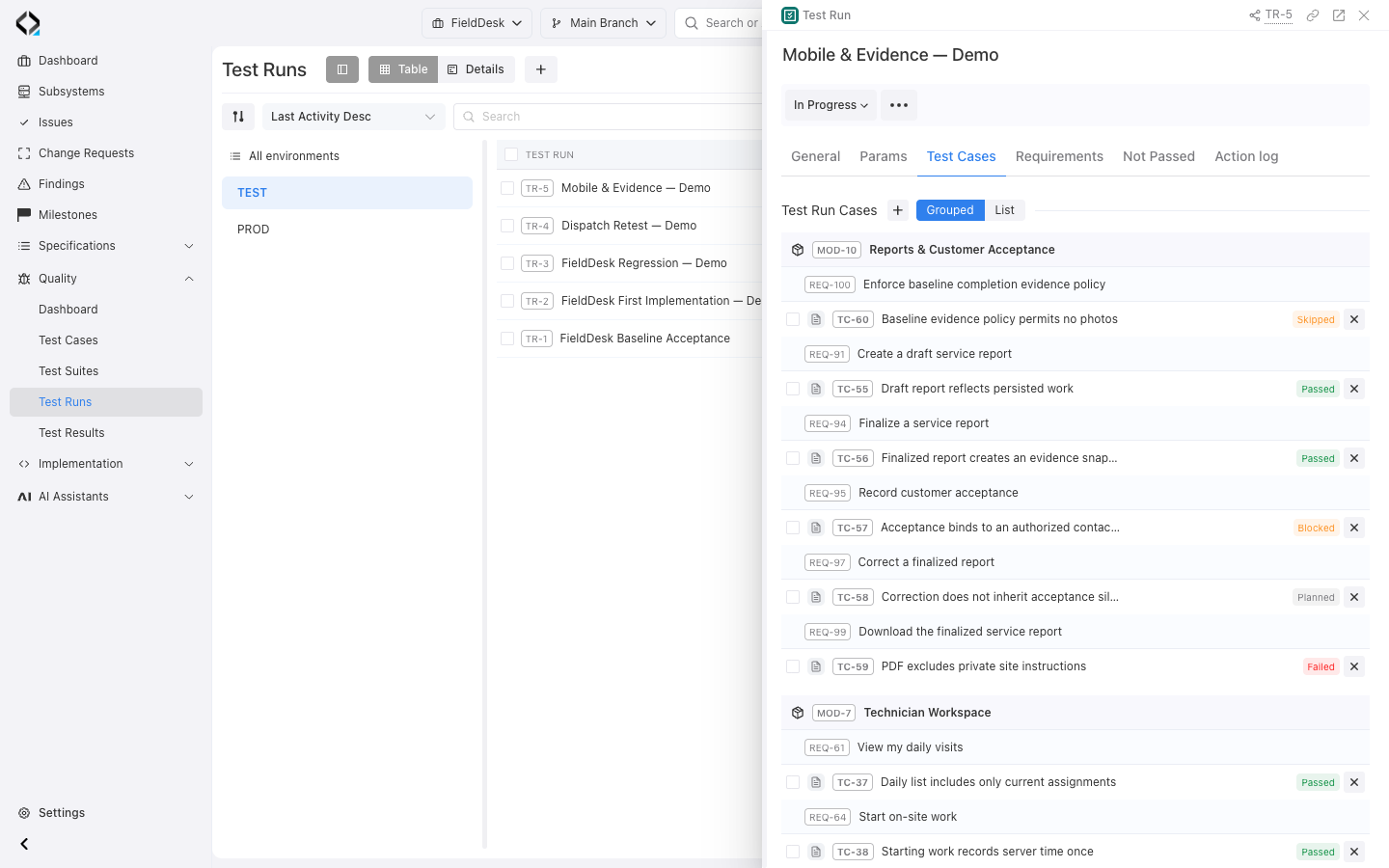
Requirement-linked cases with Passed, Failed, Blocked, Skipped, and Planned outcomes in a demonstration run.
From product behavior to execution evidence
Trace each result back to the product behavior it checks.
Define the behavior
Requirements, interfaces, data, APIs, and implementation context describe what the product is expected to do.
Design the checks
Create structured Test Cases or lightweight checklists linked to the Requirements they validate.
Execute in context
Assemble Test Cases into Test Suites and Test Runs for the relevant environment, milestone, and delivery scope.
Preserve the evidence
Keep results, step-level outcomes, comments, authorship, environment, and execution history connected to the original behavior.
More views
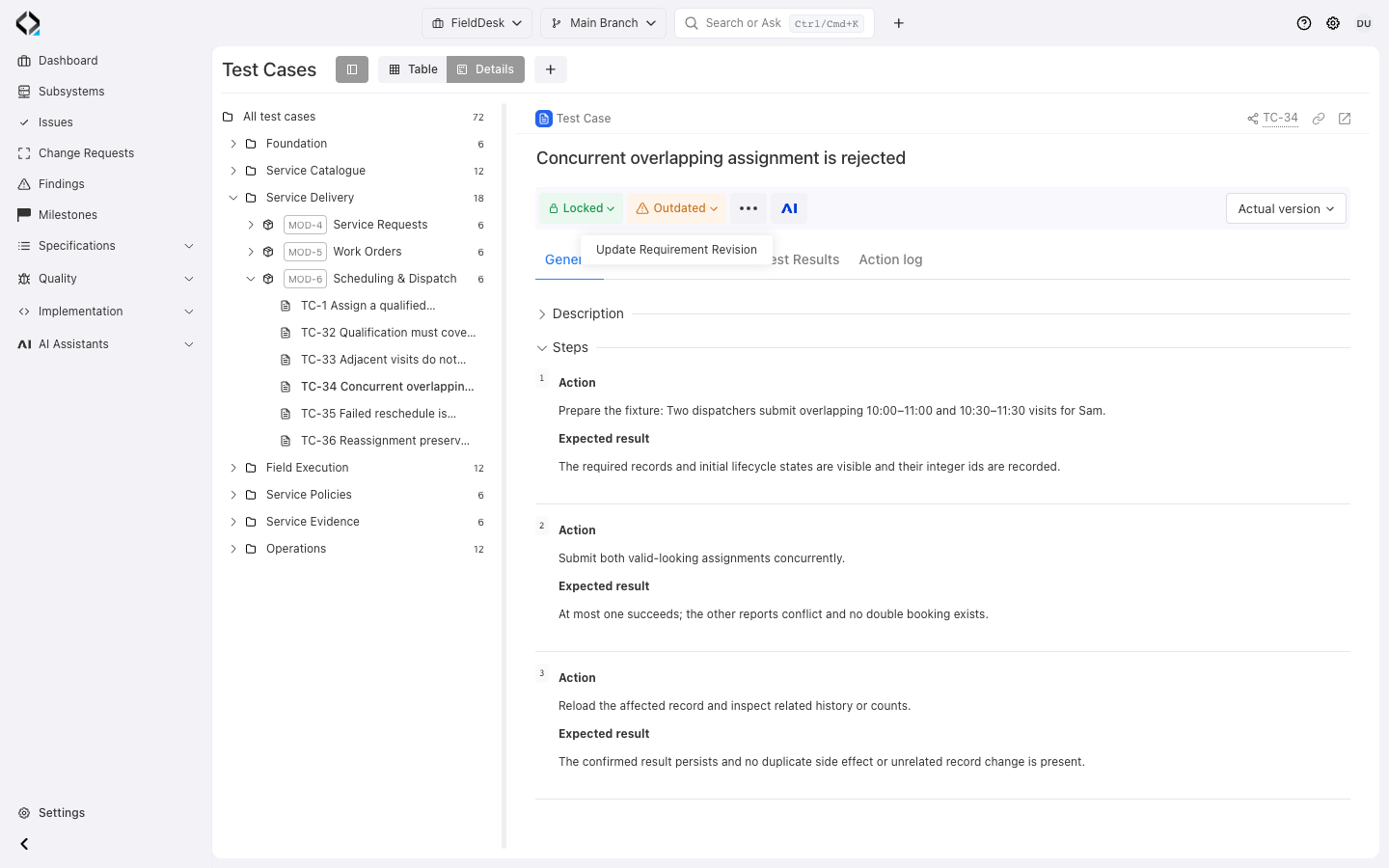
TC-34: steps and expected results need review after the overlap requirement changes.
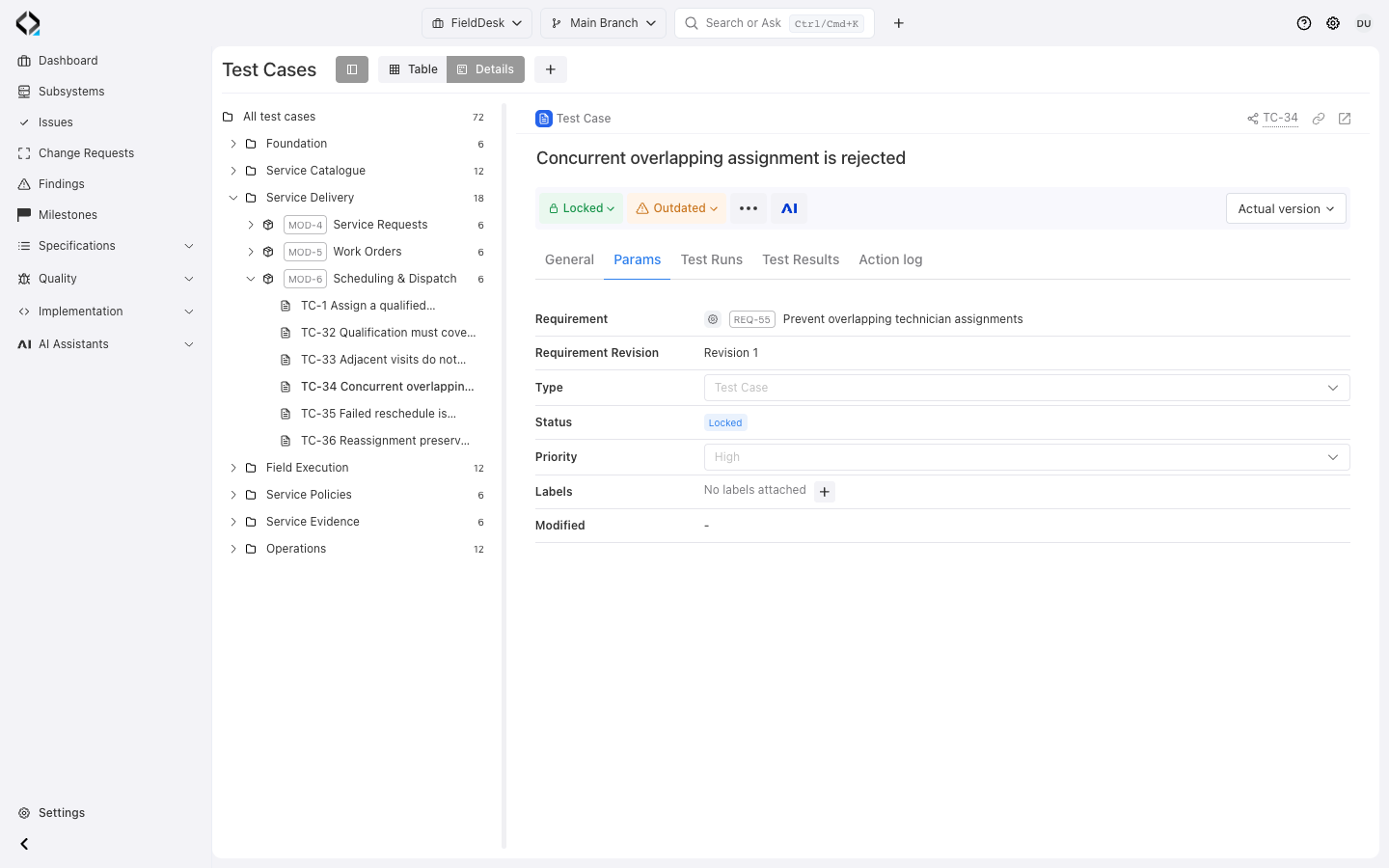
TC-34 retains the source requirement revision so reviewers can identify stale test design.
Keep Test Cases aligned as Requirements evolve
Browse by requirement folders and modules; filter by type, lifecycle, priority, labels, and requirement revision.
Revisioned, branch-aware cases let a feature evolve its test design separately from Main. Outdated requirement links identify cases needing review.
Model tests at the level your team needs

Structured Test Cases
Use a concise description or ordered steps, connect the primary Requirement, and reference additional Requirements where an individual step validates related behavior.

Types and Test Suites
Adapt Test Case Types to the project and organize reusable groups of Test Cases into Test Suites before assembling an execution scope.

Traceable revisions
Preserve Test Case history, compare revisions, and update the saved Requirement revision when the test has been reviewed against current behavior.
Start from product context, not a blank test form
AI Test Designer uses selected requirements, related specifications, existing cases, and implementation context to propose test changes.
Review new, updated, or deprecated cases, edit the proposal, and apply accepted changes.
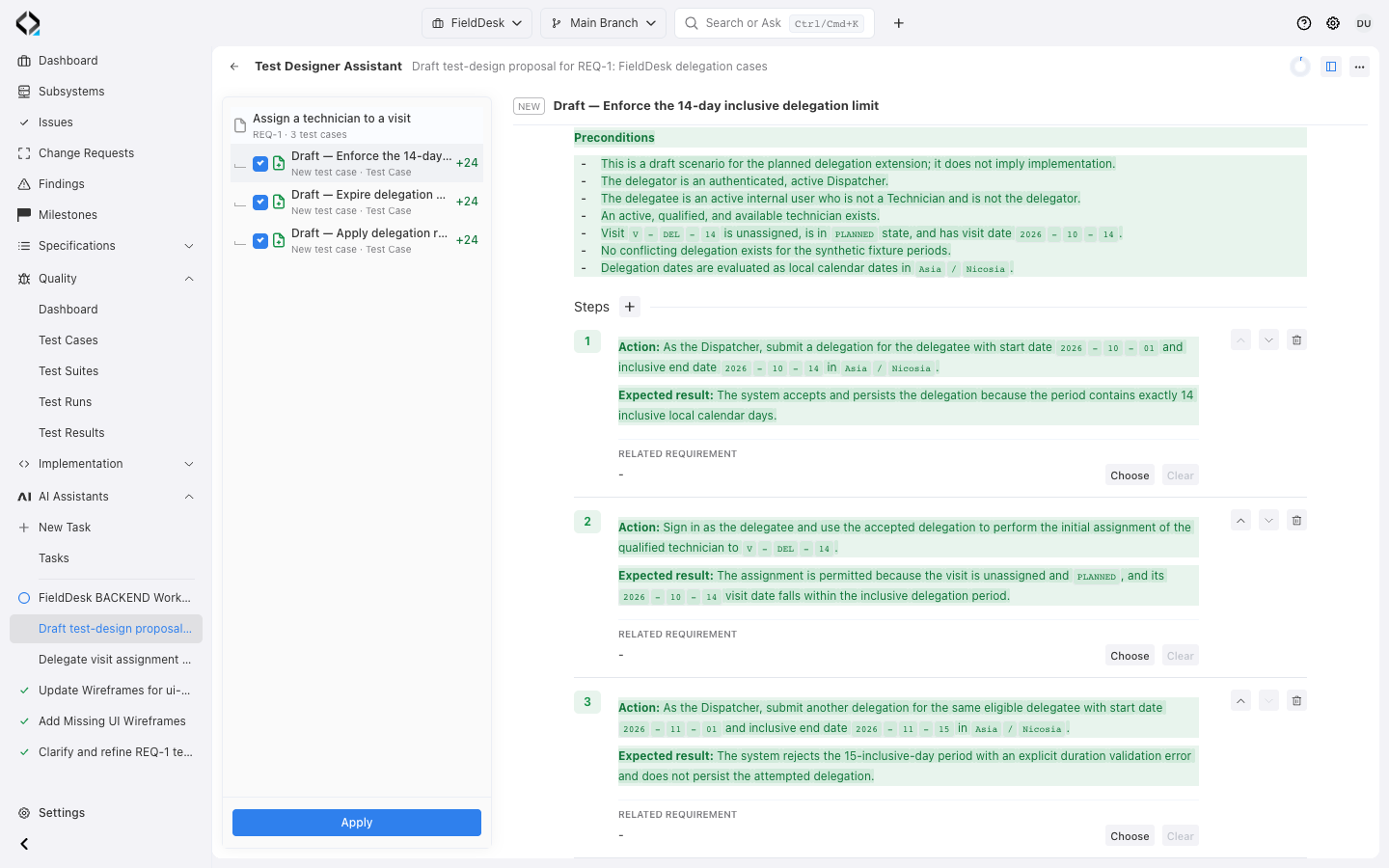
More views
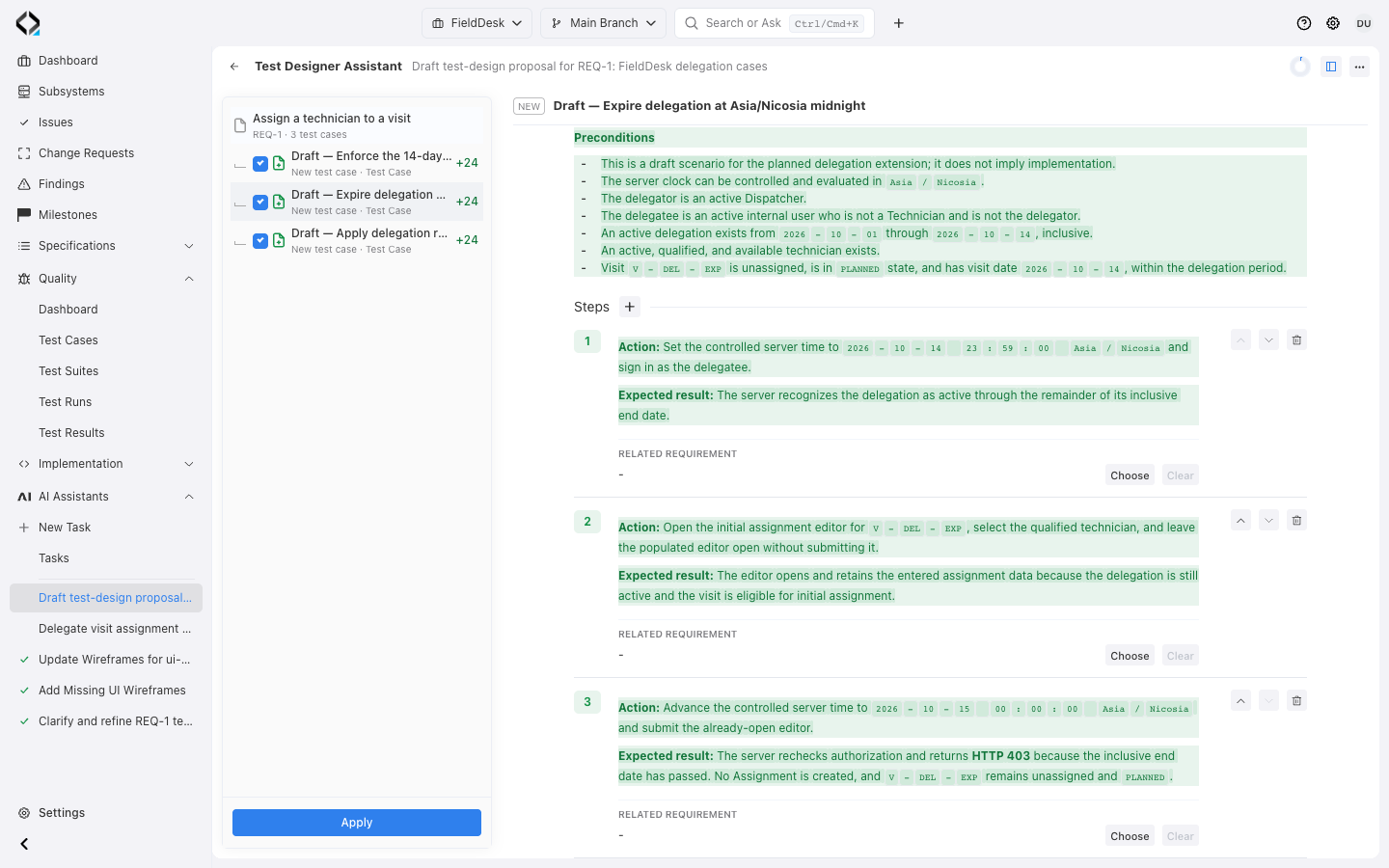
Review editable steps and expected results for delegation limits and expiry, linked to REQ-1.
Plan execution without losing product context
Plan Test Runs while preserving each case’s execution evidence.

Test Environments
Maintain project environments and their code-branch mappings so execution evidence remains attached to the context in which the product was tested.

Active and archived Test Runs
Set the owner, environment, milestone, and lifecycle state; monitor progress and the distribution of passed, failed, blocked, skipped, in-progress, and planned cases.

Historical Test Results
Keep each recorded result with its Test Case revision, Test Run, environment, author, comment, timestamp, and step-level outcome snapshot.
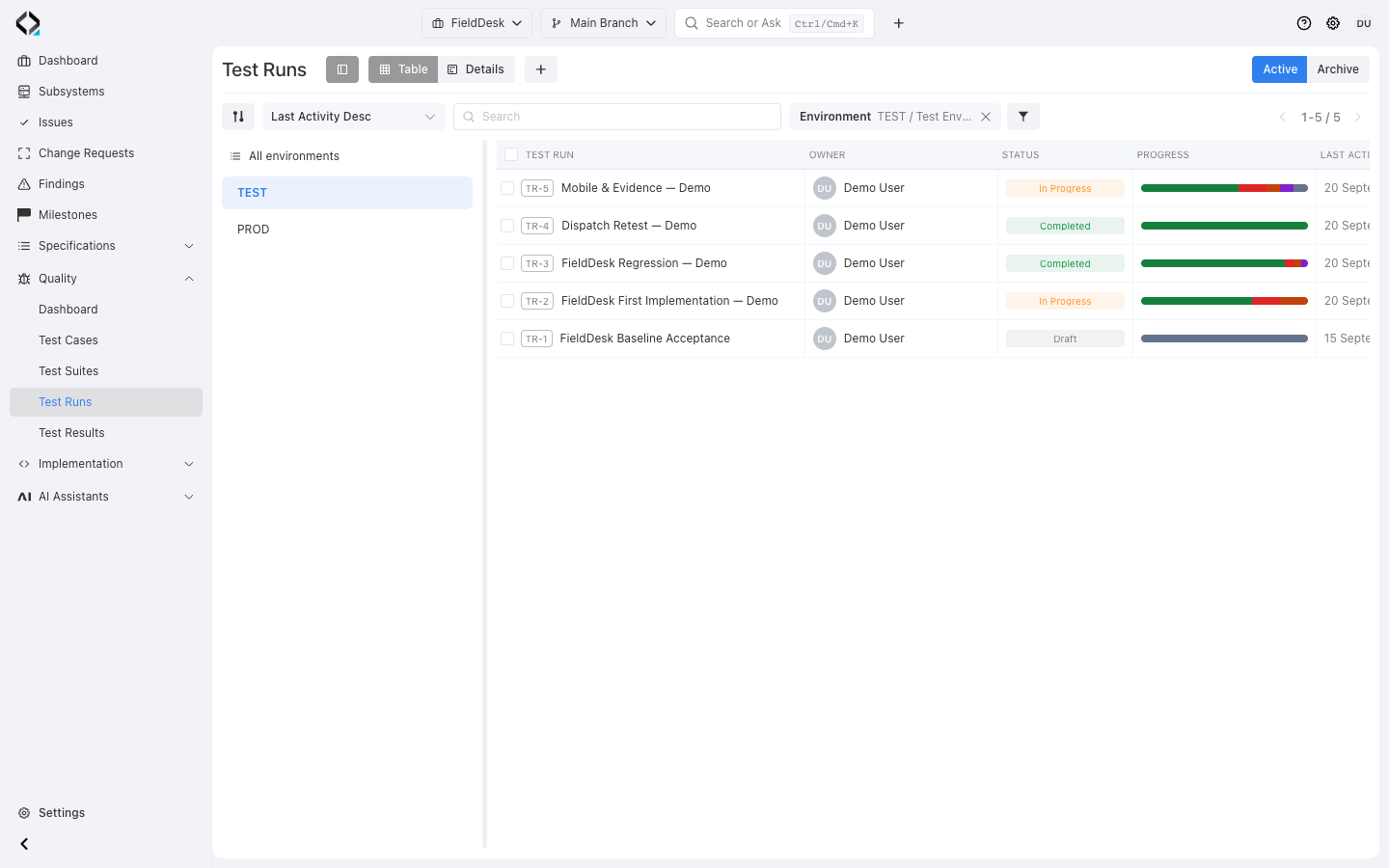
More views
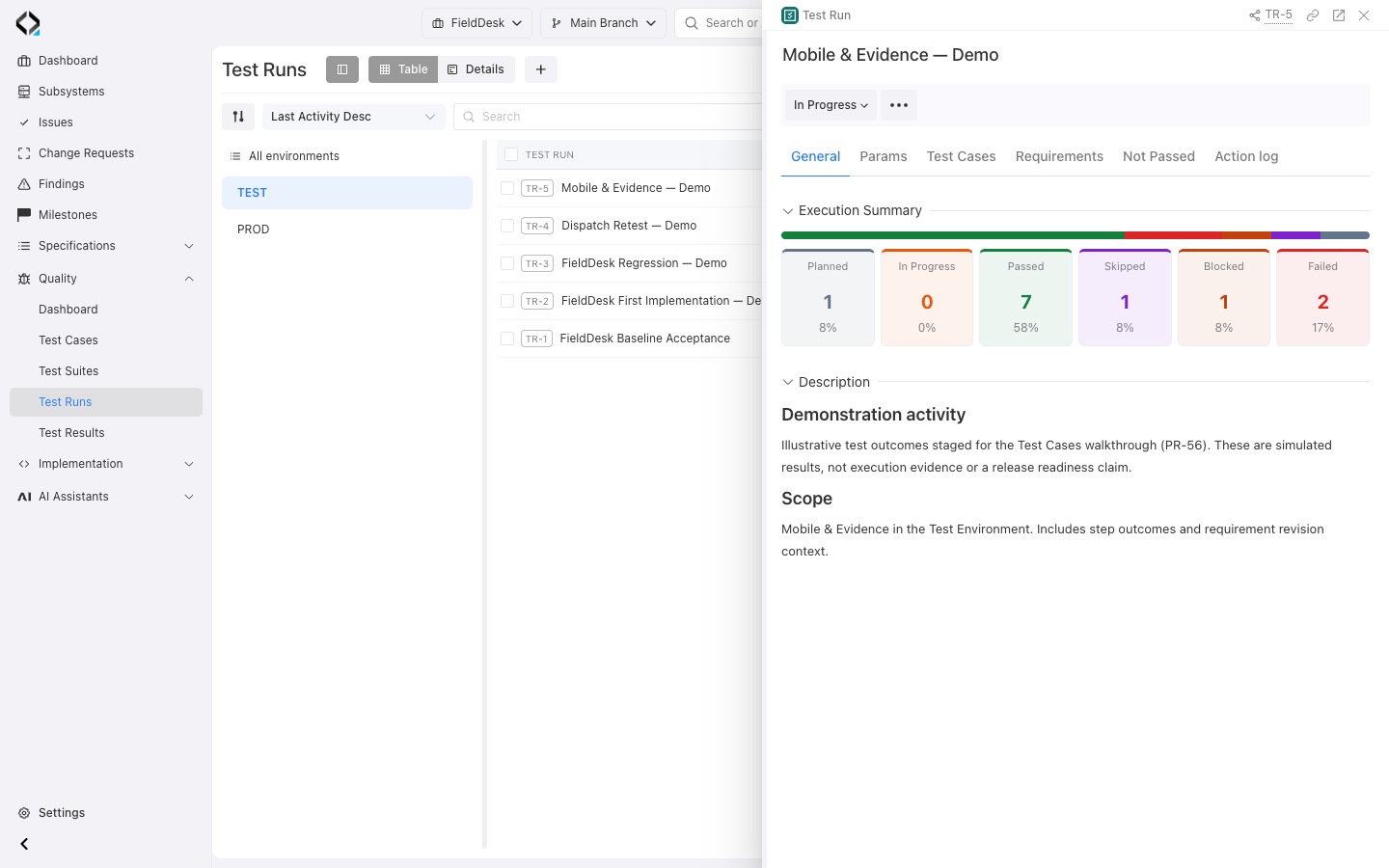
Mobile & Evidence: progress, failures, blockers, and remaining planned work in a demonstration run.
The run groups its selected cases by requirement and preserves each execution state.
Explain every result, not only the final percentage
Inspect executed and planned cases, failures, and blockers in a Test Run.
Filter historical results by outcome, run, environment, author, or requirement.
Use QA evidence to answer delivery questions

Prove Requirements Coverage
Find current, outdated, and missing Test Case coverage before release review.


Assess Milestone Readiness
Review delivery progress and QA execution together before deciding to ship.
Execute prepared tests with external QA agents
An external agent can read prepared test runs and cases through QA MCP, use Computer Use or other tools to test the product, and record the results in Reqode. QA MCP operates in the project’s Main Branch; it does not create test cases or manage a run’s composition.
Make every test result part of the product story
Use requirement-linked tests and recorded results to review the feature.
