Existing Software Flow
Prepare your existing product for larger AI-assisted changes. Start with one code area, review its specifications and architecture context, and use them for the next feature.
Start with Reqode
Start with Reqode
PR-65 · 1 / 8
Start with an existing repository
1 of 8

Start with an existing repository

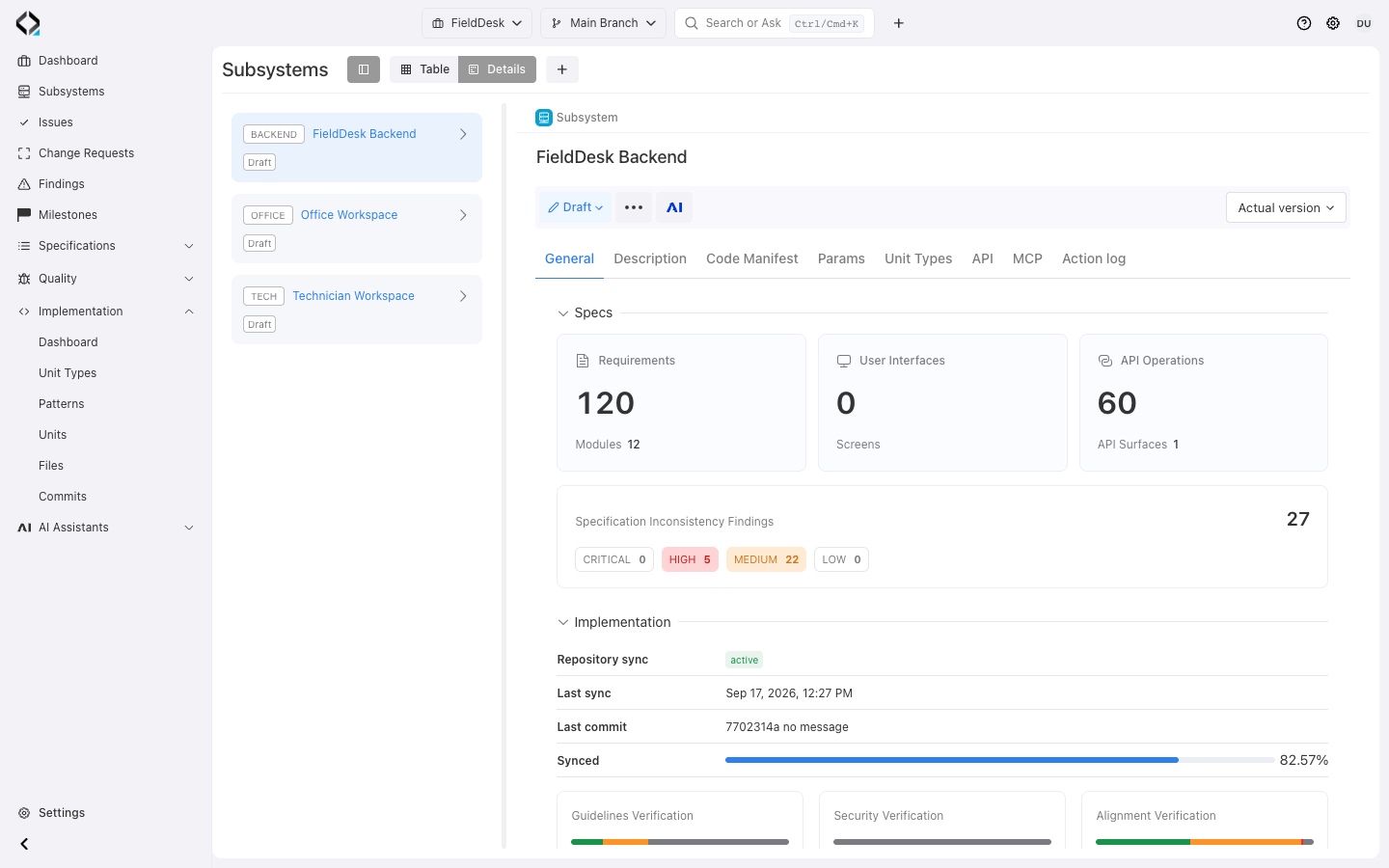
FieldDesk Backend has a recorded repository sync. Open Files and narrow the existing dev branch to unlinked source files.
The Adoption Flow

Start around the software you have. Review recovered specifications against intended behavior, then maintain that context as the product changes.

1

Connect the product structure

Connect repositories and branch mappings to subsystems such as backend, frontend, or workers. A monolith can start with one subsystem.

Backend API, frontend app, mobile app, worker, admin panel, SDK, or integration service.
For a monolith, start with one subsystem and split later when the model proves it.
2

Derive architecture guidance

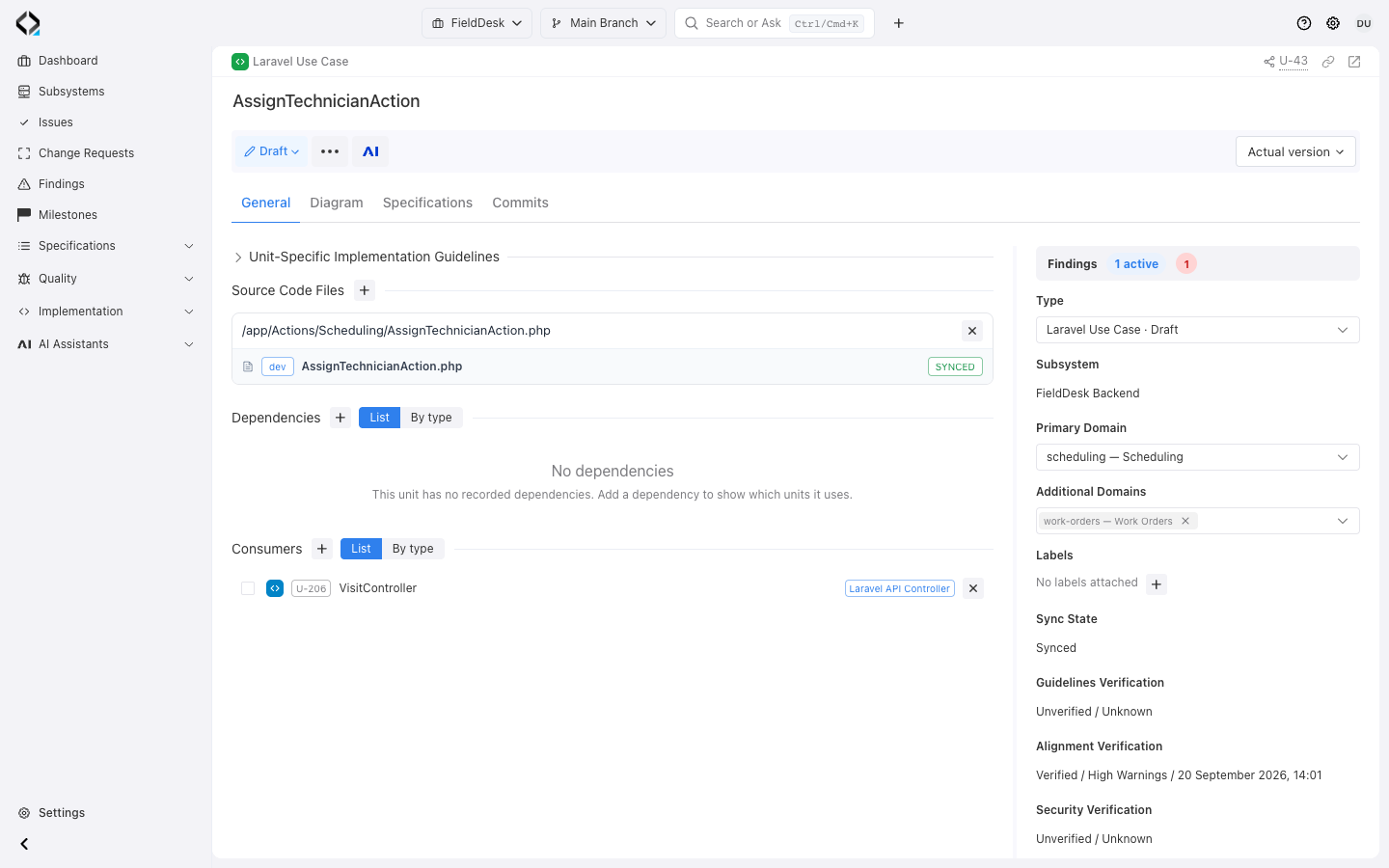
Review the Code Manifest, Unit Types, allowed specification relations, and implementation rules prepared with AI Architect.

The result is reviewable before it becomes the architecture contract.
Document legacy constraints in the subsystem guidance.
3

Run AI Unit Discovery Agent

Discover units, files, dependencies, and relations in a selected subsystem, folder, unit, or file set. Review ignored files, proposed Unit Types, and missing dependencies.

Run it by subsystem, folder, repository area, existing unit, or files that will change soon.
Ignored files, new Unit Types, and missing dependencies stay visible for review.
4

Recover current product specs

Use AI Analyst to recover requirements, data, UI, and APIs from code. Review them against intended behavior and connect them to units.

The target is not static documentation. It is a product map that can guide the next change.
5

Develop through Reqode

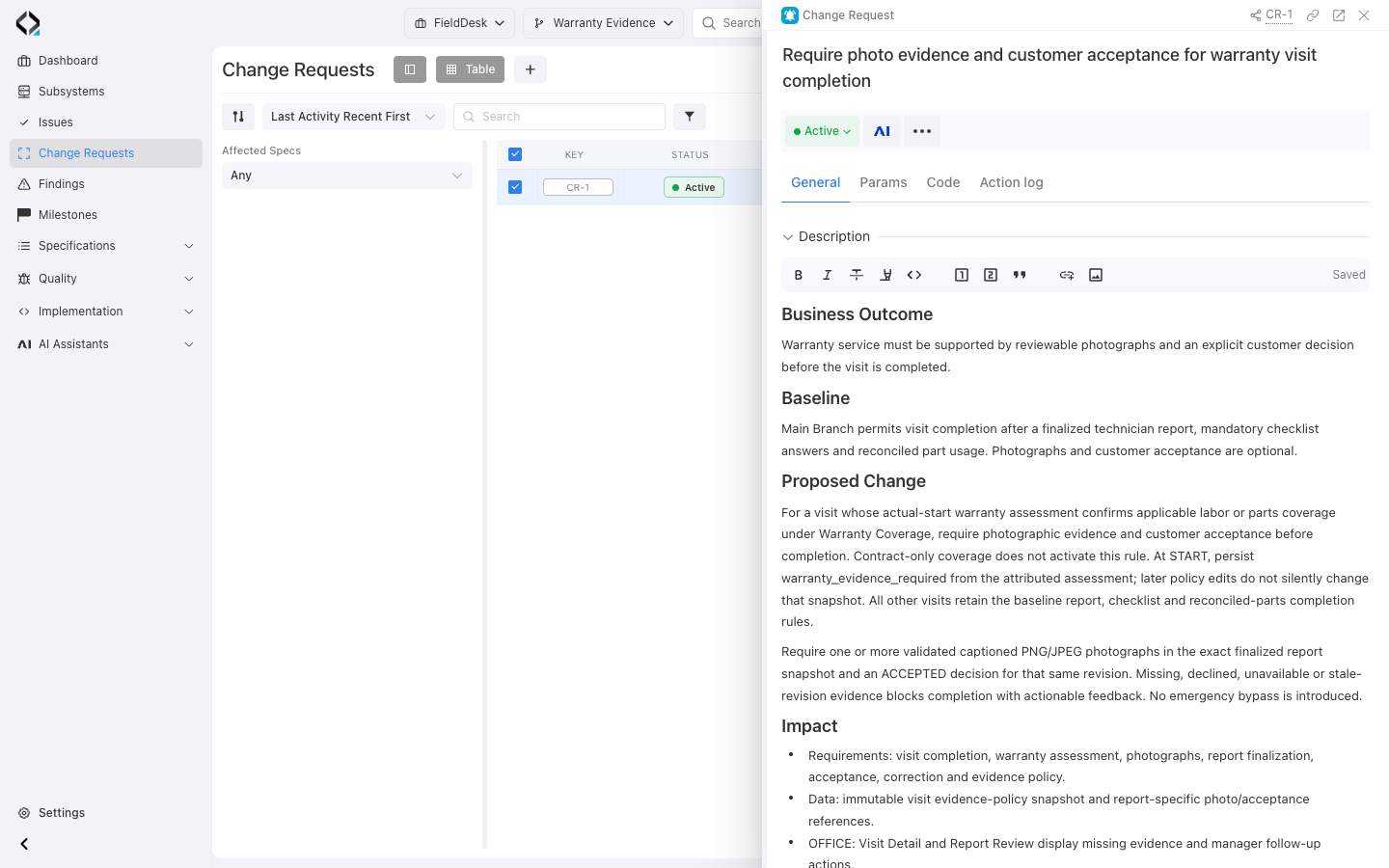
Prepare the next feature as a reviewed Change Request and follow the implementation workflow.

Reqode checks spec-code alignment, guidelines, and architecture drift after changes land.

What Reqode Builds Around Existing Software

Bring together product knowledge from code, tickets, documentation, and the team. Review that knowledge rather than treating current code as the intended behavior.

Connected specifications and subsystem architecture built around existing software Read from bottom to top. Existing software, its repository and source files are mapped to a subsystem with software units: UI component, Service and Data access. The subsystem architecture manifest, called Code Manifest in Reqode, defines shared architecture rules and guides these units. Units have dependencies on each other and link to user interfaces, API contracts and the data model. Requirements connect these specifications and related requirements into one navigable model. Connected specifications Reqode Requirements Product intent & behavior Related requirement User interfaces Screens & flows API contracts Operations & rules Data model Entities & relations linked to specs Subsystem Software units & architecture UI component Presentation Service Application logic Data access Persistence guides implementation Architecture manifest Code Manifest · subsystem rules Existing software & source code Repository Source files Running app
Higher-level than code: product intent, architecture rules, unit ownership, dependencies, specification links, and change reasons become explicit. Code remains the implementation, but it is no longer the only source of product truth.

The Core Assets After Onboarding

Maintain these assets as implementation and product decisions change.

Code Manifest

Subsystem-wide guidance for coding style, structure, integration points, testing expectations, architecture constraints, and AI agent instructions.

Unit Types

Architecture roles such as controller, service, query, model, component, job, integration client, API operation, or test, each with its own implementation guidance.

Software units

Logical implementation areas connected to files, folders, dependencies, consumers, guidelines, specifications, verification state, and Findings.

Product Specs

Requirements, data entities, user interfaces, wireframes, API operations, and traceability links recovered from the current product.

Good Starting Points

Choose an area where the next change needs better context.

Single monolith

Create one subsystem, derive the initial architecture manifest, then run Unit Discovery folder by folder.

Multi-repository product

Model each deployment boundary as a subsystem, connect repositories, and make cross-subsystem dependencies explicit.

Critical flow first

Start with billing, onboarding, checkout, approvals, or any area where business risk is high and code knowledge is fragile.

Finding-driven cleanup

Use verification results to decide whether code, specs, units, or architecture guidance need to be corrected.

Ready to Bring an Existing Product into Reqode?

Choose one subsystem or product flow and prepare the context for its next feature.

Start with Reqode
Start with Reqode