Specification Management

Prepare a feature’s requirements, API, data, and UI specifications in the context of the system it changes.

One connected model for product behavior

Each specification describes one part of the feature and connects it to the wider model.

Requirements

Organize requirements into modules, describe behavior, and connect typed relations with specifications, code, and tests.

Read more

User Interfaces

Specify screen behavior, maintain wireframes, and explore generated diagrams of transitions and containment relationships.

Read more

Data Model

Define entities, attributes, and reference values. Explore generated ER diagrams and inspect where each entity is used.

Read more

API Operations

Organize operations by API surface, describe their behavior, and connect specifications to requirements and Software Units.

Read more

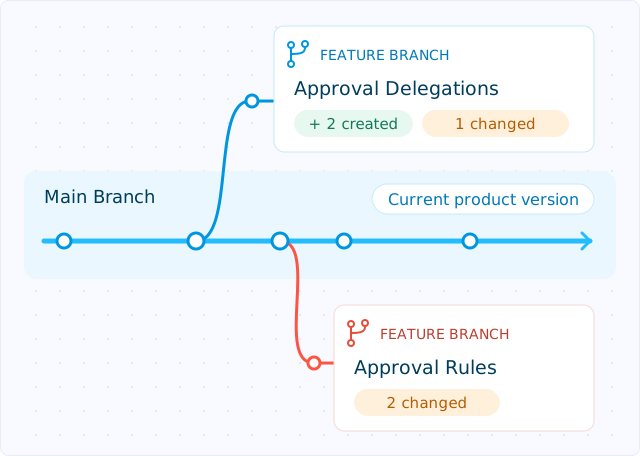
Main Branch holds the current product version. Separate feature branches grow from it, each with its own reviewable specification changes.
CONTROLLED CHANGE

Work in a branch-aware specification context

Prepare features and corrections in an isolated project branch.

Inherited artifacts stay linked to Main until changed. Stable identities retain explicit inherited, forked, created, or deleted branch states.

People and agents read the effective state of the selected branch.

CONNECTED SPECIFICATIONS

Make product relationships explicit

Link existing UI, data, and API specifications to a requirement, or create them in its context.

Requirement relations capture behavior dependencies; unit links connect specifications to implementation. Change Requests retain affected revisions.

Follow these relations to assess a feature’s impact.

REQ-42 · ENTERPRISE AUTHENTICATION

Connected context

UI-18 · Sign-in screen
User Interface
D-24 · Identity provider
Data Entity
API-27 · Start SSO session
API Operation
U-214 · AuthenticationService
Software Unit

See the model from the angle the task requires

Move between structured tables and visual views without separating the diagram from the underlying product context.

Traceability Table
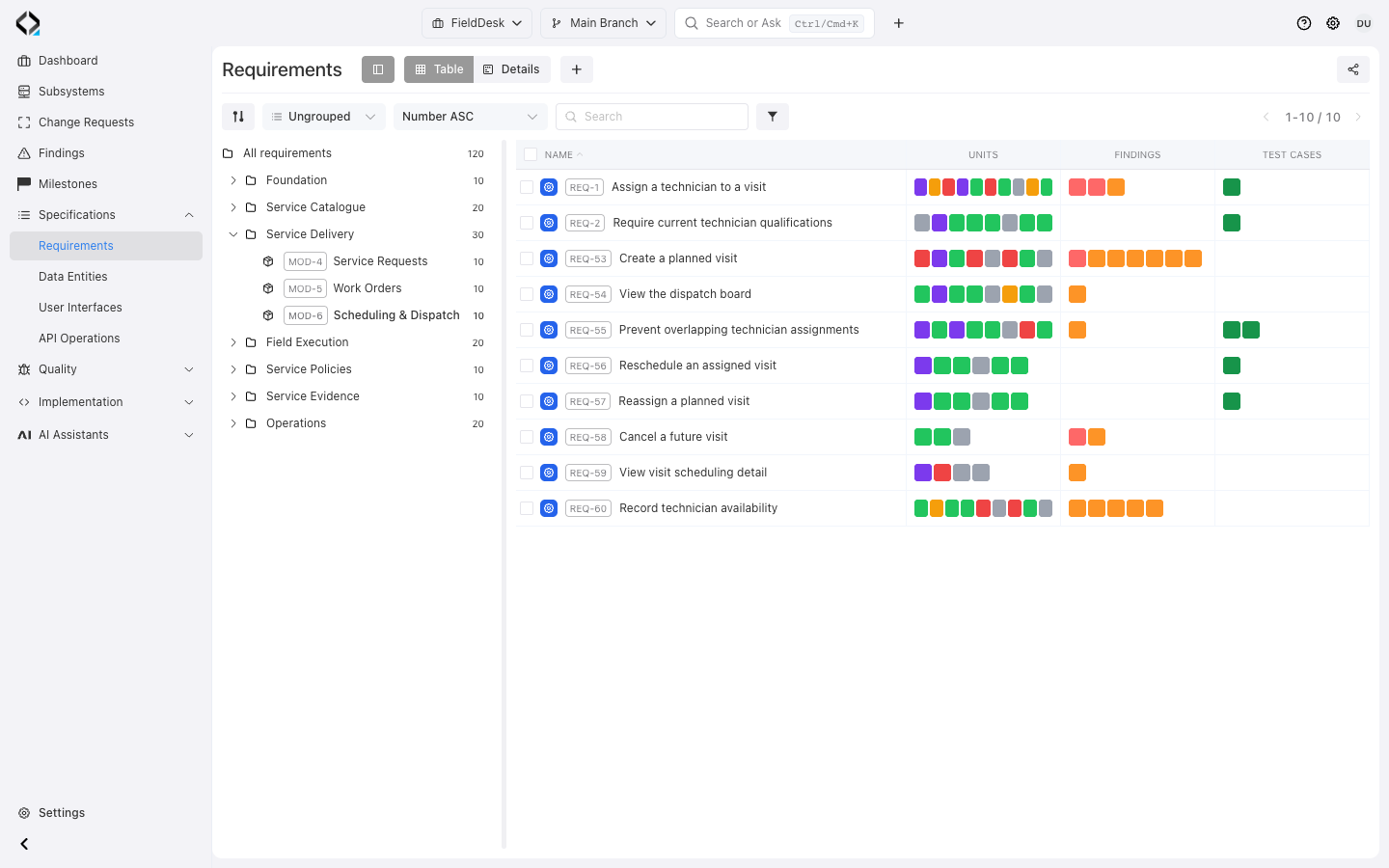
Review how requirements connect to related specifications, software units, change context and verification evidence.
FieldDesk Scheduling & Dispatch: requirements linked to software units, findings and tests; empty test cells reveal missing coverage.
More views
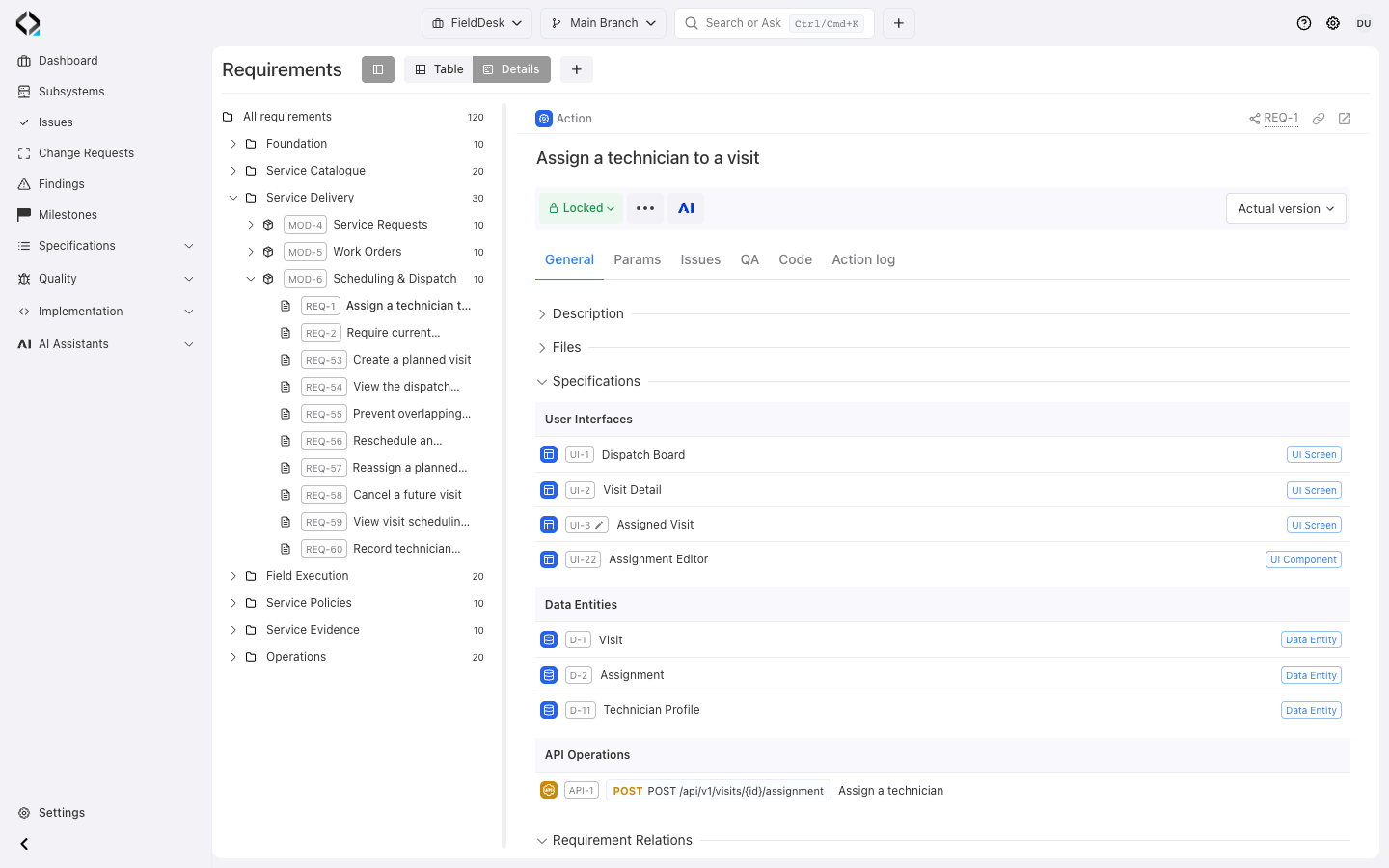
REQ-1: connected screens, data entities and the technician assignment API.

REQ-1: connected screens, data entities and the technician assignment API.

Connected Specifications
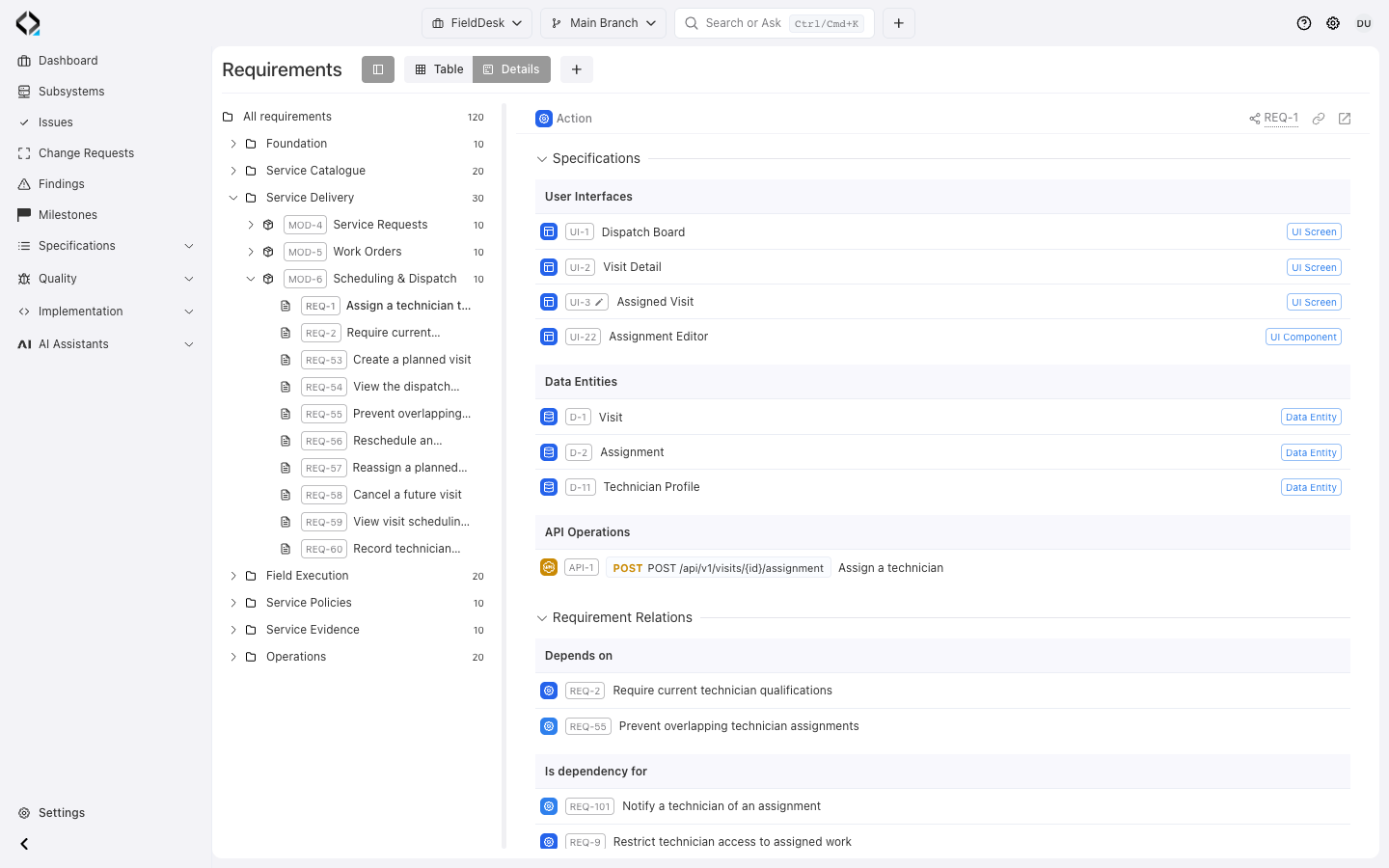
Explore dependencies between requirements, data entities, user interfaces, APIs and other connected artifacts.
REQ-1: UI, data and API specifications, plus Depends on and Is dependency for requirement relations.
More views
Assign a technician to a visit: the requirement and its connected specification keys.

Assign a technician to a visit: the requirement and its connected specification keys.

User Interfaces Diagram
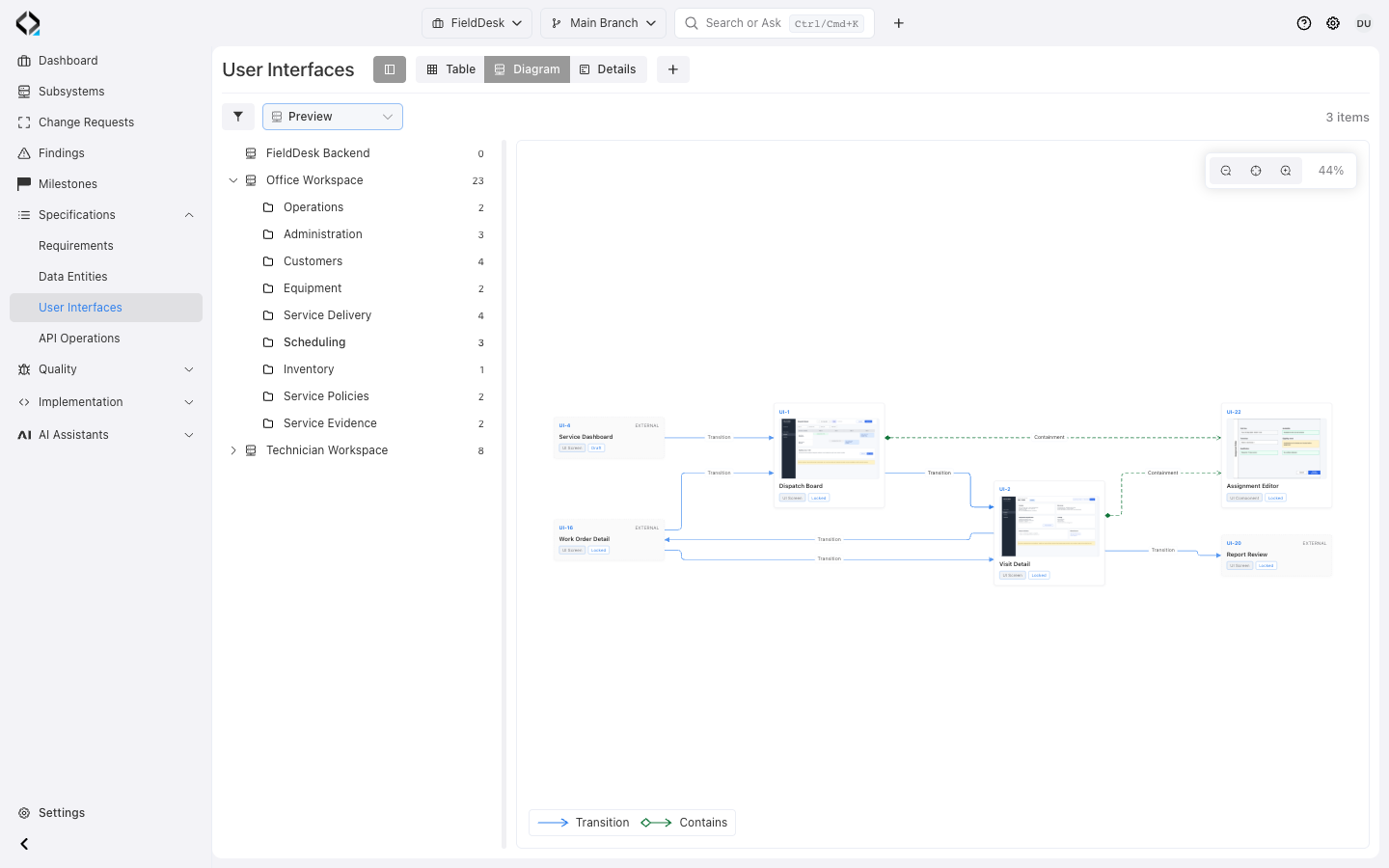
Understand navigation and containment across product screens, with compact and wireframe-preview display modes.
FieldDesk Scheduling in Preview mode: primary wireframes, navigation transitions and Assignment Editor containment.

Entity Relationship Diagram

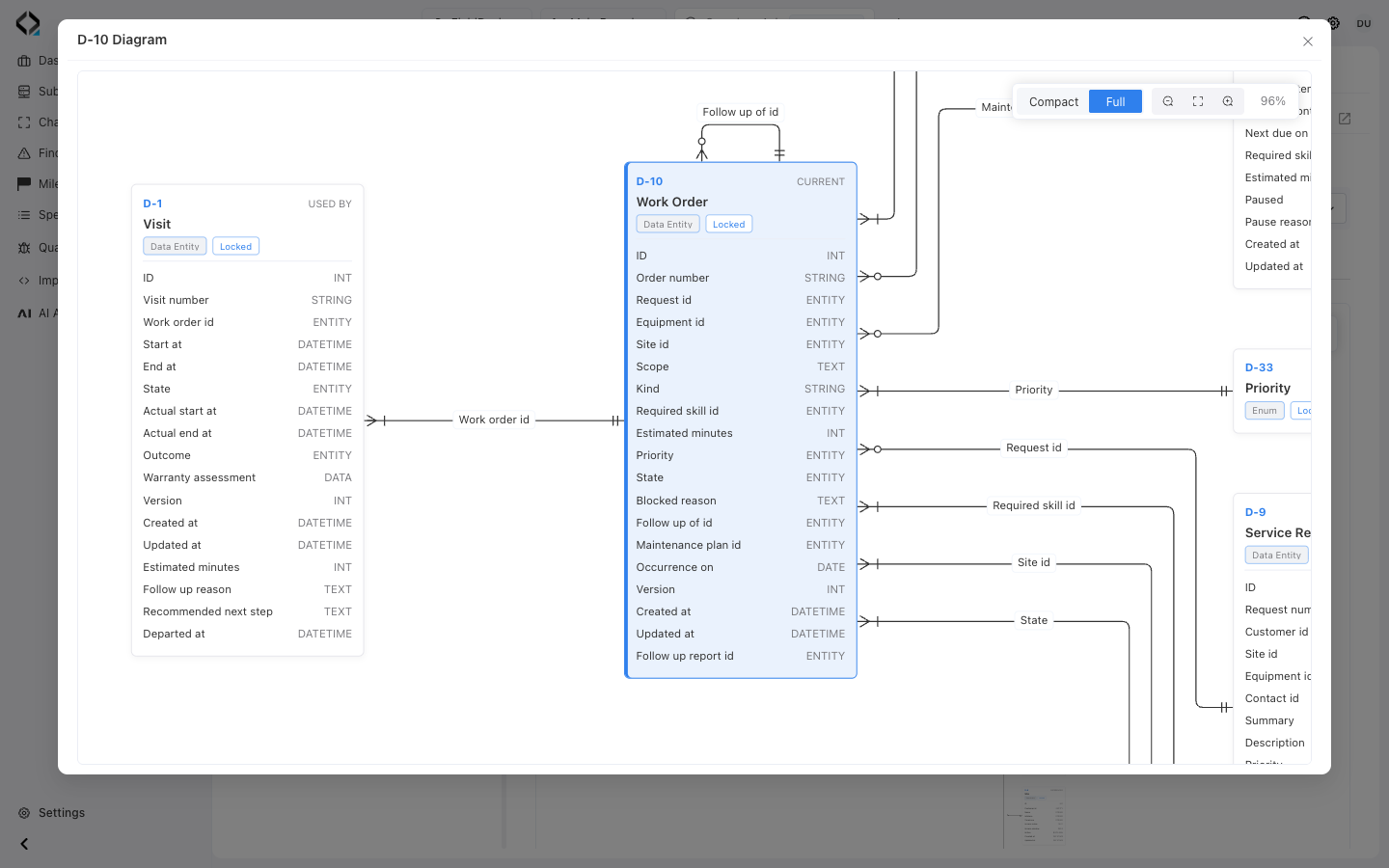
Inspect the structure and relationships of Data Entities within the selected project and branch context.
FieldDesk ER diagram in Full mode: Visit references Work Order through work_order_id.
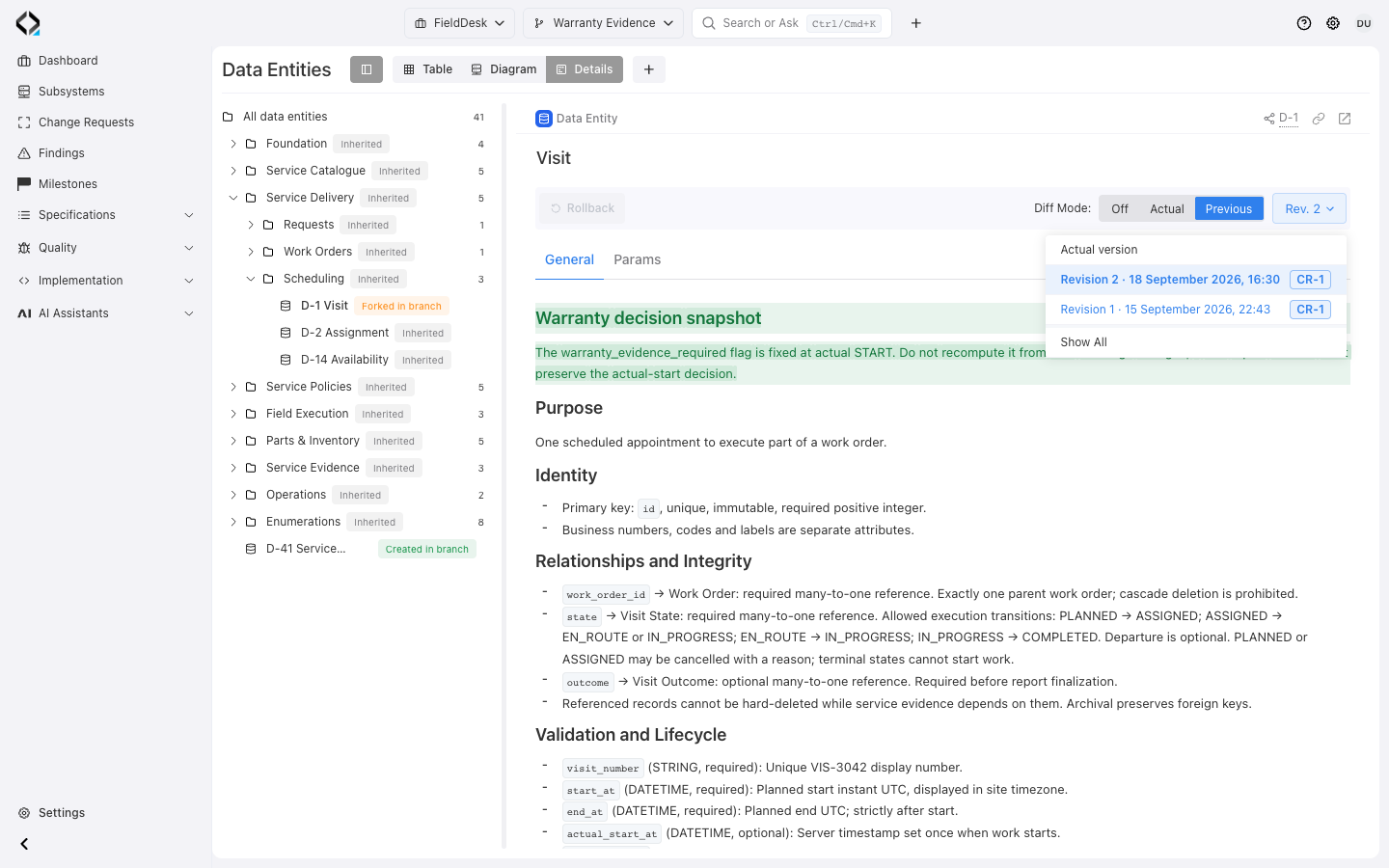
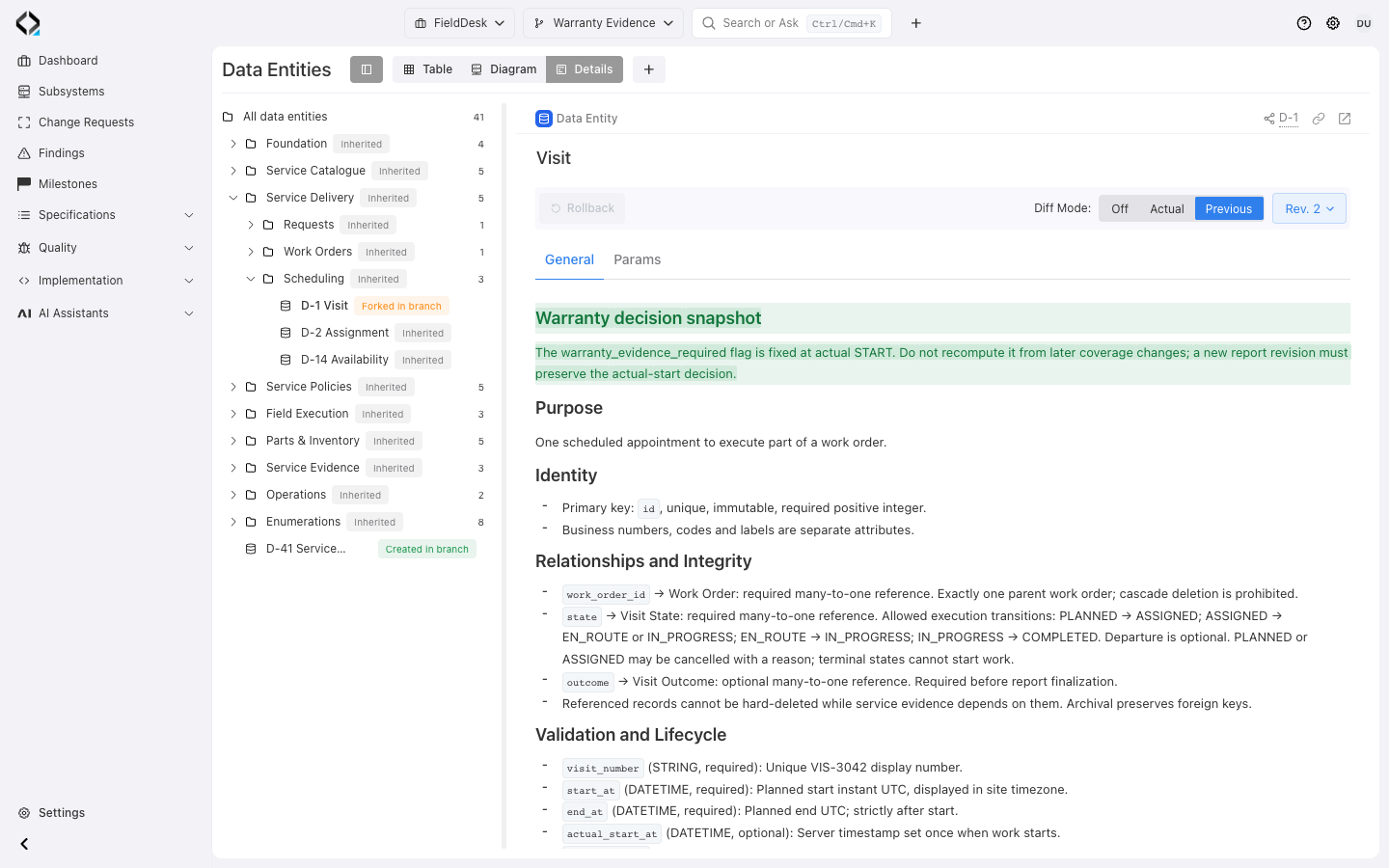
Visit in Warranty Evidence: actual version, revisions 1 and 2, and their linked Change Request CR-1.
More views
Visit revision 2 compared with Previous: the added warranty decision rule remains readable.

Visit revision 2 compared with Previous: the added warranty decision rule remains readable.

SPECIFICATION HISTORY

Preserve what was true at every stage

Stable artifact identities connect current definitions with historical revisions.

Lock reviewed versions, create revisions, compare history, and roll back when needed.

Change Requests reference affected revisions, preserving the context behind each change.

Explore Change Management