API Operations
Explore the FieldDesk REST API
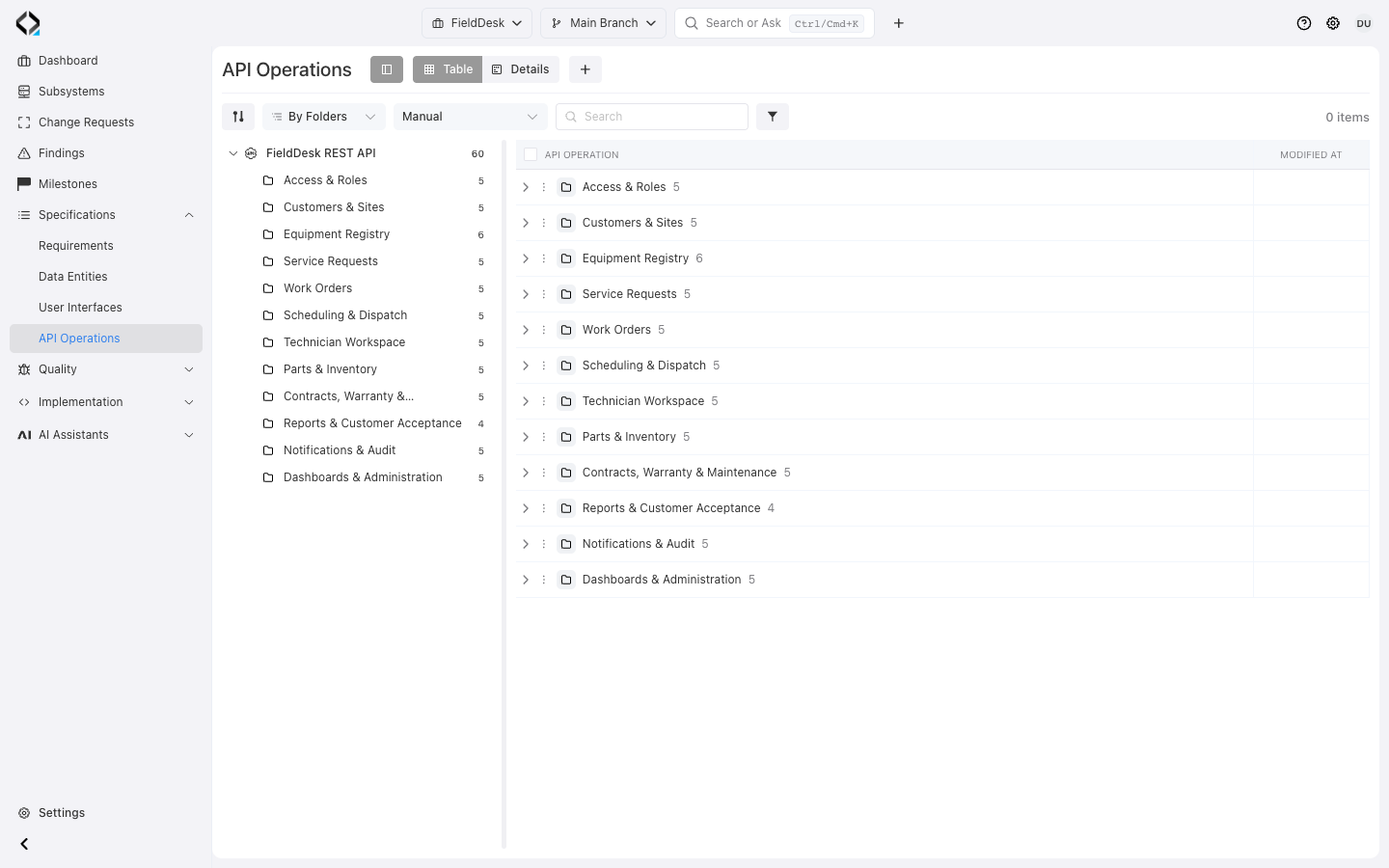
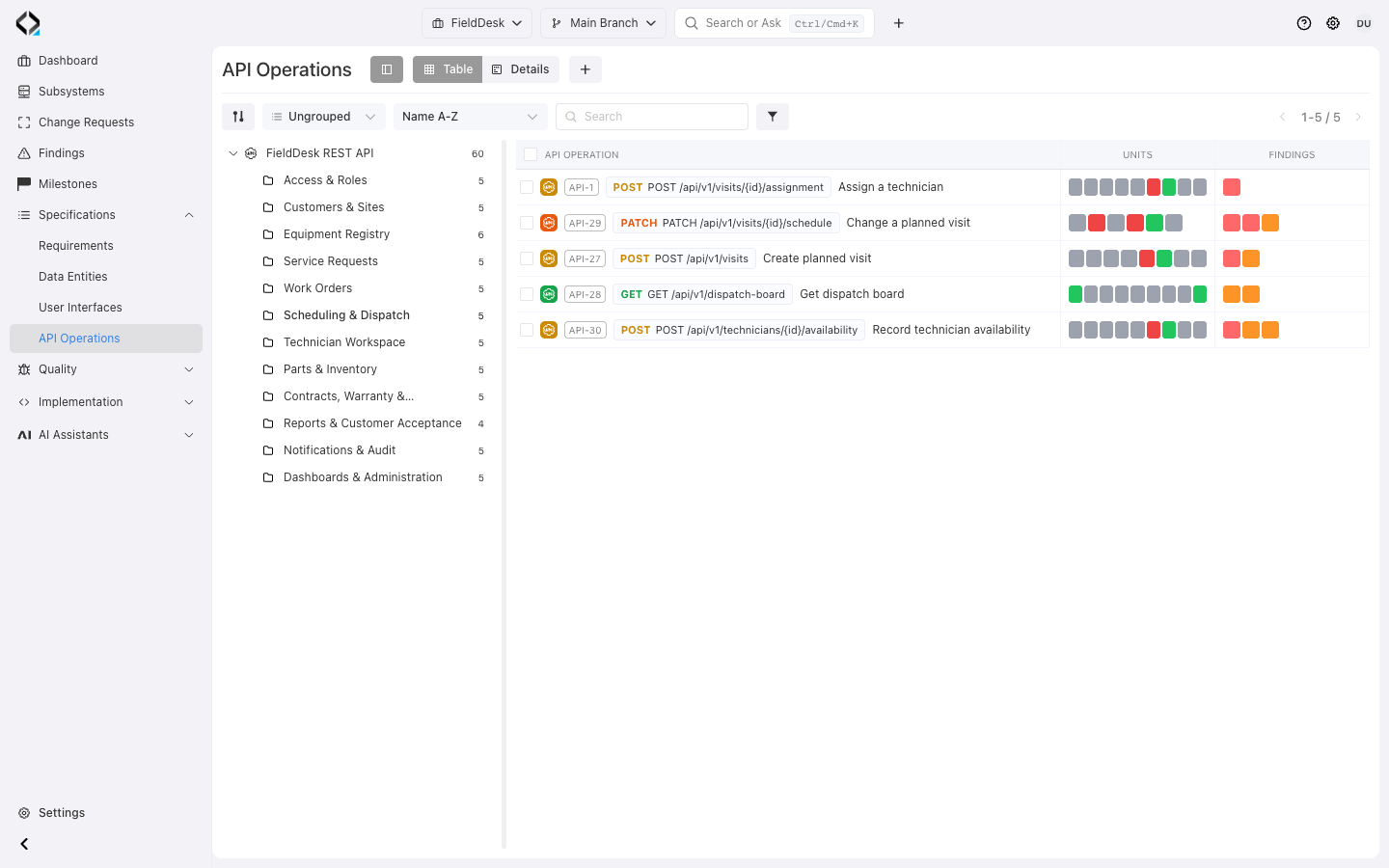
Use the folder tree to narrow the API catalog to a product area. Start with Scheduling & Dispatch.
Organize operations by API surface
Group operations by API Surface and folders, then classify them with types and labels.
Search by key, name, or Technical Name. Group, filter, select columns, and move or apply lifecycle actions to several operations.
Enable Units and Findings for implementation links, alignment states, and reported issues; open each for detail.
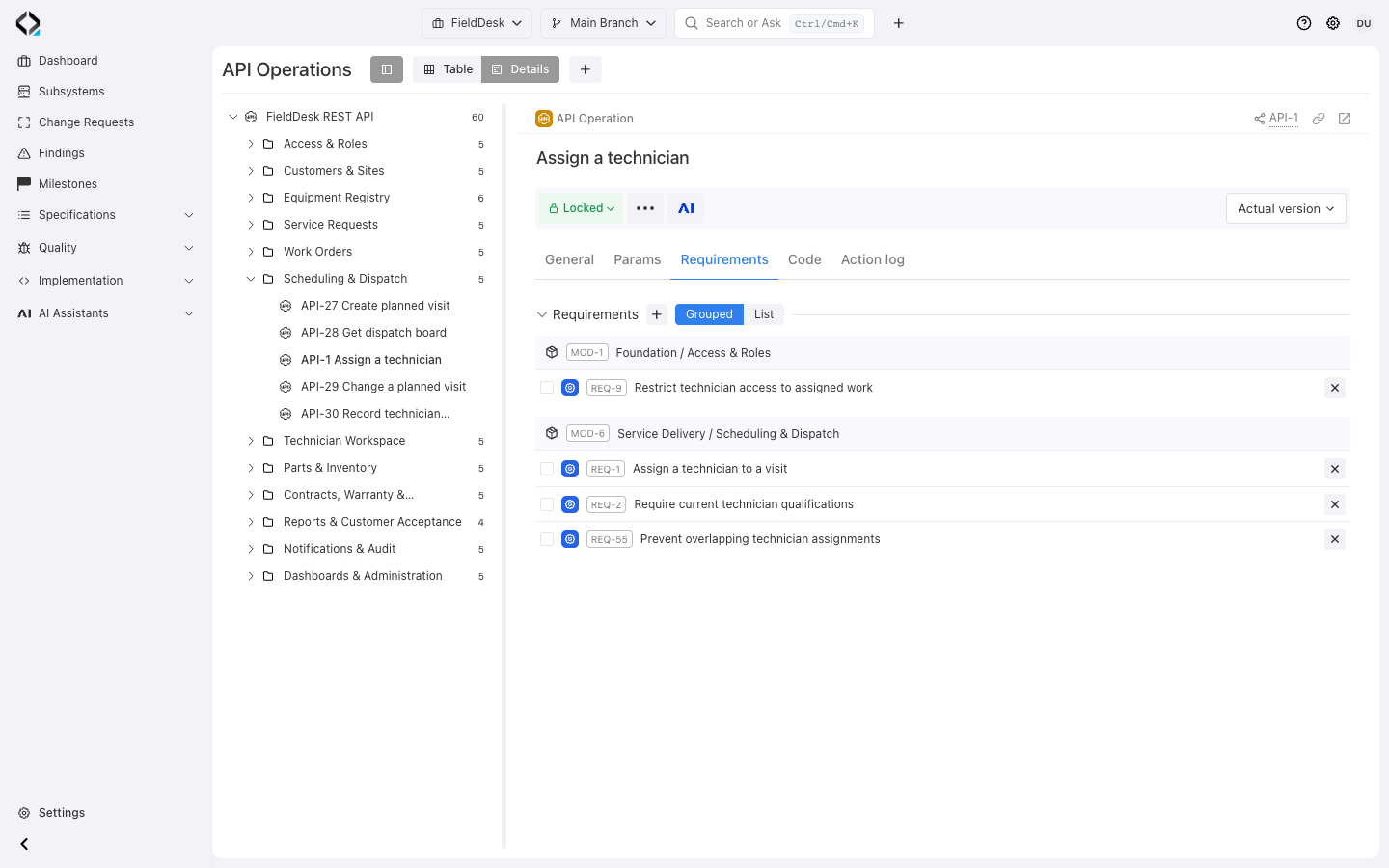
Follow requirements to understand why an operation exists
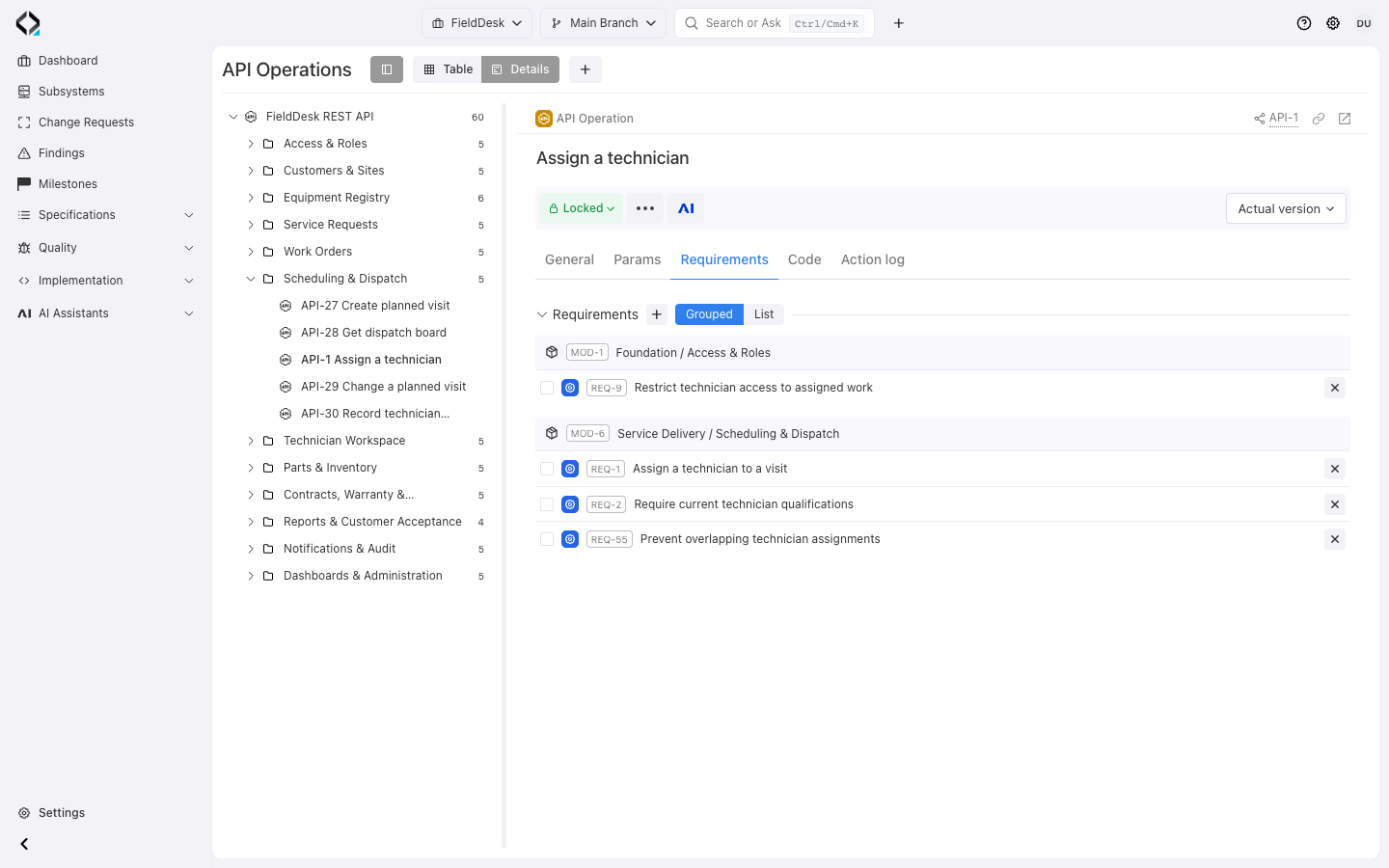
Open Requirements for the product rules behind the endpoint, such as assignment purpose, access, and scheduling constraints.
Follow requirement links to data and UI specifications. Explain relevant data concepts in the operation description.
Keep those contracts current as behavior changes.
More views
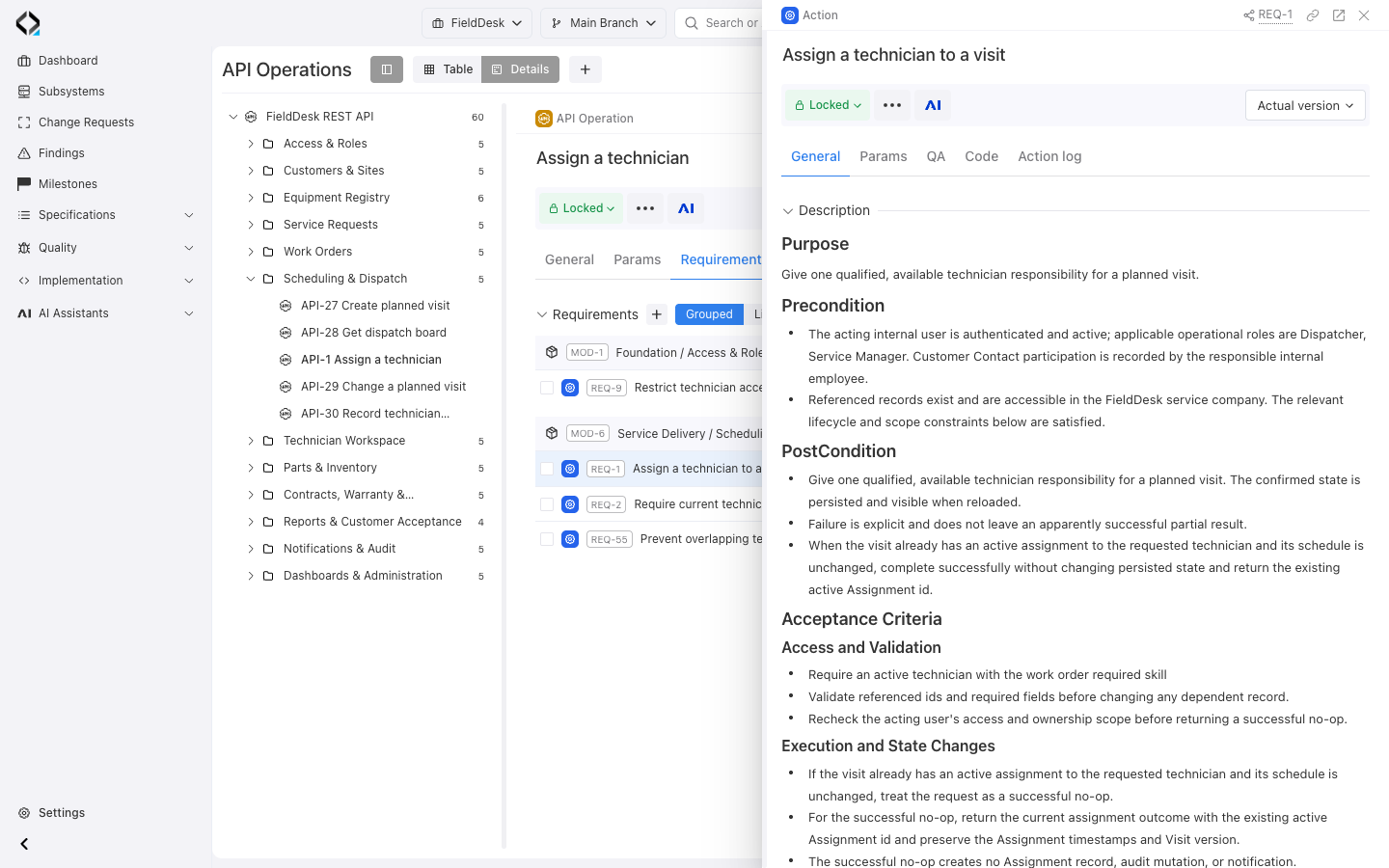
REQ-1: assignment intent, preconditions, and acceptance criteria.
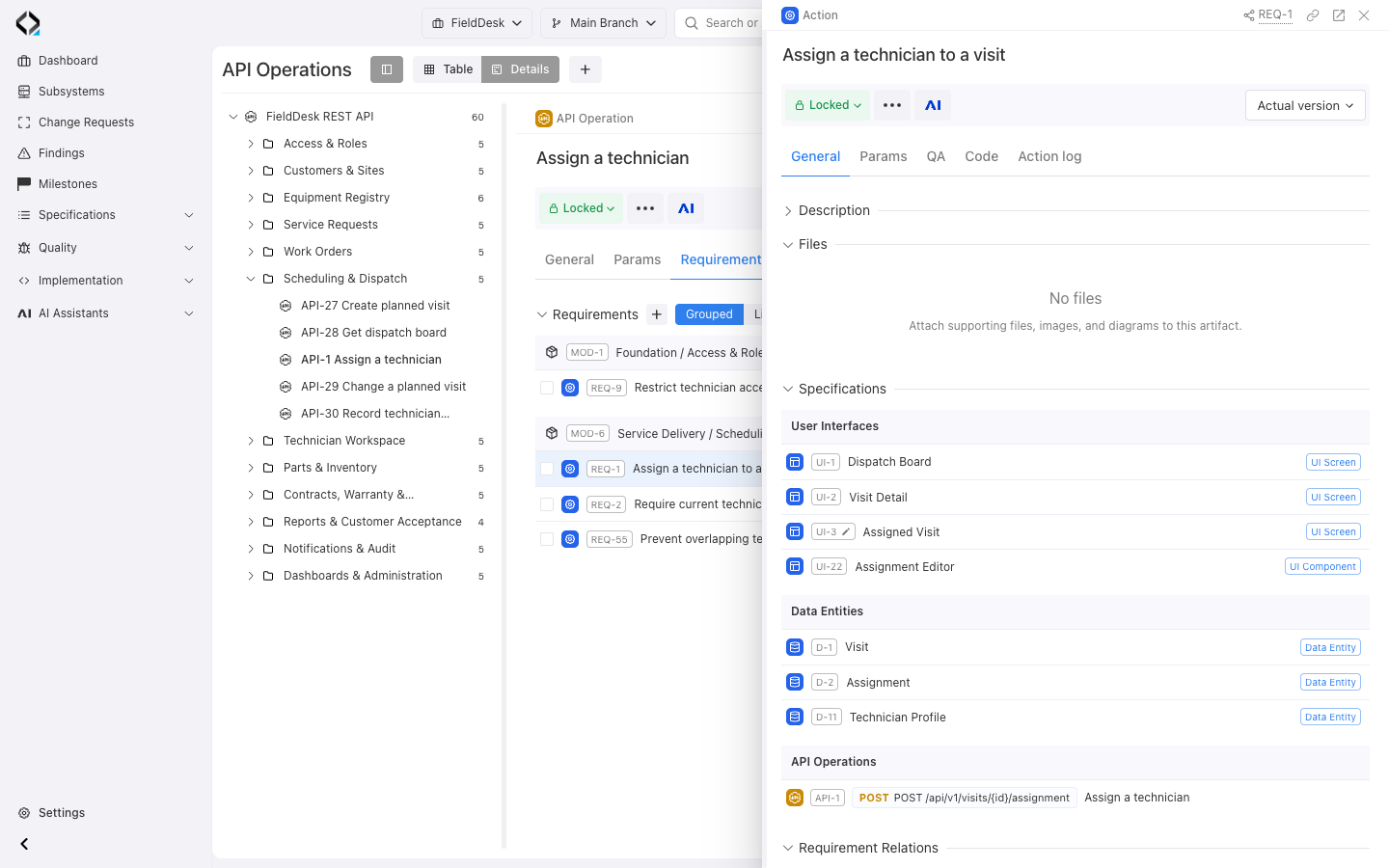
REQ-1 connects the assignment behavior to screens, data entities, and the API operation.
Trace operations to units, source files, and commits
Open Code for linked units and relation states, then follow a unit to its source files.
Inspect linked commits and individual Findings, or review issues across the catalog.
Use this connected context with MCP for Coding Agents when an external agent works on the implementation.
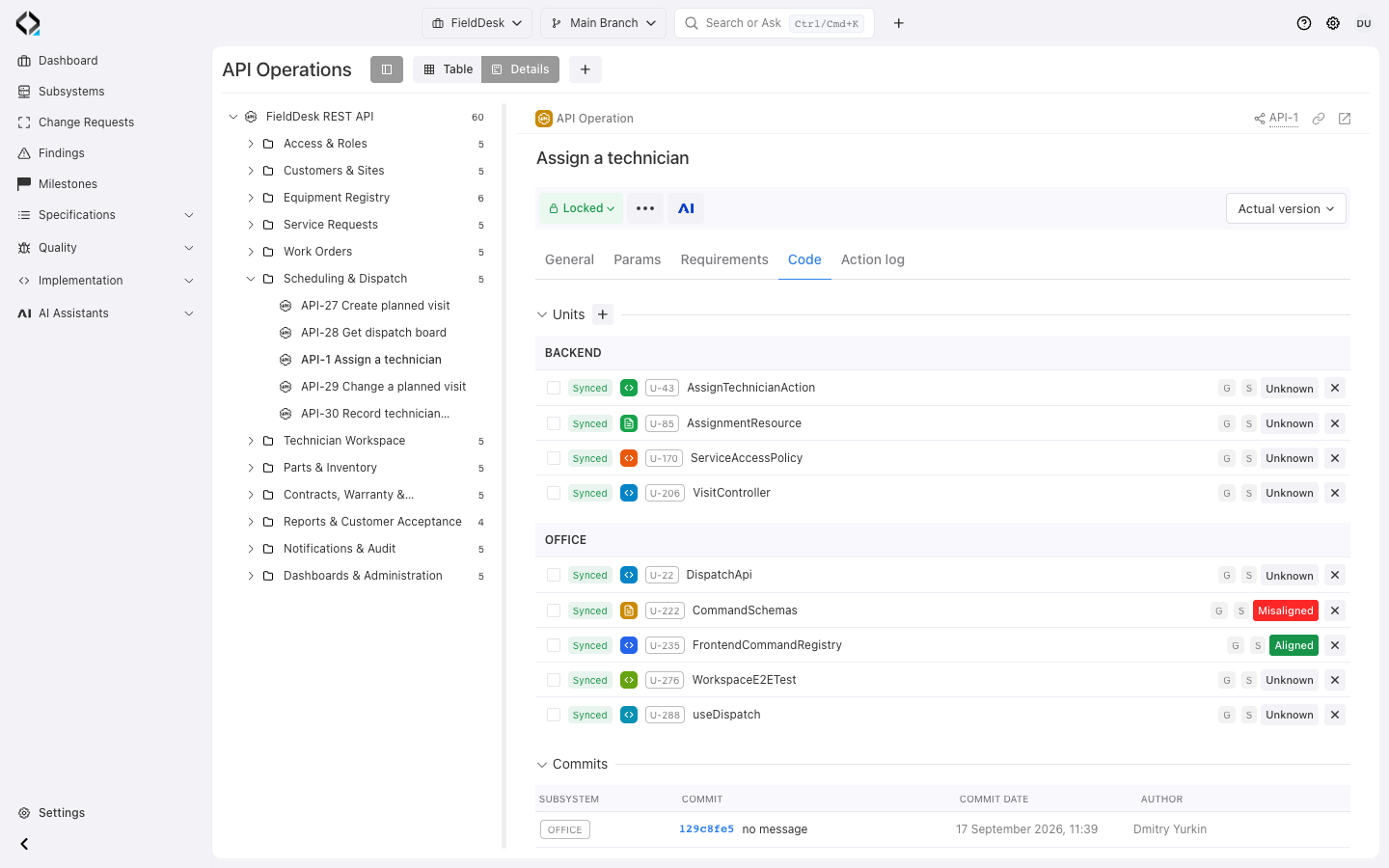
More views
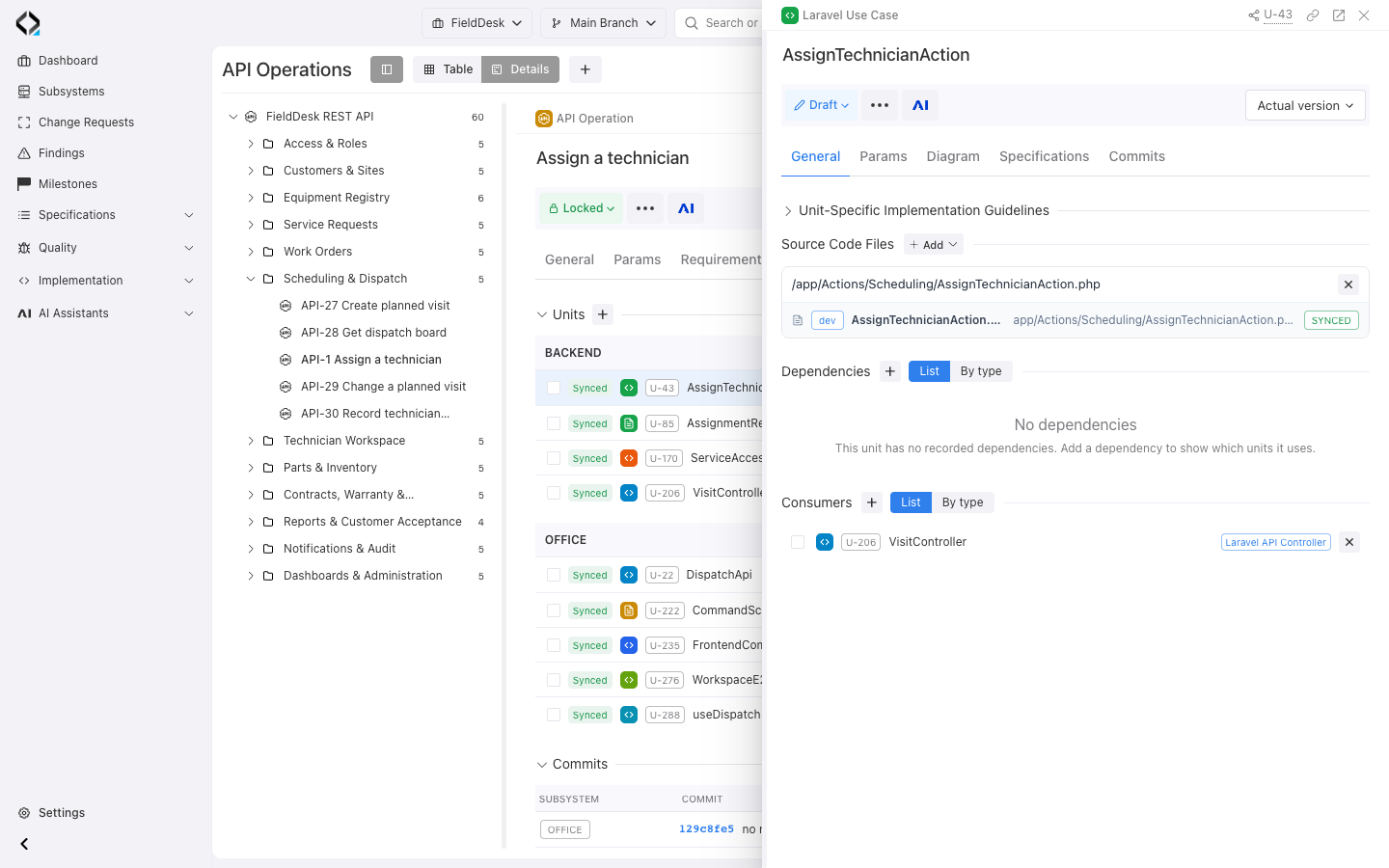
AssignTechnicianAction: the synchronized app/Actions/Scheduling/AssignTechnicianAction.php source file.
Compare operation revisions and review their history
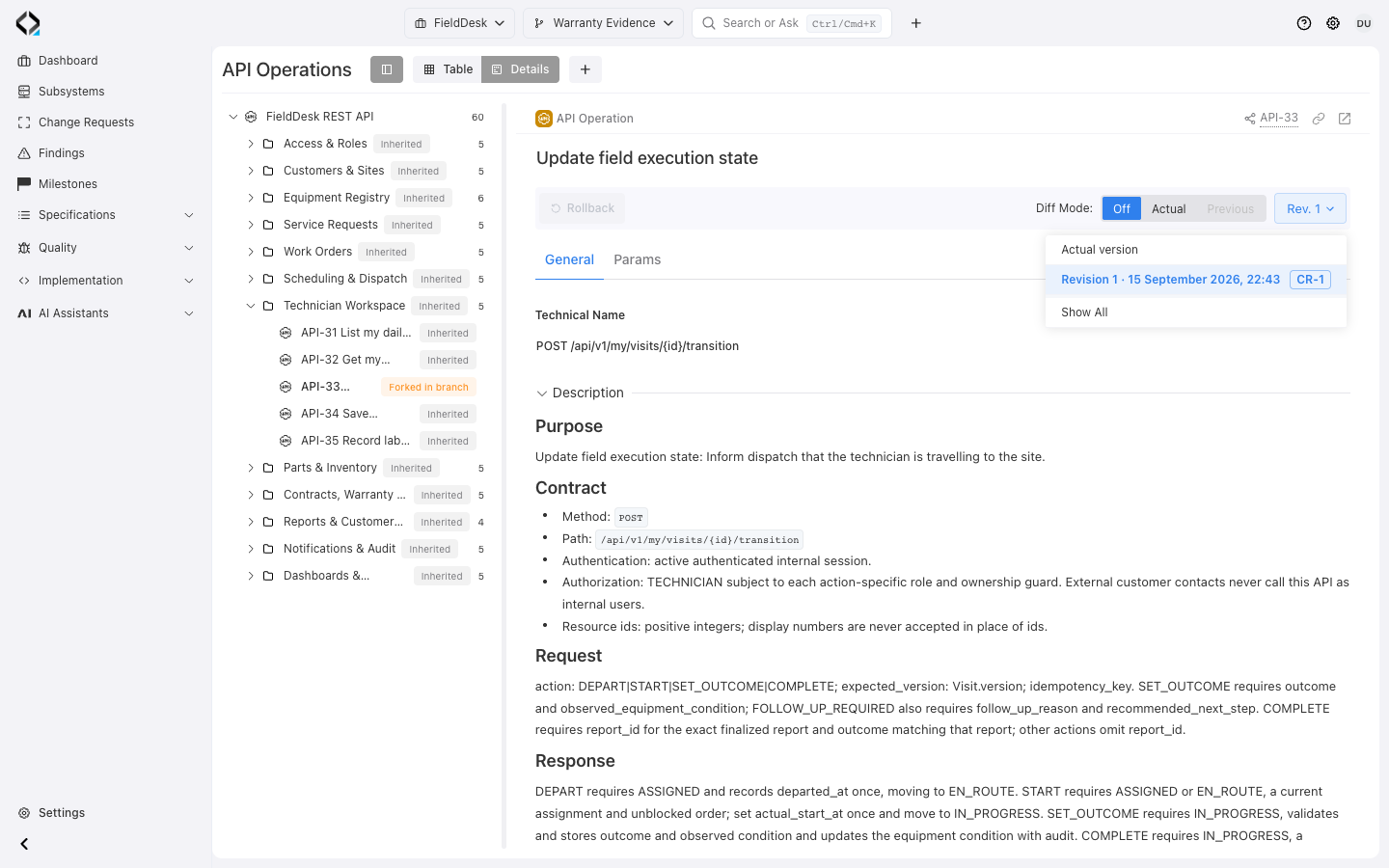
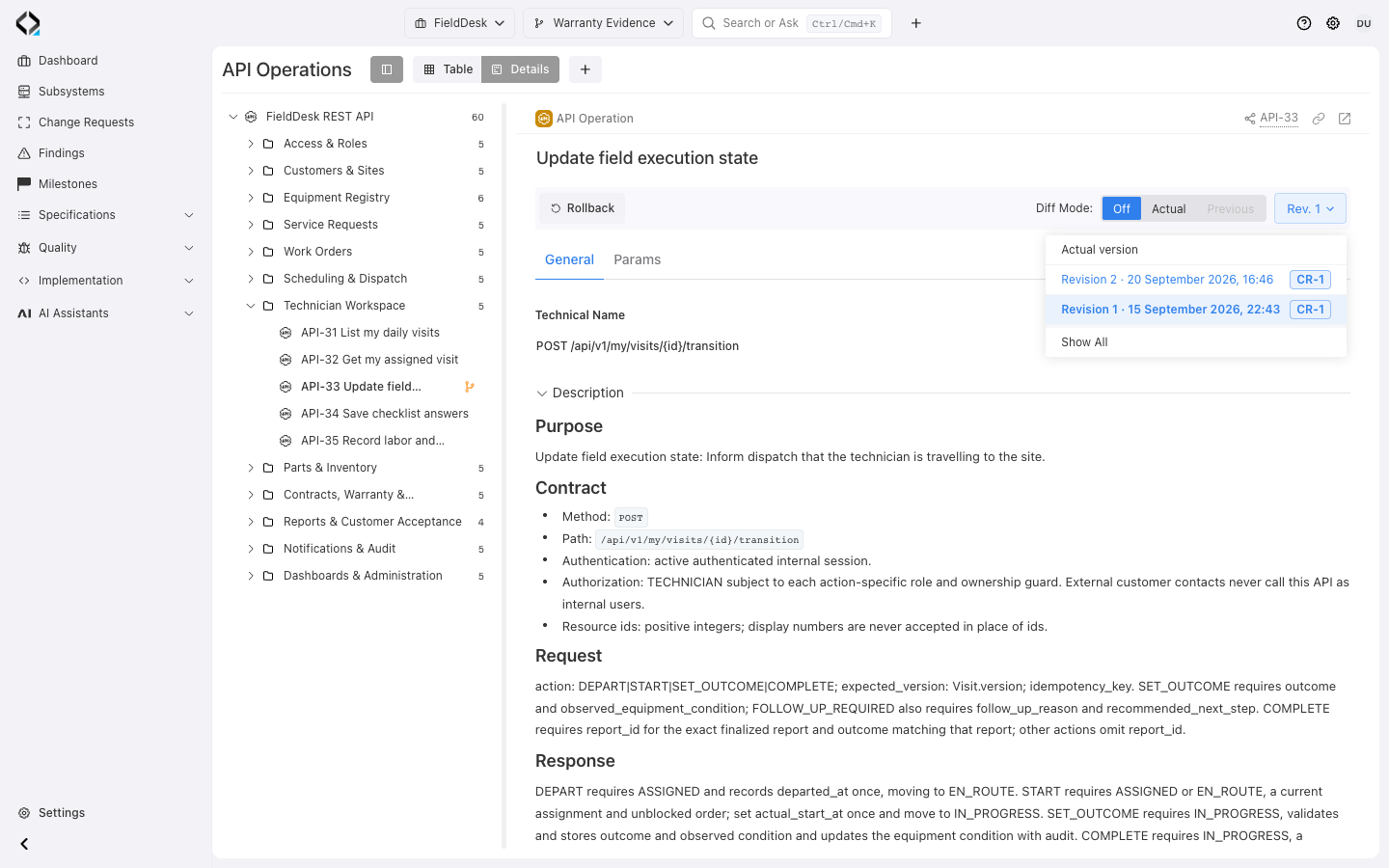
Compare historical revisions with the previous or current definition, including Technical Name, description, and supported parameters.
Revision badges link to Change Requests. The Action log records events, initiators, and revision context.
Edit Drafts, lock reviewed specifications, and deprecate obsolete operations. Use branches, Markdown export, or AI Analyst for further work.