Preventing Architecture Drift
Architecture Drift Is a Control Loop Problem
Working behavior can still violate architectural boundaries. Make the rules explicit and check the affected units.
Layer drift
Controllers start owning business logic, services become hidden use cases, models hide side effects, or queries write data.
Ownership drift
A unit absorbs behavior that belongs elsewhere, new files are not mapped, or a unit links to specs it does not own.
Convention drift
A feature violates documented UI/UX rules or API conventions.
What Reqode Uses as the Architecture Contract
Keep architecture guidance in reviewable artifacts available to agents.

Code Manifest

Unit Types

Software units
From written guidance to enforceable feedback
Unit Guidelines Verifier checks the guidance available to implementers and records confirmed violations on units and in Findings.
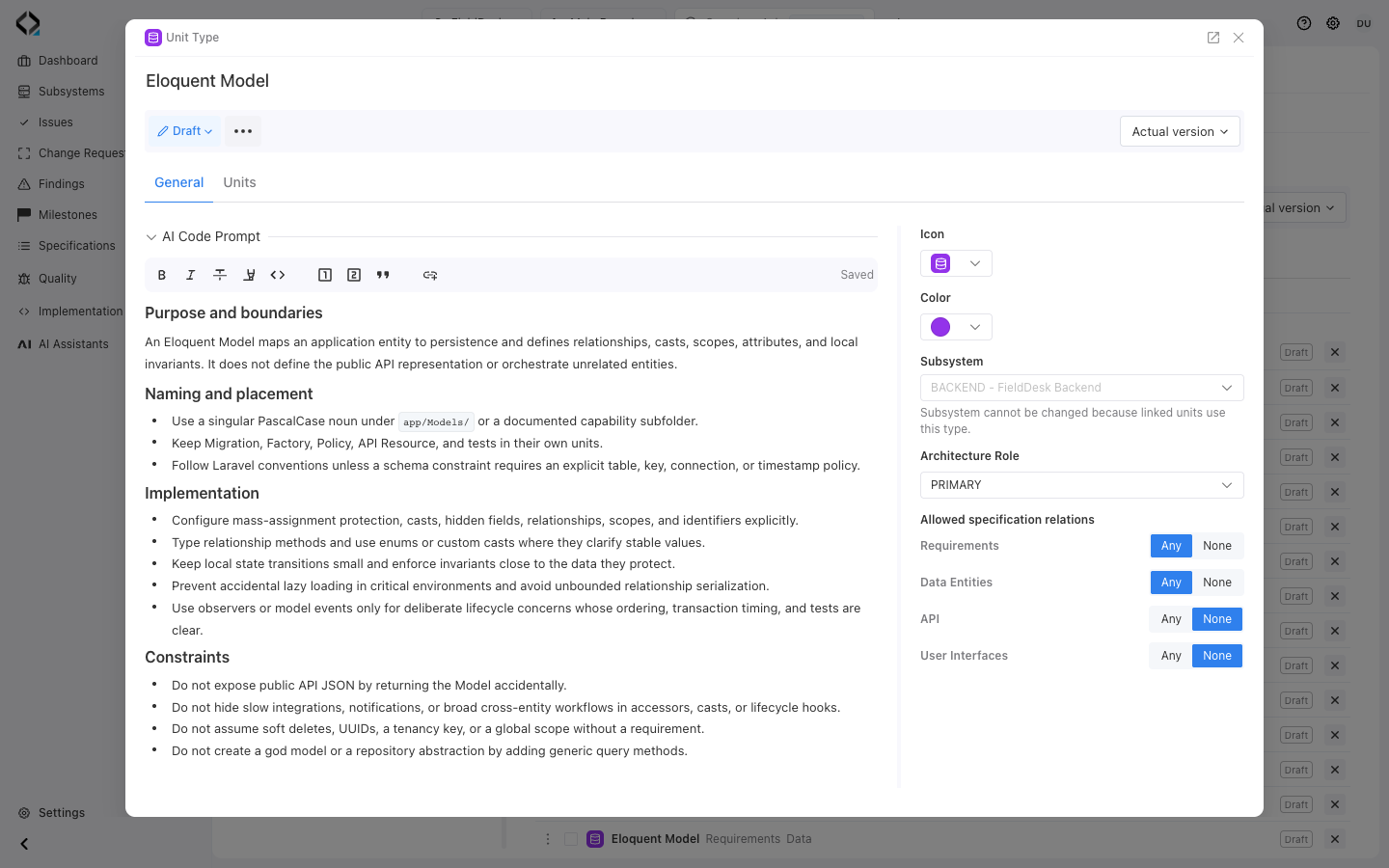
More views
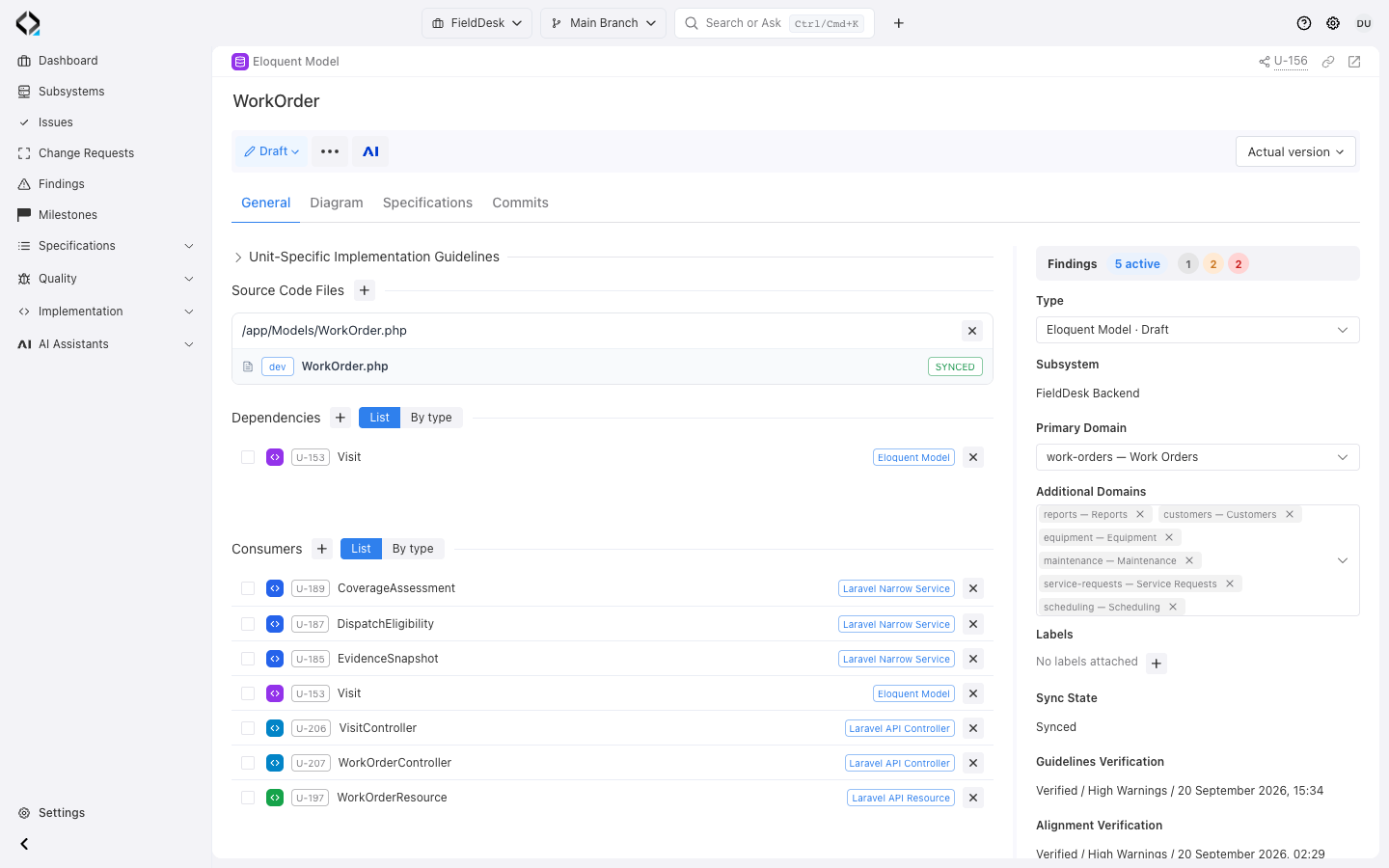
U-156: inspect ownership, source files, and verification state.
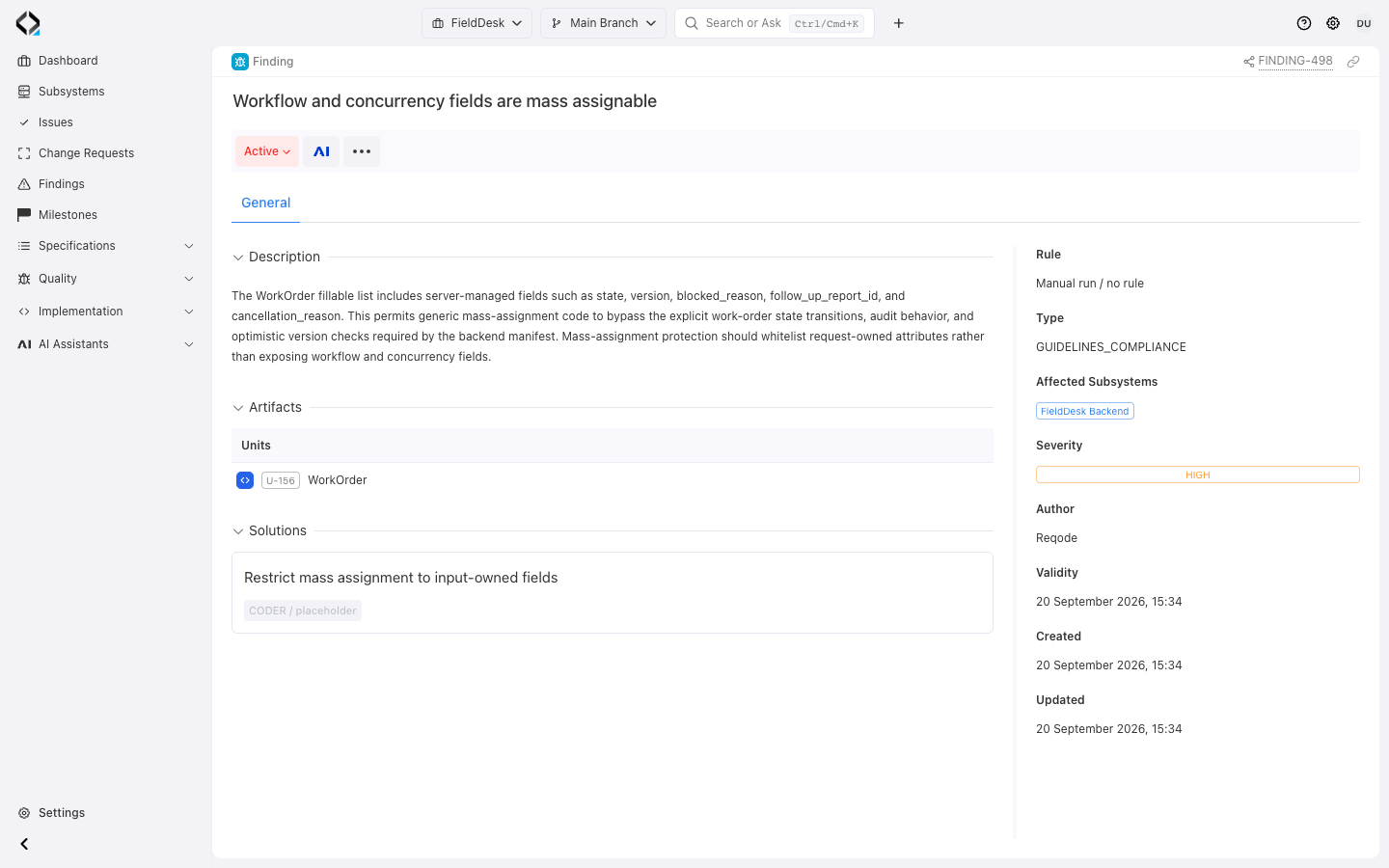
FINDING-498: protect workflow and concurrency fields from mass assignment.
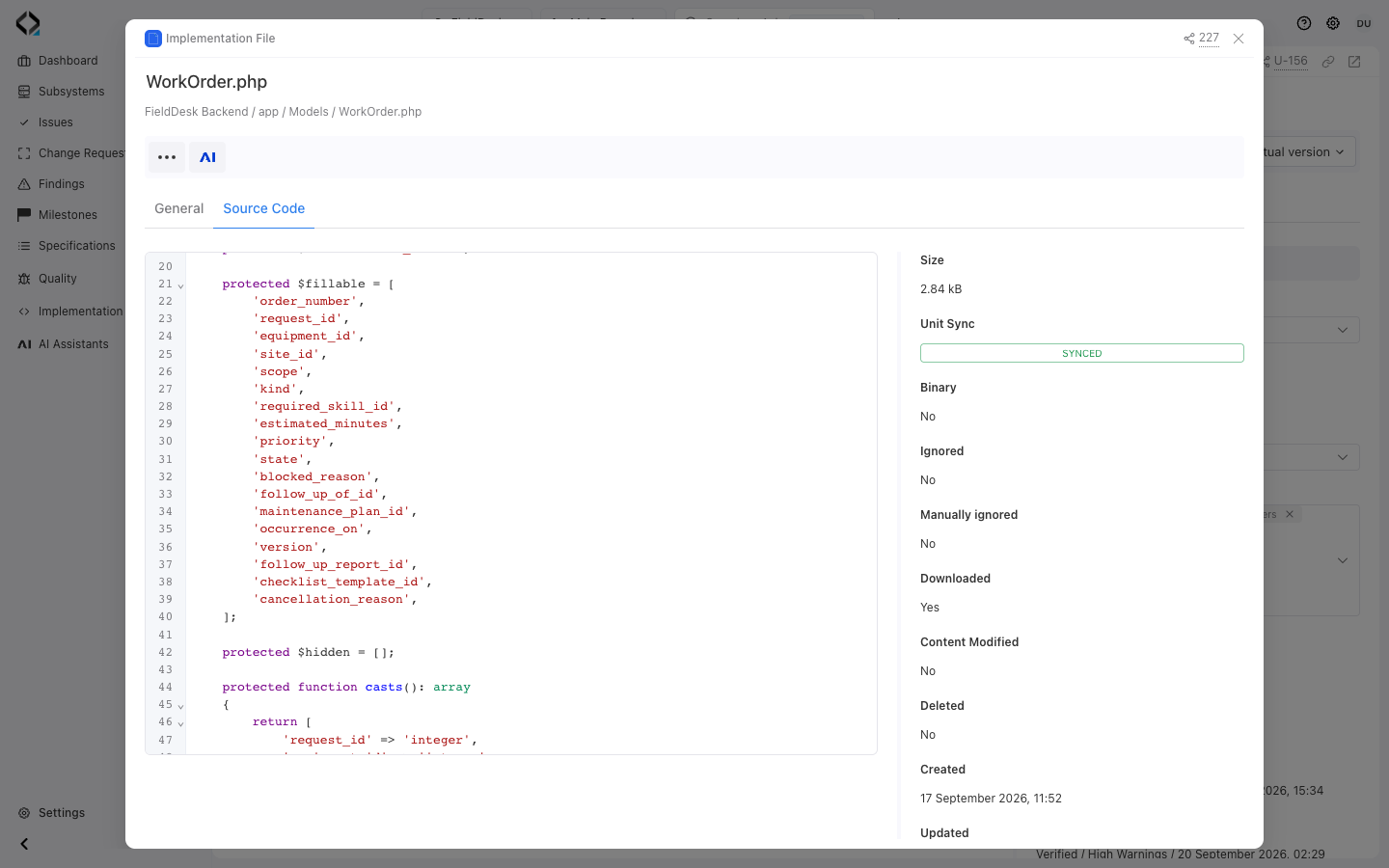
Source evidence: workflow fields in WorkOrder’s mass-assignment whitelist.
Findings Turn Drift into Work
Use Finding evidence, severity, and solution actions to choose the right repair.
Fix code
The architecture rule is valid and implementation violates it. Send the Finding, Unit, manifest, Unit Type, guidelines, and files to a coding assistant.
FINDING-*Fix unit metadata
The map is stale: files, dependencies, consumers, unit-specific guidelines, or Unit-Spec relations need correction before code is judged.
Fix architecture rules
The code is intentional, but the Code Manifest or Unit Type rules are outdated. Route the change through architecture review.
Decide intent
The verifier found a real conflict, but the team must decide whether product behavior, architecture guidance, or implementation should change.
More views
Source evidence: workflow fields in WorkOrder’s mass-assignment whitelist.
Give the assistant a Finding, not a vague cleanup task
Start the coding agent from the Finding and target Unit. MCP supplies files, manifest, type and unit guidance, dependencies, and evidence.
Review the applicable rule before editing code.
Start repair from verified evidence
A good coding prompt can be short because Reqode provides the architecture context.
Use Reqode MCP as a source of truth.
Start from FINDING-123 and U-456.
Automate Discovery and Verification After Changes
Configure checks for the relevant project branch and subsystem.
Units Discovery
Processes files with unknown unit sync state and updates units, file assignments, dependencies, ignored files, and Unit-Spec links after backend validation.
- Project Branch
- Subsystem
- Max checks per run
- Max files per check
Unit Guidelines Compliance Check
Runs Unit Guidelines Verifier for units that need verification, updates the unit status/result/date, and creates or solves guideline Findings.
- Project Branch
- Subsystem
- Additional prompt
- Max checks per run
Specs - Code Alignment Check
Runs Unit Alignment Verifier when responsibility drift may also affect requirements, data entities, user interfaces, or API operations.
- Project Branch
- Subsystem
- Model and run mode
- Max checks per run
See the local Finding and the system-level picture
The Project Dashboard groups Findings by subsystem and concern: guidelines, alignment, specification consistency, and security.
A broader dashboard for coverage, stale units, unlinked files, and trends is planned.
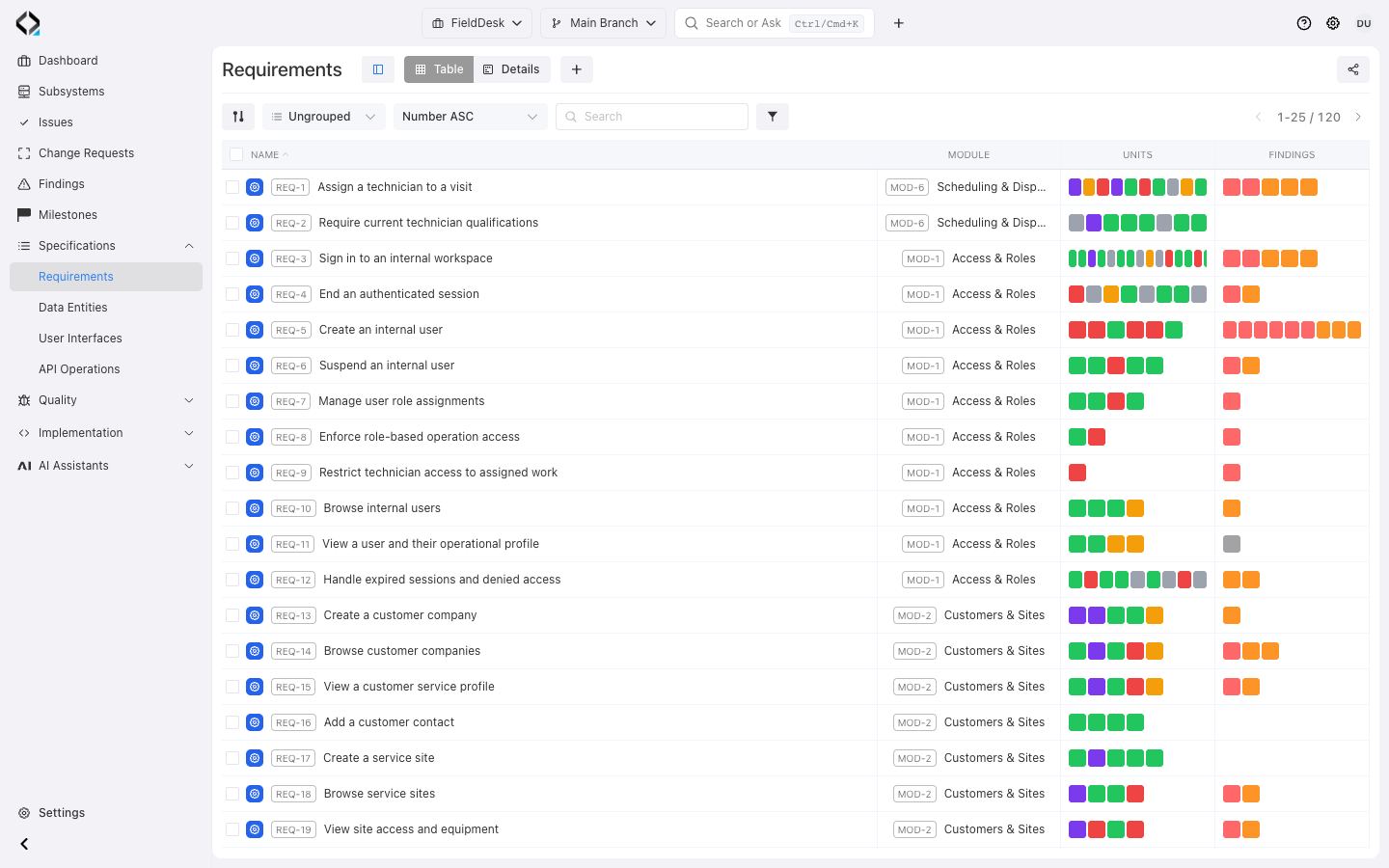
More views
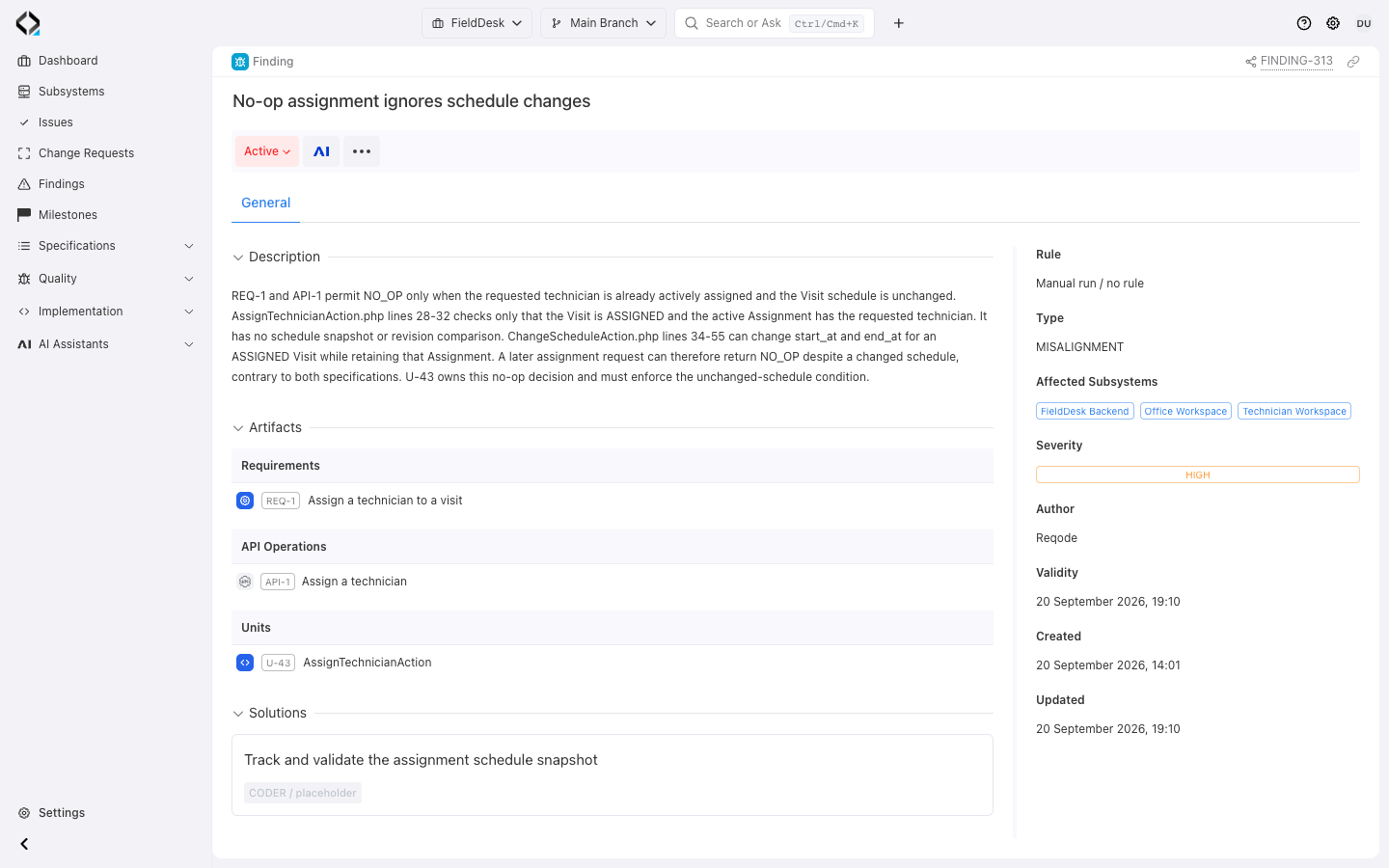
REQ-1 → FINDING-313: trace a warning to evidence and a proposed solution.
Explore the workflow
Follow architecture guidance from implementation checks to actionable findings.
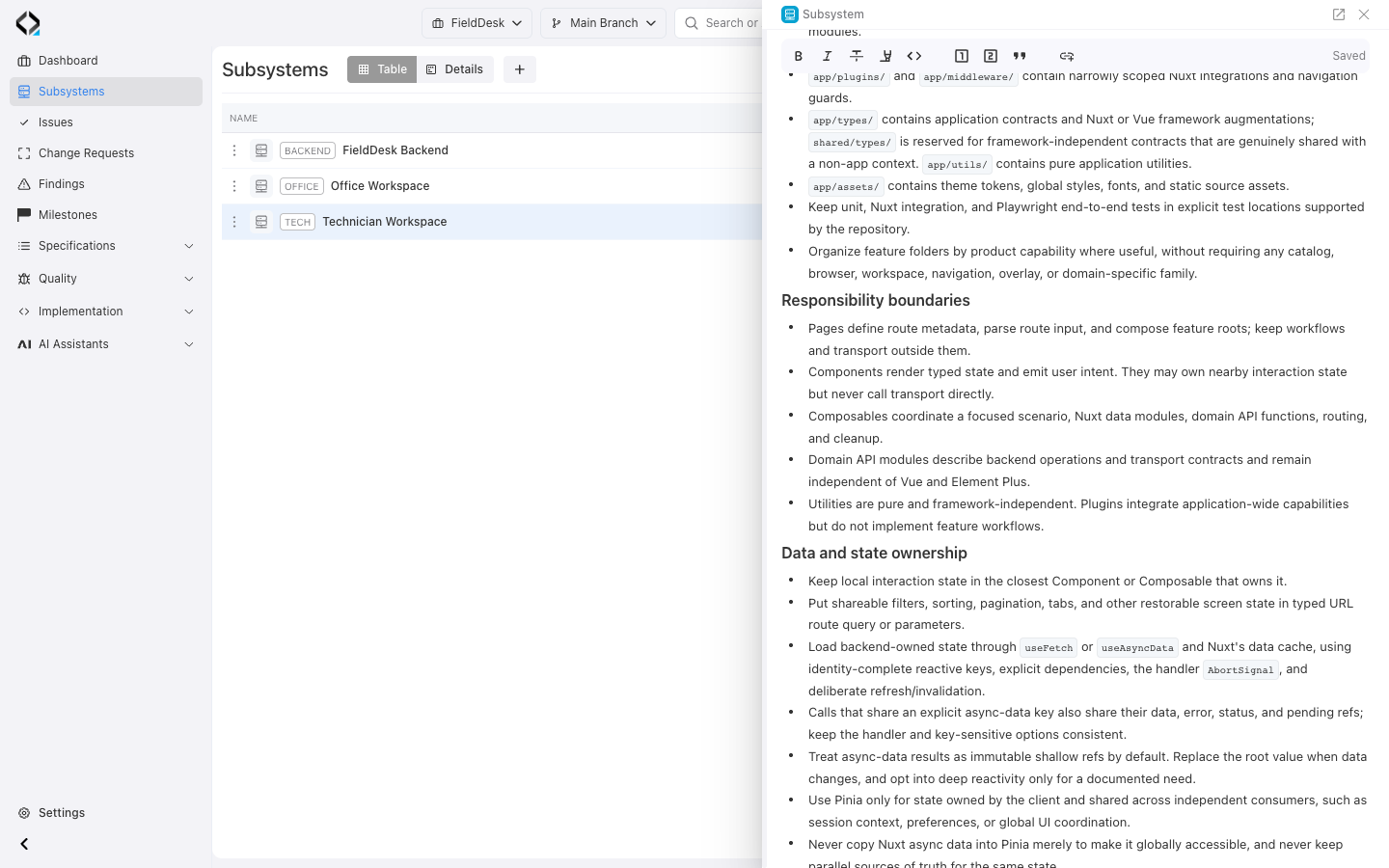
Start with architectural expectations
TECH assigns route metadata to Pages. Components render state and emit user intent; the verifier checks these boundaries.
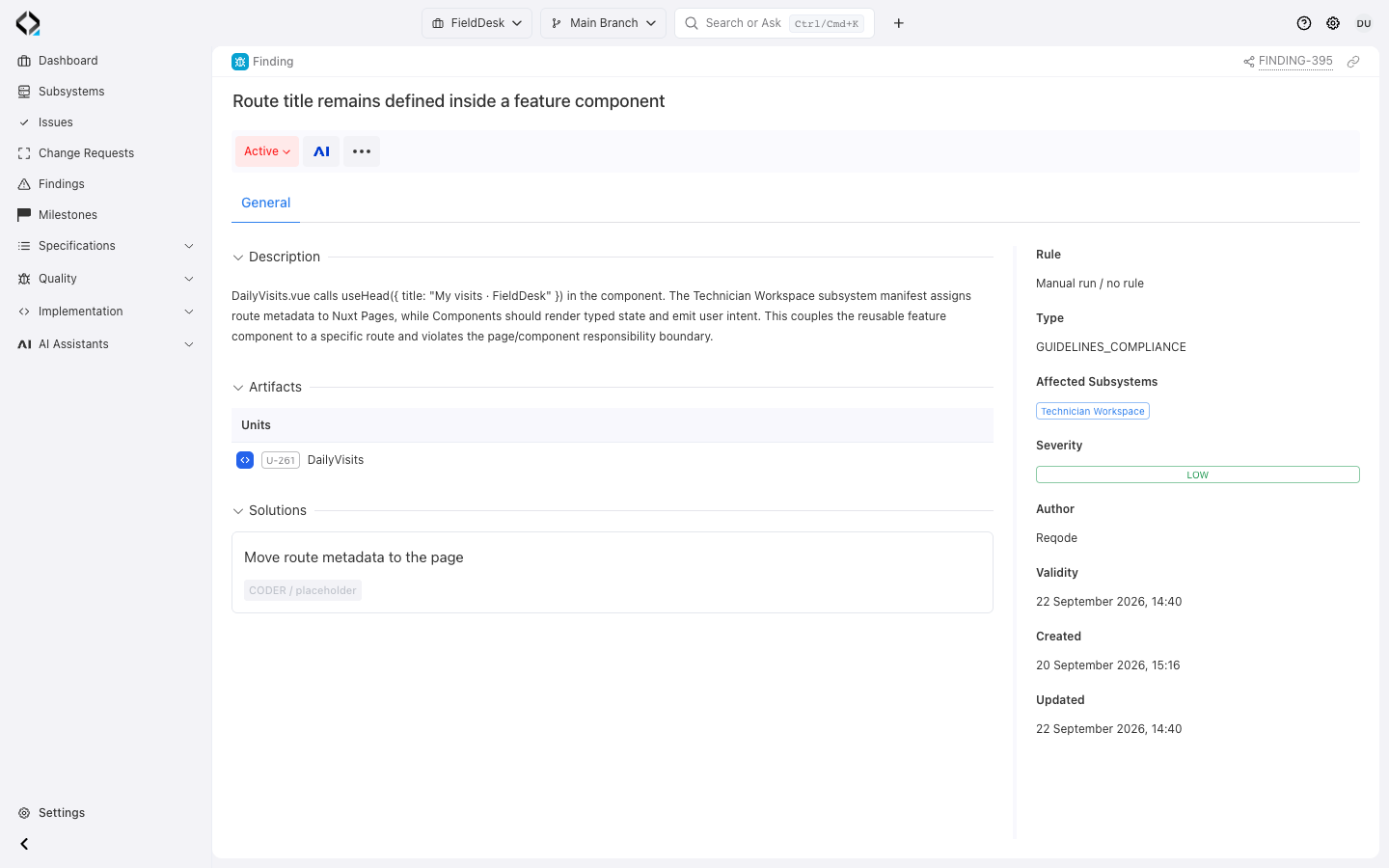
Keep code inside the architecture you chose
Correct the implementation or review the guidance, then run the affected checks again.
