Findings Tracking
Review reported problems in Reqode and see which specifications and software units need attention.
Browse by artifact or across a whole subtree
Open Planning & Control → Findings. Choose Any to see findings across the current project branch, or browse the trees for Requirements, Data Entities, API Operations, and User Interfaces. Use Units to focus on findings linked to software units.
Select an individual artifact to see its findings. Select a folder, requirements module, API surface, or UI subsystem to include findings linked to artifacts throughout that subtree.
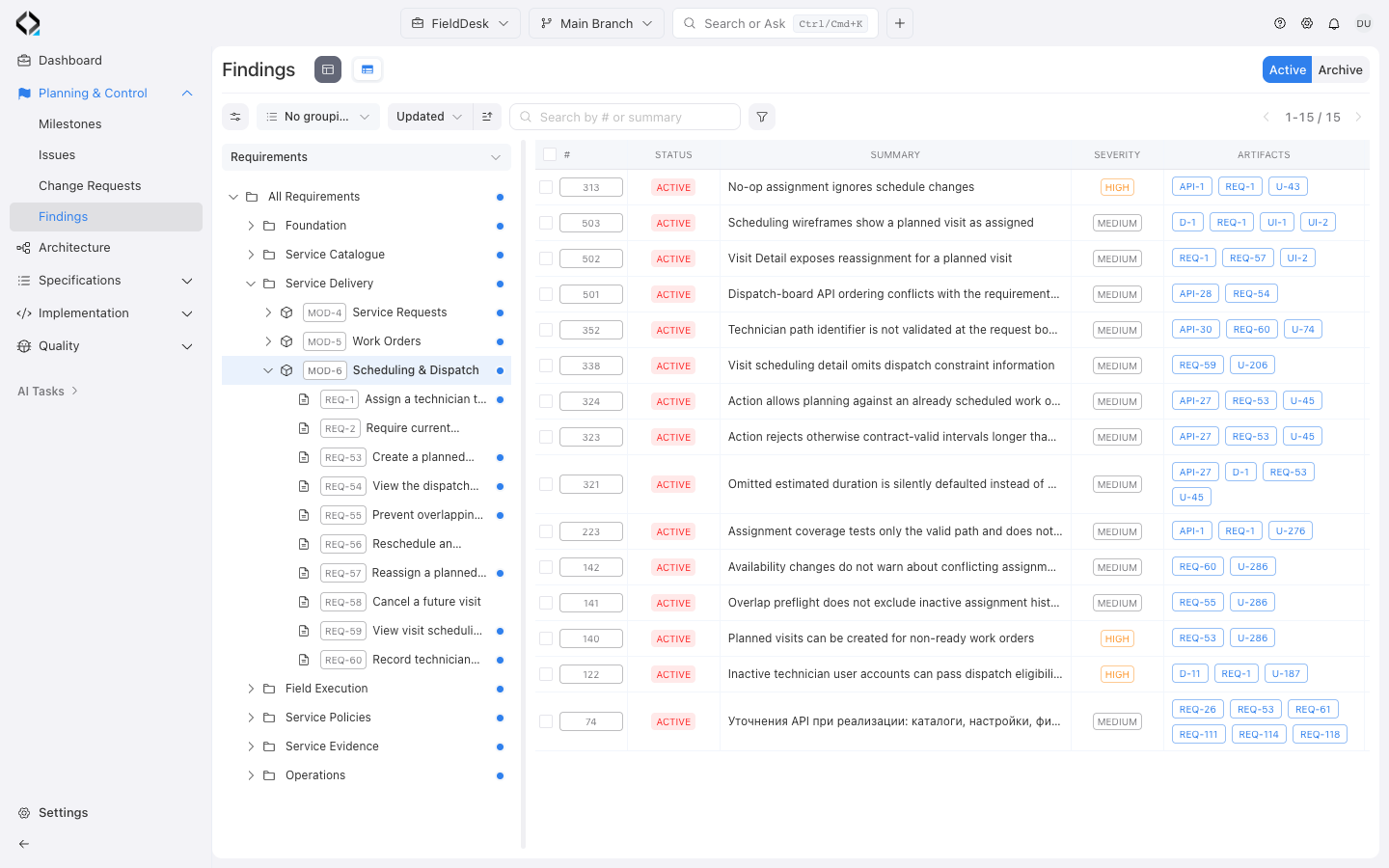
See other artifact scopes
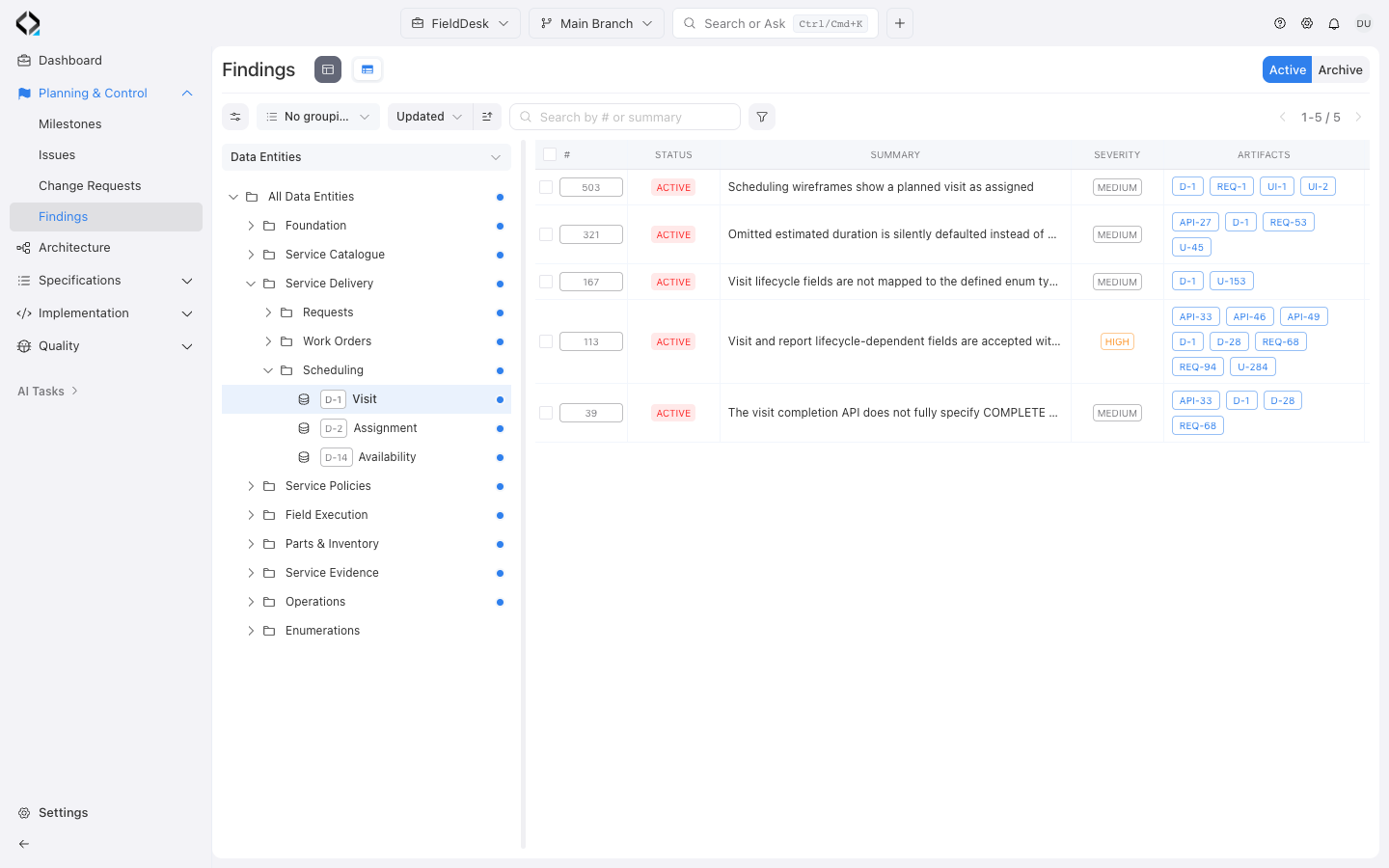
Findings linked to Visit (D-1).
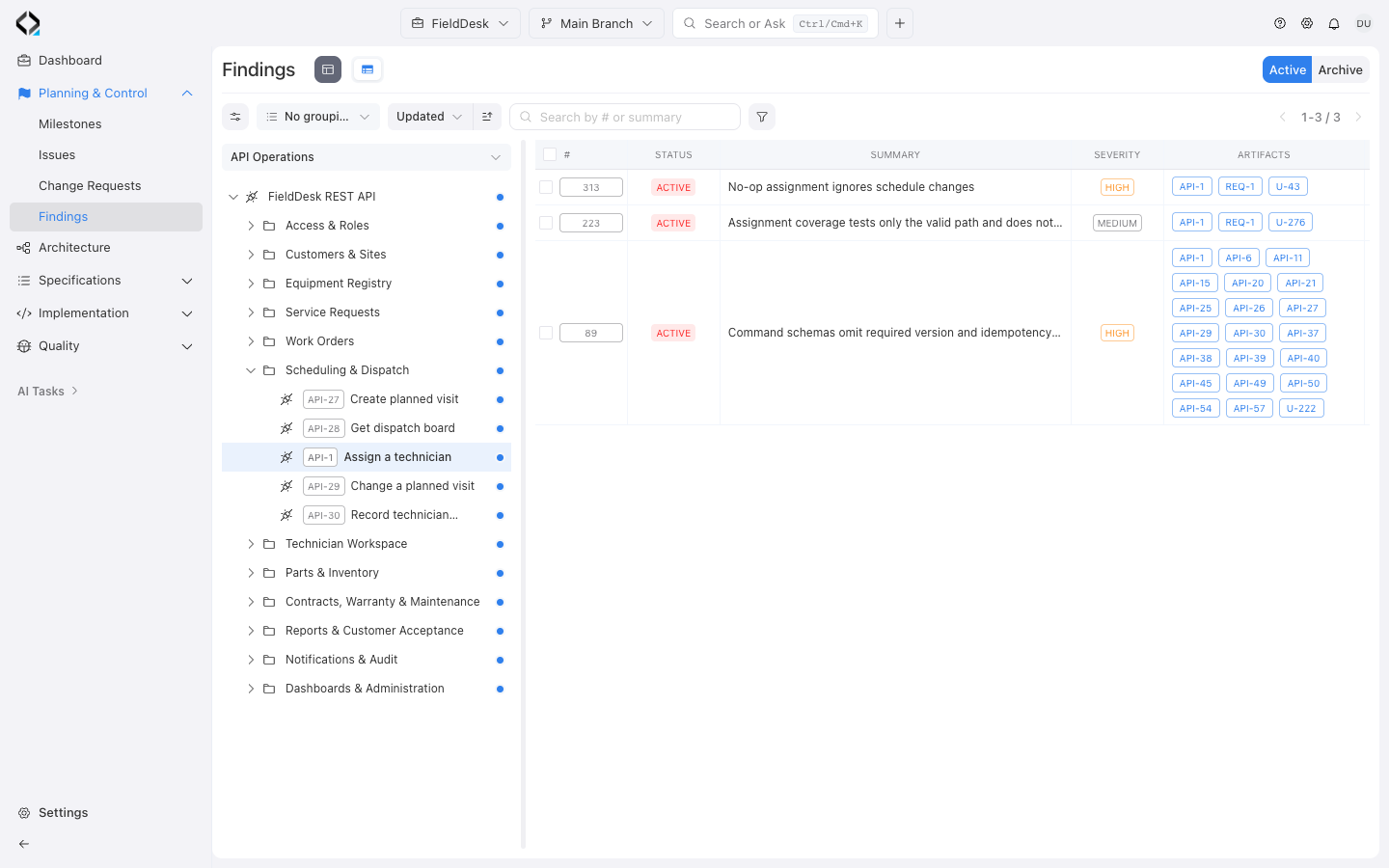
Findings linked to Assign a technician (API-1).
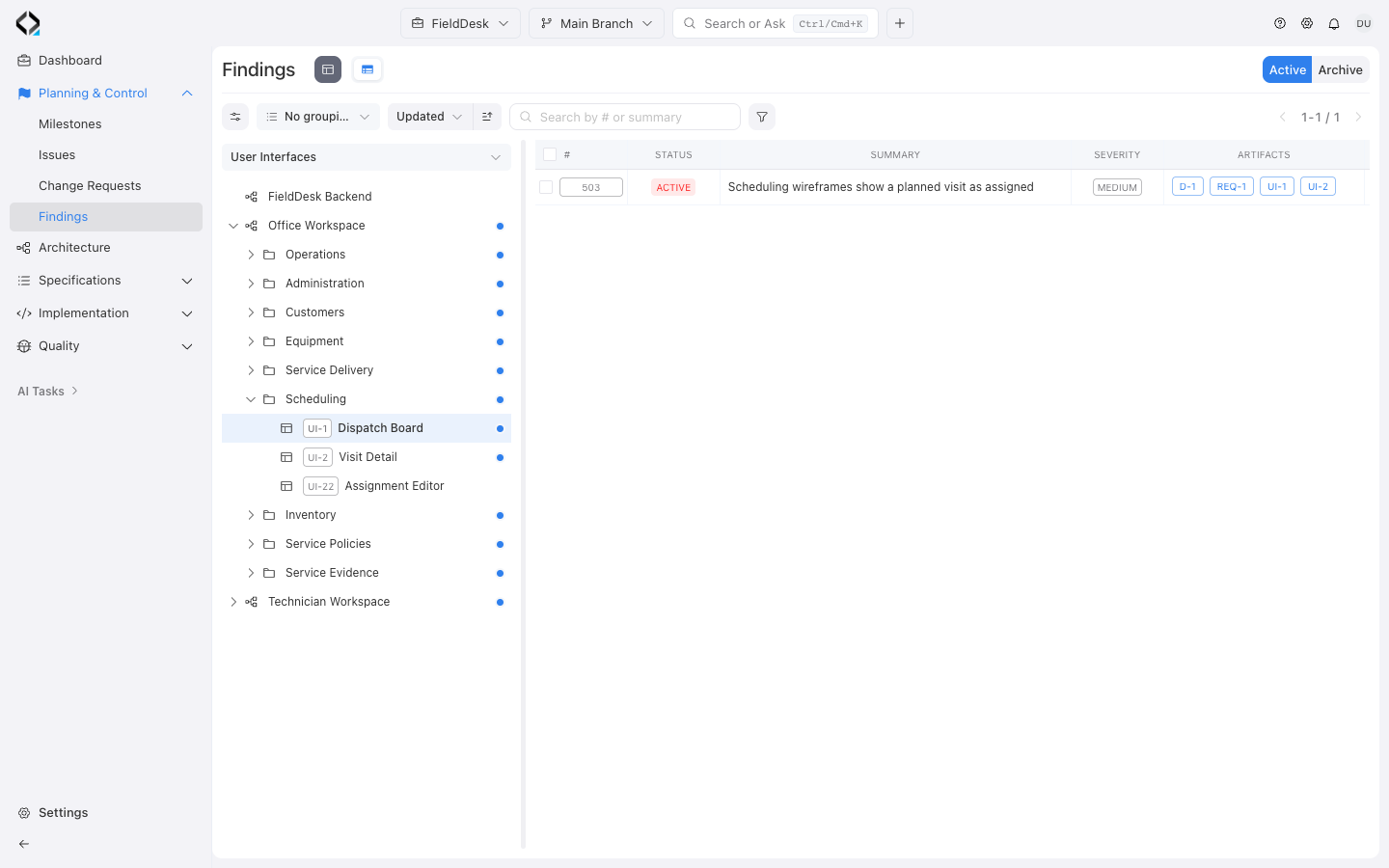
Findings linked to Dispatch Board (UI-1).
Open the affected specifications and software units
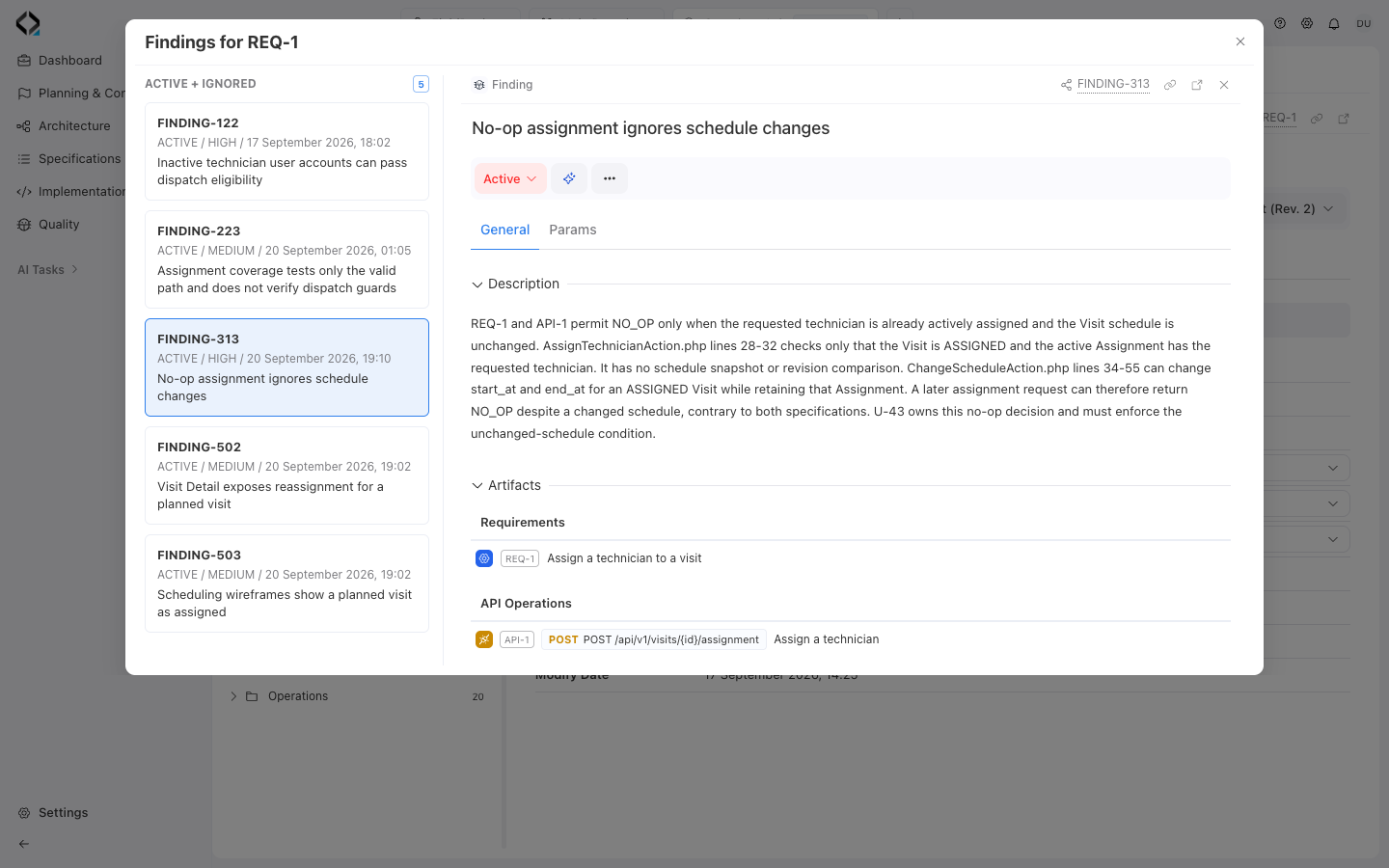
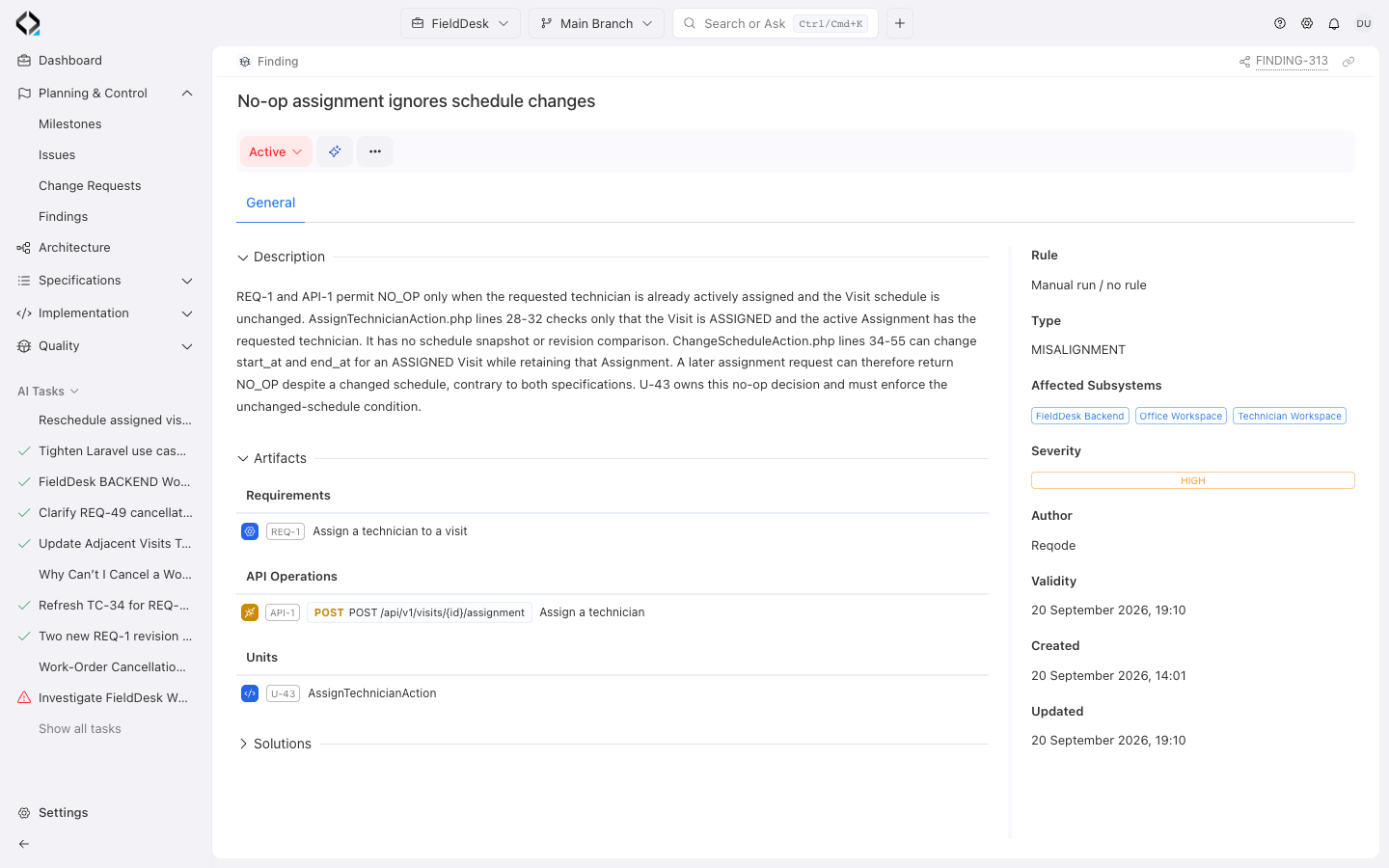
Open a finding to read the description and assess its severity. The Artifacts section links to the requirements, data entities, API operations, UI specifications, and software units the finding affects.
Follow a specification link to check the expected behavior. Open a linked software unit to inspect the implementation involved.
Review findings from the artifact you have open
Use the Findings counter on an artifact’s detail page or its Findings column in the catalog. The window shows findings linked to that artifact in the current branch, with the selected finding’s details alongside the list.