Requirements Tracking
Delivery signals
Follow Stakeholder Approve, Backend and Frontend delivery statuses in FieldDesk, then inspect the implementation, Issues and QA evidence behind the work.
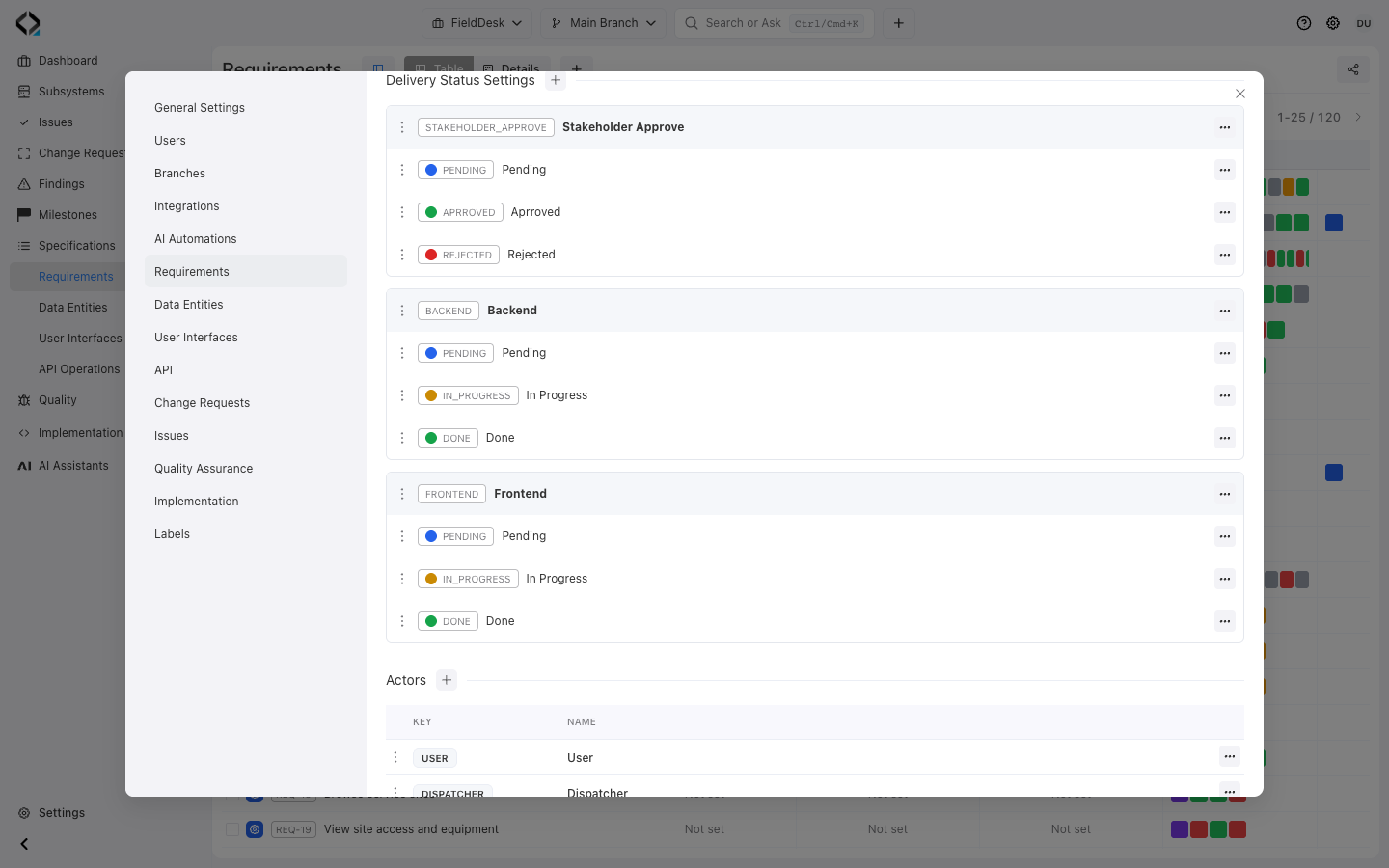
Three delivery tracks for one requirement
FieldDesk tracks Stakeholder Approve, Backend and Frontend independently. Each type has its own ordered, colored statuses.
A command center for every requirement

Progress
Assign custom delivery statuses that match your workflow—such as Planned, In progress, Blocked, Review and Completed—and read them together with milestone context.

Implementation
Navigate from the requirement and its specifications to the software units and source files that implement them, including alignment and verification signals.

Delivery work
Connect Change Requests and Issues to the product behavior they change. Manage Issues in Reqode or import and synchronize them from supported external trackers.

QA evidence
Review linked test cases, coverage, planned and completed test runs and their latest results instead of treating a completed task as proof of readiness.
Track one requirement and the whole product
Understand the complete delivery state
Inspect related specifications, units, Change Requests, Issues, tests, and Findings from the requirement.
Each role follows the details relevant to its decision.
Find requirements that need attention
Compare module requirements by delivery status, implementation, work, and QA evidence.
Look for blocked work, missing implementation, coverage gaps, and outdated checks.
Delivery status and requirement lifecycle serve different purposes
Reqode keeps operational progress separate from the lifecycle that protects product truth.

Custom delivery status
Track separate delivery dimensions with your own status types. FieldDesk uses Stakeholder Approve, Backend and Frontend, each with its own named, colored statuses.

Requirement lifecycle
Draft, Locked and Deprecated states, revision history and branch-aware changes control how product intent evolves. They do not replace the delivery status used to coordinate current work.
Use statuses that match the way your team works
Configure status types in Project Settings → Requirements. Assign a value for each type on a requirement, display the types as table columns, and filter the list by delivery status.
Delivery status does not replace specification lifecycle or test evidence.
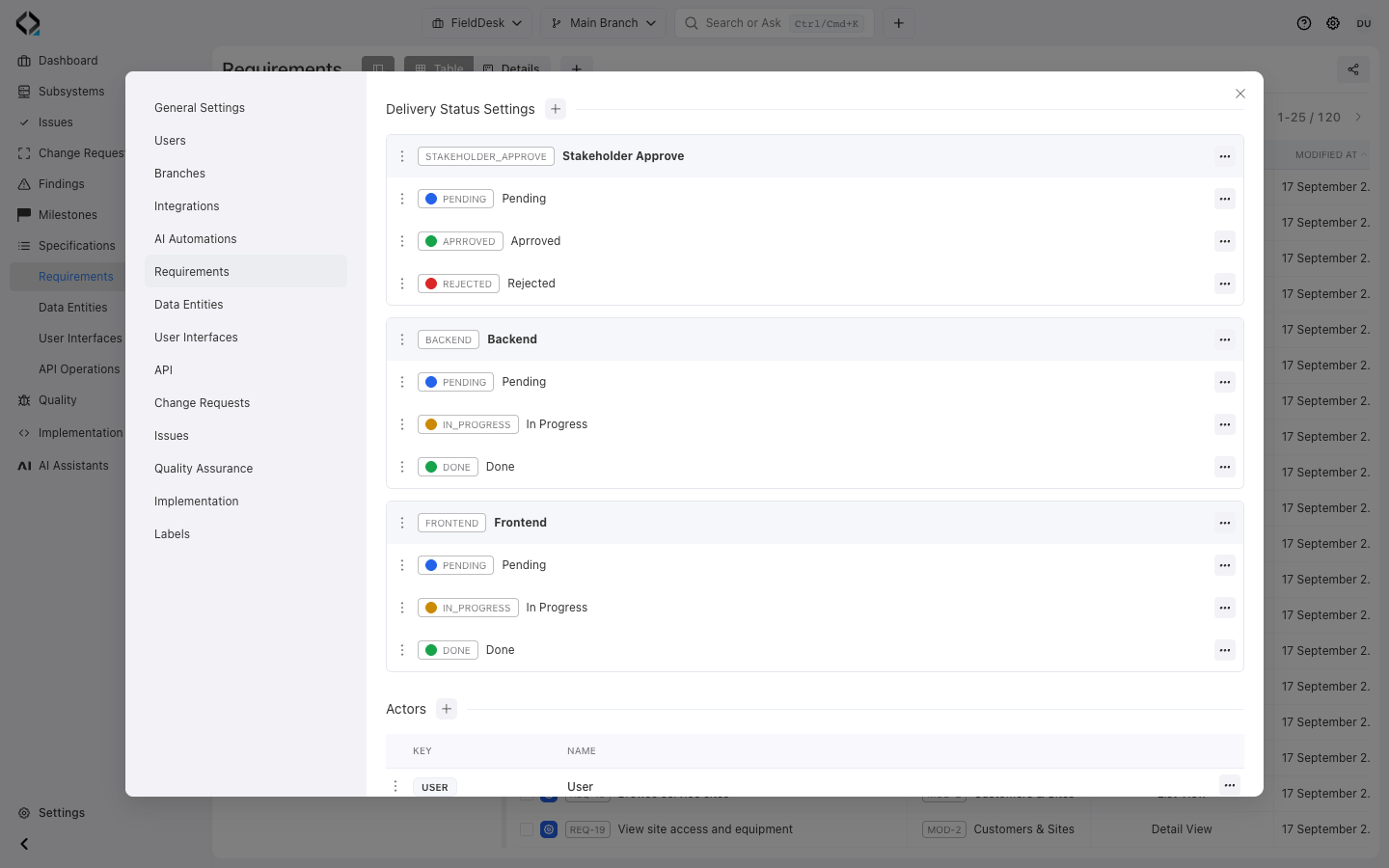
More views
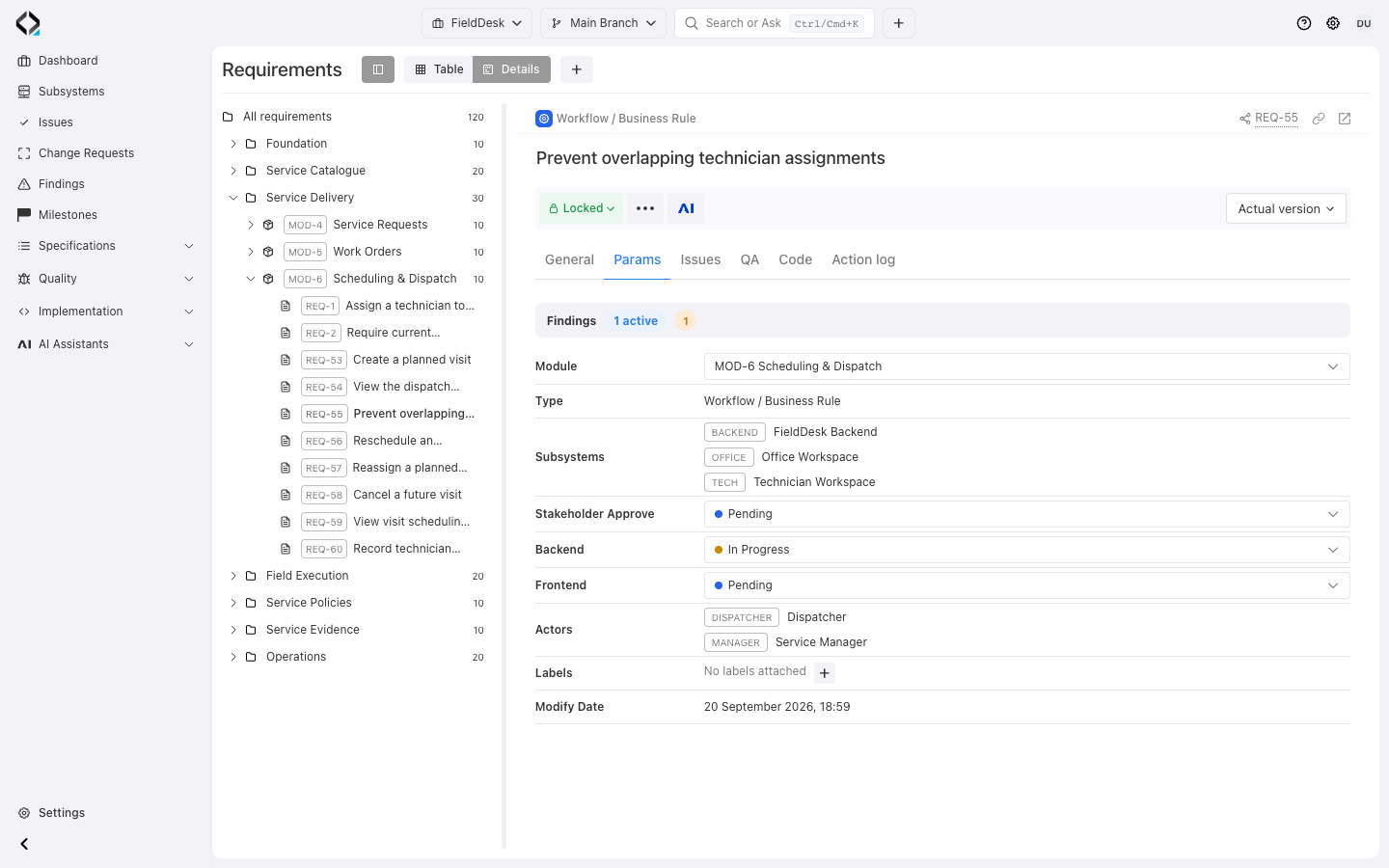
REQ-55: Locked specification lifecycle alongside Pending approval, Backend In Progress, and Frontend Pending.
More views
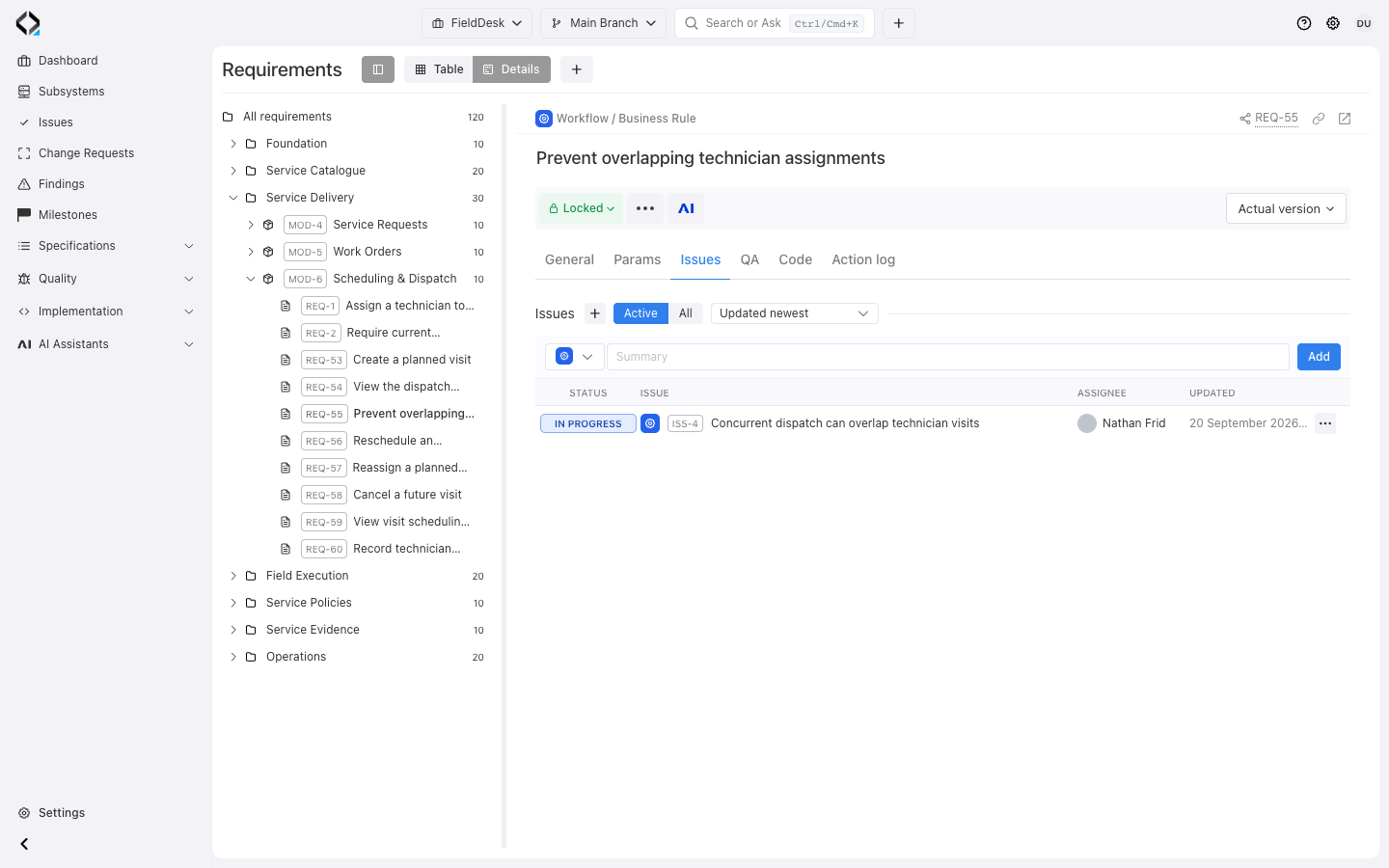
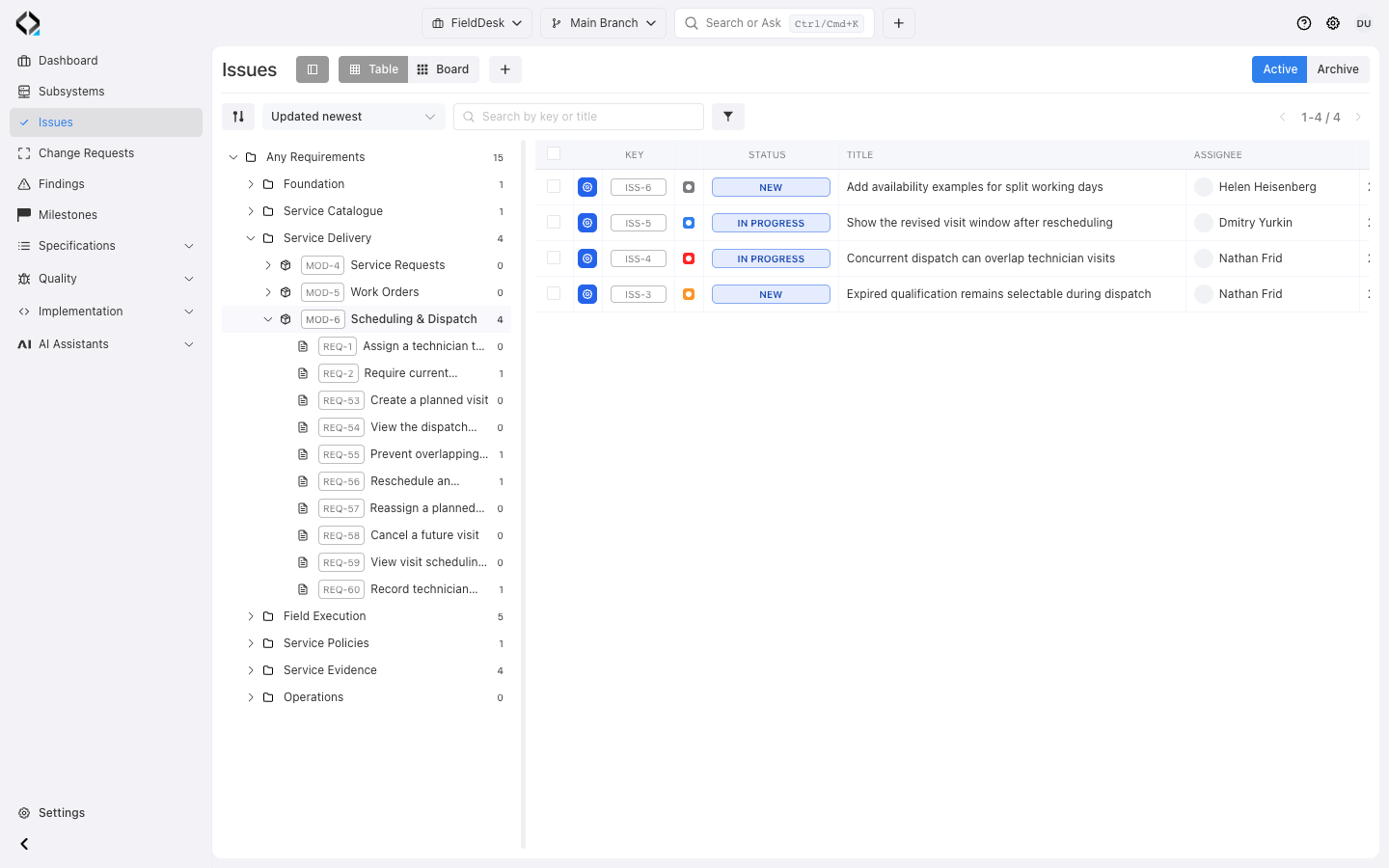
REQ-55: the linked ISS-4 is In Progress, with its assignee and update date.
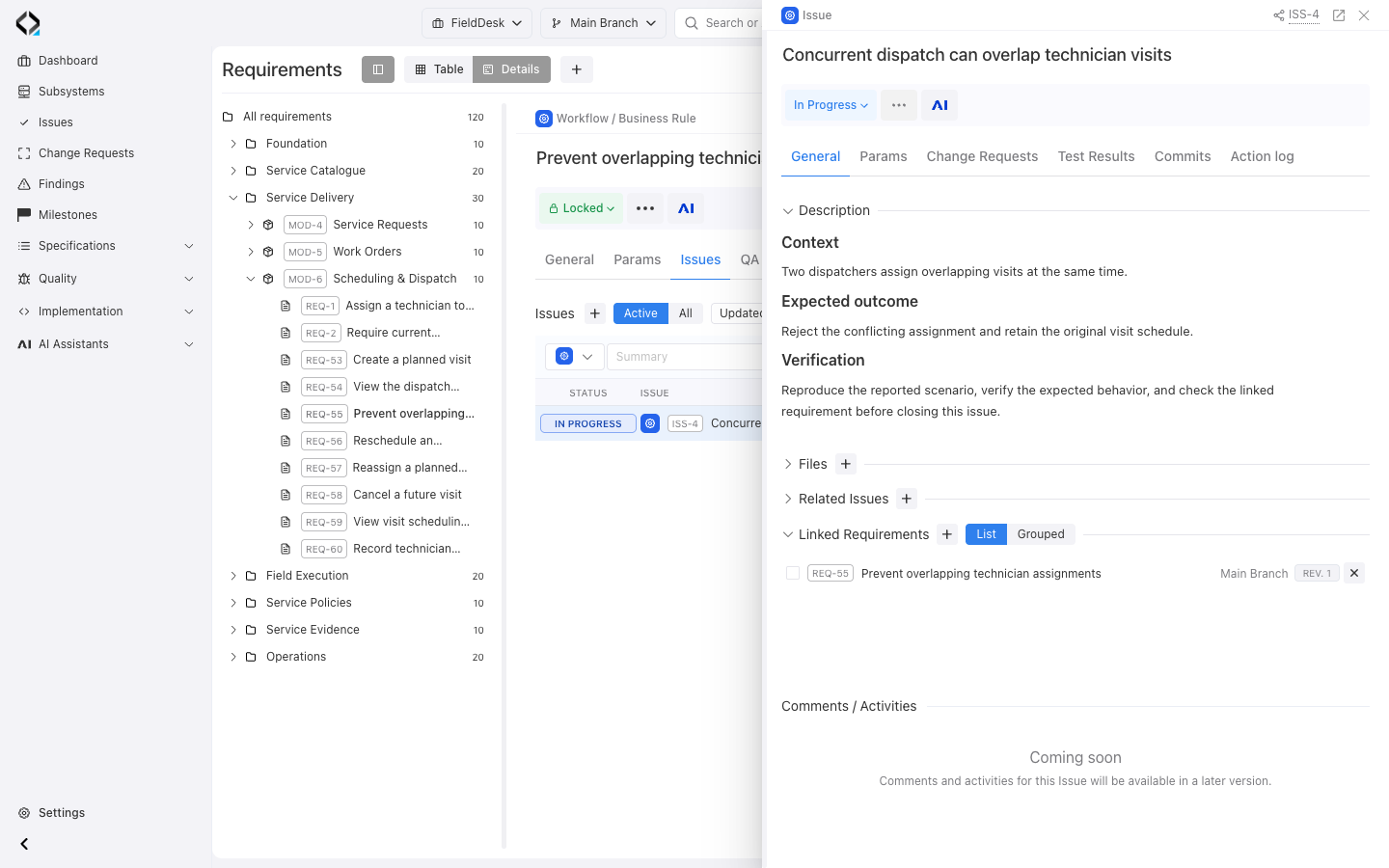
ISS-4: concurrent dispatch conflict, expected outcome, In Progress status, and the linked REQ-55.
Keep Issues and changes tied to product intent
Link Issues to the requirements they affect and use Change Requests when the work needs an explicit implementation scope across specifications and software units.
Teams can manage Issues directly in Reqode or import and synchronize them from supported external trackers while preserving requirement traceability.
Investigate the evidence behind progress
Open the requirement definition, inspect issues, or review the milestone containing the work. Delivery status and testing outcomes remain separate signals to assess.


