Delegate a whole feature to your coding agent
Core Order of Work
Use the Change Request to keep the feature’s accepted scope and implementation context together. Narrow, known changes can start from an artifact key.
Choose the branch
Work in Main for direct production-line changes or in a feature branch when the change needs isolation before merge.
Update or prepare specs
Define the expected behavior manually or use AI Analyst to turn high-level inputs into reviewable changes across requirements, APIs, data entities, UI and wireframes.
Decide on CR scope
Use direct artifact keys for narrow changes. Use a Change Request when the work needs a visible package and review trail.
Hand off stable keys
Give the coding agent REQ-*, MOD-*, U-*, or CR-* keys instead of a loose paragraph.
Implement with MCP context
The agent reads Reqode through MCP: app manifest, specs, units, related files, and branch-aware change context.
Verify alignment
Run checks, review Findings, and confirm that code, units, and specifications still describe the same behavior.
Known spec or known change?
I know the spec. Update it directly, copy the artifact key, and ask the coding agent to implement against that context.
I know the change. Create or select a Change Request, use AI Analyst to prepare the spec delta, apply it, and hand off the CR key.
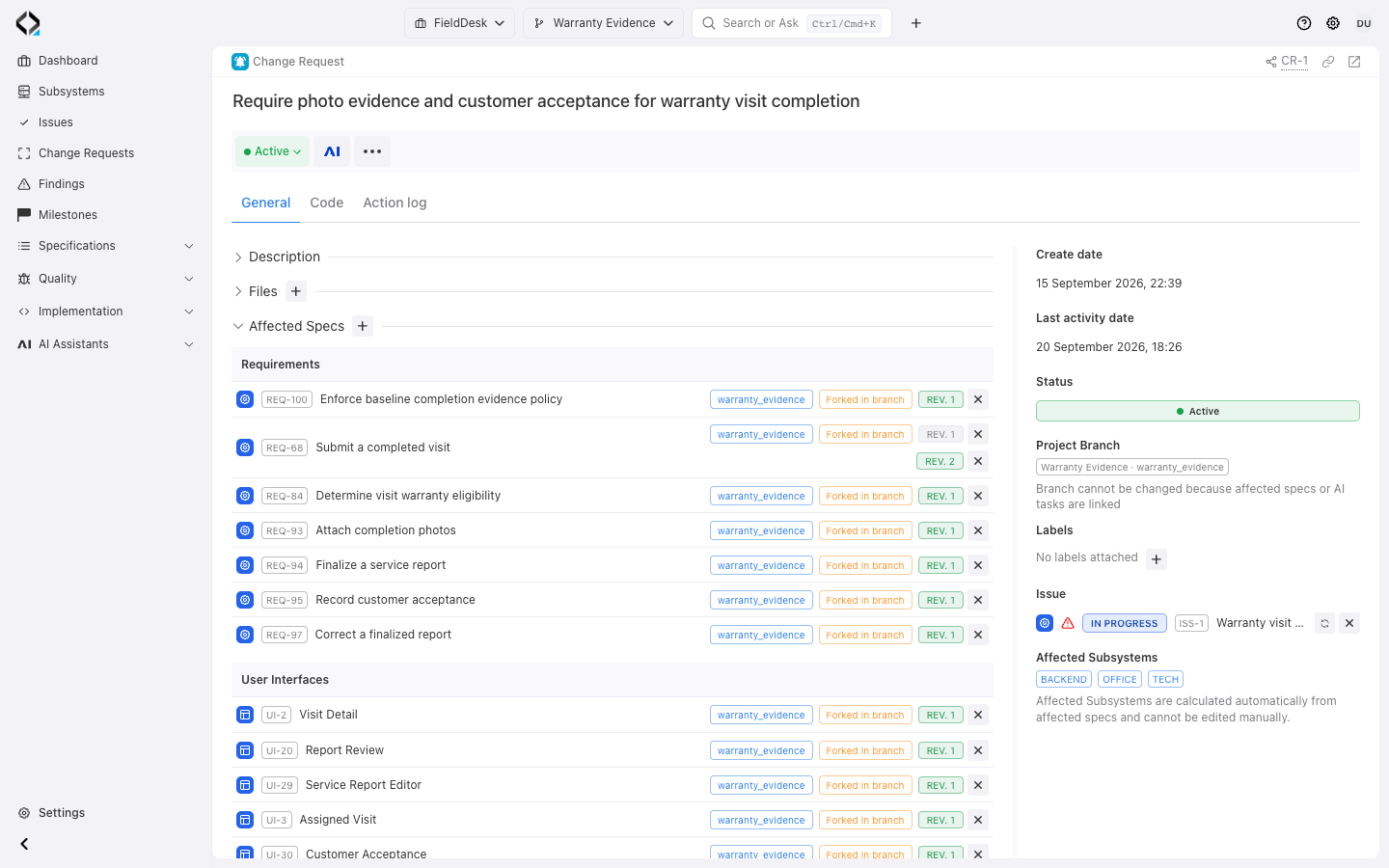
More views
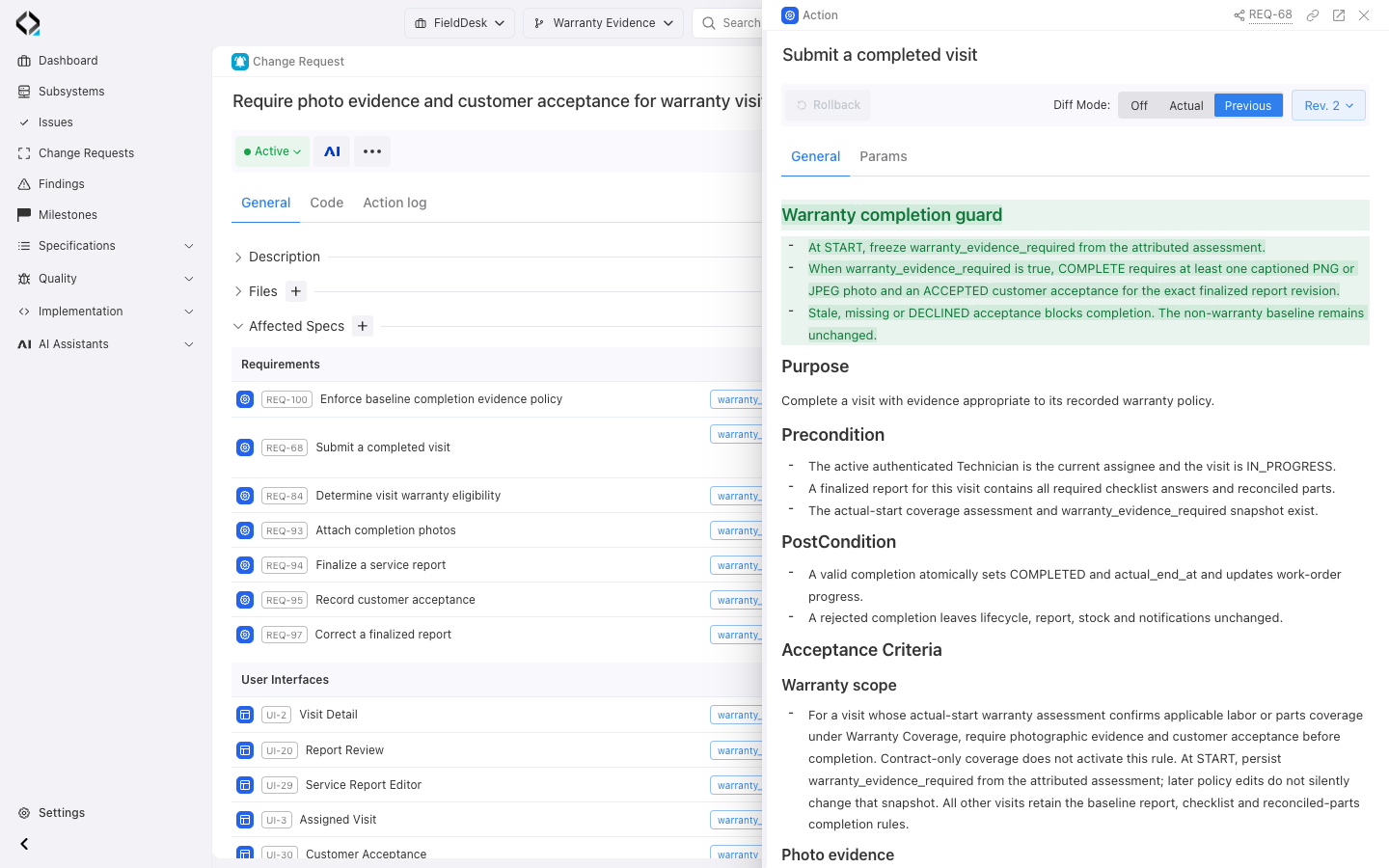
REQ-68 revision 2 compared with the previous revision: the warranty completion guard reviewed in CR-1.
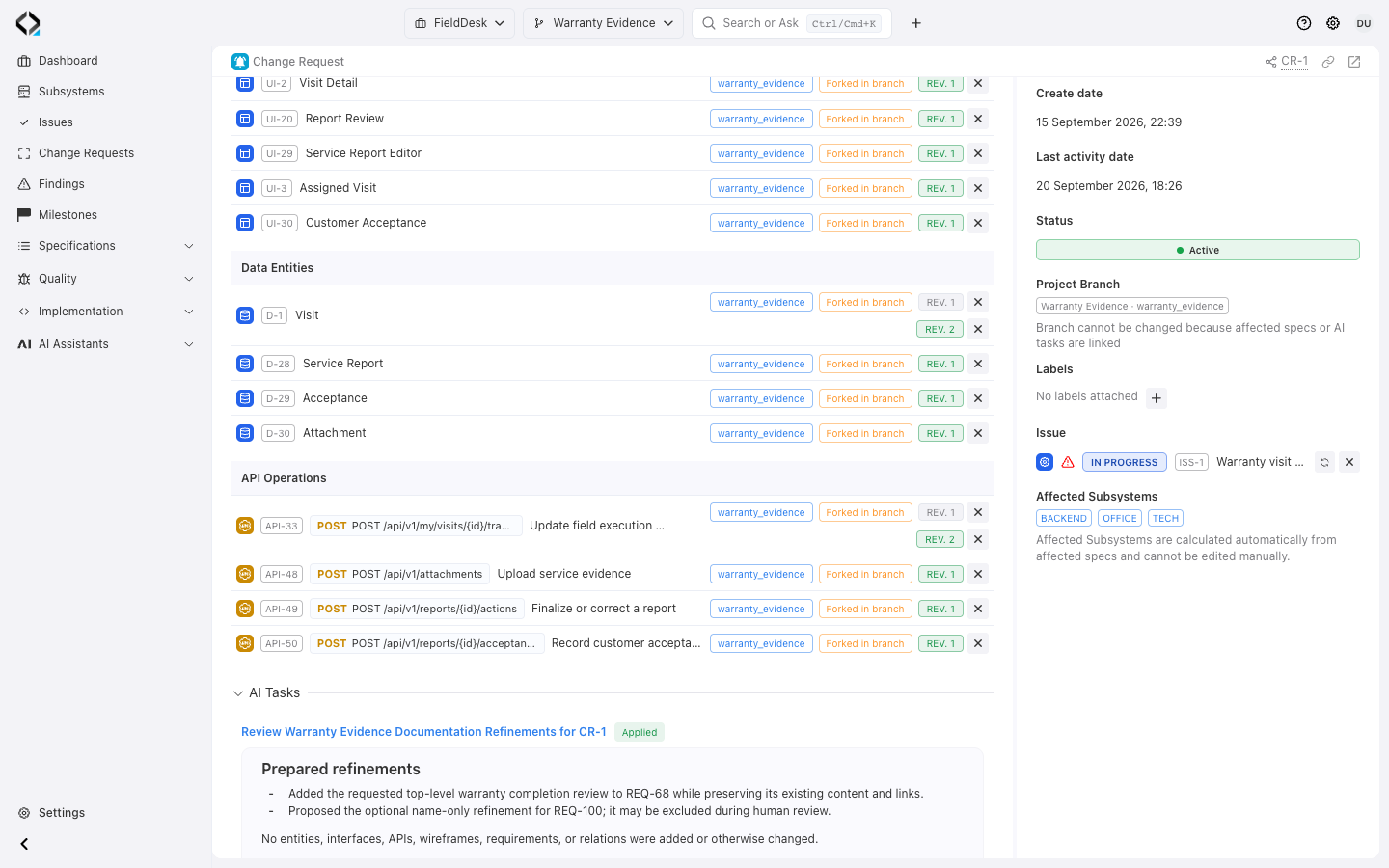
CR-1: affected data entities and API operations, including API-33 revisions 1 and 2.
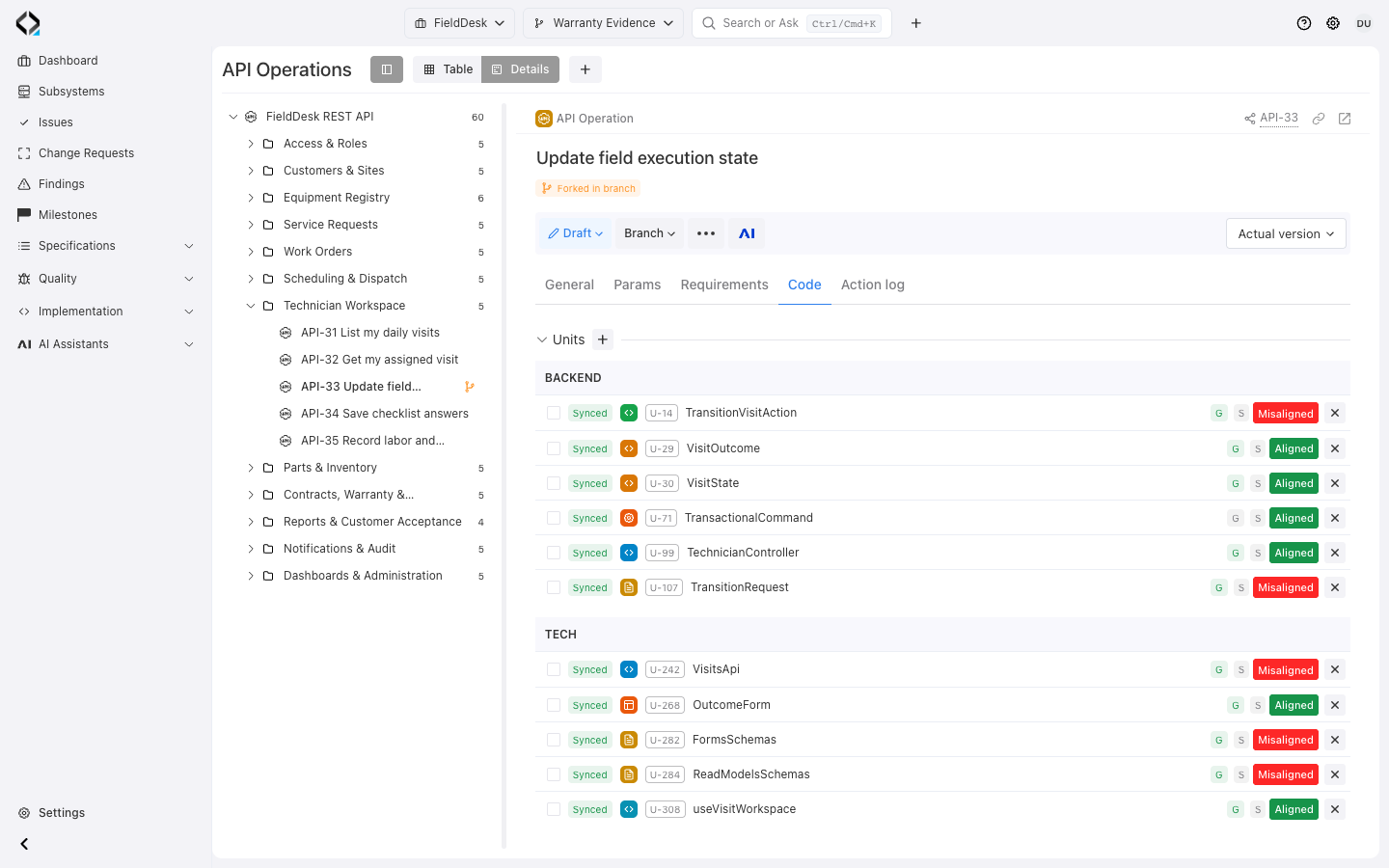
API-33 in Warranty Evidence: linked backend and technician Units with recorded alignment states. Implementation context, not verification of CR-1 delivery.
Implementation Paths
Choose the path that matches the amount of uncertainty and governance the change needs.
A feature spanning several artifacts
Create a Change Request before analysis or link it during AI Analyst work. Review and apply the specification changes, then delegate the CR.
A known, narrow change
Update the relevant specification and give the agent its key. Check the implementation against that scope.
An uncertain change or repair
Use AI Product Expert to investigate an Issue or Finding. Decide whether code, specifications, or unit mappings need correction before preparing the change.
Give the agent a key, not a wall of context
MCP provides the current specifications, branch context, and architecture guidance. The agent reports conflicts with that context before implementation.
Use Reqode MCP as a source of truth.
Start from CR-123.
What Reqode Captures
Keep specification revisions, implementation scope, decisions, and evidence available for review.

Specification state

Change scope

AI work

Verification signals
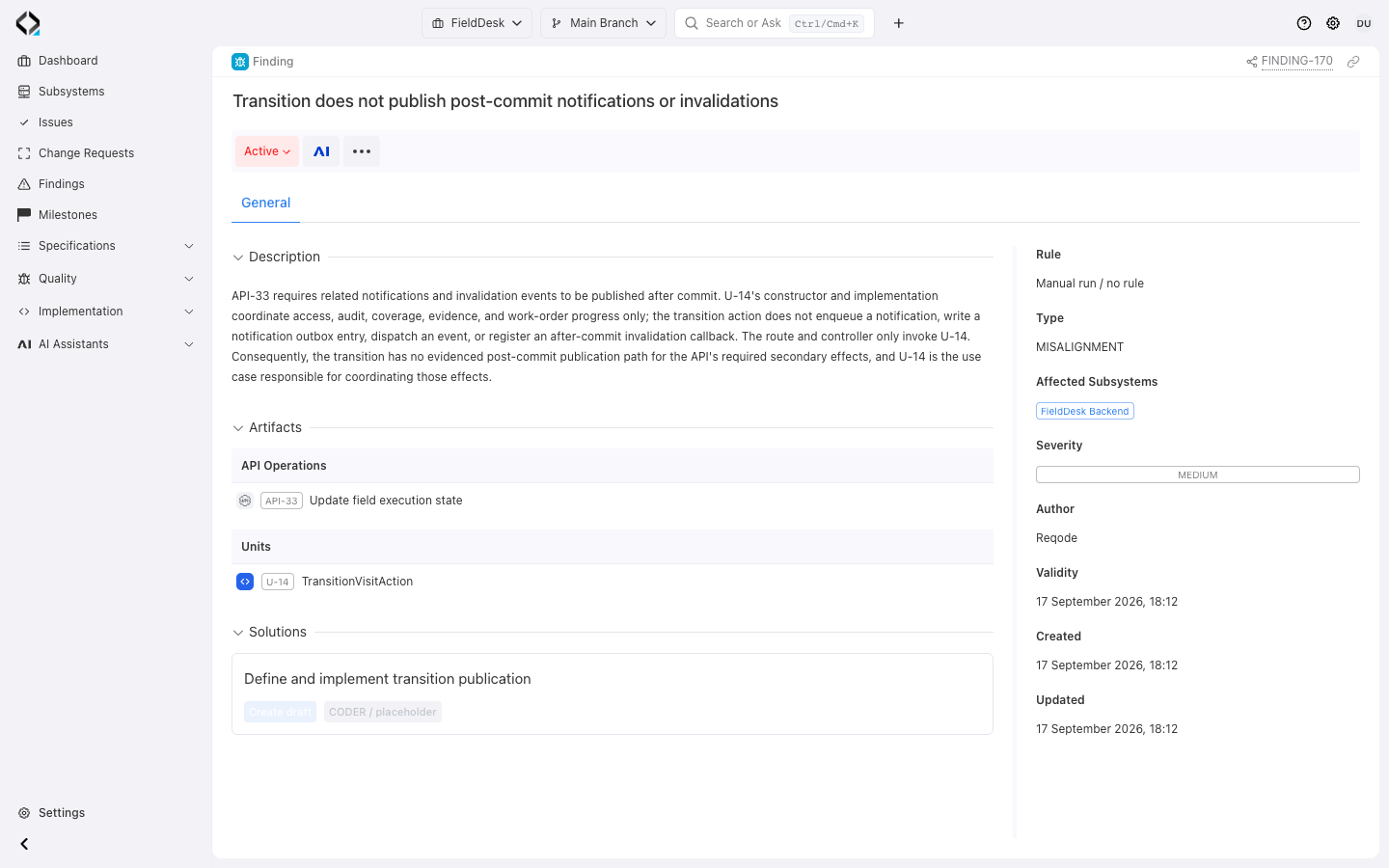
Verification turns drift into work
Compare units with directly linked specifications, inspect architecture Findings, and run requirement-linked tests. Review the evidence, correct gaps, and repeat the relevant checks before closing the change.
The team can then fix code, update specs, adjust unit metadata, or open the next Change Request with evidence.
Delegate the feature. Review the result.
Choose a real feature, accept its scope, delegate implementation, and review the evidence.
