Resolving Spec ↔ Code Divergence
Divergence Happens in Both Directions
Check direct Unit–Specification relations and review whether the implementation map is current.
Code is behind specs
A requirement, UI flow, data rule, or API contract changed, but implementation still follows the old behavior.
Specs are behind code
Implementation contains intended product logic, but the linked requirements, data, UI, or API specs do not describe it.
The unit map is stale
Files moved, new code appeared, dependencies changed, or a unit is linked to the wrong specification.
Every Unit-Spec relation gets its own status
The Unit has an aggregate result; each direct relation records its state, explanation, checked date, and both revisions.
A Unit may be aligned with an API, underspecified against data, and misaligned with a requirement.
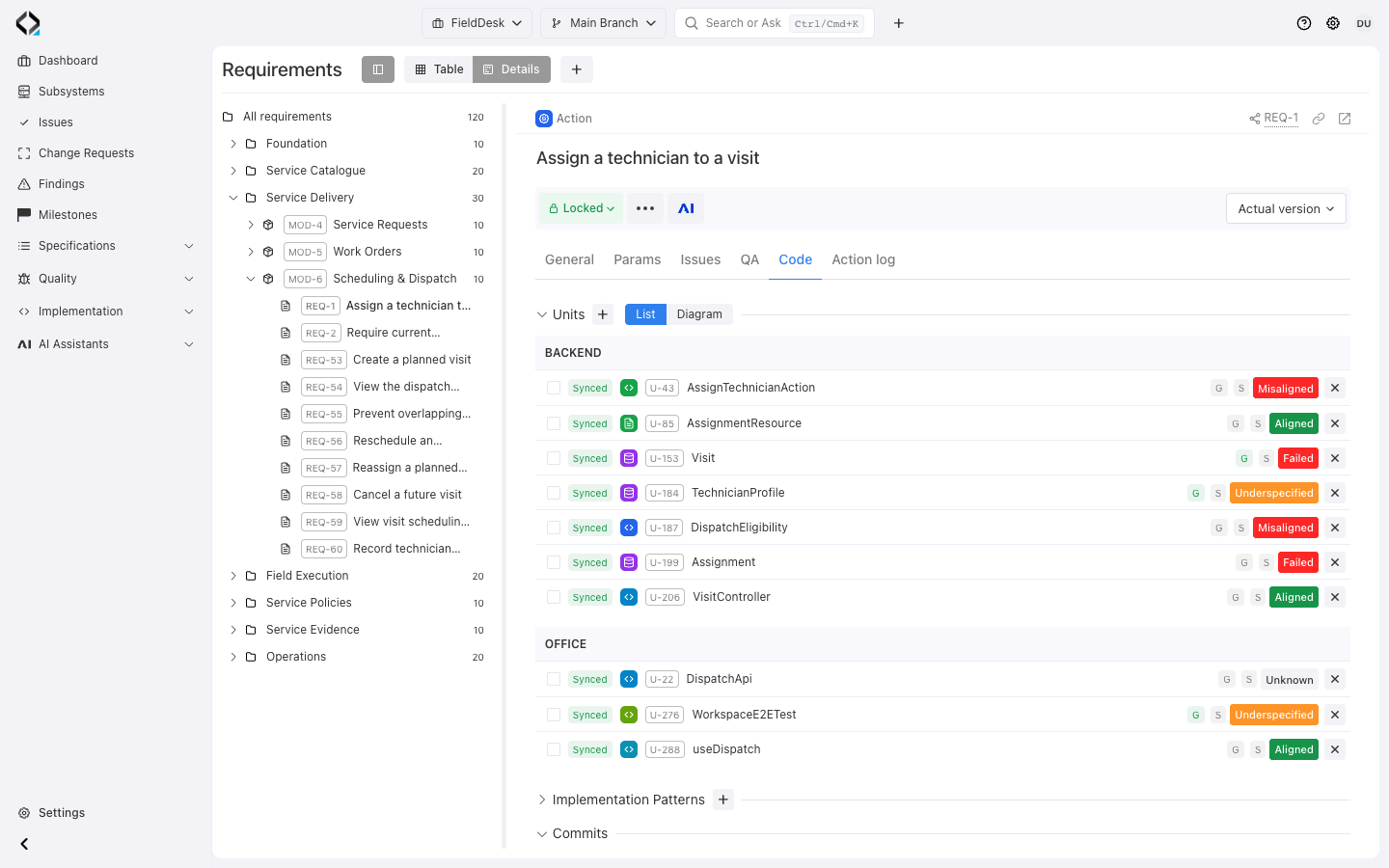
More views
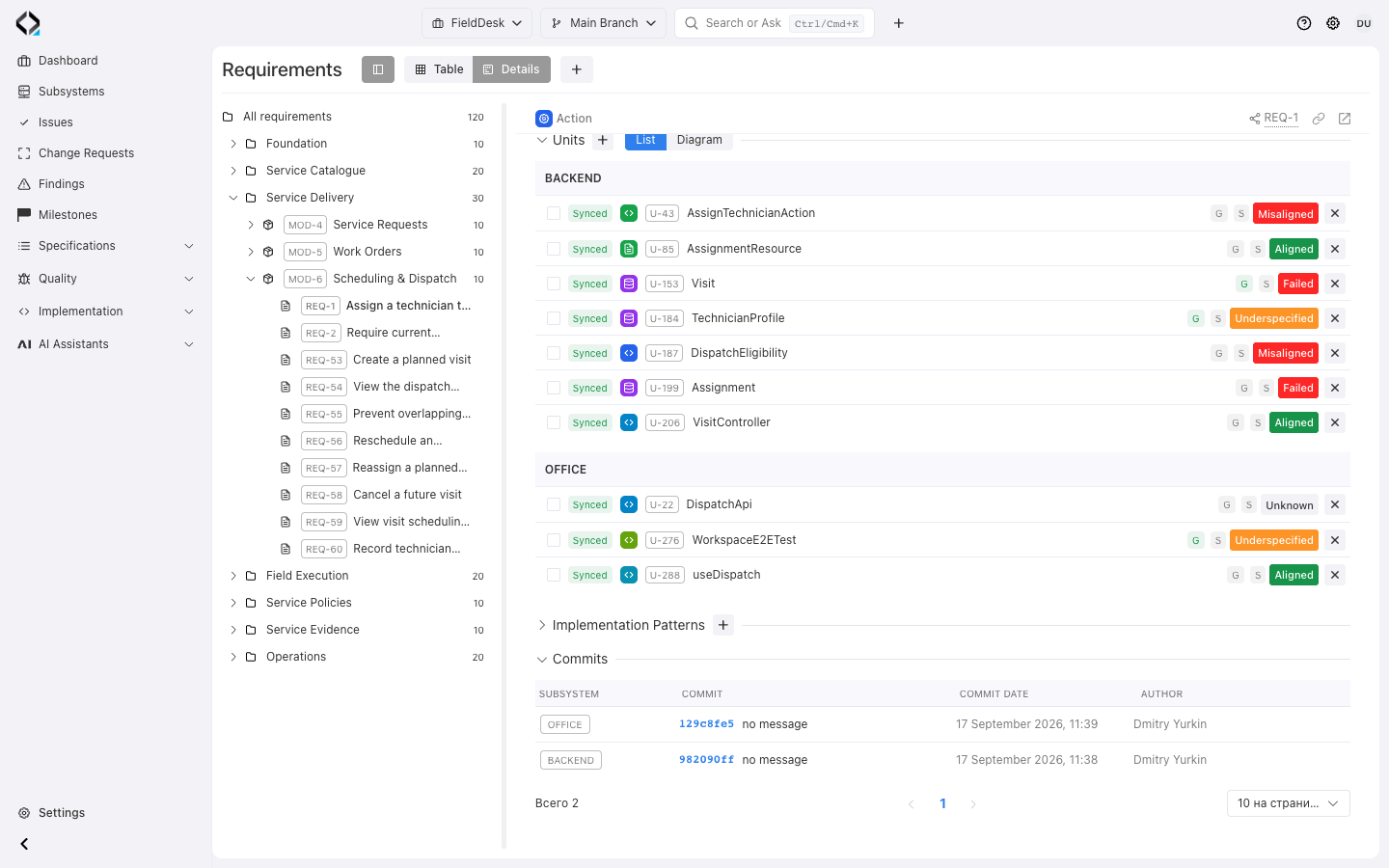
REQ-1: implementation relations and recorded commits for the OFFICE and BACKEND subsystems.
Findings Become Work Starters
Use the Finding’s evidence to choose a repair.
Fix code
The spec is correct. Give the coding assistant the Finding, affected unit, linked specs, app manifest, unit type rules, and source files.
FINDING-*Fix specs
The implementation is intended, but the product model is incomplete or outdated. Start AI Analyst from the Finding context.
Fix unit mapping
The behavior belongs to another unit, the links are wrong, or dependencies changed. Repair the implementation map first.
Start from evidence, not a vague prompt
Give the coding agent the Finding and affected Unit. It reads their linked MCP context before editing.
Use Reqode MCP as a source of truth.
Start from FINDING-123.
Automate the Checks After Changes
Schedule discovery and alignment checks as specifications and synchronized code change.
Units Discovery
Process files with unknown Unit sync state to update assignments, dependencies, and specification links.
- Project Branch
- Subsystem
- Model and run mode
- Max checks per run
- Max files per check
Specs ↔ Code Alignment Check
Check eligible units and update their results, relation states, and misalignment Findings.
- Project Branch
- Subsystem
- Model and run mode
- Additional prompt
- Max checks per run
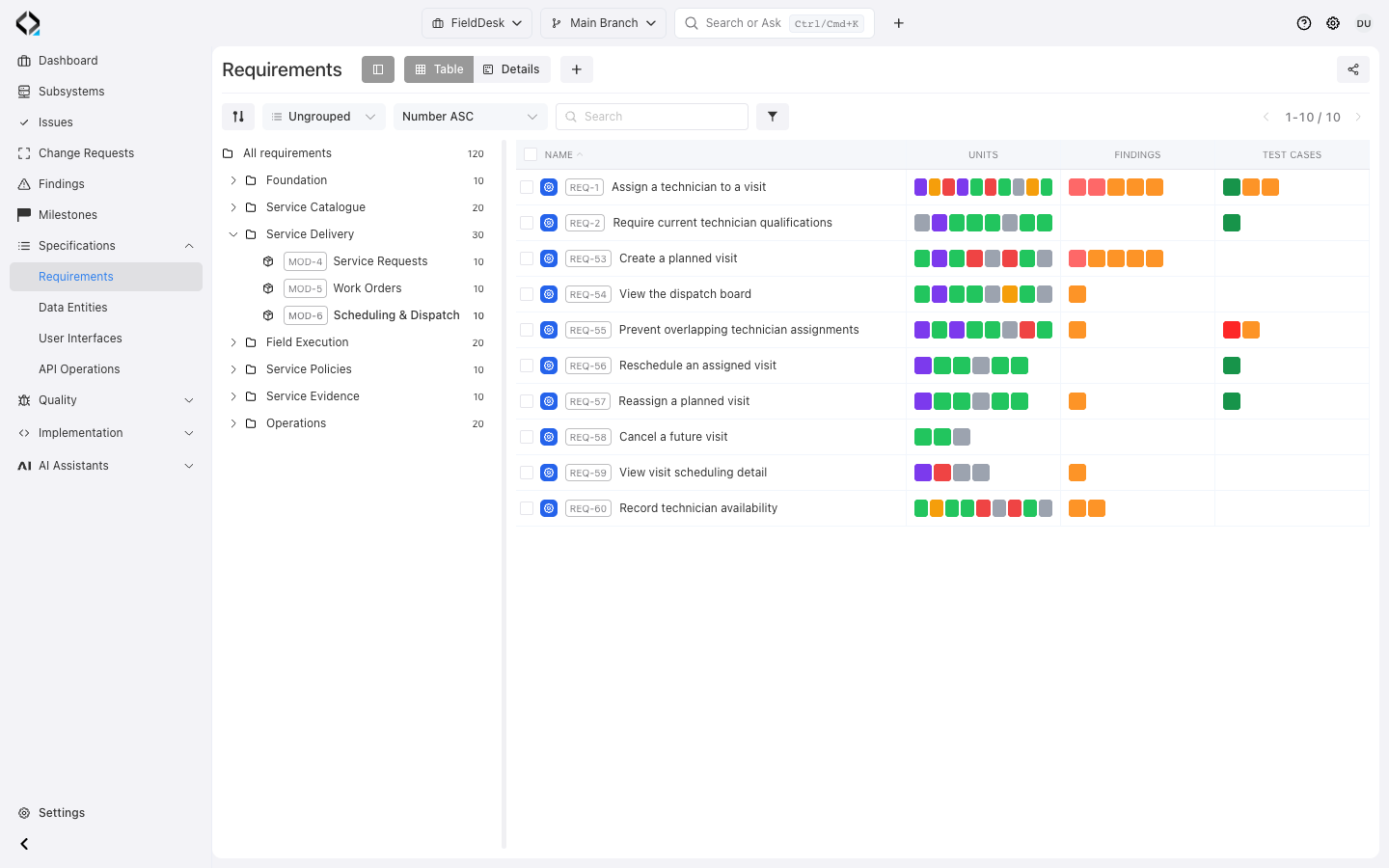
More views
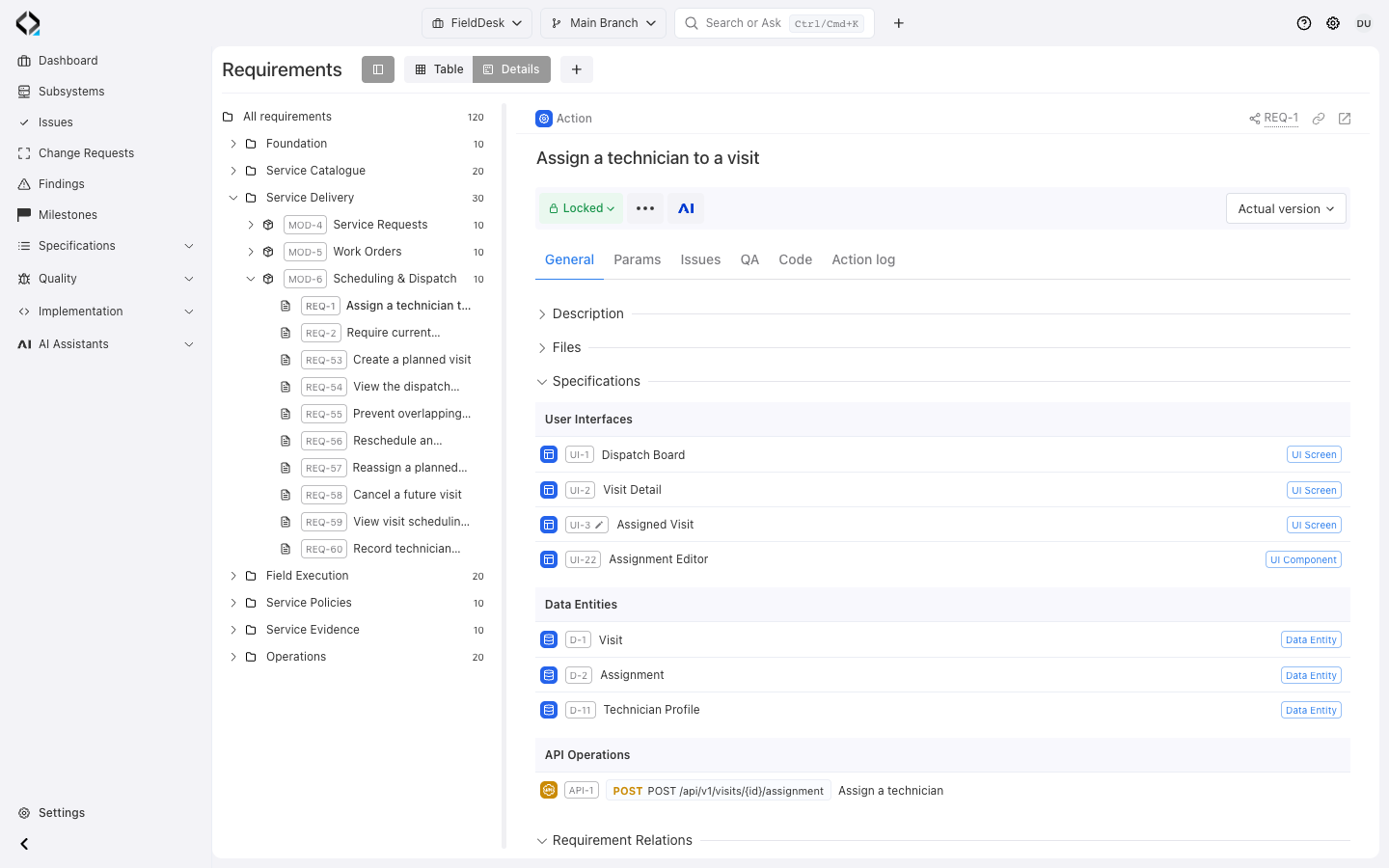
REQ-1 connects the assignment requirement to User Interfaces, Data Entities, and the assignment API.
Watch alignment risk across the project
The Project Dashboard shows alignment Findings by subsystem.
Broader coverage and trend views are a development direction.
Explore the workflow
Explore two FieldDesk resolution paths: correct the code or review a change to the specification.
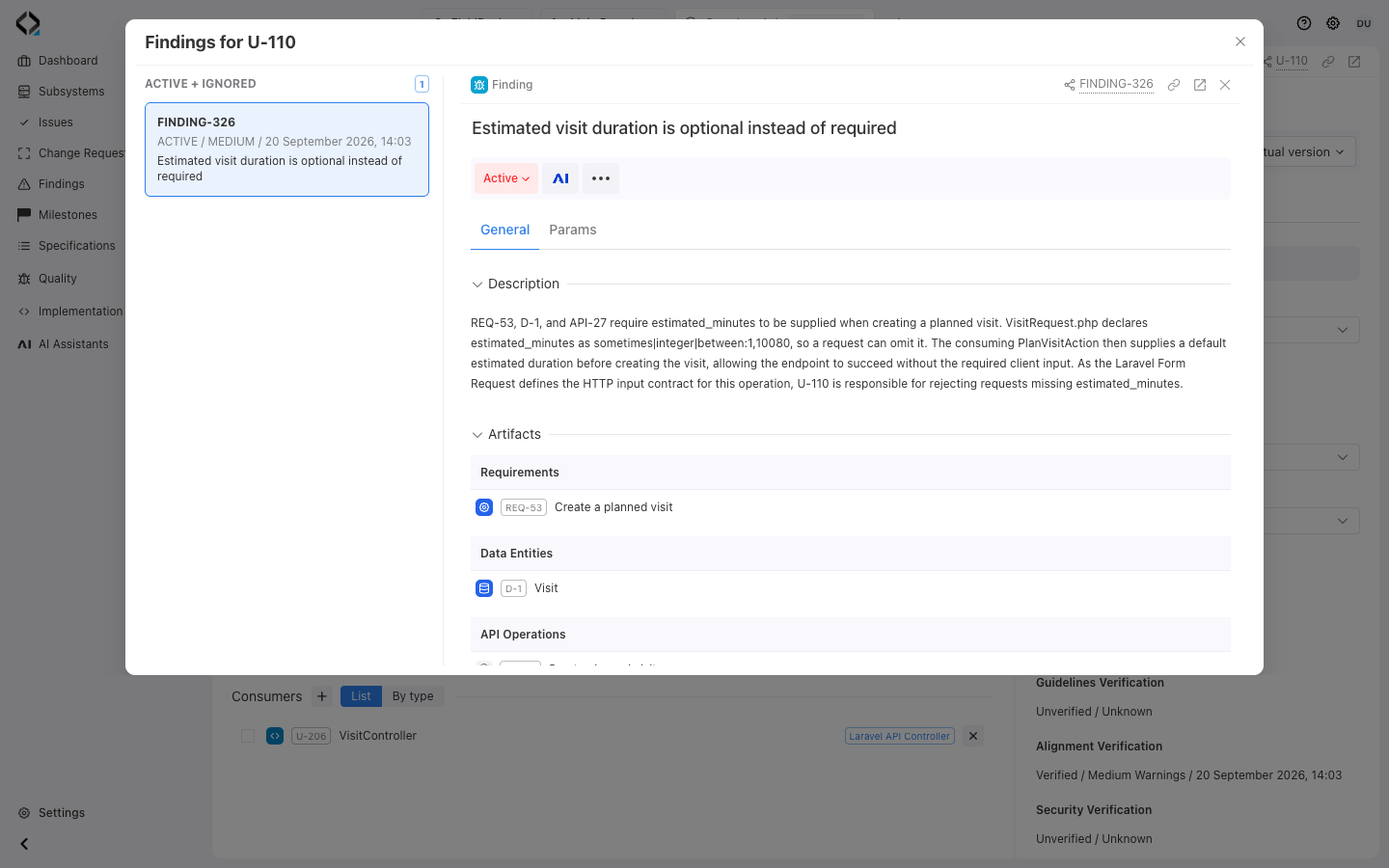
Inspect the failed implementation
FINDING-326 links U-110 to a missing required input: visit duration. Follow REQ-53 to establish the intended behavior.
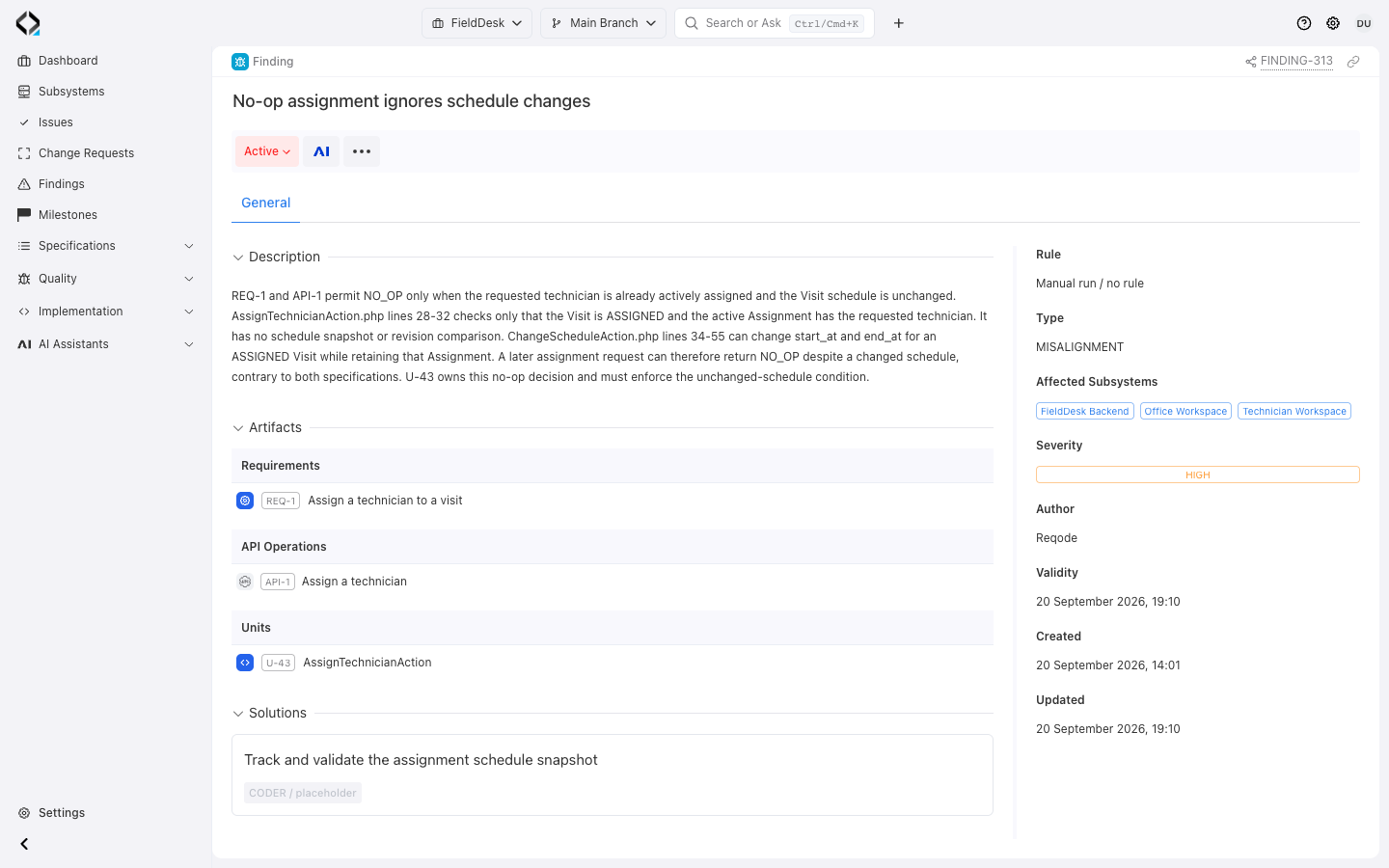
Resolve the mismatch and check again
Choose the correction from evidence, review the change, and verify the affected relations again.
