Resolving Specs Inconsistencies
What This Use Case Covers
Reqode checks whether the product model is coherent enough to implement.

Duplicates

Cross-type contradictions

Ambiguity

Spec type guidelines
What Module Consistency Verifier Checks
The verifier works with specifications only. It does not inspect source code or software units.
Target Module
Data Entities Specs
UI Specs & Wireframes
API Operations
Cross-type Consistency
Spec Type Guidance
Examples of Useful Findings
The verifier records concrete spec problems that a team can fix before they become implementation assumptions.
Duplicate requirement
- Requirement: Approval step A
- Requirement: Approval step B
Missing data state
 User Interface: Status transition
 Data Entity: Status values
API mismatch
- Requirement: Reject request
 API Operation: Reject request
Underspecified rule
- Requirement: Notify user
Wrong artifact type
- Requirement: API behavior
Weak type compliance
- Data Entity: Field definitions
Findings Turn Spec Issues into Work
Every Finding carries the evidence. Review the issue, then choose the right path to a resolution.
Rejection reason is missing from the API
Requirement — a rejection must include a reason.
API contract — no rejection reason field is defined.

AI Analyst
Investigate the mismatch and prepare specification changes for review.
Proposed corrections → team review
Product Decision
Ask the product owner to clarify which behavior the specifications should describe.
Open question → agreed behavior
Change Request
Group a broader correction across affected artifacts or an isolated branch.
Related changes → coordinated scopeMain Workflow
Use this before implementation, before product or engineering review, or whenever a spec-heavy area changes.
Choose a module
Choose the module for the feature or capability being reviewed.
Run verification
Run Module Consistency Verifier in the selected branch. Its scope is specifications, not source code or software units.
Review Findings
Inspect Finding evidence, severity, affected artifacts, and solution options.
Resolve spec issues
Review corrections to behavior, contracts, type guidance, duplication, or missing relations.
Track broader cleanup
Use a Change Request for changes across artifacts or an isolated branch.
Verify again
Recheck the module and review remaining Findings.
Automated Workflow
Keep spec quality checks running as the product evolves. Set up an AI Automation to check modules that need verification after changes, on your chosen schedule.
Configure the automation
In Project Settings → AI Automations, add a Module Consistency Check. Choose the project branch, AI model, and maximum checks per run.
Set the schedule and enable
Choose a Run Mode, save the rule, and enable it. Each scheduled run picks up modules awaiting verification in the selected branch.
Review and resolve Findings
Review the completed checks and their Findings. Inspect the evidence, correct the specifications, and let scheduled checks follow subsequent changes.
Explore the workflow
Find conflicting dispatch rules in FieldDesk, review and apply the correction, then verify the module again.
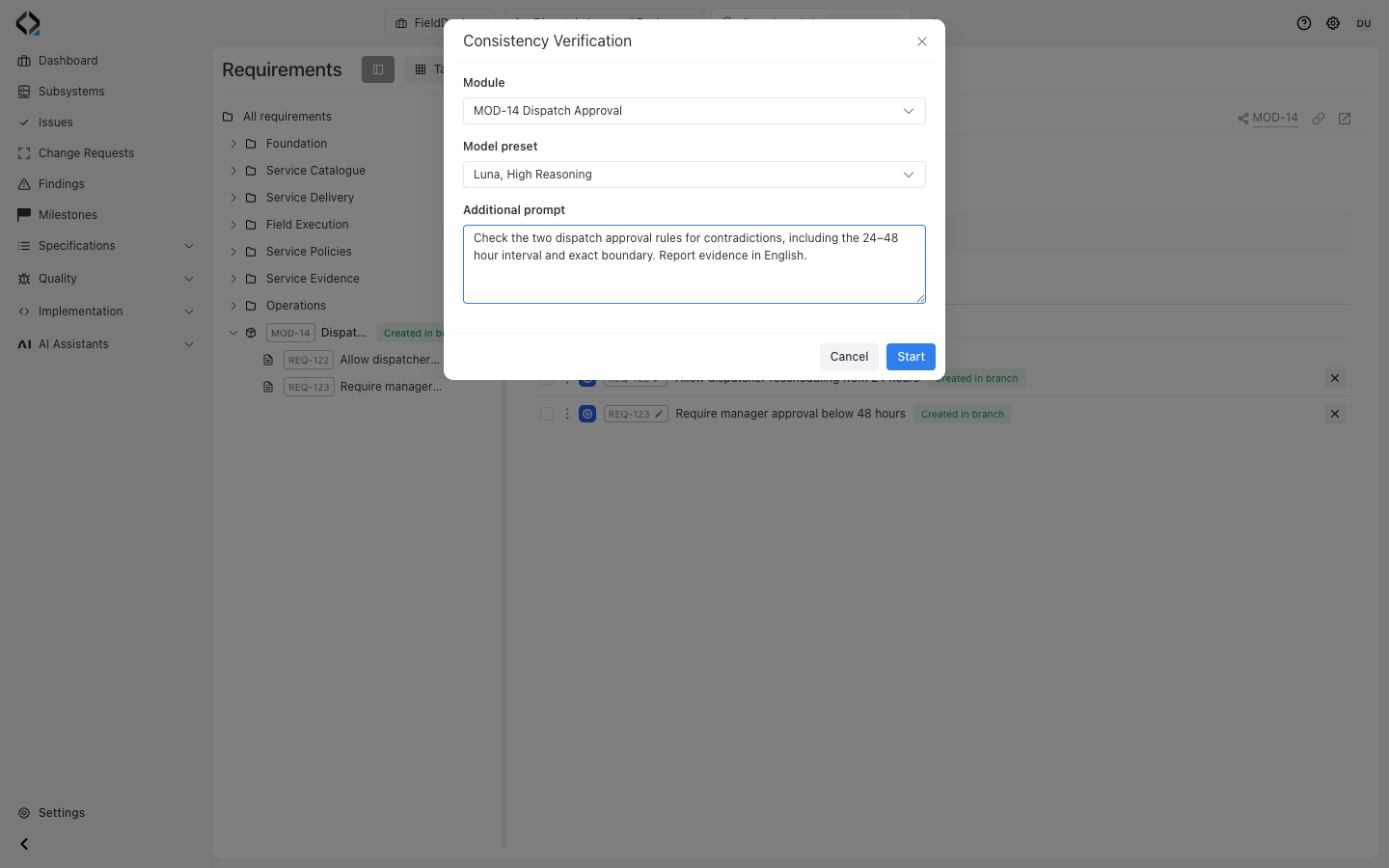
Check the dispatch approval rules
Run a module consistency check in the review branch. The two rules disagree on when manager approval is required.
Ready to Gate Spec Quality?
Review one feature’s specification Findings before handing the accepted scope to your coding agent.
