Assess Milestone Readiness
A milestone connects the delivery window to execution evidence
Milestones group Issues and Test Runs for a project period and calculate independent progress signals for delivery work and QA execution.

Issues progress
See completed versus total linked Issues using the final-status rules configured for each Issue Type.

QA progress
See how many linked Test Run Cases have a recorded outcome versus cases still planned or in progress.

Period and lifecycle
Keep start and due dates visible and distinguish upcoming, open, and closed milestones without hiding their linked work.
Turn progress signals into a release conversation

1. Define the window
Create a milestone with a clear period and use it as the shared delivery scope for Issues and Test Runs.

2. Connect the work
Assign active Issues and QA Test Runs so delivery progress and execution progress are calculated from real project records.

3. Inspect the gaps
Open linked Issues and Test Runs to identify unfinished work, planned tests, blocked cases, failures, and missing execution.

4. Make the decision
Use the evidence in planning, QA, and release review. Reqode informs the decision; it does not silently approve a release.
Read QA progress correctly
A Test Run Case counts as processed when its current outcome is passed, skipped, blocked, or failed. Planned and in-progress cases remain visible in the total but do not count as completed execution.
This separates “the test was executed” from “the product passed.” The result distribution still needs review.
Read delivery progress correctly
Issue progress reflects whether linked Issues reached a final status for their configured Issue Type. It does not prove that every product requirement is complete or every risk is resolved.
Combine the milestone view with requirement traceability, test results, and active Findings for a stronger readiness assessment.
Release confidence comes from connected signals
Use milestone progress as the delivery lens, then follow linked records into detailed Issues, Test Runs, results, requirements, and verification Findings.

Product scope
Review the requirements and Change Requests that explain what the release is intended to change.

QA evidence
Review Test Runs, current outcomes, historical Test Results, and requirement-based test coverage.

Engineering quality
Review architecture, specification-alignment, and consistency Findings before making the final call.
Review the milestone and its evidence
Use the milestone detail as the starting point for reviewing the delivery period and associated work. Investigate test and verification evidence before making a release decision.

Readiness signals and unfinished work
Use the milestone’s remaining work to focus the release conversation. Review open Issues alongside the test outcome distribution, then open the item that still needs attention.
The useful next step is a concrete investigation: a failed test result, a blocked item, or unfinished change scope. Keep that evidence close to the milestone decision.
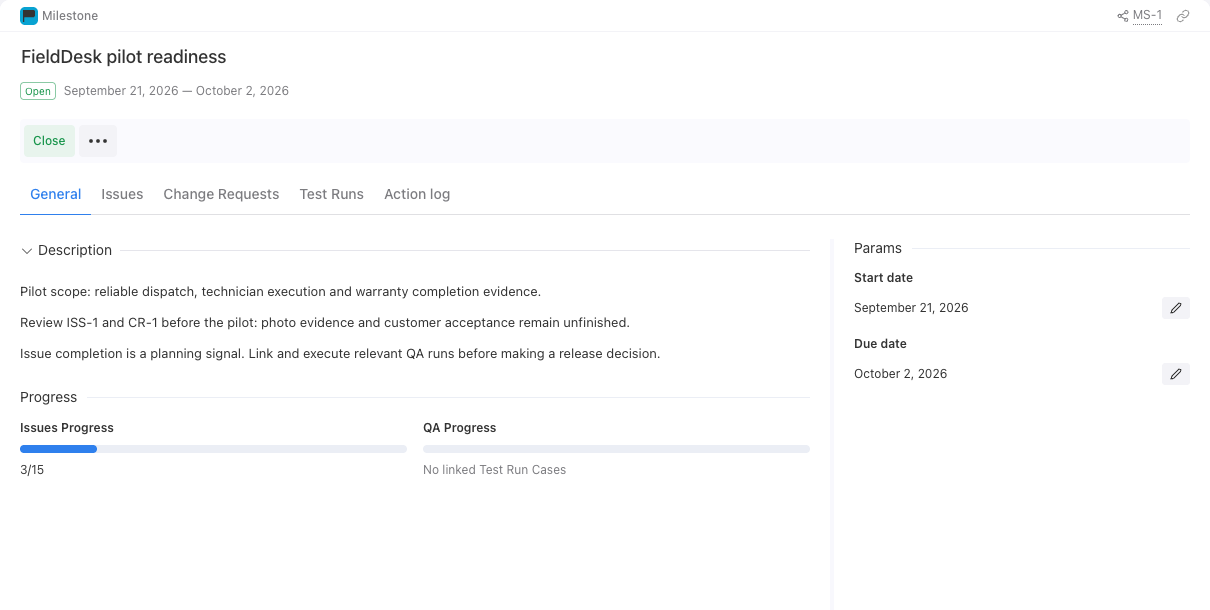
More views
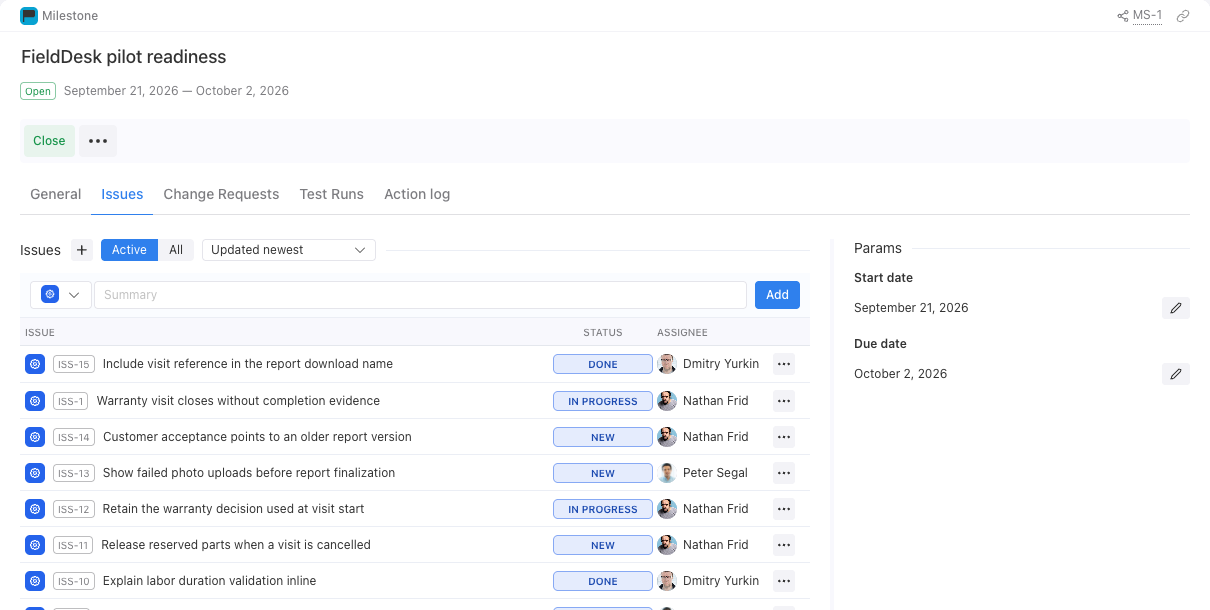
ISS-1 remains In Progress in the milestone scope.
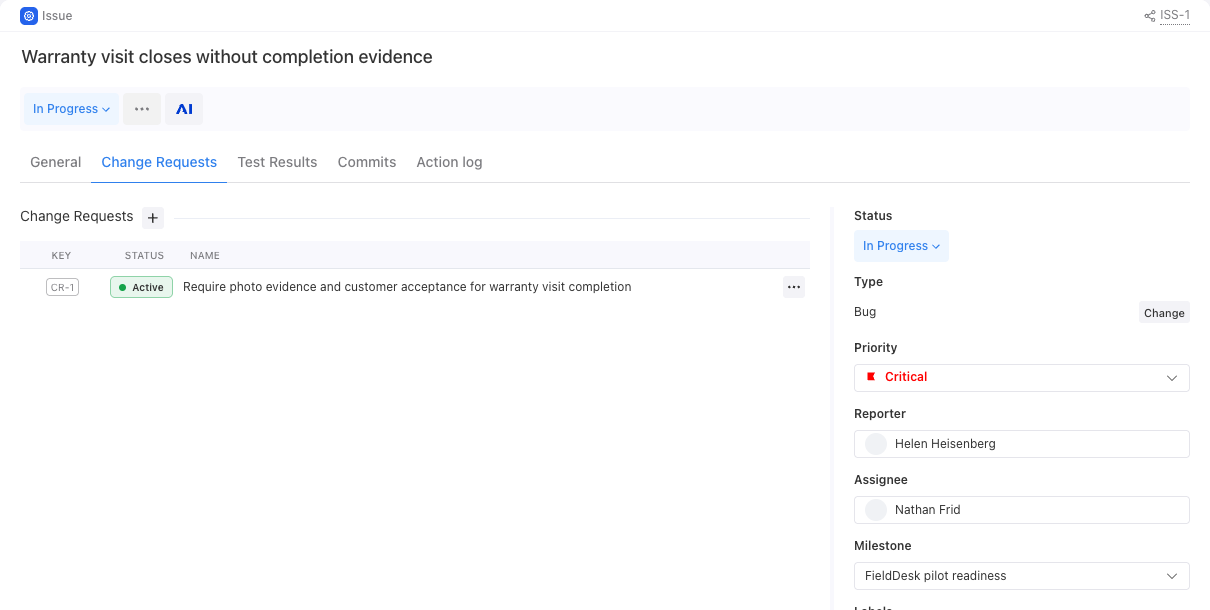
ISS-1 links to CR-1: warranty completion evidence remains unfinished.
Explore the workflow
Review the FieldDesk pilot scope, inspect unfinished work and QA progress, then follow an open Issue to its evidence.
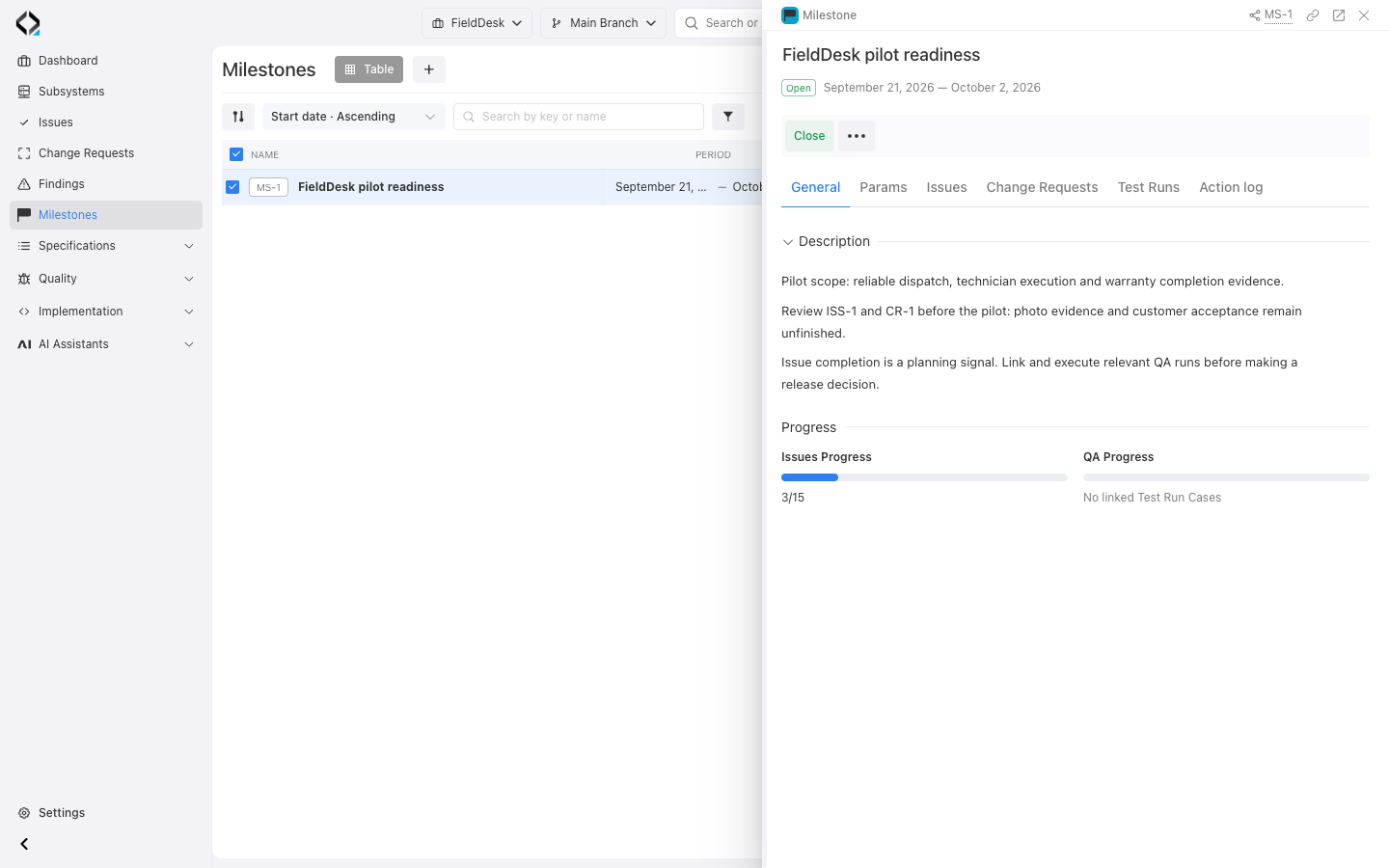
What still blocks the pilot?
MS-1 has 3 of 15 issues completed. Warranty evidence is unfinished, and no Test Run Cases are linked to this milestone.
Make release review evidence-based
Connect delivery progress, QA execution, product scope, and verification signals before deciding to ship.
