Link Specifications
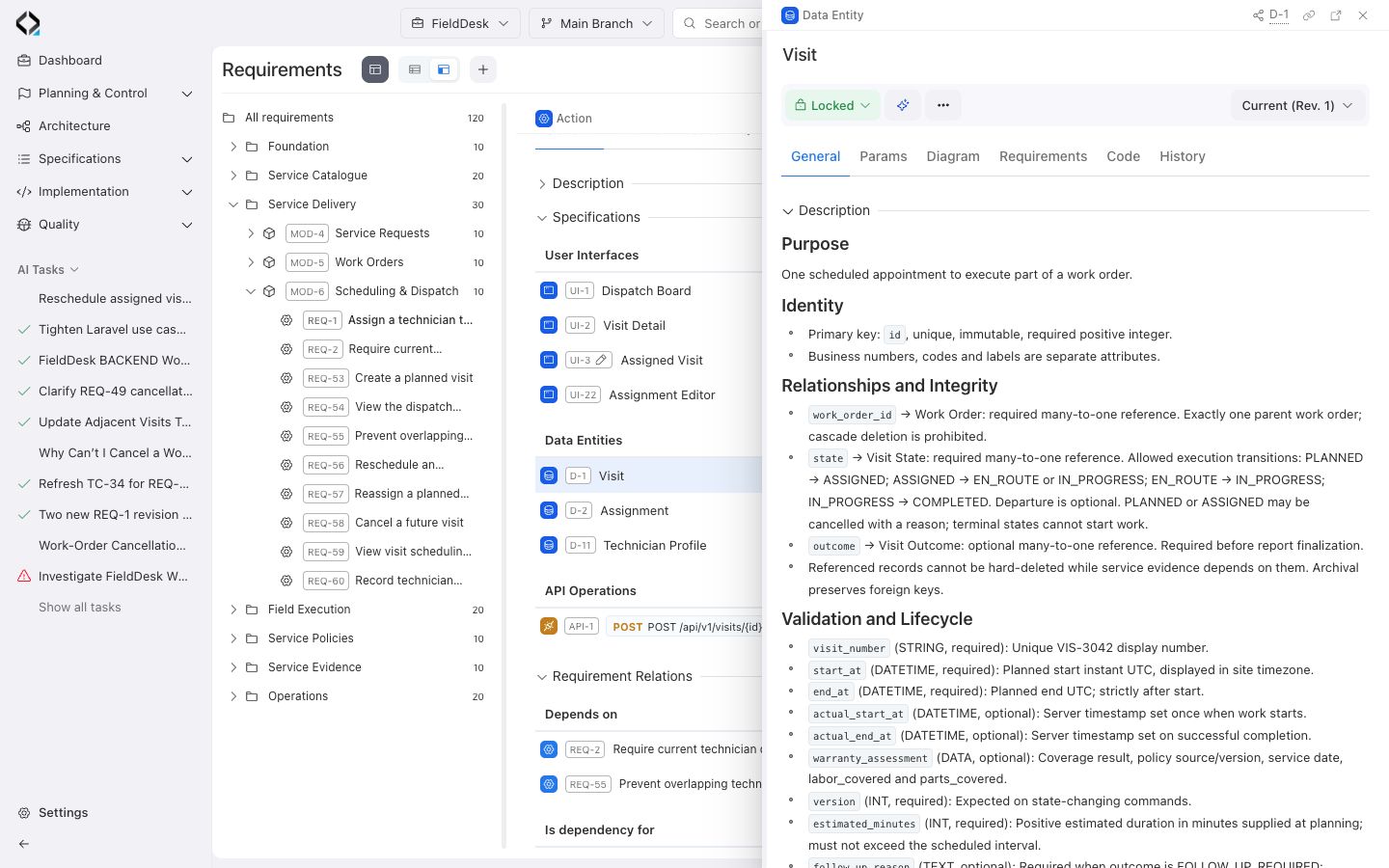
Connect a requirement to the data, interface, and API specifications that describe its behavior.
Decide which specifications belong together
Start with the behavior described by the requirement. Link the specifications that a teammate needs to understand or implement it.
| Link | Use it to describe |
|---|---|
| Data Entity | The information the behavior reads, creates, or changes. |
| User Interface | The screen or component where the interaction happens. |
| API Operation | The request and response that support the behavior. |
Link an existing artifact
- Open the requirement in the branch where you want the link to exist. Check that it is in Draft and that your role can manage specifications.
- On General, find Specifications and open the + menu.
- Choose Data Entities, User Interfaces, or API Operations. Select the matching item in the chooser and confirm the selection.
- Confirm that the artifact appears under its category in Specifications.
Choose New from the + menu to create a specification. Pick the artifact type and complete its creation form. After the form closes, check that the new artifact appears in the requirement's list.
Verify the link
Select a linked item directly from Specifications. Check its key and name in the detail view, then return to the requirement. If a link is missing, confirm the branch and revision before adding it again.