Artifact Lifecycle and Revisions
Move a specification through Draft, Locked, and Deprecated and compare a historical revision with the current or previous version.
Choose the lifecycle status
Open a requirement, Data Entity, User Interface, or API Operation and check its branch, status, and revision. The artifact key identifies the specification across revisions. The revision number identifies a particular snapshot.
| Status | Use it when |
|---|---|
| Draft | You are still editing the specification. Changes to versioned content are saved in its current draft revision. |
| Locked | The team has reviewed this version and wants a read-only baseline for the specification. |
| Deprecated | The specification is obsolete. Its key and revision history are still available for reference. |
Start a revision after review
- Review the artifact's content and links on the intended branch. Use the status control to choose Locked when your team has agreed on the version.
- When the behavior changes, open the same artifact and choose New Revision from the status control. Check that the new revision is a Draft with the same artifact key.
- Edit the draft and check any related specifications. Lock the reviewed draft when the team is ready to use it as the next baseline.
Use Deprecated when retiring a specification. If a control is unavailable, check your permissions, the currently selected branch, and whether you are viewing a historical revision.
Compare a version with another revision
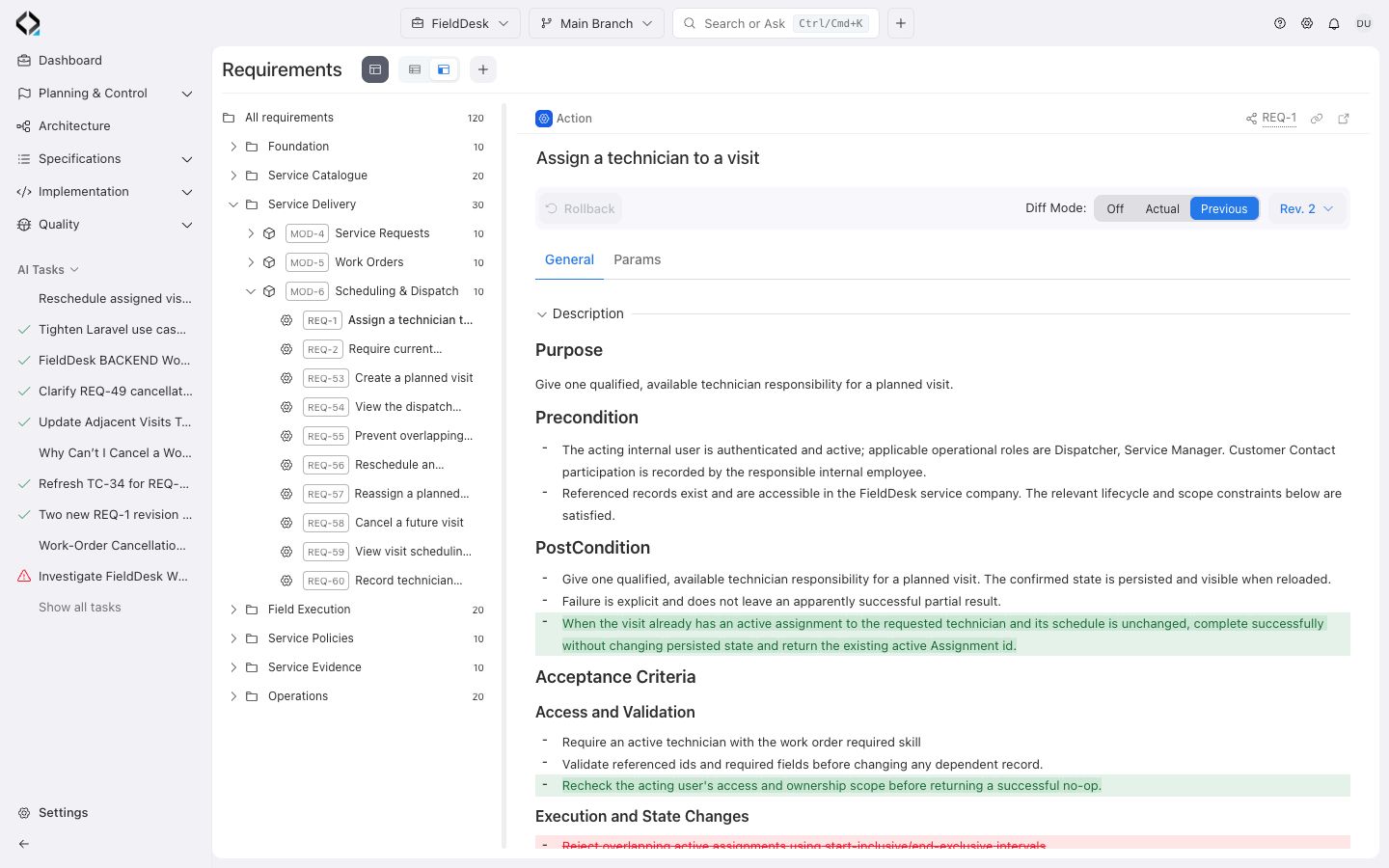
- Use Select revision in the artifact header to open a numbered revision. Use Show All in the dropdown to find revisions beyond those shown in the menu.
- In Diff Mode, choose Previous to see what changed from the immediately preceding revision. Choose Actual to compare the selected revision with the current one, or Off to read the snapshot on its own.
- Review the content and links in the comparison. When sharing the result, include the branch, artifact key, and revision number.
In Diff Mode, the highlights show changes in the selected comparison.