Contact Us
Contact us if you have any questions, suggestions or you need personal Demo of Reqode. Use the form or write us a letter.
Getting Started
Code
Subsystems Management
This article explains how to manage project subsystems in Reqode:
- view and reorder the subsystem list,
- create, edit, and delete subsystems,
- open subsystem versions,
- open Subsystem Architect from the list.
Where to find in UI
- Project Settings → Subsystems
Prerequisites
- User is a member of the project.
- Permissions scope: Project Settings.
Step-by-step
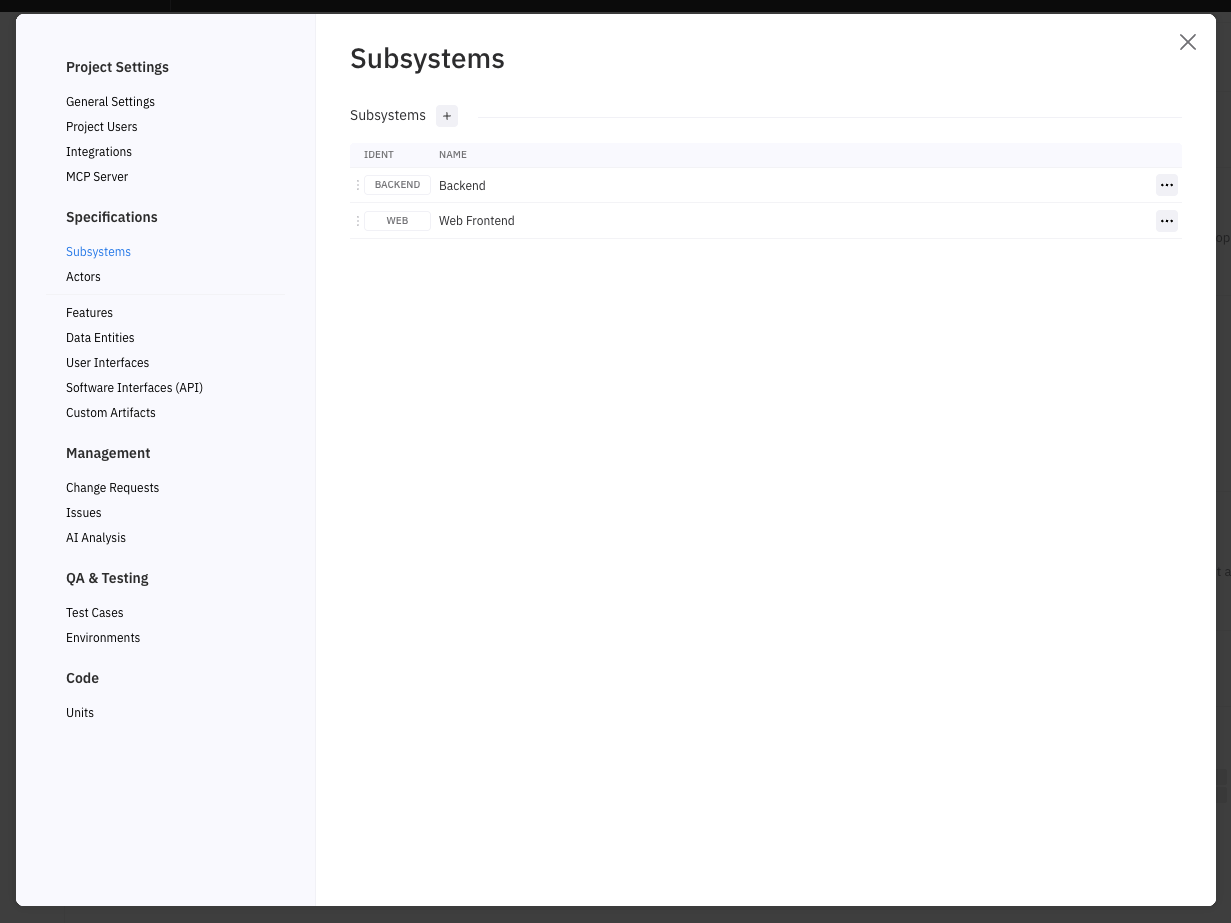
View subsystems list
- Open Project Settings → Subsystems
Reorder subsystems
- In the list, drag a row using the drag handle on the left.
- Drop it in the new position.
Result: the list order is updated without a full page reload.
Create a new subsystem
- Click + on the Subsystems list.
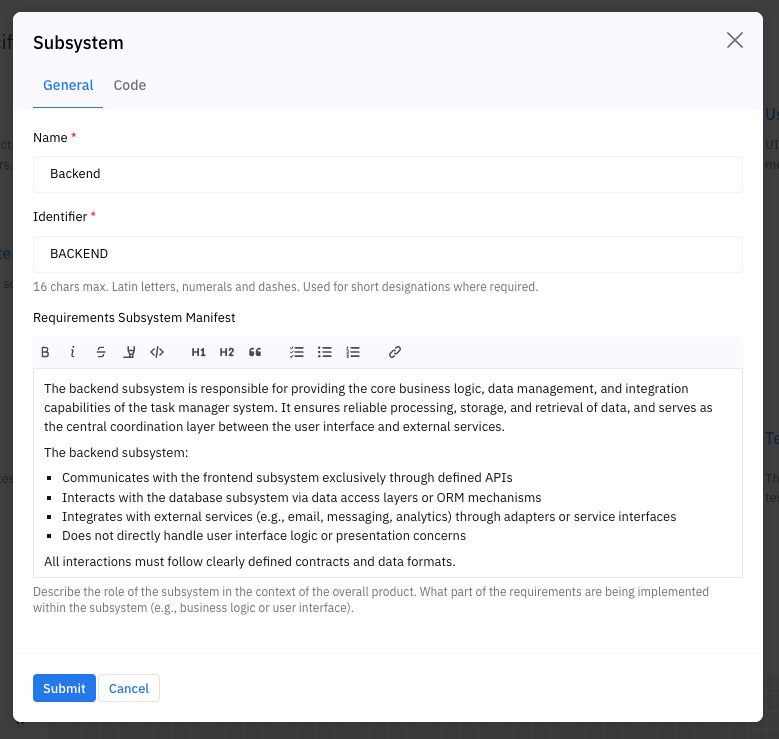
- In the Subsystem Editor (General tab), fill in:Name (required)Identifier (required, 1..16, A–Z a–z 0–9 -, unique)Requirements Subsystem Manifest (optional)
- Name (required)
- Identifier (required, 1..16, A–Z a–z 0–9 -, unique)
- Requirements Subsystem Manifest (optional)
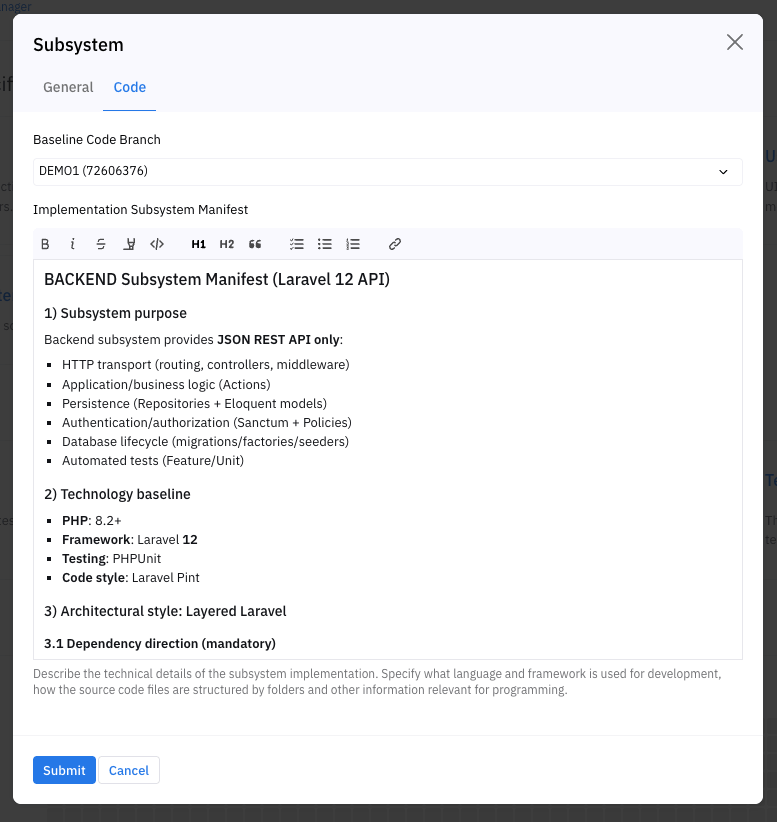
- (Optional) Open the Code tab and fill:Baseline Code Branch (optional)Implementation Subsystem Manifest (optional)
- Baseline Code Branch (optional)
- Implementation Subsystem Manifest (optional)
- Click Submit.
Edit an existing subsystem
- In the subsystem row click ….
- Select Edit.
- Change fields in General and/or Code tabs.
- Click Submit.
Delete a subsystem
- In the subsystem row click ….
- Select Delete.
- Confirm deletion.
Notes:
- Only Admin can delete.
- Deletion can be blocked if the subsystem is used in requirements.
Open Subsystem Versions
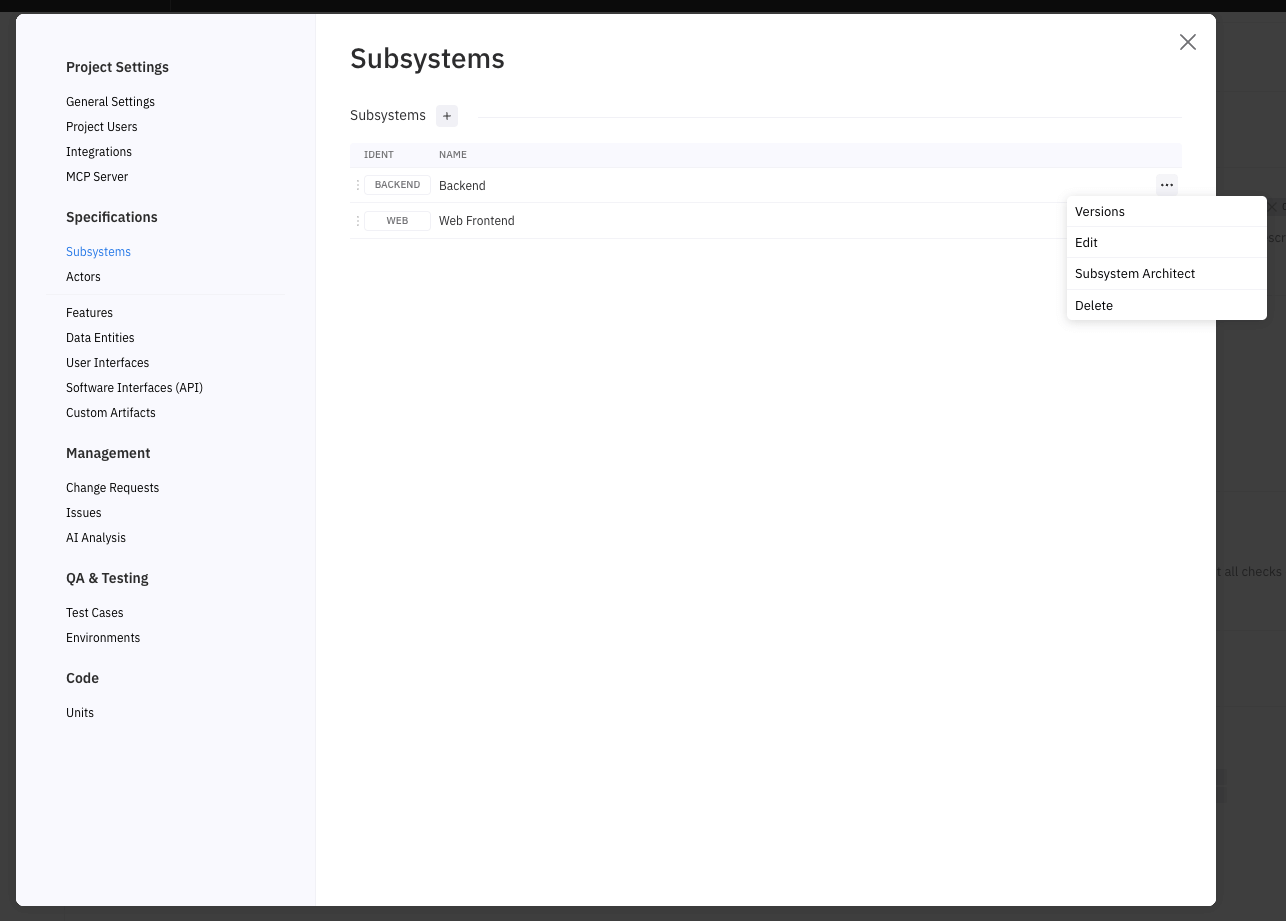
From the subsystem row menu … → Versions.
For details, see Subsystem Versions (Product Guide article).
Open Subsystem Architect
- In the subsystem row click ….
- Select Subsystem Architect.
Result
- Subsystems are created/updated and immediately visible in the list.
- You can manage subsystem metadata, AI guidance, and access versions.
Errors / Constraints
- Identifier required and must match constraints: 1..16, A–Z a–z 0–9 -, unique.
- Delete confirmation is required.
- Delete blocked if subsystem is referenced by requirements.
Best practices
- Create subsystems early (before mass requirement creation) to avoid later re-assignment.
- Use stable identifiers; treat them as a public short code within the project.
- Keep the subsystem list ordered by user value (e.g., main subsystem first).