Contact Us
Features
What is a Feature
Feature is the central artifact in Reqode. It is used to describe functional and non-functional requirements of the software. Feature describes one specific function or characteristic of the software.
Feature as a Central Artifact
A Feature represents a single function or behavior of the system, for example:
- “Sign Up (Email + Password)”
- “Create Task”
- “Dashboard Performance Requirements”
Both functional and non-functional requirements can be described:
- inside a Feature (if they apply to a specific function)
- or as a separate non-functional Feature (for a module or the whole system)
How the feature is described
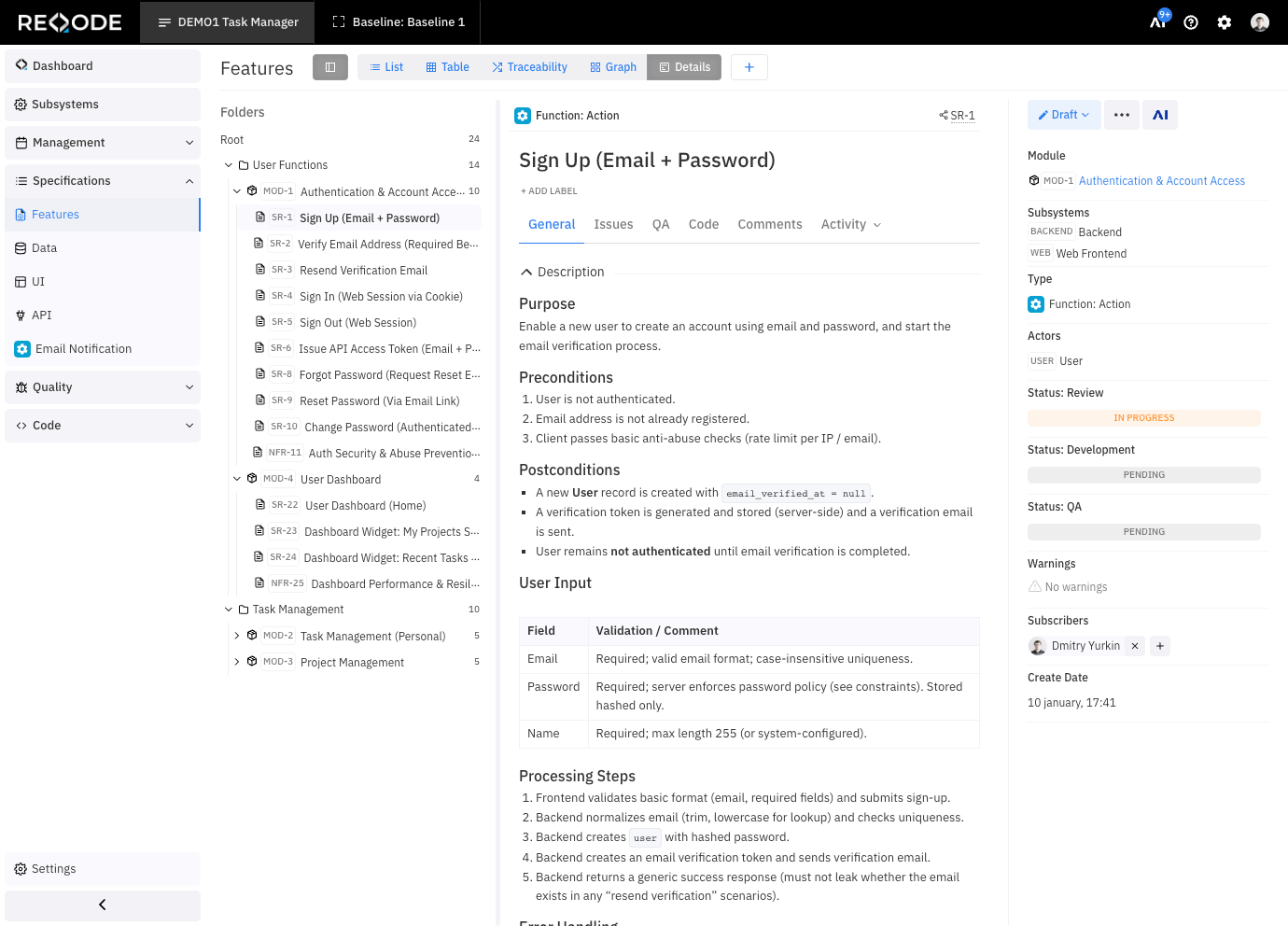
Feature is described using a feature specification. Specification is a markdown document, it can have links to other project artifacts, and can be accompanied by files, images, and diagrams.
Reqode allows you to define the rules for describing features, manage different types of features, and use templates. You can customize feature types depending on your project specifics.
You can use User Stories to define feature specifications or you can create custom feature types (e.g. Action feature, List View Feature, Details View Feature, etc). Different Feature types may have different templates and AI guidelines.
Feature References
Allowed references:
- related features
- data entities, user interfaces, software interfaces and custom artifacts
- issues
Based on these references, Reqode builds a knowledge graph and provides full traceability from feature to implementation and testing artifacts.
Reqode allows you to configure what artifacts will be used in project.
Source Code Linking
Feature Source Code Demo
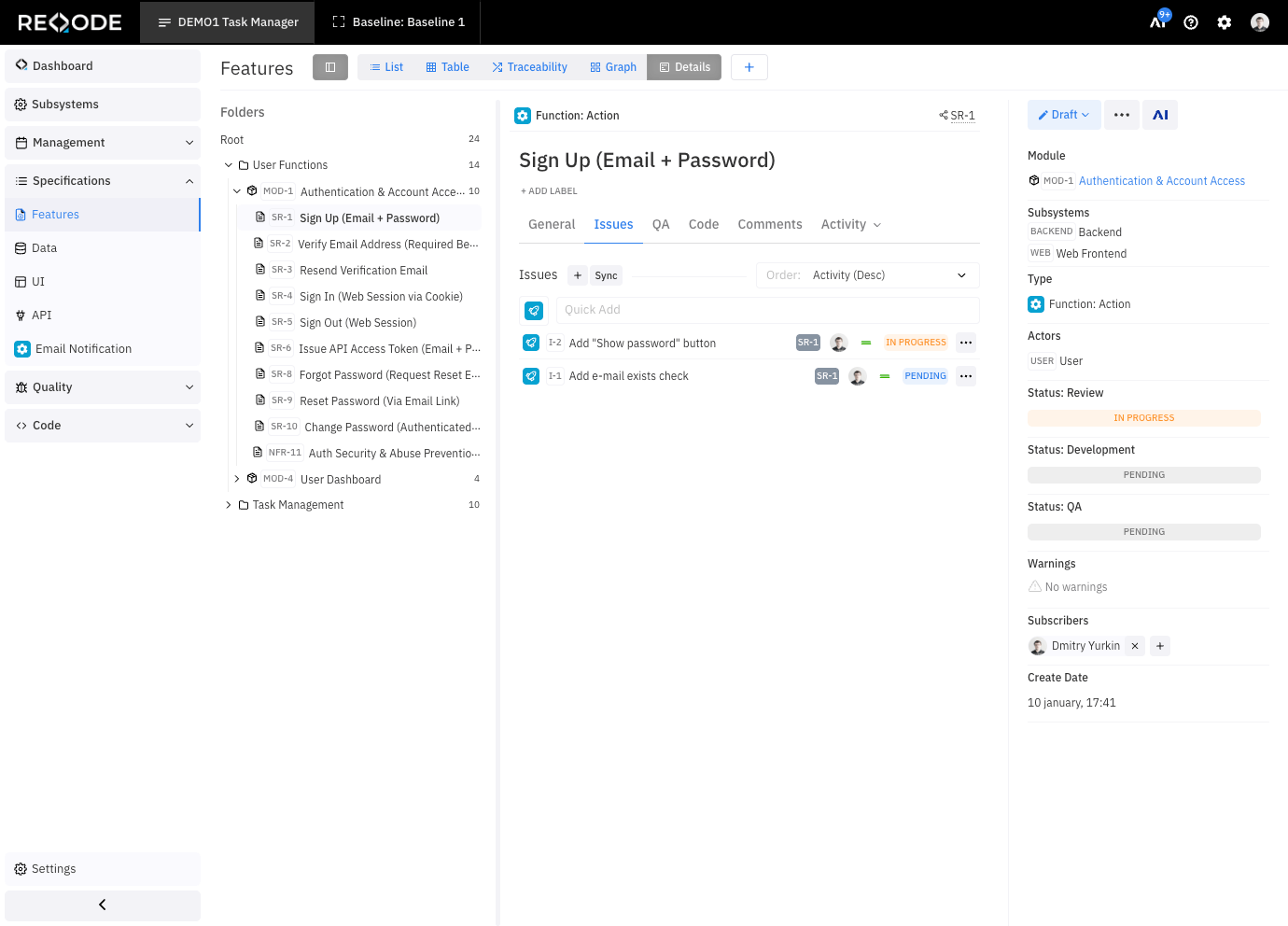
Issues Linking
Feature Issues Demo
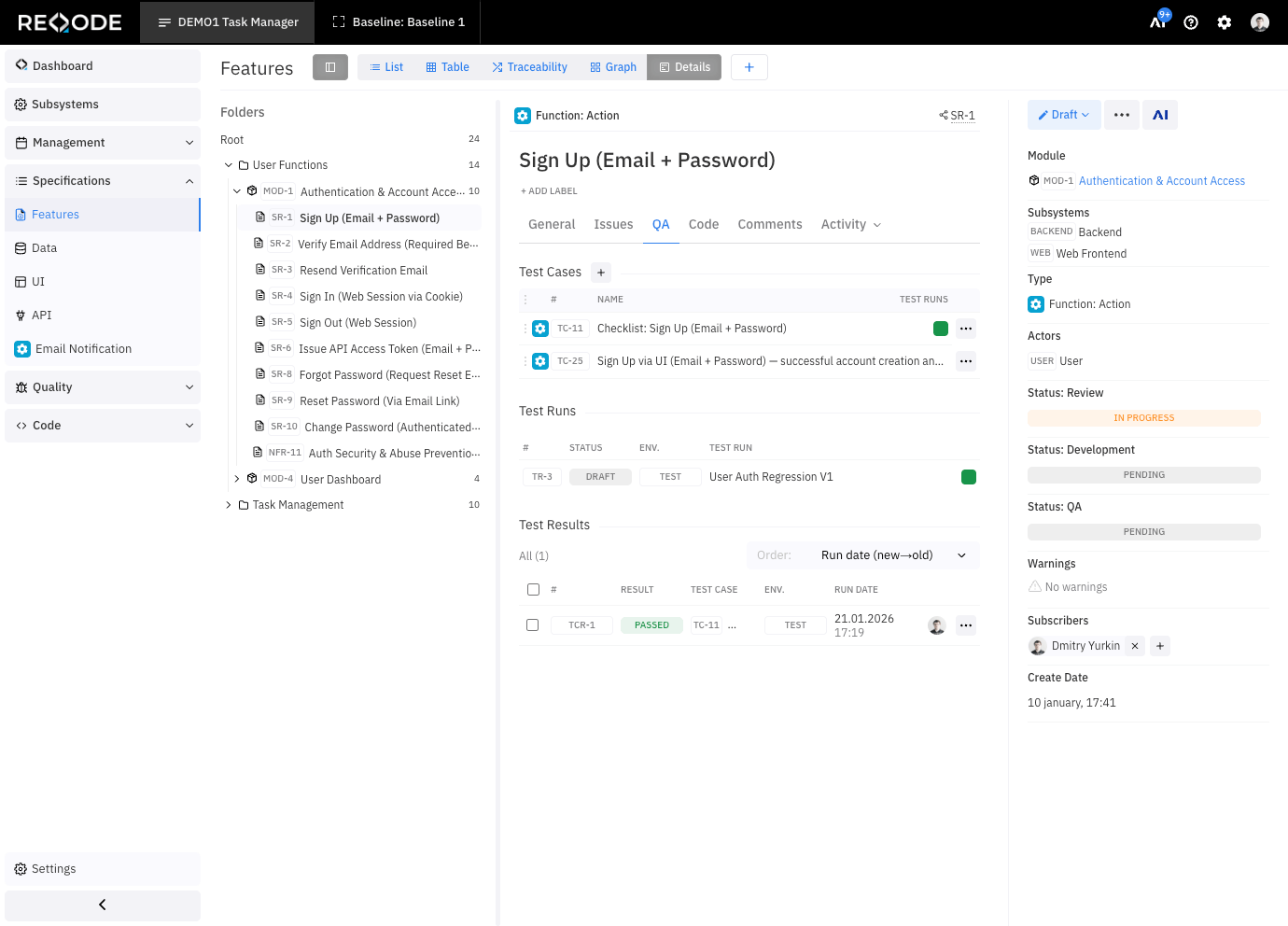
Feature Test Case & Results
Feature QA demo
- test cases
- test runs and results
Grouping into modules
In Reqode, Features do not exist on their own. Each Feature always belongs to a Module.
A Module is a logical group of related Features. Module defines the boundaries of closely related and dependent functions.
For example, we can have User Management module, containing the following features:
- Users List
- Create User
- Edit User
- Delete Use
Feature Types
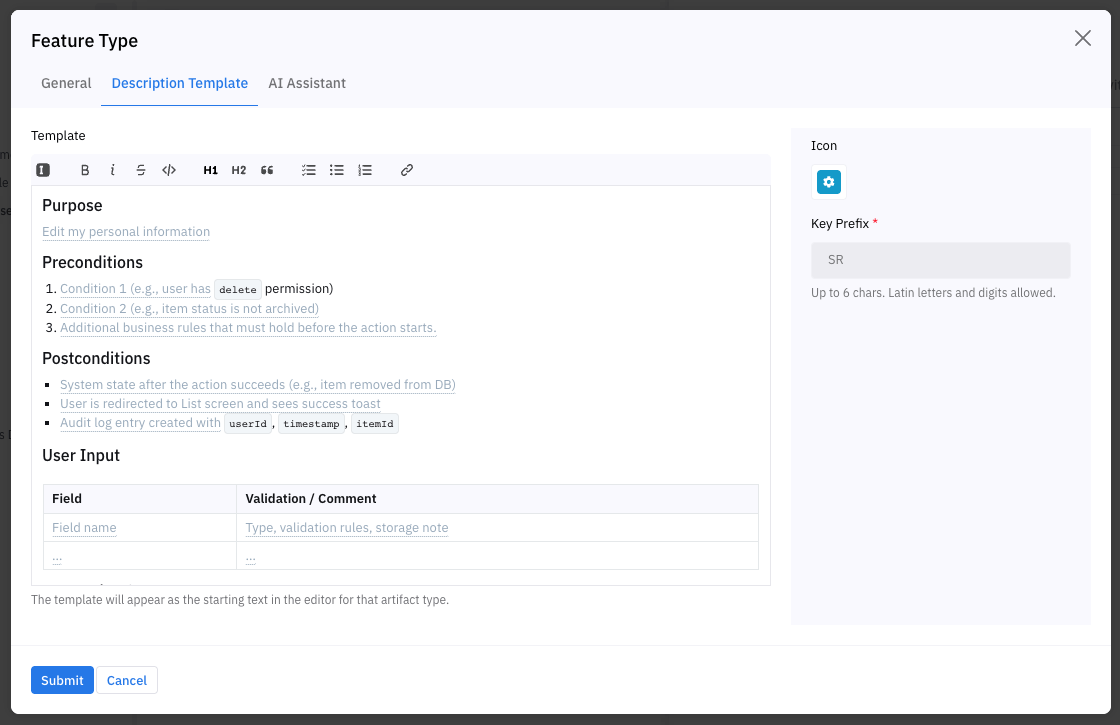
Function types can be used to identify different types of features, specify a specification template for each type, and provide guidelines for AI assistants on how to form them.
Demo:
List
Add
Edit
Delete
Order
Editor: Template / Rules / Icon
Reqode allows you to configure:
- custom Feature types
- type specification template
- instructions and rules for AI assistants on how to formulate type specifications
- name and icon
This helps standardize how Features are described in your project.
Feature Management
The feature catalog allows you to manage features of the base line or a selected branch. Feature catalog supports folder-based hierarchy, different grouping, filtering, and sorting options
List View
(List view demo)
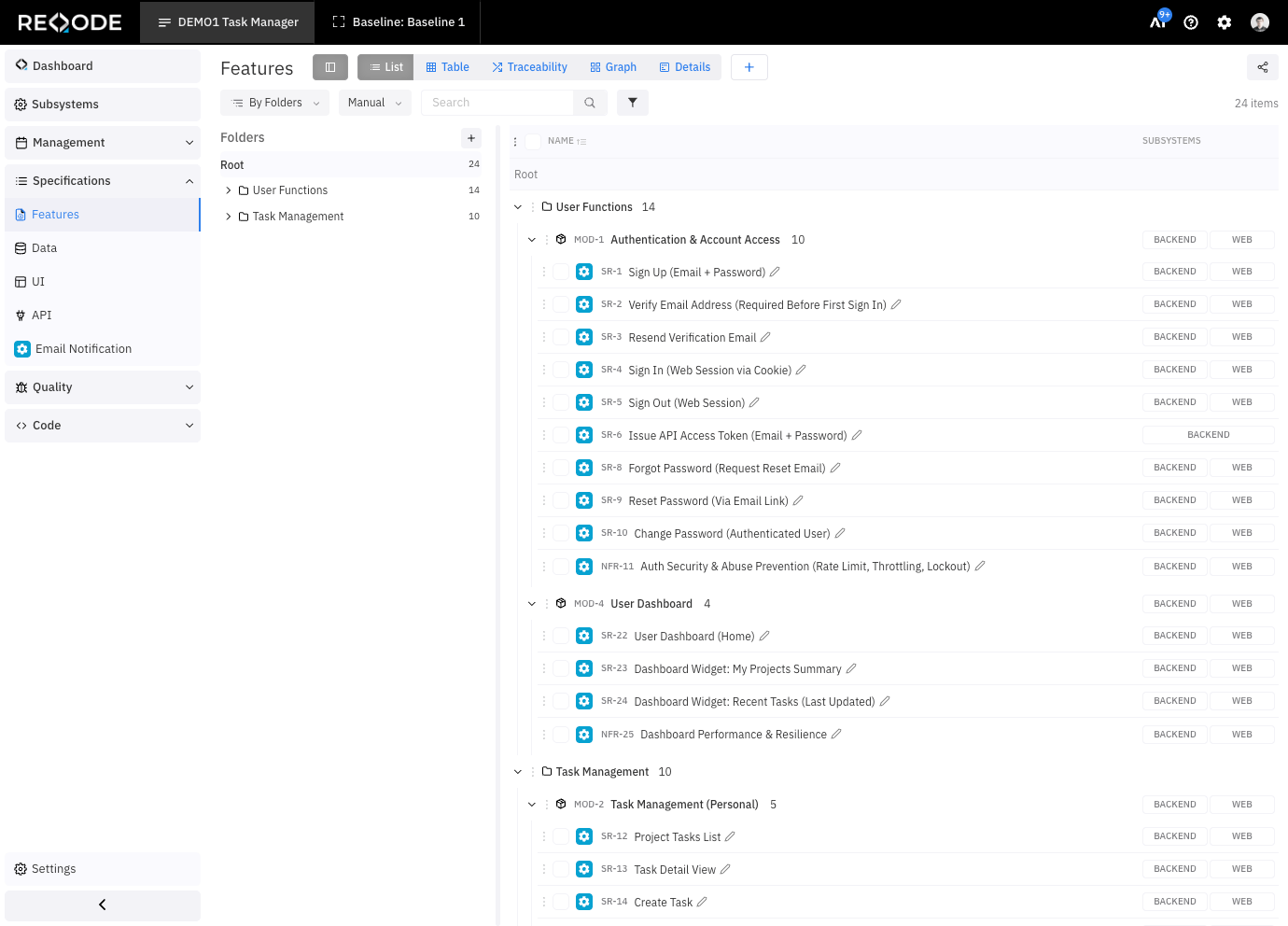
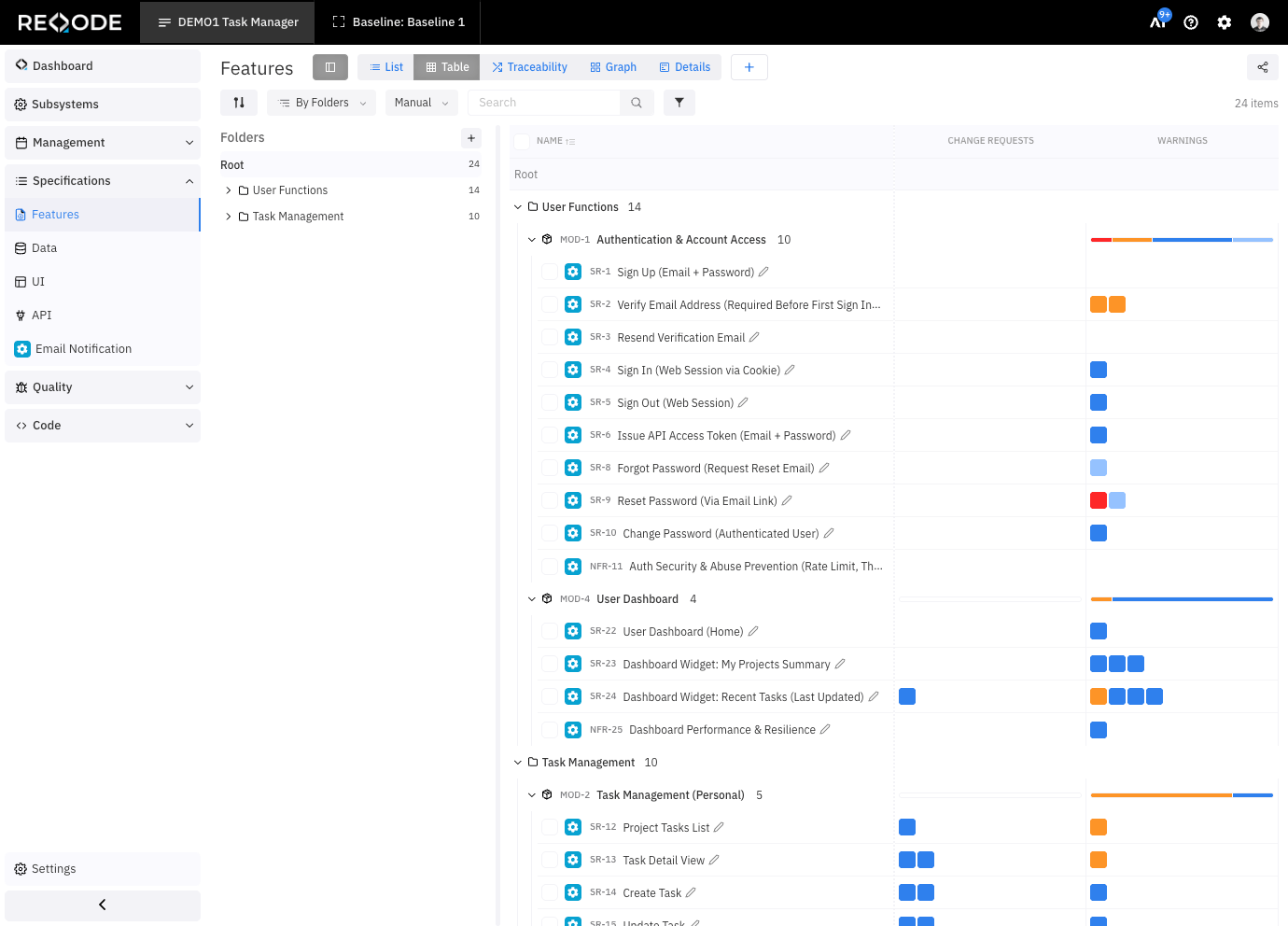
Table View
A flat table with sortable columns and filters.
(Table view demo)
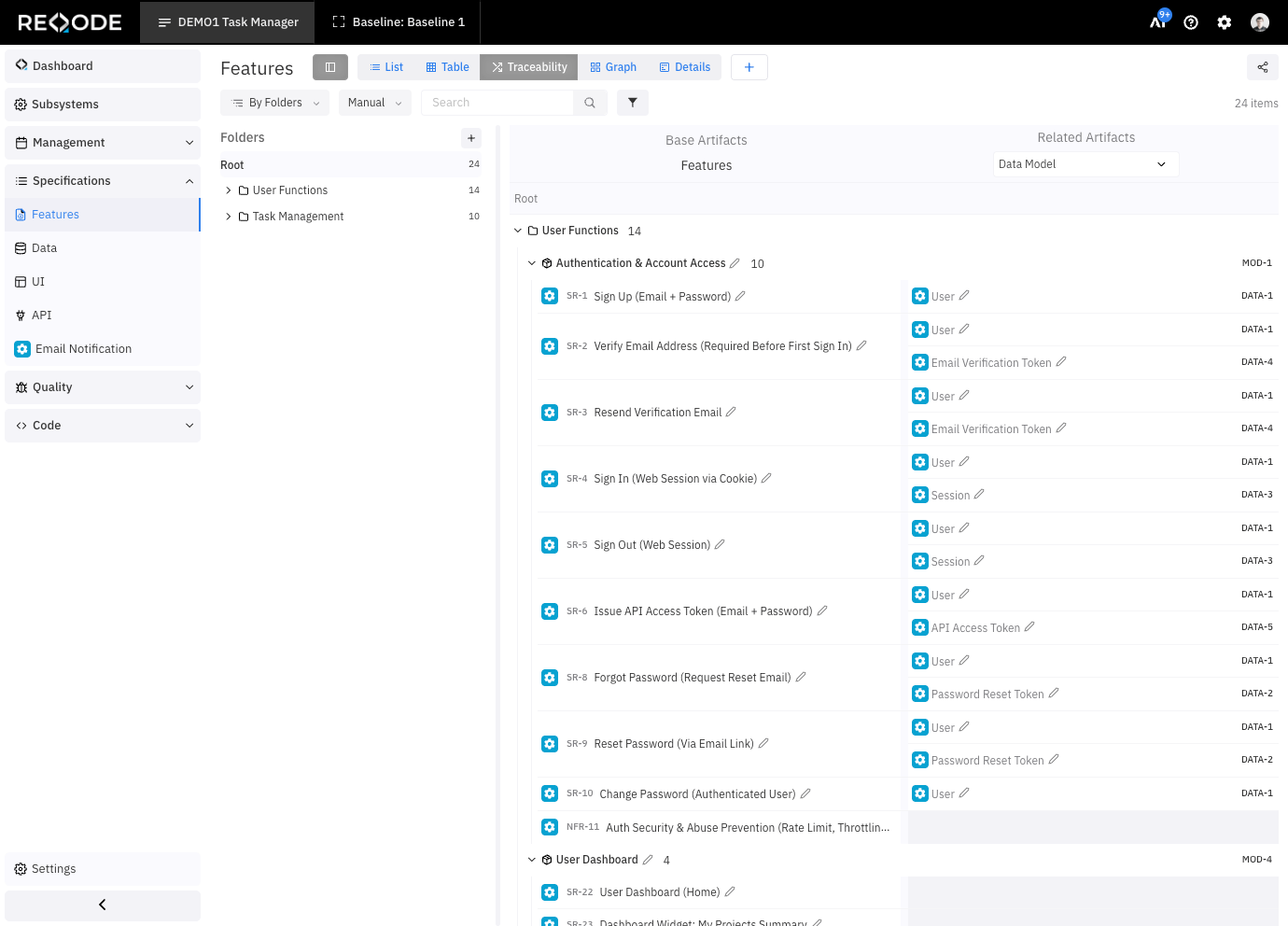
Traceability View
Shows relationships between Features and other artifacts (for example: data models, tests, code).
(Traceability view demo)
Detailed View
A full view of a single Feature, including:
- description
- issues
- test cases
- test runs
- activity history
(Detailed view demo)
Add Feature
(Add feature view demo: Module / Feature, AI add feature)
Edit Feature
(Edit feature demo: Manual, AI)